Macro

Macro

Download on App Store
Logo of Macro

Macro: Your Argentine Bank, Anywhere in the World

The ultimate bridge for your finances. Manage accounts, pay local taxes, and support family in Argentina from the USA. Open your account instantly with just a selfie and your DNI—no travel required.

Download on App Store

Publisher

Banco Macro SA

Category

Finance

Downloads

646K+

User Rating

2.0/5

Total Ratings

3K+

Locales

1

Your Bank, Without Borders

Discover the interface used by 646K+ users.
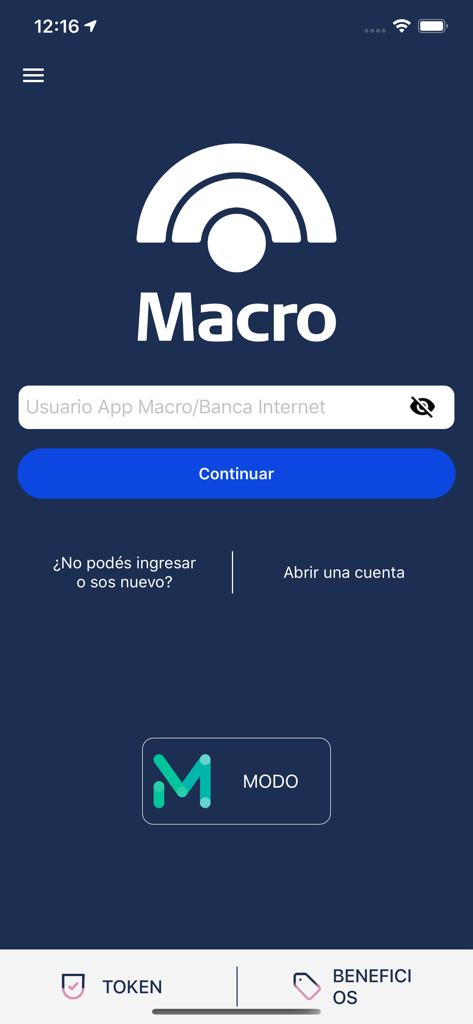
Banco Macro mobile app login screen with username input field and MODO integration

Banco Macro mobile app login screen with username input field and MODO integration

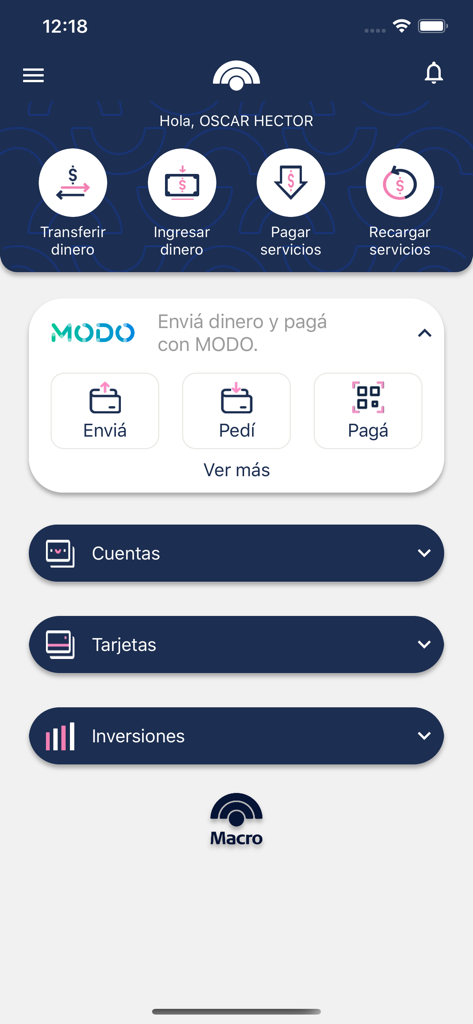
Banco Macro mobile banking app dashboard showing money transfer options and MODO digital wallet integration

Banco Macro mobile banking app dashboard showing money transfer options and MODO digital wallet integration

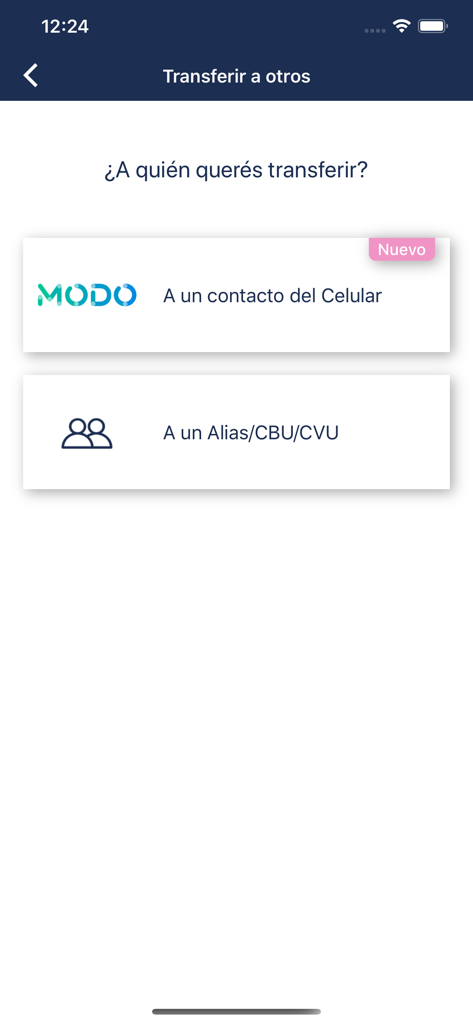
Banco Macro app screen for selecting money transfer recipients via phone contacts or bank identifiers like CBU and CVU

Banco Macro app screen for selecting money transfer recipients via phone contacts or bank identifiers like CBU and CVU

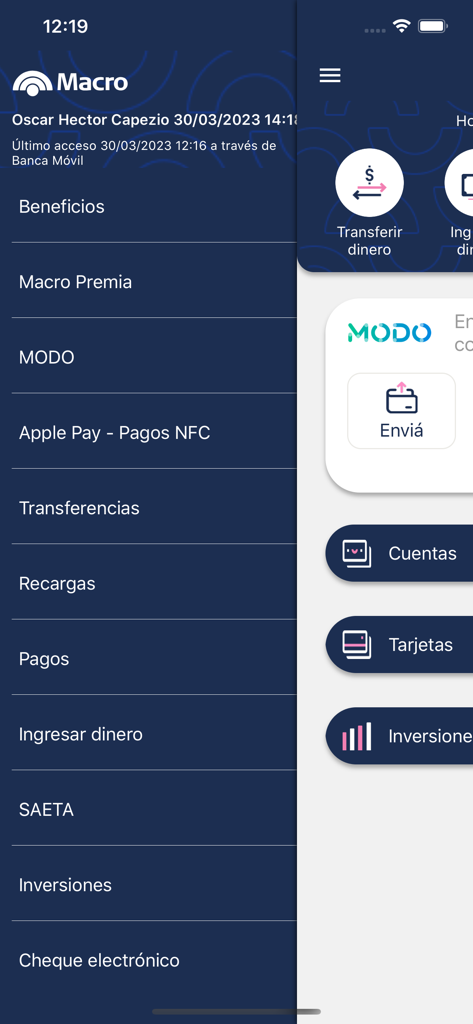
Side menu and main interface of the Banco Macro mobile banking app in Spanish.

Side menu and main interface of the Banco Macro mobile banking app in Spanish.

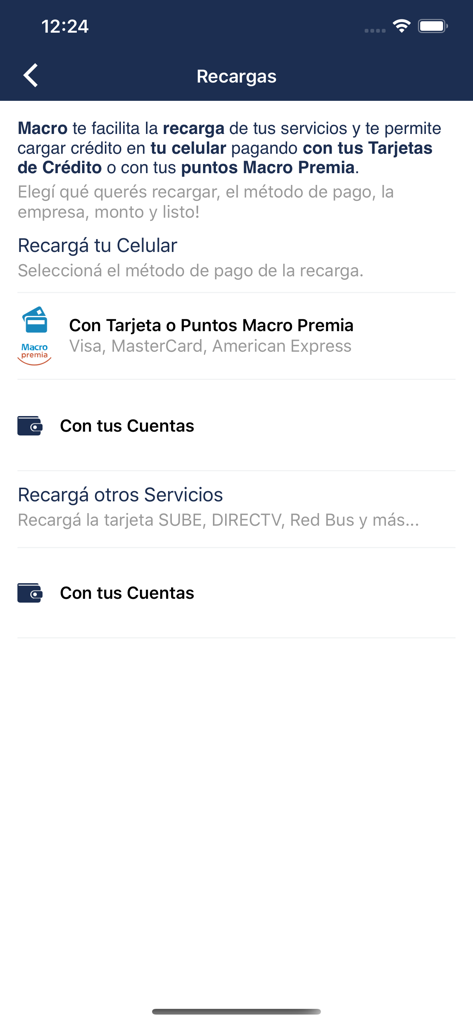
Banco Macro app interface showing mobile phone and service recharge options

Banco Macro app interface showing mobile phone and service recharge options

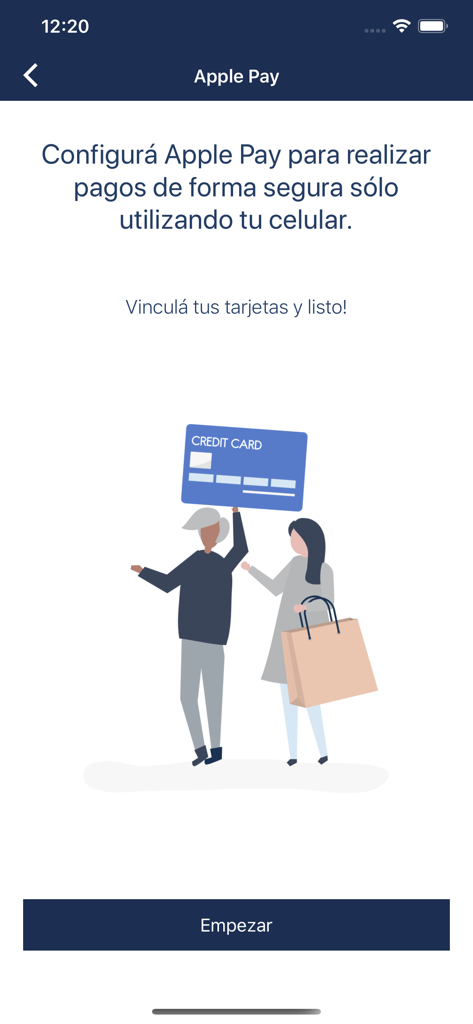
Apple Pay configuration screen in the Macro banking app showing a button to start linking cards

Apple Pay configuration screen in the Macro banking app showing a button to start linking cards

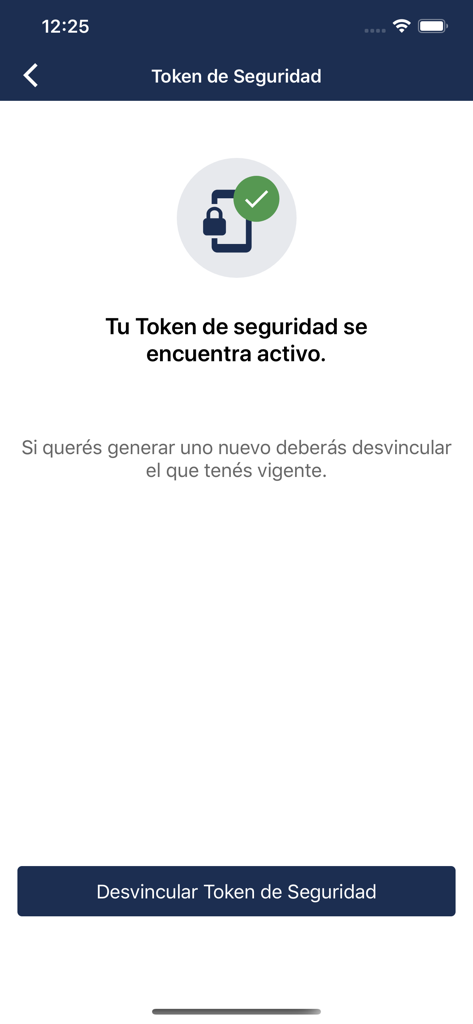
Banco Macro app screen showing an active security token.

Banco Macro app screen showing an active security token.

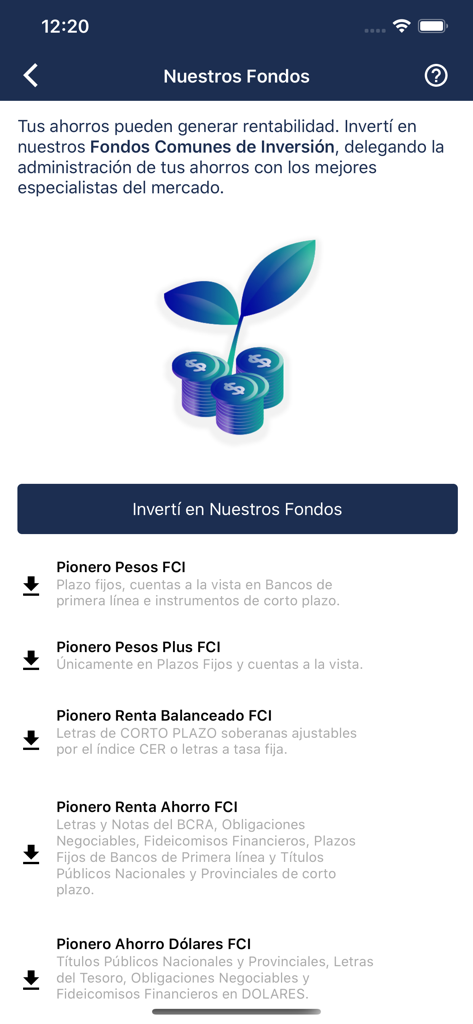
Interface of Banco Macro app displaying various mutual fund investment options for users.

Interface of Banco Macro app displaying various mutual fund investment options for users.

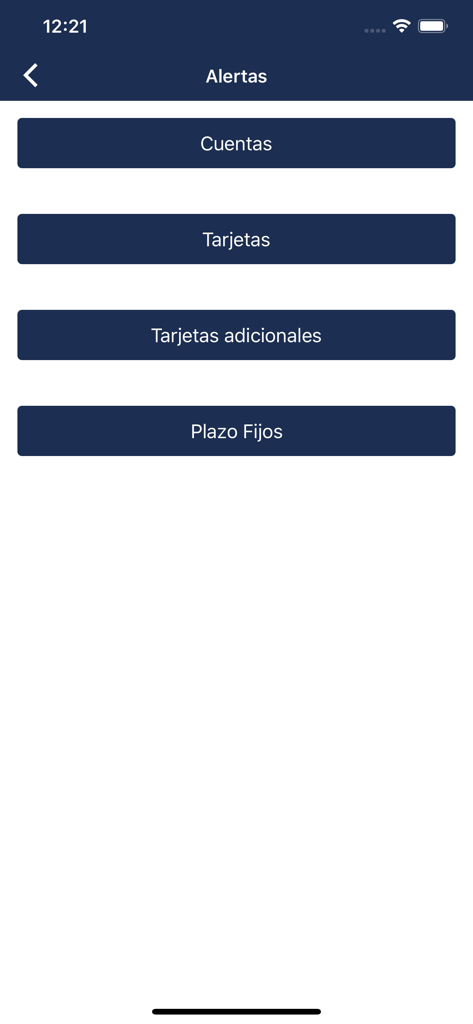
Alerts menu in the Banco Macro app with options for accounts, cards, and fixed term deposits

Alerts menu in the Banco Macro app with options for accounts, cards, and fixed term deposits

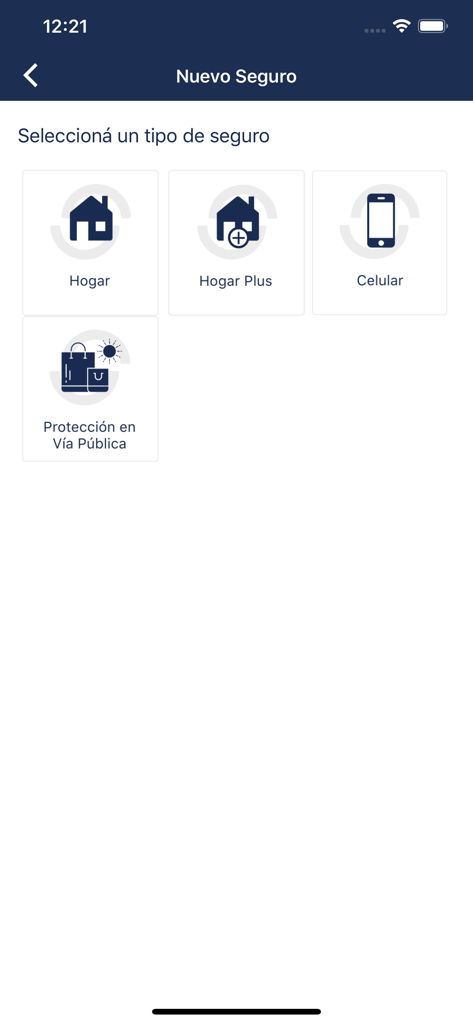
Interface of the Macro app showing insurance options for home, cell phone, and street protection.

Interface of the Macro app showing insurance options for home, cell phone, and street protection.

Manage Your Argentine Finances Directly from the USA

The tools that make this app stand out, trusted by 646K+ users.

🤳

100% Remote Onboarding

Open an account or reset your security PIN using just your DNI and a selfie. No international flights or physical branch visits required.

🏠

Property & Bill Management

Pay your Argentine taxes, utilities, and expensas from abroad. Keep your local properties running smoothly with integrated bill pay.

🛡️

Secure Global Access

Operate with confidence using Face ID and integrated Security Tokens. Your assets remain protected by bank-grade biometrics 24/7.

Review Analysis

Insights from user reviews.

Sentiment Score

7%
Negative

Summary

User reviews for the app are overwhelmingly negative, citing widespread issues across various functionalities. Key complaints revolve around the app's poor reliability and performance, with users experiencing frequent crashes, freezing, slowness, and persistent "in maintenance" messages. Critical banking functions such as transfers are plagued by bugs, including blank receipts after updates and a lack of recipient name verification, making transactions cumbersome and risky. Users also express frustration with login difficulties, non-functional QR and Modo payment options, and an unintuitive interface often missing essential features. While one review praised recent updates and ease of use, the general sentiment points to an app that is inefficient, unstable, and significantly lags behind competitors, with recurring bugs like blank receipts and transfer issues appearing after recent updates.

Common Themes

Reliability(18)
Transfers Functionality(15)
Bugs(10)
Login Experience(9)
Usability(9)
Modo & QR Payments(7)
App Performance(6)

About the app

Everything you need to know about Macro.

Description

Simple y con más funcionalidades. Con la App Macro vas a poder realizar consultas y transacciones las 24 hs., los 365 días del año, de forma ágil y segura. Ingresá utilizando tu huella mediante Touch ID o tu cara con Face ID.* Realizar gestiones: • Abrir una cuenta desde tu celular solo con tu DNI y una selfie. • Generar tu clave y usuario para operar por App y Banca Internet. • Ingresar a la App utilizando biometría. • Blanquear el PIN de tu tarjeta de débito. • Generar tu clave del Centro de Atención Telefónica / TAS. • Validar operaciones de Banca Internet utilizando el Token de Seguridad. Realizar consultas y operaciones: • Consultar tus cuentas, tarjetas de crédito, préstamos, plazos fijos y seguros. • Realizar transferencias en forma inmediata y administrar tu agenda de destinatarios. • Realizar compra y venta de dólares. • Constituir plazos fijos y consultar tasas. • Pagar tus tarjetas de crédito, préstamos, impuestos y servicios. • Recargar celulares, tarjetas de transporte público y servicios de TV. • Enviar dinero para poder ser extraído en cualquier cajero automático Banelco sin utilizar Tarjeta de Débito. • Configurar alertas para recibir por mail información sobre débitos automáticos y consumos con Tarjetas de Débito y Crédito (Visa, Amex), saldo de tus cuentas, y vencimientos de préstamos, plazos fijos y tarjetas. • Suscribir, consultar y rescatar tus tenencias en Fondos Comunes de Inversión. • Solicitar y gestionar Seguros. • Consultar, emitir y recepcionar cheques electrónicos. • Pagar con QR en comercios, sin necesidad de llevar tu tarjeta (de Débito o Crédito) física ni presentar tu DNI. • Enviar dinero a tus contactos agendados que tengan MODO. Adquirir productos y beneficios: • Solicitar préstamos personales online con otorgamiento en el momento. • Solicitar un adelanto de sueldo con otorgamiento en el momento. • Conocer y canjear tus puntos Macropremia. • Conocer los servicios cerca tuyo: beneficios, sucursales, cajeros automáticos, y establecimientos adheridos al servicio Extra Cash que te permite extraer dinero con tu tarjeta de débito sin costo. *(Face ID solo disponible en modelos de iPhone X en adelante)

Latest Version

2.6.3

Size

235.0 MB

First Released

Dec 16, 2016

Tu conexión directa con tus finanzas en Argentina

Manejá tus cuentas, pagá impuestos y enviá dinero de forma segura desde los EE.UU. Abrí tu cuenta solo con tu DNI y una selfie, y llevá tu banco siempre con vos.

Download on App Store
FAQ

Frequently Asked Questions

Everything you need to know about Macro

How can I log into the Macro app?

Yes, the Macro app supports secure login via biometrics like Touch ID (fingerprint) or Face ID (facial recognition). Alternatively, you can use your generated username and key for access.

Can I open a bank account using the Macro app?

Yes, the Macro app allows you to open a bank account directly from your cell phone. The process requires only your DNI and a selfie for verification.

What financial operations are available in the Macro app?

The Macro app facilitates various operations, including money transfers, buying/selling US dollars, and paying credit cards, loans, taxes, and services. It also supports recharging cell phones and public transport cards.

Does the Macro app have a Security Token for online banking?

Yes, the Macro app features a Security Token to validate online banking operations securely. The app indicates if your token is active and provides options to manage it.

Can I invest in funds through the Macro app?

Yes, the Macro app enables investment management. You can subscribe to, consult, and redeem holdings in various Common Investment Funds (FCI), such as Pionero Pesos FCI.

Is Apple Pay compatible with the Macro app?

Yes, the Macro app is compatible with Apple Pay. You can configure Apple Pay within the app by linking your cards, allowing secure payments directly from your cell phone.

How do I send money using MODO in the Macro app?

The Macro app integrates with MODO, allowing you to send money to your contacts. You can transfer funds directly to MODO users listed in your phone contacts.

What insurance products can I access via the Macro app?

The Macro app provides access to various insurance products. You can request and manage policies for Home, Home Plus, Mobile, and Public Road Protection directly within the application.

Can I unblock my debit card PIN with the Macro app?

Yes, the Macro app allows you to unblock or reset the PIN for your debit card. This feature helps you regain access to your card functions directly from your mobile device.

Does the Macro app offer an instant salary advance?

Yes, the Macro app offers the option to request a salary advance. This feature provides immediate approval and disbursement of funds directly through the application.

App information, icons, screenshots, and descriptions displayed on this page are sourced from the Apple App Store and are the property of their respective developers. Download estimates and rankings are based on MWM's proprietary models and may not reflect actual figures. This page is provided for informational and analytical purposes only.

Believe this page infringes your intellectual property? File a dispute