Spelling Hangman
Spelling Hangman
Download on App Store

This page is not an official page of the app or its developer, but an independent editorial publication created for informational and commentary purposes. Unless expressly stated otherwise, neither the app nor its developer is affiliated with, endorsed by, sponsored by, authorized by, or otherwise officially connected with MWM, Apple, Google Play, the app publisher, or the app's developer, and nothing on this page implies that the app was developed using MWM's services. Any trademarks, logos, screenshots, and other content remain the property of their respective owners.


Logo of Spelling Hangman
Download on App Store

Spelling Hangman

Empower your child to master their specific school spelling lists. Record your own voice, create custom tests, and turn study time into a game they actually want to play—100% ad-free and teacher-approved.

Key Figures

Downloads

0

User Rating

3.0/5

Total Ratings

0

Publisher

Emma Mills

Category

Education

Locales

2

Latest Version

8.0.3.0

Size

6.5 MB

First Released

Jan 31, 2014
Features

Turn Weekly Homework Into Play

Spelling Hangman is designed for parents and teachers to bridge the gap between school spelling lists and fun, interactive practice that actually sticks.

Custom Lists & Voice Recording

Import your child's specific school words and record your own voice to provide a familiar and personalized learning experience.

The Sneaky Peek Hint System

Encourage self-correction with a clever hint mechanic that helps children learn from mistakes without the frustration of starting over.

The following screenshots and description are sourced directly from the app's official store listing and are the property of the app developer.

App Store

Screenshots
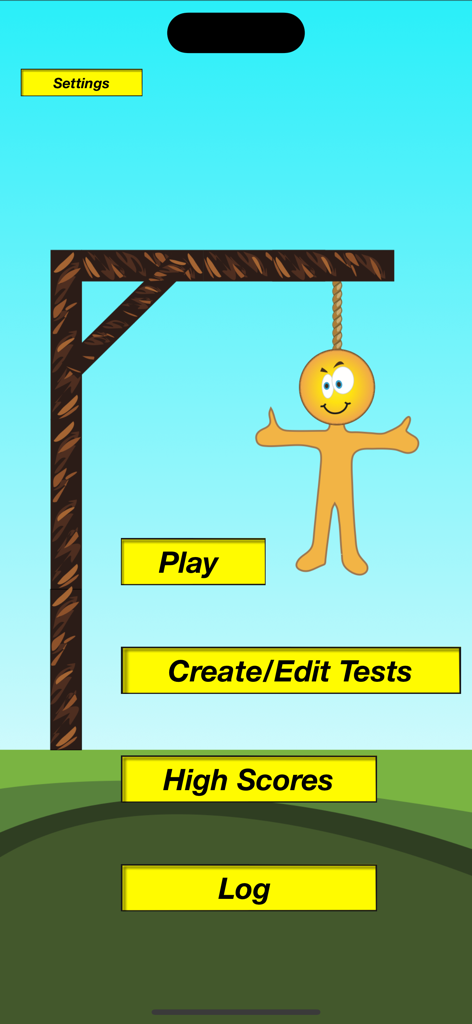
Spelling Hangman - Spelling Hangman app home screen featuring buttons to play and create custom spelling tests alongside a yellow hangman character.
Spelling Hangman app home screen featuring buttons to play and create custom spelling tests alongside a yellow hangman character.

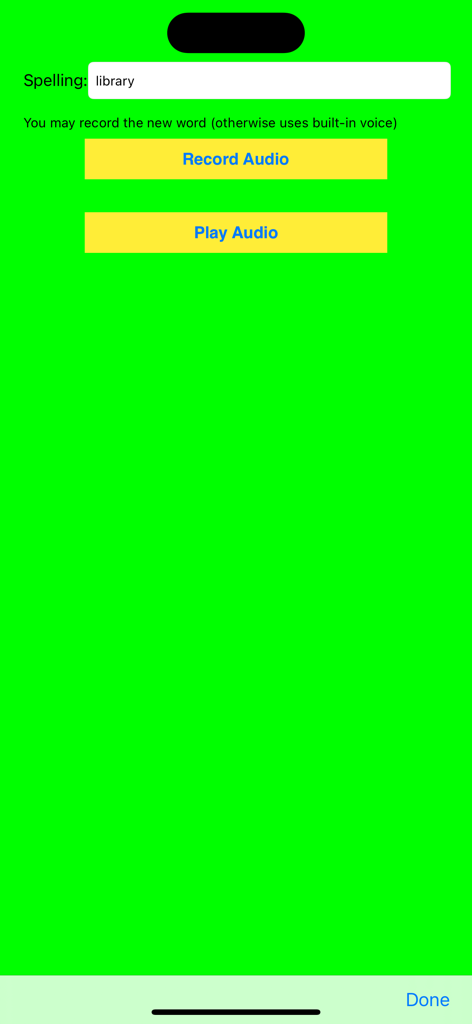
Spelling Hangman - Interface for entering a spelling word and recording custom audio for a practice test
Interface for entering a spelling word and recording custom audio for a practice test

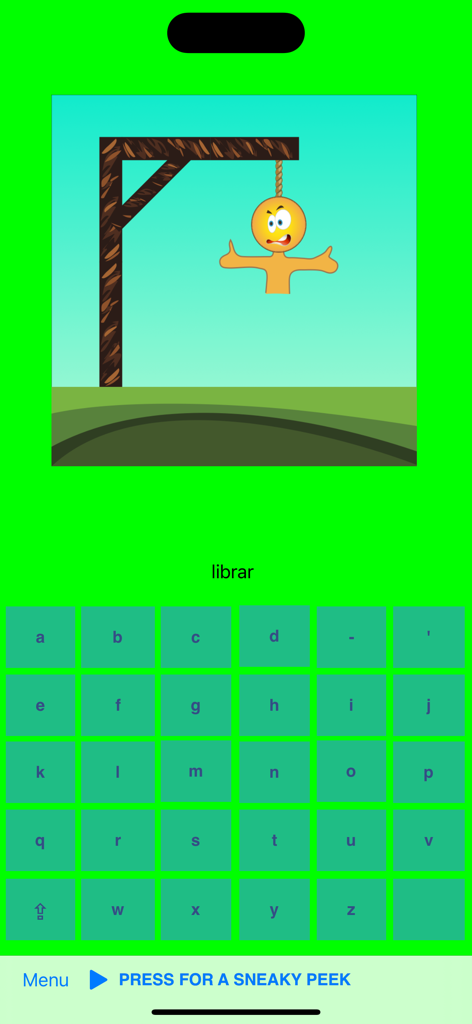
Spelling Hangman - Spelling Hangman app gameplay screen showing a word puzzle and a cartoon character on a gallows.
Spelling Hangman app gameplay screen showing a word puzzle and a cartoon character on a gallows.

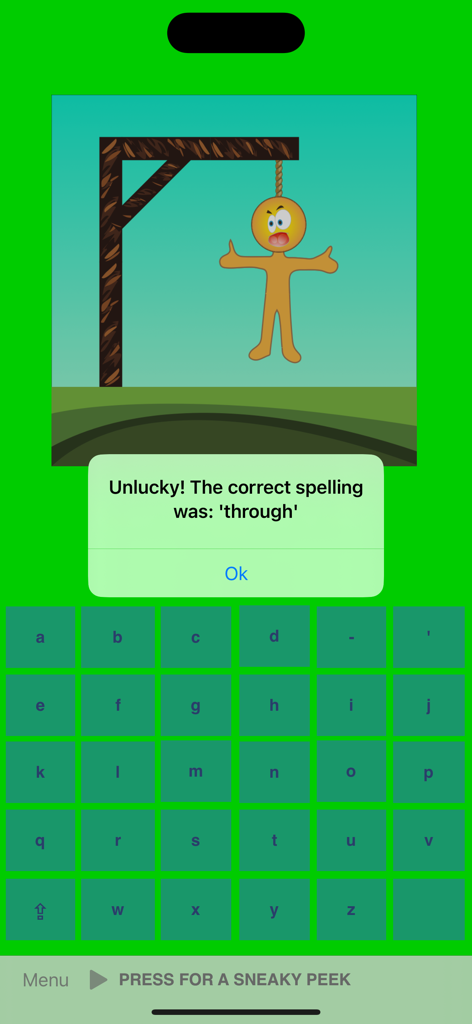
Spelling Hangman - Game over screen in Spelling Hangman app showing an incorrect answer message with the correct spelling for the word through
Game over screen in Spelling Hangman app showing an incorrect answer message with the correct spelling for the word through

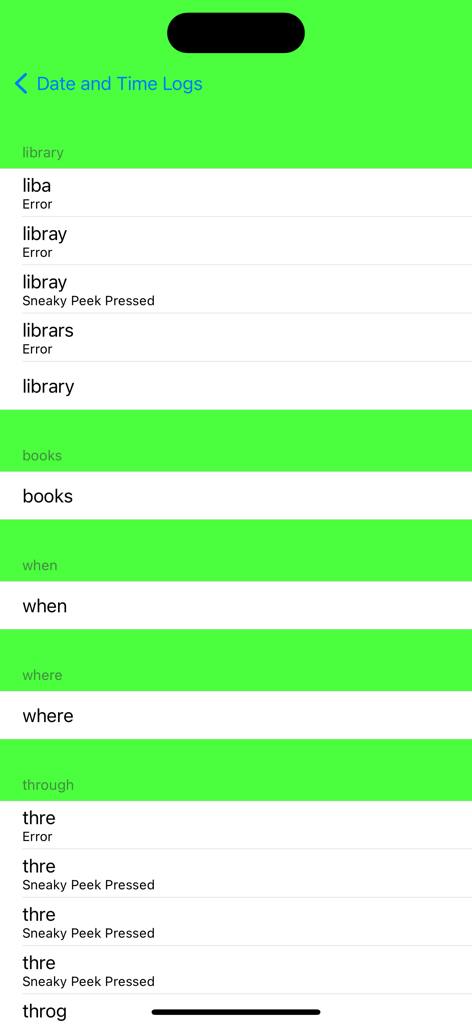
Spelling Hangman - Spelling Hangman app screen showing a detailed log of spelling word attempts including errors and hints used

Spelling Hangman app screen showing a detailed log of spelling word attempts including errors and hints used

Description

Designed specifically for those spelling lists from school Appymall - 'Spelling Hangman is a neat app for practicing spelling lists. Parents or teachers can add their own spelling list for children to work on, add audio, choose to lock their lists under "lock configuration" with a password and get kids practicing. In the app, the first word is spoken, and can be repeated by hitting the arrow at the bottom, and kids practice spelling it by using the keyboard at the right. The app plays like a traditional game of hangman, when a letter is missed a piece of the picture shows up, and if the entire word is missed, the word is shown. I like now customizable the app is, with adding your own words and lists, it makes it appropriate for a wider range of students. The voice detection is good, which can be an issue. I would like to see a better hint system in future updates, but overall this is a solid app that I would recommend. I saw no links, ads, or IAPs.' 4 stars EducationalAppStore - 'Spelling Hangman is a fun and easy to use app that will come in handy for young children when preparing for spelling classes. It’s fair to say that the app can be easily used in the classroom and incorporated in the regular curricula. The app receives a 4 star EAS Certification and with a few tweaks from the developer it can become a 5 star app!' iMums - 'I would recommend this app, for sure! I believe it could be useful within the therapy room, as a center in the general education classroom, or as a reward in a special education classroom, just to name a few. This is such a great tool to be used to functionally practice spelling words, or “word study” words as we call them! I feel this app has great potential and with the few things worked out, it would be a 5-star app! I was incredibly impressed with the app and had I known the few things I discovered, I would certainly have rated it higher!' - 4.5 stars Spelling Hangman is a fun and easy way to prepare for weekly school spelling tests. To create your own tests, enter and record each of the spellings, then play a hangman style game with 'sneaky peeks' to help the learning process. You will enter each letter of the word in the correct order, but watch out, if you make a mistake, hangman will start to appear. Stuck? - press and hold the 'Sneaky Peek' button to look at the word. It might sound like cheating, but each 'Sneaky Peek' adds a hangman stage. When you have finished your test, check your scores. High scores will be saved for you to try and beat next time. Spelling Hangman can also be used as a any language, for which you have a keyboard, to English vocab tester. Tests may be shared between devices using Airdrop, iMessage or eMail. Emma Mils is a participant of the Moms with Apps Know What’s Inside® program, a part of ACT | The App Association. This program is dedicated to helping family-friendly app developers implement best practices around privacy and comply with new privacy rules including the new COPPA rules that took effect July 1st. The program provides developers with guidance on best practices, but requires each developer to implement those best practices in order to display the Know What’s Inside® seal on their apps. Feedback and feature requests always welcome. Email: support@spellinghangman.com Webpage: http://www.spellinghangman.com Twitter: http://www.twitter.com/spellinghangman Facebook://http://www.facebook.com/SpellingHangman

Download

Download on App Store

This page is not an official page of the app or its developer, but an independent editorial publication created for informational and commentary purposes. Unless expressly stated otherwise, neither the app nor its developer is affiliated with, endorsed by, sponsored by, authorized by, or otherwise officially connected with MWM, Apple, Google Play, the app publisher, or the app's developer, and nothing on this page implies that the app was developed using MWM's services. Any trademarks, logos, screenshots, and other content remain the property of their respective owners.