iFacialMocap
iFacialMocap
Download on App Store

This page is not an official page of the app or its developer, but an independent editorial publication created for informational and commentary purposes. Unless expressly stated otherwise, neither the app nor its developer is affiliated with, endorsed by, sponsored by, authorized by, or otherwise officially connected with MWM, Apple, Google Play, the app publisher, or the app's developer, and nothing on this page implies that the app was developed using MWM's services. Any trademarks, logos, screenshots, and other content remain the property of their respective owners.


Logo of iFacialMocap
Download on App Store

iFacialMocap

Transform your iPhone into a high-precision facial scanner. Stream 52-blendshape expressions directly into Blender, Unity, or Maya—no expensive rigs required.

Key Figures

Downloads

214K+

User Rating

3.2/5

Total Ratings

200

Publisher

DevelopW LLC

Category

Productivity

Locales

15

Latest Version

1.4.9

Size

295.2 MB

First Released

Jan 13, 2020
Features

Professional Facial Animation, Simplified

Turn your iPhone into a high-precision facial capture rig and stream expressive animations directly into your favorite 3DCG software.

Real-Time Live Link

Seamlessly sync your facial expressions with Blender, Unity, Maya, and 3dsMax for instant character animation and live streaming.

TrueDepth Precision

Leverage Apple's ARKit to track 52 unique blendshapes, capturing every nuance from subtle smiles to complex speech.

The following screenshots and description are sourced directly from the app's official store listing and are the property of the app developer.

App Store

Screenshots
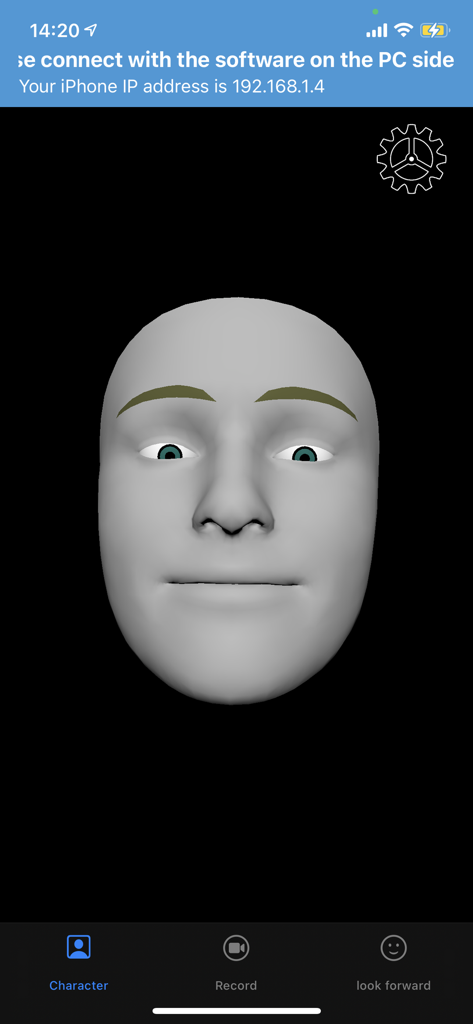
iFacialMocap - Interface of the iFacialMocap app showing a gray 3D face model for real-time motion capture.
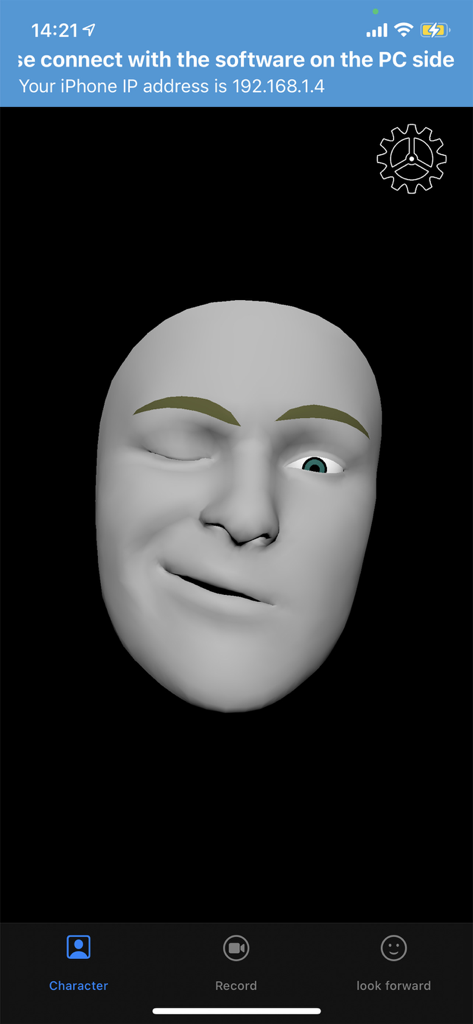
Interface of the iFacialMocap app showing a gray 3D face model for real-time motion capture.

iFacialMocap - iFacialMocap app interface showing a grey 3D head model mimicking facial expressions for real time motion capture

iFacialMocap app interface showing a grey 3D head model mimicking facial expressions for real time motion capture

Description

iFacialMocap allows you to capture facial expressions in an iOS app and communicate in real time with 3DCG software on your PC. You can also do an FBX export by email.PC-side software allows you to import VRM models. To export FBX, turn on the REC mode and record. And when you press the mail button, the version selection screen of FBX appears, and when you press the OK button, the FBX file is saved in the File folder and the mailer starts. Detailed usage is available at the following URL: https://ifacialmocap.com/ This app can create face animations by communicating with Maya, Unity, 3dsMax and Blender in real time. In addition, animations created in real time can be baked. This app can load VRM avatars within the iOS app. In addition, this app is linked with VMagicMirror on the PC and VRM related apps such as Luppet and HANA_APP. To use, first start this app, then start "iFacialMocap to SoftWare app" on your PC and enter your iPhone's IP address. (Donwload from PC use :https://ifacialmocap.com/download/ ) Next, create up to 52 morph targets (BlendShape or ShapeKey) according to the naming convention. Finally, use 3DCG software to load the script / add-on and press the connection button. Very accurate facial motion capture can be performed very easily. This app is only available for models equipped with FaceID. The camera image and resulting depth data are only used to send motion capture data to the user's PC. That data is not stored in the iPhone. To get depth data from Apple's API, access to the camera is required. This application is only used for communication with PCs within the same network and does not send information to third parties. This app can only be used on iOS devices equipped with FaceID. Supported devices are as follows: ・iPhone iPhone13 mini Phone13 Pro Max iPhone13 Pro iPhone13 iPhone12 Pro Max iPhone12 Pro iPhone12 iPhone 11 Pro Max iPhone 11 Pro iPhone 11 iPhone XS Max iPhone XS iPhone XR iPhone X ・iPad iPad Pro 12.9-inch (5th generation) iPad Pro 12.9-inch (4th generation) iPad Pro 12.9-inch (3rd generation) iPad Pro 11-inch (2nd generation) iPad Pro 11-inch * Face ID is not installed in the new iPhone SE 2nd generation released in 2020, but you can use iFacial Mocap by updating to iOS 14 or later. Not limited to iPhone SE 2nd generation, iFacial Mocap can be used if it has an A12 or higher chip and has been updated to iOS14.

Download

Download on App Store
Recommendations

More Like This

Apps with similar features and user experience

This page is not an official page of the app or its developer, but an independent editorial publication created for informational and commentary purposes. Unless expressly stated otherwise, neither the app nor its developer is affiliated with, endorsed by, sponsored by, authorized by, or otherwise officially connected with MWM, Apple, Google Play, the app publisher, or the app's developer, and nothing on this page implies that the app was developed using MWM's services. Any trademarks, logos, screenshots, and other content remain the property of their respective owners.