
This page is not an official page of the app or its developer, but an independent editorial publication created for informational and commentary purposes. Unless expressly stated otherwise, neither the app nor its developer is affiliated with, endorsed by, sponsored by, authorized by, or otherwise officially connected with MWM, Apple, Google Play, the app publisher, or the app's developer, and nothing on this page implies that the app was developed using MWM's services. Any trademarks, logos, screenshots, and other content remain the property of their respective owners.


Live Link Face
Transform your iPhone into a high-fidelity performance capture rig. Stream real-time expressions to MetaHumans or record cinematic data for your production workflow.
Downloads
926K+User Rating
Total Ratings
500Publisher
Category
Graphics & DesignLocales
4Latest Version
1.6.0Size
116.6 MBFirst Released
Jul 7, 2020Studio-Grade Facial Capture
Bridge the gap between performance and engine. Turn your iPhone into a professional motion capture rig and bring digital humans to life with cinematic precision in Unreal Engine.
MetaHuman Integration
Capture high-fidelity depth data and raw video to power the MetaHuman Animator, delivering AAA-quality facial performances in clicks.
Real-Time Streaming
Stream ARKit animation data over your network to visualize expressions on your 3D mesh instantly with live rendering in Unreal Engine.
Frequently Asked Questions
Everything you need to know about Live Link Face
What is Live Link Face used for?
Live Link Face captures facial performances from an iPhone or iPad for Unreal Engine. It enables both real-time and processed facial animation for MetaHuman and other characters, integrating directly with Unreal Engine workflows.
Which devices are compatible with Live Link Face?
Live Link Face requires an iPhone 12 or above for facial performance capture. A desktop PC running Windows 10 or 11 is also necessary to utilize the captured data within Unreal Engine.
Does Live Link Face support MetaHuman Animator?
Yes, Live Link Face supports MetaHuman Animator. It captures raw video and depth data, which MetaHuman Animator processes to create high-fidelity facial animation for MetaHuman characters in Unreal Engine.
Can Live Link Face animate non-MetaHuman characters in real-time?
Yes, Live Link Face streams ARKit animation data live to an Unreal Engine instance. This enables real-time visualization of facial expressions on non-MetaHuman characters and supports custom 3D preview meshes.
How does Live Link Face manage captured facial performance takes?
Live Link Face manages captured takes through a take browser. Users can delete takes, share via AirDrop, transfer over a network for MetaHuman Animator, and review footage directly on the device.
Does Live Link Face support timecode synchronization?
Yes, Live Link Face offers timecode support for multi-device synchronization. Options include the system clock, an NTP server, or a Tentacle Sync device to connect with a master clock on stage.
Can I remotely control Live Link Face recordings?
Yes, users can remotely control Live Link Face via OSC or the MetaHuman Plugin for Unreal Engine. This allows for triggering recordings remotely and consistently capturing slate names and take numbers.
What frame rate does Live Link Face capture facial performance data?
Live Link Face captures facial performance data at 60 frames per second (FPS). This frame rate applies to both the real-time streaming feed and recorded takes, ensuring high fidelity animation.
The following screenshots and description are sourced directly from the app's official store listing and are the property of the app developer.
App Store
Screenshots

Close up of a performer smiling for MetaHuman facial motion capture in Unreal Engine

A high-fidelity digital character created using Unreal Engine MetaHuman technology
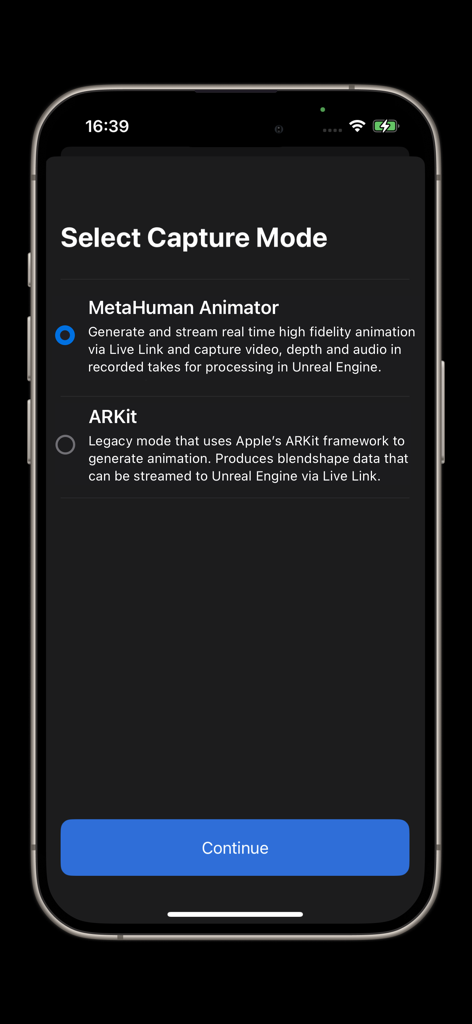
Live Link Face app selection screen showing MetaHuman Animator and ARKit capture mode options.
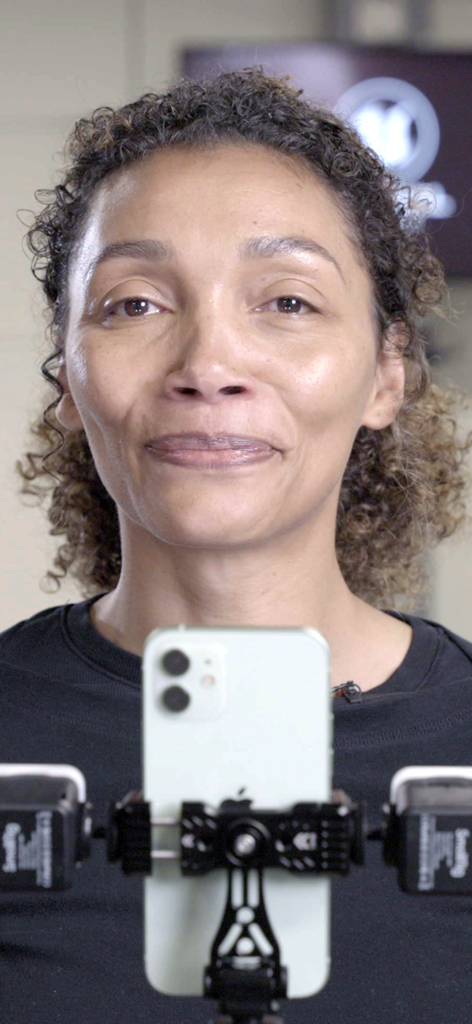
A woman performing facial expressions in front of an iPhone mounted on a professional motion capture rig.
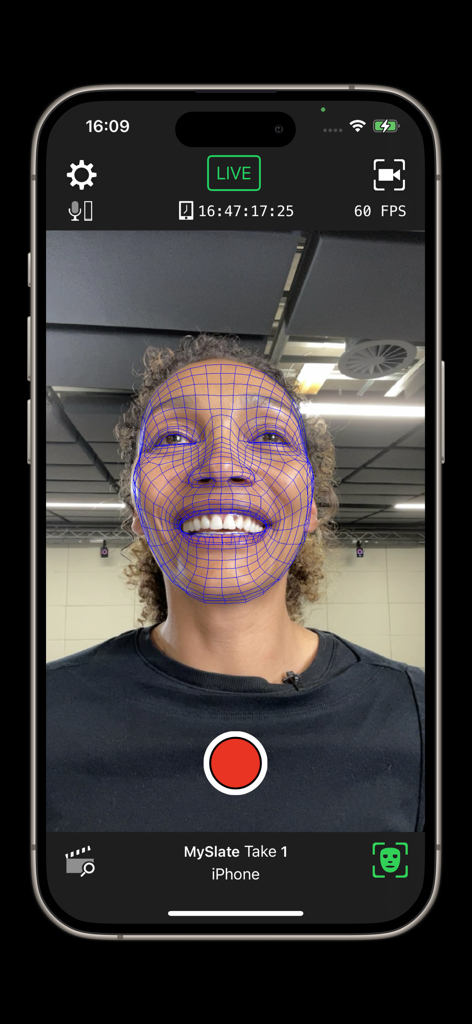
Real-time facial motion capture interface with mesh overlay in Live Link Face
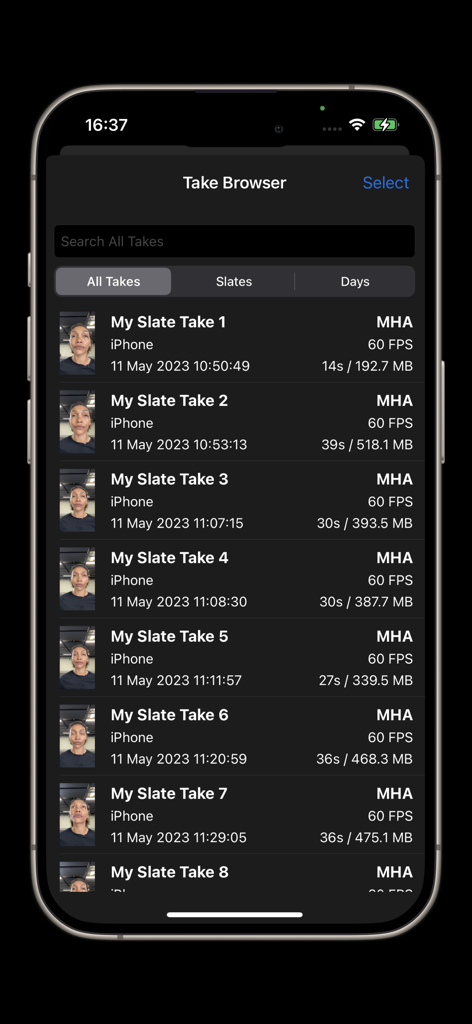
Take Browser in Live Link Face showing a list of recorded facial capture performances
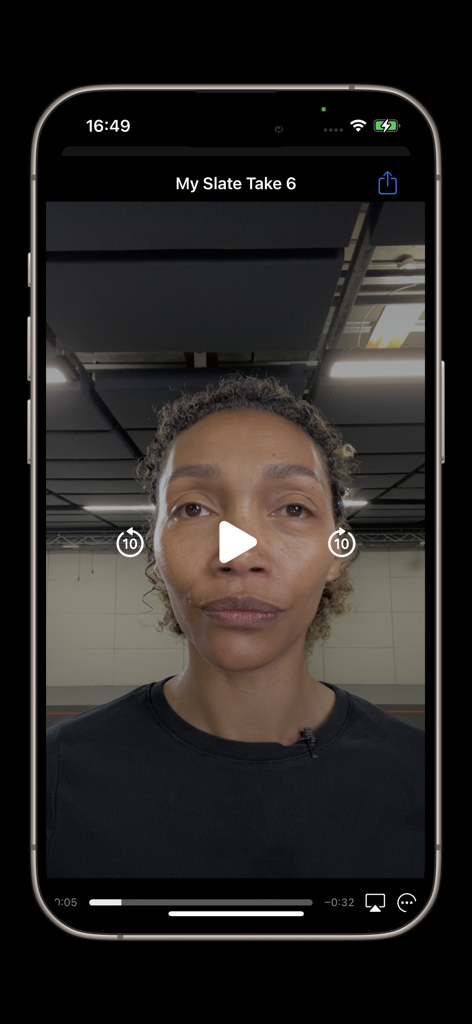
Video playback of a captured facial performance in the Live Link Face app interface
Description
Download
More Like This
Apps with similar features and user experience

This page is not an official page of the app or its developer, but an independent editorial publication created for informational and commentary purposes. Unless expressly stated otherwise, neither the app nor its developer is affiliated with, endorsed by, sponsored by, authorized by, or otherwise officially connected with MWM, Apple, Google Play, the app publisher, or the app's developer, and nothing on this page implies that the app was developed using MWM's services. Any trademarks, logos, screenshots, and other content remain the property of their respective owners.