iFiles
iFiles
Download on App Store

This page is not an official page of the app or its developer, but an independent editorial publication created for informational and commentary purposes. Unless expressly stated otherwise, neither the app nor its developer is affiliated with, endorsed by, sponsored by, authorized by, or otherwise officially connected with MWM, Apple, Google Play, the app publisher, or the app's developer, and nothing on this page implies that the app was developed using MWM's services. Any trademarks, logos, screenshots, and other content remain the property of their respective owners.

Logo of iFiles
Download on App Store

iFiles

Take total control of your digital workspace. Seamlessly manage, edit, and transfer files across dozens of cloud services and protocols with the ultimate all-in-one productivity tool for iOS.

Key Figures

Downloads

507K+

User Rating

3.3/5

Total Ratings

8K+

Publisher

Tom Biel

Category

Productivity

Locales

1

Latest Version

1.18.0

Size

37.6 MB

First Released

Dec 5, 2009
Features

Total Control Over Your Digital Life

Break free from ecosystem limits. iFiles brings desktop-class file management to iOS, giving you the power to access, edit, and move files across any cloud or server.

Unified Cloud Management

Connect to Google Drive, Dropbox, SFTP, and Amazon S3. Transfer files directly between servers without wasting local device storage or bandwidth.

Advanced Document Suite

Annotate PDFs, edit text files, and manage Zip or RAR archives. Transform your iPhone or iPad into a full-featured professional workstation.

The following screenshots and description are sourced directly from the app's official store listing and are the property of the app developer.

App Store

Screenshots
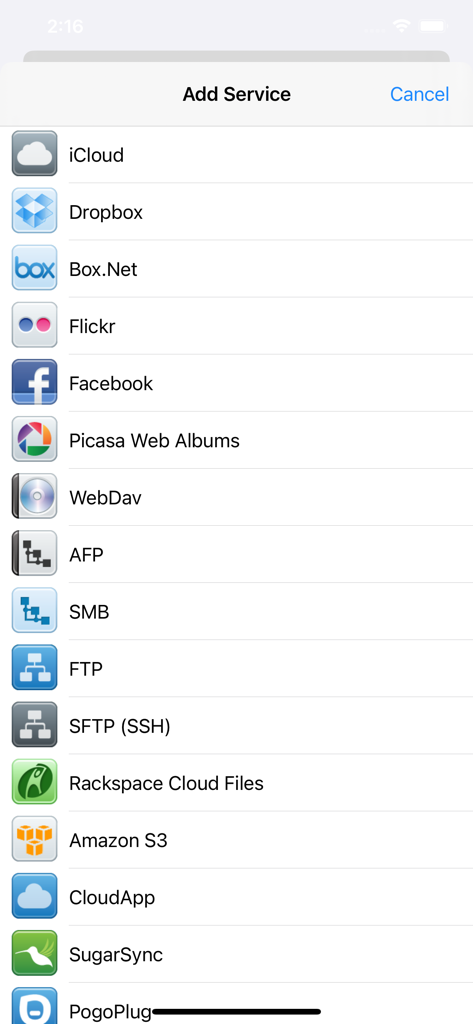
iFiles - A list of cloud storage and network protocol options including Dropbox FTP SFTP and Amazon S3 in the iFiles app

A list of cloud storage and network protocol options including Dropbox FTP SFTP and Amazon S3 in the iFiles app

iFiles - The iFiles app interface displaying a saved image of water flowing into a hand
The iFiles app interface displaying a saved image of water flowing into a hand

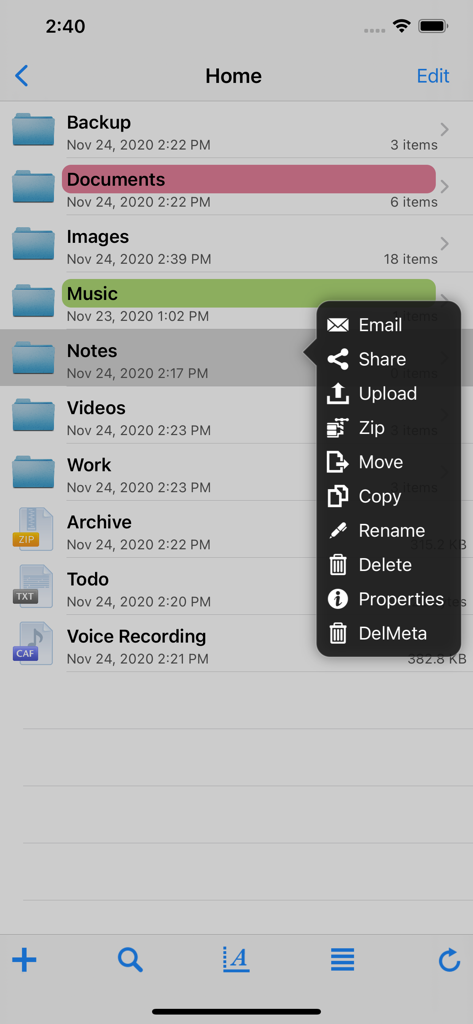
iFiles - A screenshot of the iFiles app showing a list of folders and a popup menu with file management options like share, upload, zip, and move.
A screenshot of the iFiles app showing a list of folders and a popup menu with file management options like share, upload, zip, and move.

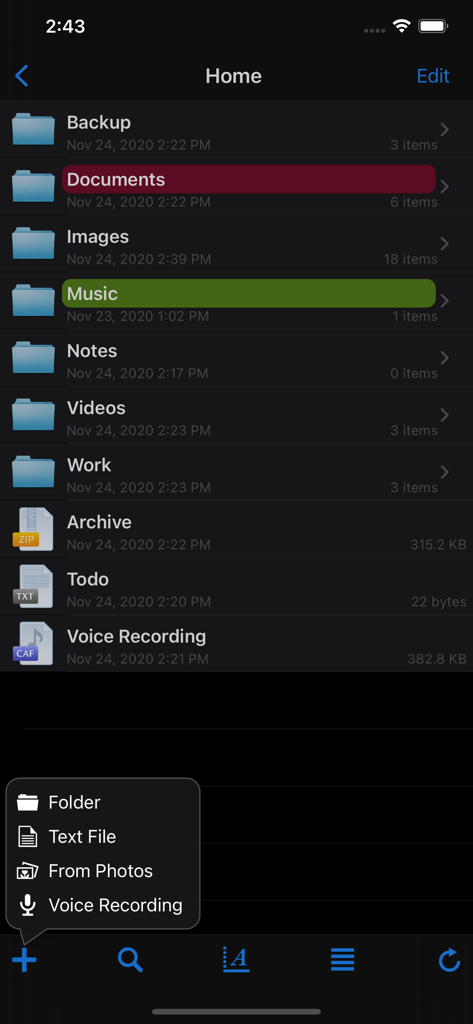
iFiles - iFiles mobile app interface showing a list of organized folders and a file creation menu
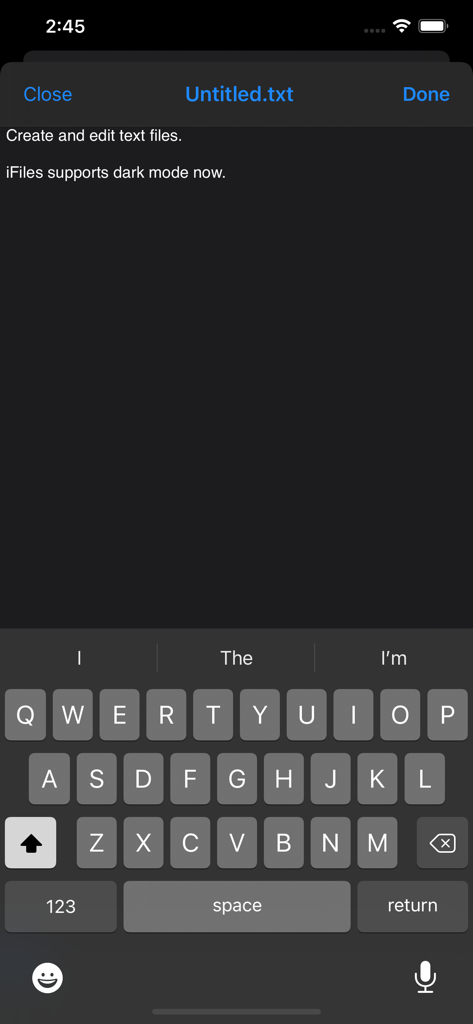
iFiles mobile app interface showing a list of organized folders and a file creation menu

iFiles - iFiles text editor interface with dark mode support
iFiles text editor interface with dark mode support

iFiles - Screenshot of the built-in voice recorder feature in the iFiles app for iPhone.

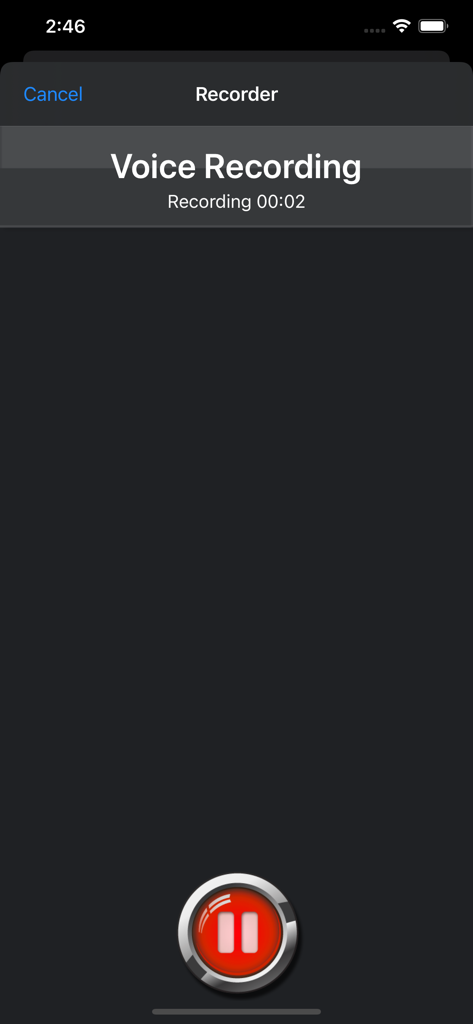
Screenshot of the built-in voice recorder feature in the iFiles app for iPhone.

Description

iFiles 2 is now available, this application is here to support legacy users. iFiles is the most intuitive file manager for iOS with features like connectivity to many file cloud services, transferring files between computer or cloud services, ability to view many file formats (PDF viewer now supports annotations, search and more), voice recorder, web downloader, text file editor and more. Supported Online Cloud Services and Protocols: Dropbox, Google Drive, iCloud, Box.net, SkyDrive, SugarSync, AFP (Mac Shares), FTP/FTPS, SFTP, Flickr, Picasa, Facebook, Rackspace CloudFiles, CloudApp, PogoPlug, WebDav, Amazon S3, Ubuntu One Files, ownCloud, 4Shared, also using Amazon S3: DreamObjects and UltiCloud. Key Features: • WEB DOWNLOADER - Download files from the web using the build in Web Browser or Safari using iFiles Bookmarks. (HTML5 Videos are now supported) • EMAIL - Send documents as email attachments directly from iFiles using iPhones email accounts or links to files stored in the cloud. (given service supports this feature) • VOICE RECORDER - Use iFiles build-in voice recorder to create voice notes. • POPUP MENU - Tap and hold on file to display context popup menu with file operations. • PROPERTIES -View and change folder and files properties: color label, icon, and rename. For services with supported API you can edit: comments, description, tags/keywords, privacy, copy/generate links. • SHARE FILES - Share files with other iOS users of iFiles over Wi-Fi or Bluetooth. • PDF VIEWER - Viewer now supports annotations, full-text search, bookmarks, highlighting, saving directly to a cloud service and more. • SECURE - If cloud services uses username and password they are stored using iOS Keychain, Remote access to your device can be secured with password, and device can be locked using passcode. (Your information is never send to any outside service) • FILE OPERATIONS - Move, Copy, Rename, Delete, and create New Folders (Operations are supported for all cloud services given that service API supports it) • ZIP/EXTRACT - Create archive files and unarchive many common archive formats: Zip, RAR, 7-zip, Tar, Gzip, and Bzip2. • TRANSFER MANAGER - Download, upload and transfer files directly between services without required to first download then upload files. Transfers support background mode and will resume if application is closed. • EASY UPLOAD - If your creating voice recording, importing photos or creating a text file, iFiles will automatically upload to the current location no matter if its local or remote. • CLIPBOARD PASTE - Paste text and photos/images directly to current folder. • OPEN IN - Open files in apps that support those file types. • PRINT - Print files using AirPrint. • TEXT FILES - Create and edit plain text files. (Locally or directly in the cloud) • PHOTO IMPORT - Take Photos, record movies or import from your Photo Library. (Multiple selection support is coming in next update) • MEDIA PLAYER - Playback audio and video files. • THUMBNAILS - Thumbnails are generated for local files: photos, videos and pdf files, thumbnails are displayed for cloud service if its supported. File Formats • iWorks (Pages, numbers, Keynote) ’08 and ’09 (with or without Preview) • Microsoft Office (Word, Excel, PowerPoint). • HTML web pages and Web archives (web pages downloaded by Safari) • PDF Documents. • RTF (Rich Text Format) and RTFD. • Plain text with auto-detection of character encoding. Text files can also be edited. • Movies (supported file formats by iPhone: MP4, MOV, MPV, 3GP, M4V) • Audio (WAV, MP3, M4A, CAF, AIF, AIFF, ACC) • Images (JPG, PNG, GIF, BMP, TIF, TIFF, ICO, CUR, XBM) Requirements A Wi-Fi connection is required to transfer files between home computer. ------------------ We're always excited to hear form you! If you have any feedback. questions, or concerns, please emails us at: support@imagam.com or visit http://www.ifilesapp.com or follow us on twitter: @ifilesapp

Download

Download on App Store

This page is not an official page of the app or its developer, but an independent editorial publication created for informational and commentary purposes. Unless expressly stated otherwise, neither the app nor its developer is affiliated with, endorsed by, sponsored by, authorized by, or otherwise officially connected with MWM, Apple, Google Play, the app publisher, or the app's developer, and nothing on this page implies that the app was developed using MWM's services. Any trademarks, logos, screenshots, and other content remain the property of their respective owners.







