
This page is not an official page of the app or its developer, but an independent editorial publication created for informational and commentary purposes. Unless expressly stated otherwise, neither the app nor its developer is affiliated with, endorsed by, sponsored by, authorized by, or otherwise officially connected with MWM, Apple, Google Play, the app publisher, or the app's developer, and nothing on this page implies that the app was developed using MWM's services. Any trademarks, logos, screenshots, and other content remain the property of their respective owners.


IFTTT - Automate work and home
Stop wasting time. The app hands users direct control over their digital world, connecting disparate services with brutal efficiency.
Downloads
2.5M+User Rating
Total Ratings
176.6KPublisher
Category
ProductivityLocales
18Latest Version
4.108.1Size
106.2 MBFirst Released
Jul 11, 2013Streamlining Digital Workflows and Smart Home Integration
IFTTT Application Analysis: Core Capabilities
Extensive App and Service Integrations
The app provides seamless connections to over 1000 popular applications and smart devices, enabling users to integrate a wide array of digital services and hardware into custom automation workflows.
No-Code Automation Platform
This tool features a user-friendly, no-code interface that simplifies the creation of sophisticated automations, making it accessible even for users without programming skills.
Comprehensive Smart Home Control
It allows users to connect and control various aspects of their smart home ecosystem, from lighting to security, through unified automation routines.
Location-Based Automation Triggers
The app offers location-based features that automatically trigger specific work and smart home automations as users arrive at or depart from designated areas.
AI-Powered Content Creation and Summarization
This tool includes IFTTT AI services that enable users to create and summarize content, streamlining tasks like drafting social media posts or condensing information.
Advanced Webhook Integration
It allows for the automation of even more applications and custom services through robust webhook capabilities, extending the platform's reach beyond its native integrations.
Frequently Asked Questions
Everything you need to know about IFTTT - Automate work and home
What is IFTTT?
IFTTT (If This Then That) is an automation platform that connects over 1000 apps and devices. It helps users automate tasks at home and work, saving time with a simple no-code interface.
Is IFTTT free to use?
Yes, IFTTT offers a free plan. It also provides a fully featured trial, allowing users to explore all capabilities before committing to a paid subscription.
How does IFTTT work to automate tasks?
IFTTT works by connecting different apps and devices through "Applets" using an "If This Then That" logic. Users define a trigger ("If This") from one service to initiate an action ("Then That") in another.
What types of automations can I create with IFTTT?
IFTTT allows creating automations for social media cross-posting, smart home control, content summarization with AI, location-based triggers, and connecting various business and home apps through Webhooks.
Can IFTTT connect with smart home devices?
Yes, IFTTT connects with numerous smart home devices. It integrates with brands like Philips Hue, Ring, Google Nest, LIFX, Arlo, and many others to create integrated smart home automations.
Does IFTTT offer AI features?
Yes, IFTTT offers various AI services. These include AI Content Creator, AI Prompt, AI Social Creator, AI Summarizer, and AI YouTube Assistant, enabling users to generate and summarize content.
How can IFTTT widgets save time?
IFTTT widgets save time by providing one-tap access to automations directly from your phone's home screen. Examples include taking a photo to send to Drive or turning lights on/off instantly.
What popular business applications integrate with IFTTT?
IFTTT integrates with over 40 popular business applications, including Google Sheets, Notion, Mailchimp, Slack, Stripe, WordPress, X (Twitter), and Zoom, to streamline workflows and productivity.
Can IFTTT sync my iOS Calendar with Google Calendar?
Yes, IFTTT can sync your iOS Calendar with your Google Calendar. This is one of the many automations available, helping users manage their schedules across different platforms efficiently.
Where can I find help or support for IFTTT?
Users can find help and support for IFTTT by visiting the official help center. The link is provided as help.ifttt.com, offering resources for troubleshooting and guidance.
The following screenshots and description are sourced directly from the app's official store listing and are the property of the app developer.
App Store
Screenshots
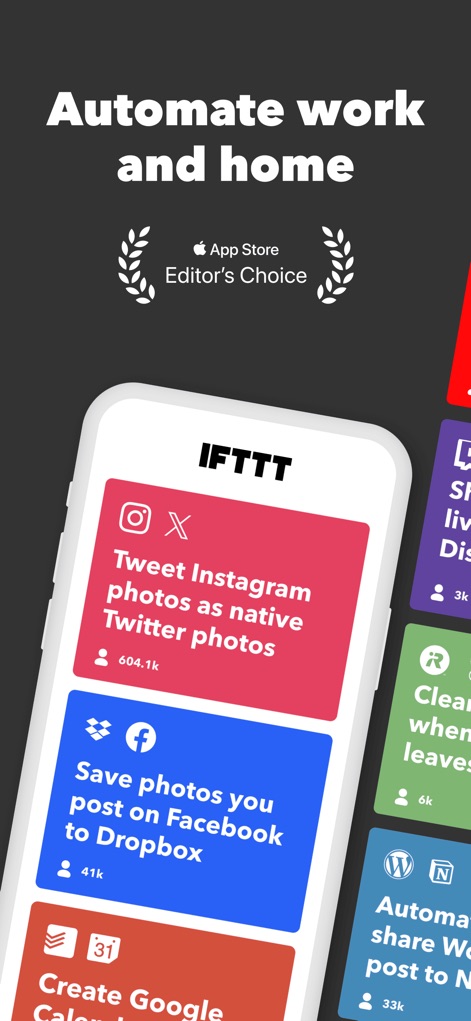
This screenshot showcases the app's intuitive card-based interface and specific pre-built automations like cross-posting to social networks and saving photos to cloud storage.
Discover Automations
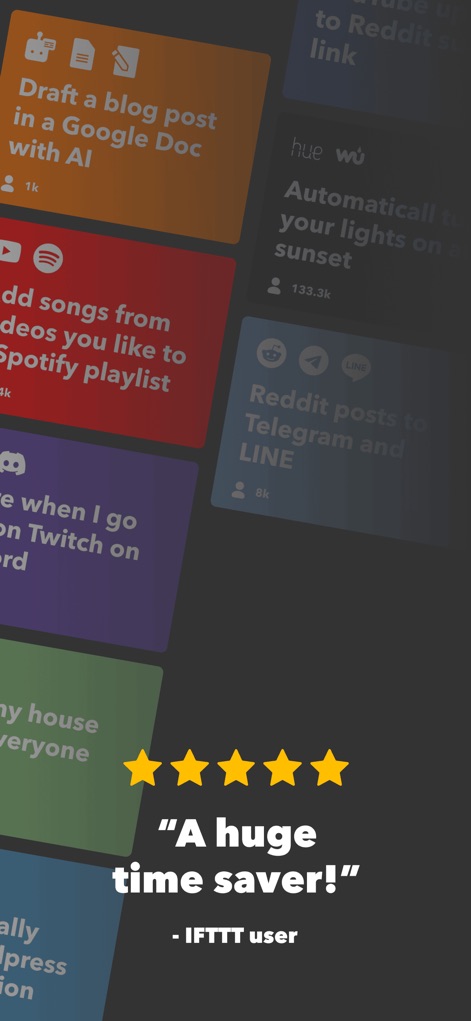
This view highlights diverse automation possibilities, from AI content drafting to smart home lighting controls, reinforcing the app's promise of being a "huge time saver."
Smart Automation Ideas
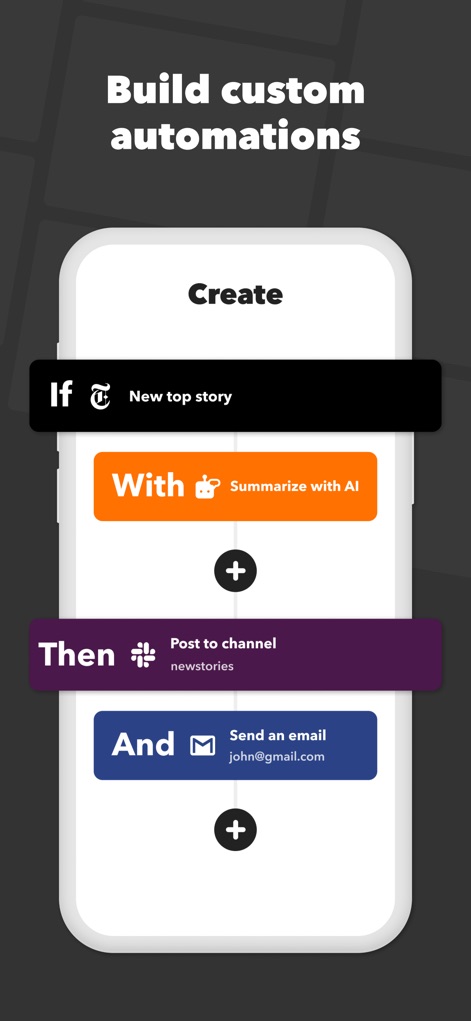
This screenshot clearly illustrates the no-code interface for building custom automations using an "If This Then That" logic flow, combining triggers like "New top story" with actions such as "Summarize with AI" and "Post to channel."
Custom Automation Builder
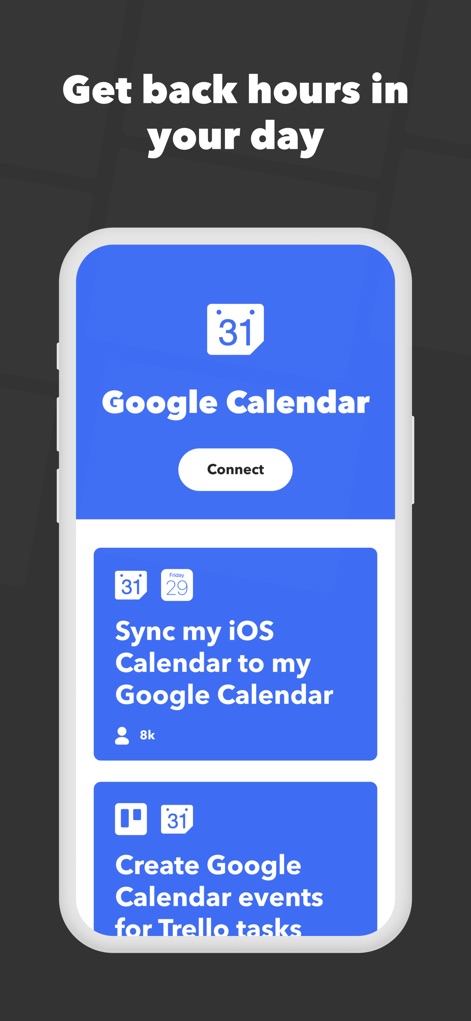
This visual emphasizes seamless integration with popular services like Google Calendar, allowing users to connect and sync their iOS Calendar and automate event creation from platforms like Trello.
Calendar Integration

This screen reveals the extensive search functionality for Applets, demonstrating how users can easily find and implement smart home automations for devices like Philips Hue and LIFX lights.
Smart Home Command

This screenshot highlights the app's convenient widget functionality, enabling quick, one-tap actions such as sending photos to Google Drive or controlling smart home lights directly from the home screen.
Instant Actions Widgets
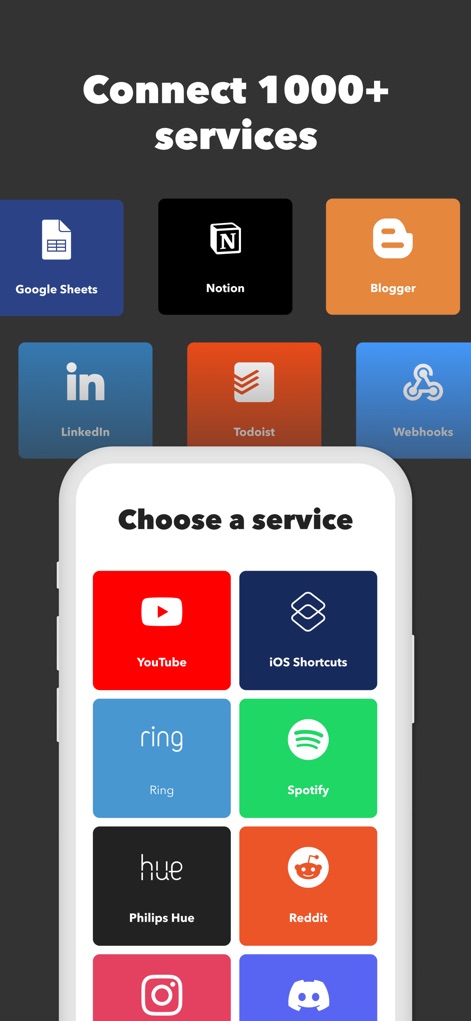
This visual prominently displays the app's vast array of integrations, showcasing a diverse ecosystem of over 1000 supported services, from productivity tools like Google Sheets to popular platforms like Spotify and Instagram.
Vast Service Ecosystem
Description
Download
More Like This
Apps with similar features and user experience



This page is not an official page of the app or its developer, but an independent editorial publication created for informational and commentary purposes. Unless expressly stated otherwise, neither the app nor its developer is affiliated with, endorsed by, sponsored by, authorized by, or otherwise officially connected with MWM, Apple, Google Play, the app publisher, or the app's developer, and nothing on this page implies that the app was developed using MWM's services. Any trademarks, logos, screenshots, and other content remain the property of their respective owners.