
This page is not an official page of the app or its developer, but an independent editorial publication created for informational and commentary purposes. Unless expressly stated otherwise, neither the app nor its developer is affiliated with, endorsed by, sponsored by, authorized by, or otherwise officially connected with MWM, Apple, Google Play, the app publisher, or the app's developer, and nothing on this page implies that the app was developed using MWM's services. Any trademarks, logos, screenshots, and other content remain the property of their respective owners.

iGanttChart: Gantt Chart App
The intuitive Gantt chart for busy professionals and freelancers. Visualize your timelines, track progress, and sync across devices instantly—no account registration required.
Downloads
27K+User Rating
Total Ratings
100Publisher
Category
BusinessLocales
2Latest Version
2.7.5Size
54.3 MBFirst Released
Jan 28, 2023Effortless Project Visualization
Professional Gantt charting designed for the mobile-first workflow. Manage timelines and track progress without the complexity of bloated corporate software.
Zero-Friction Startup
No accounts, no passwords, and no data tracking. Jump straight into planning your next project with immediate, offline access.
Visual Progress Tracking
Assign custom colors and track percentage completion at a glance. Perfect for visual thinkers managing multiple clients or side-hustles.
Frequently Asked Questions
Everything you need to know about iGanttChart: Gantt Chart App
What is the iGanttChart app used for?
The iGanttChart app creates Gantt charts directly on smartphones and tablets. It supports project management, task management, and other scenarios requiring Gantt charts.
Does iGanttChart allow users to customize task colors?
Yes, iGanttChart allows users to assign preferred colors to each task. This feature provides rich expression for visual task differentiation within the Gantt chart.
Can users track task progress with the iGanttChart app?
Yes, the iGanttChart app enables users to track each task's progress. It allows setting a progress rate to monitor completion status visually.
Does iGanttChart support adding external links to tasks?
Yes, iGanttChart allows users to insert links within tasks. This feature is useful for managing reference sites and accessing external resources directly from the Gantt chart.
Does iGanttChart offer multi-device synchronization?
Yes, iGanttChart supports seamless synchronization across multiple devices. This functionality is achieved by integrating with Google Drive for data consistency.
Is an account registration required to use the iGanttChart app?
No, account registration is not required to use the iGanttChart app. Users can start using the application immediately upon installation.
What export formats does the iGanttChart app support?
The iGanttChart app supports exporting data in multiple formats. Users can export Gantt charts as iGanttChart (.igantt) files, Excel files (.xlsx), and Text (MarkDown).
Does the iGanttChart app have a dark theme option?
Yes, the iGanttChart app supports a dark theme. This feature makes the app more comfortable for use in low-light environments or for users who prefer a dark interface.
Can tasks in iGanttChart have assignees and notes?
Yes, iGanttChart allows assigning tasks to individuals and including descriptive text. This enables tracking who is responsible for a task and managing task-specific details effectively.
Does iGanttChart support setting task priorities?
Yes, iGanttChart supports managing task priorities. Users can assign priority levels to tasks, ensuring important tasks are highlighted and not overlooked.
The following screenshots and description are sourced directly from the app's official store listing and are the property of the app developer.
App Store
Screenshots
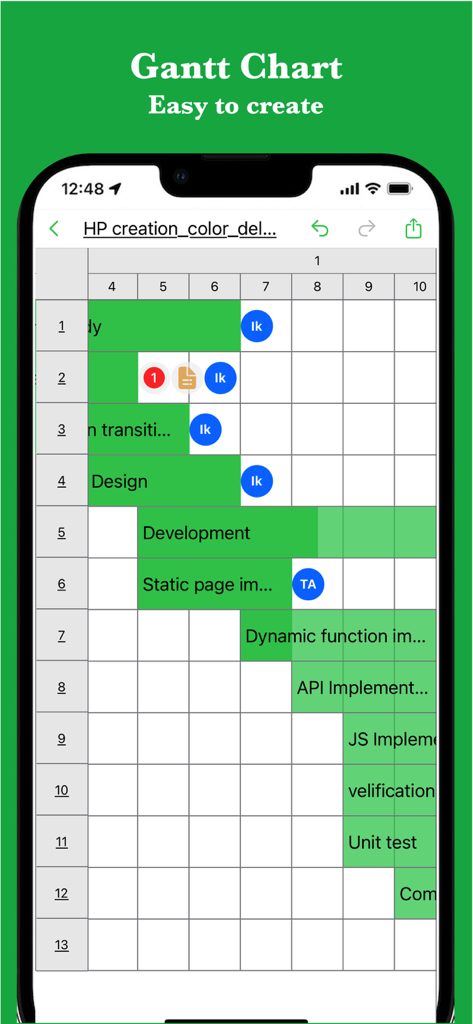
Mobile application interface displaying a green Gantt chart for project tracking and task assignment.
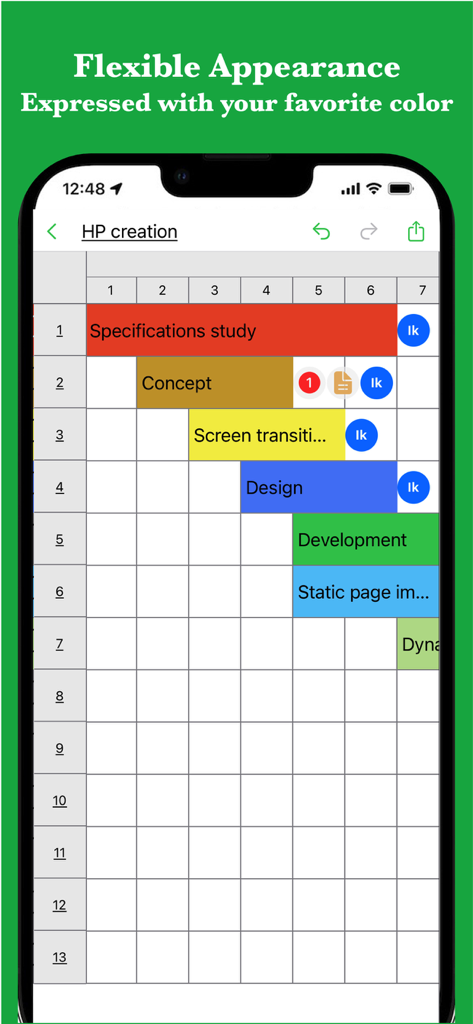
A mobile Gantt chart interface showing project tasks color-coded for visual tracking
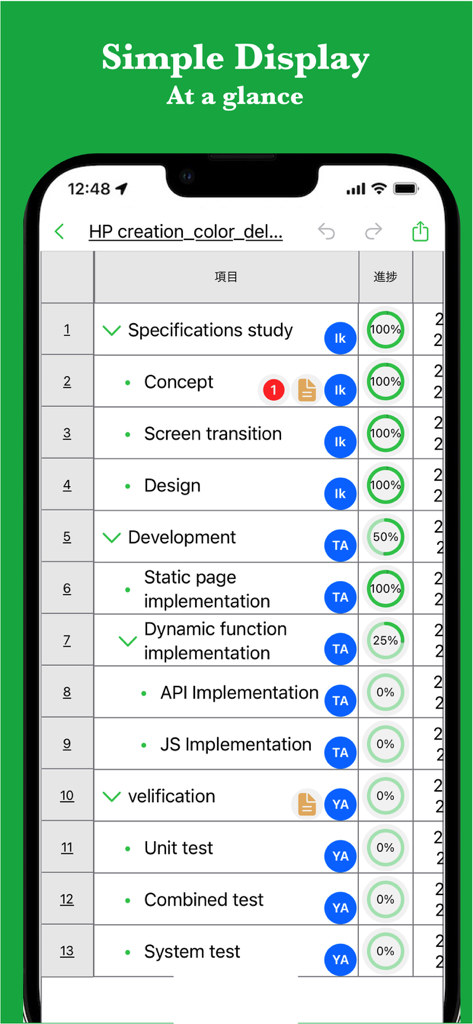
Mobile app interface showing a project task list with progress percentages and assignee icons
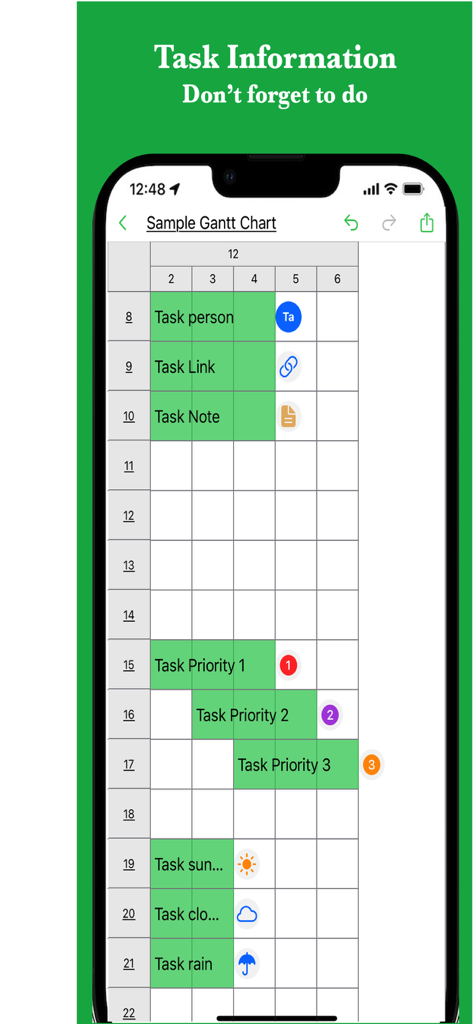
A mobile Gantt chart showing task priorities and project details
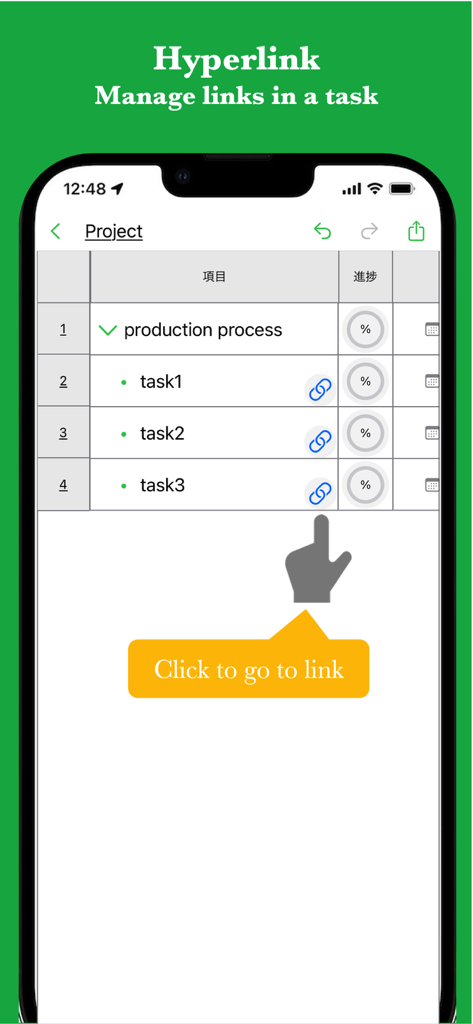
Project task list with hyperlink icons and progress bars in the iGanttChart app
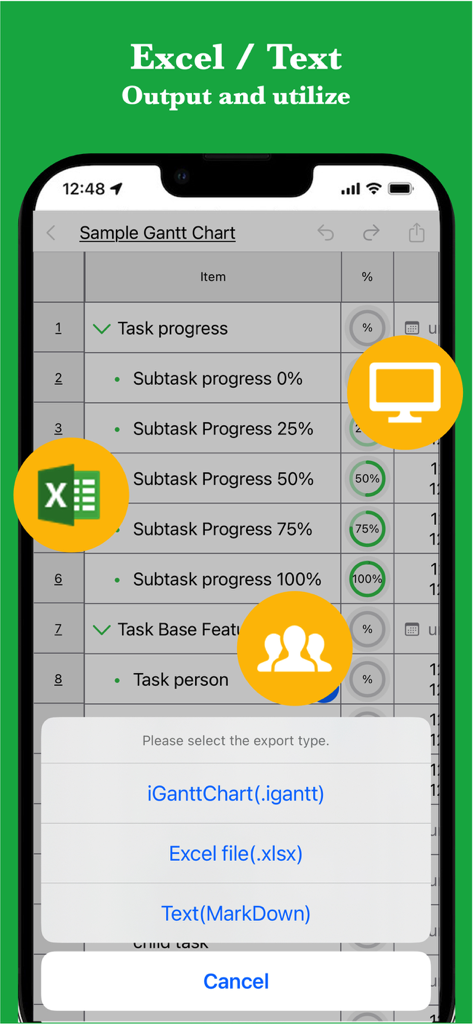
iGanttChart mobile app showing options to export project data to Excel and MarkDown.
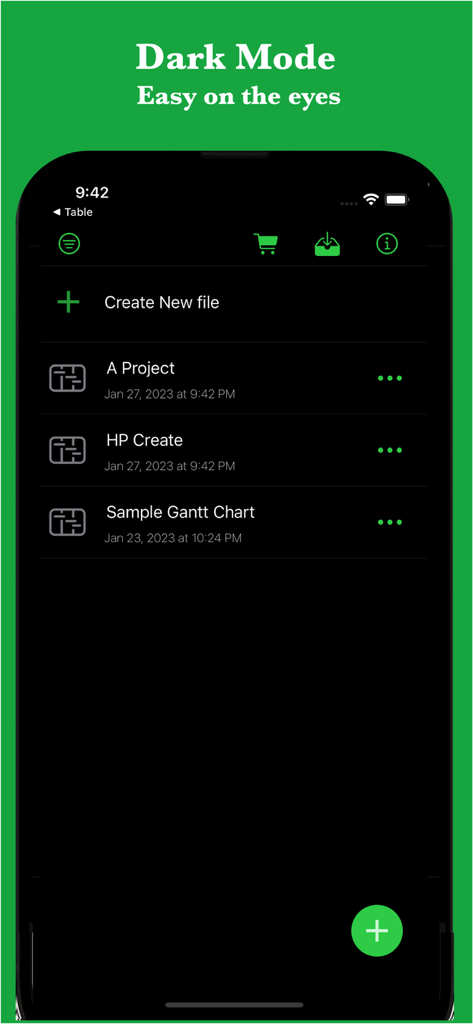
iGanttChart mobile app project list displayed in dark mode interface
Description
Download
More Like This
Apps with similar features and user experience
Basecamp - Project Management
37Signals LLC
QuickPlan Basic - Project Plan
皓 李

Zoho Projects Work Management
Zoho Corporation

inShort
Iouri Korotkikh

Merlin Project: Gantt + Kanban
ProjectWizards GmbH

SG Project Pro 5
Simple Genius Software, LLC
闪电分镜
Hangzhou Ostar Media Co.,Ltd.

Balello
Sufyain Ahmad

iProject Viewer
Viewer Central Inc
This page is not an official page of the app or its developer, but an independent editorial publication created for informational and commentary purposes. Unless expressly stated otherwise, neither the app nor its developer is affiliated with, endorsed by, sponsored by, authorized by, or otherwise officially connected with MWM, Apple, Google Play, the app publisher, or the app's developer, and nothing on this page implies that the app was developed using MWM's services. Any trademarks, logos, screenshots, and other content remain the property of their respective owners.