QuickPlan Basic - Project Plan
Download on App Store

This page is not an official page of the app or its developer, but an independent editorial publication created for informational and commentary purposes. Unless expressly stated otherwise, neither the app nor its developer is affiliated with, endorsed by, sponsored by, authorized by, or otherwise officially connected with MWM, Apple, Google Play, the app publisher, or the app's developer, and nothing on this page implies that the app was developed using MWM's services. Any trademarks, logos, screenshots, and other content remain the property of their respective owners.


Logo of QuickPlan Basic - Project Plan
Download on App Store

QuickPlan Basic - Project Plan

Master your project timelines on iPad with natural gestures, seamless Microsoft Project integration, and complete privacy—no subscriptions, no servers, just pure efficiency.

Key Figures

Downloads

102K+

User Rating

4.6/5

Total Ratings

400

Publisher

皓 李

Category

Business

Locales

7

Latest Version

17.0

Size

99.5 MB

First Released

Jan 7, 2014
Features

Master Your Timeline with Precision

QuickPlan transforms your iPad into a powerful command center, combining professional-grade Gantt charts with the simplicity of natural touch gestures for the efficiency-driven professional.

Tactile Gantt Planning

Ditch the clunky menus. Use natural gestures to create, link, and move tasks directly on the chart, making complex scheduling feel intuitive and fluid.

Seamless Office Integration

Bridge the gap between field and office. Fully compatible with Microsoft Project, Excel, and PDF to ensure your team stays synced across all platforms.

The following screenshots and description are sourced directly from the app's official store listing and are the property of the app developer.

App Store

Screenshots
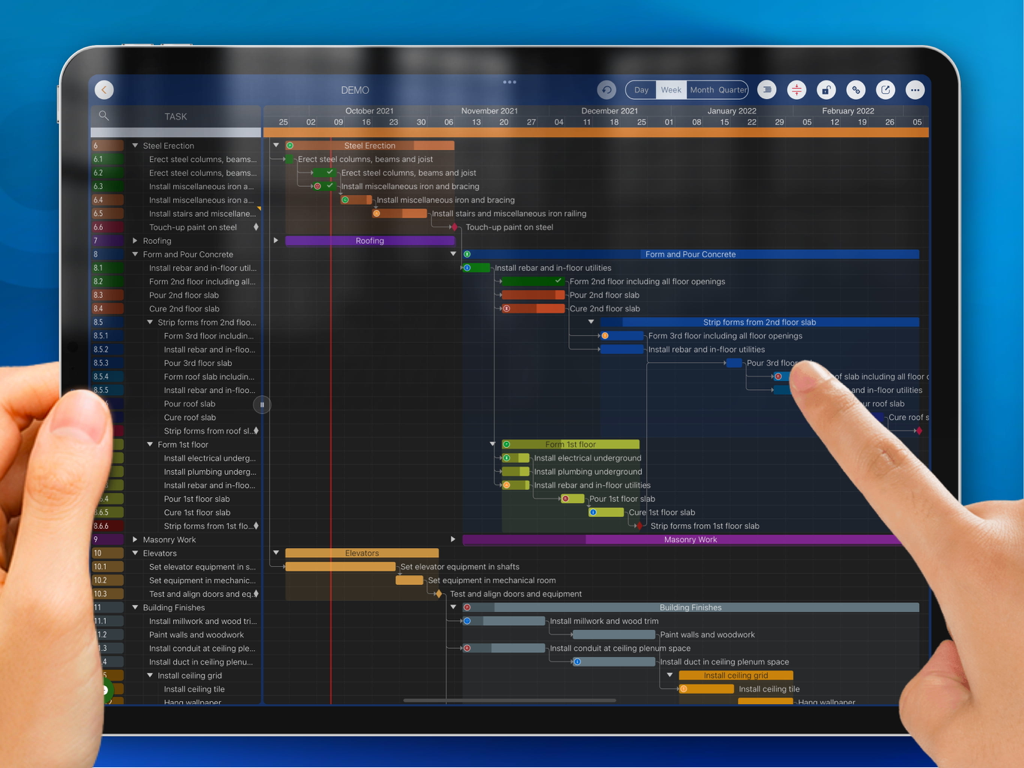
QuickPlan Basic - Project Plan - A person using touch gestures to manage a detailed Gantt chart on the QuickPlan Basic project planning app for iPad.
A person using touch gestures to manage a detailed Gantt chart on the QuickPlan Basic project planning app for iPad.

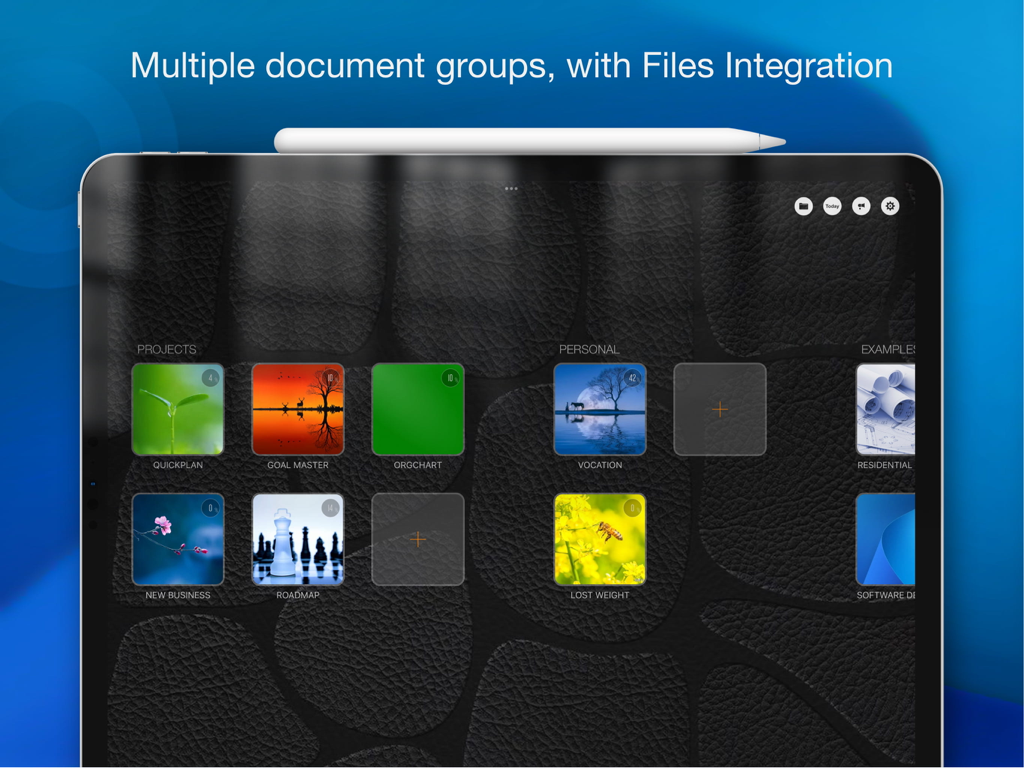
QuickPlan Basic - Project Plan - QuickPlan Basic app dashboard on iPad showing multiple project document groups and files integration
QuickPlan Basic app dashboard on iPad showing multiple project document groups and files integration

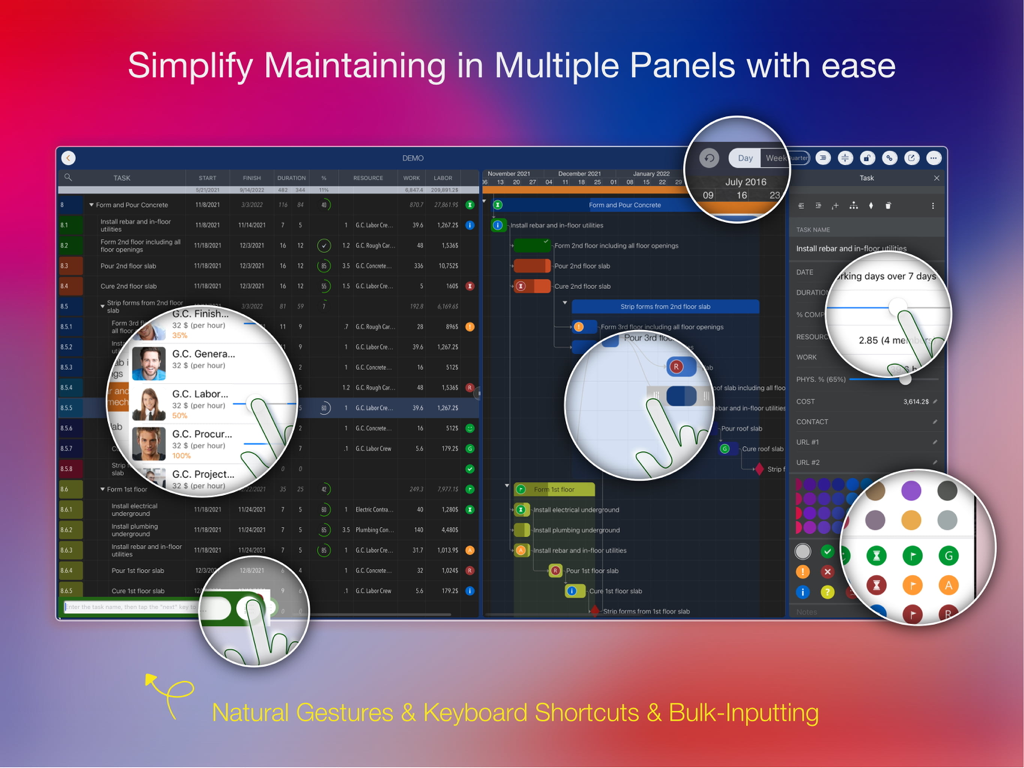
QuickPlan Basic - Project Plan - iPad interface of QuickPlan Basic project manager showing Gantt charts and multiple task panels with natural gesture highlights
iPad interface of QuickPlan Basic project manager showing Gantt charts and multiple task panels with natural gesture highlights

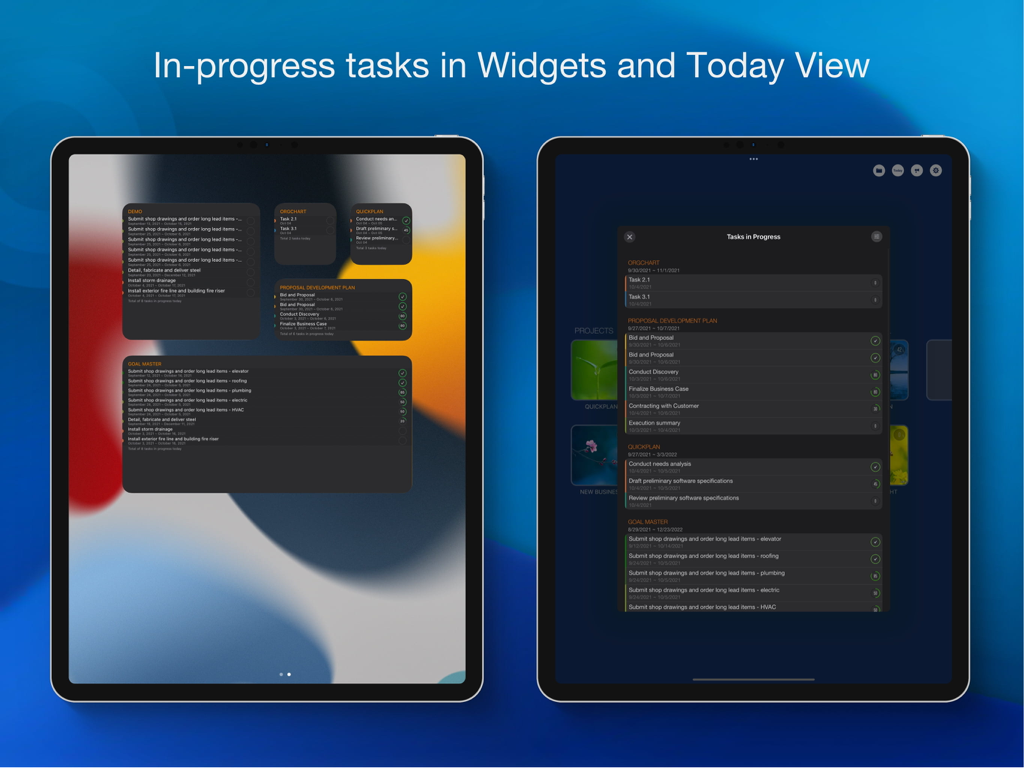
QuickPlan Basic - Project Plan - QuickPlan app showing in-progress project tasks in iPad widgets and Today View
QuickPlan app showing in-progress project tasks in iPad widgets and Today View

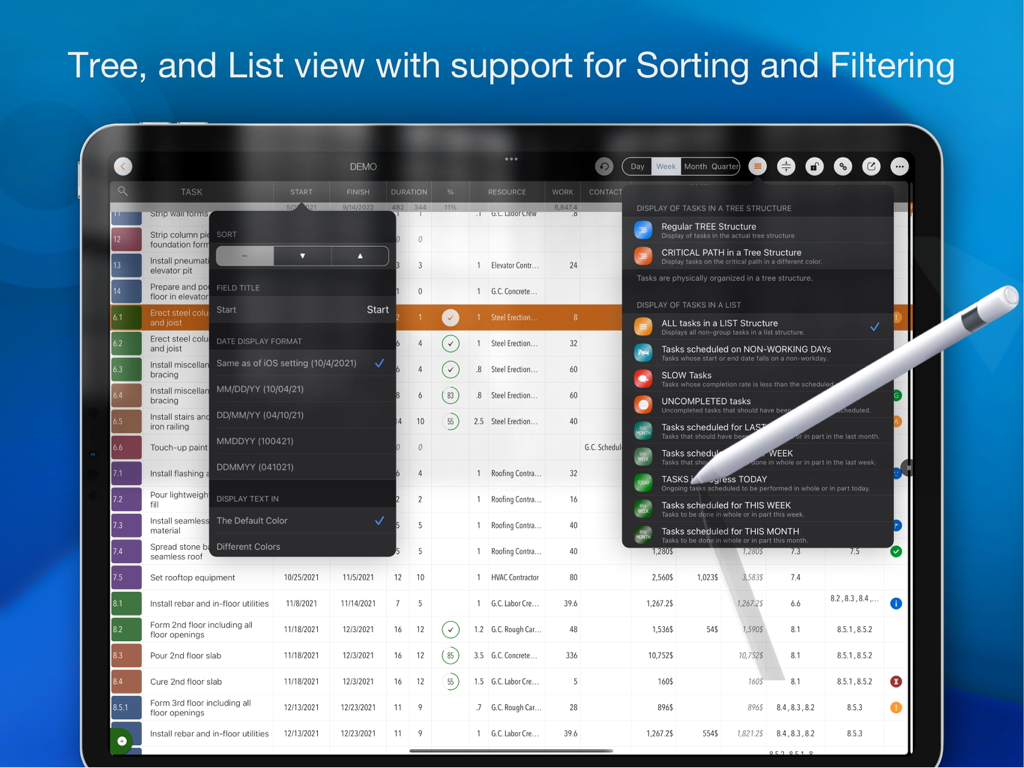
QuickPlan Basic - Project Plan - QuickPlan project management app on iPad showing task list sorting and filtering options with an Apple Pencil
QuickPlan project management app on iPad showing task list sorting and filtering options with an Apple Pencil

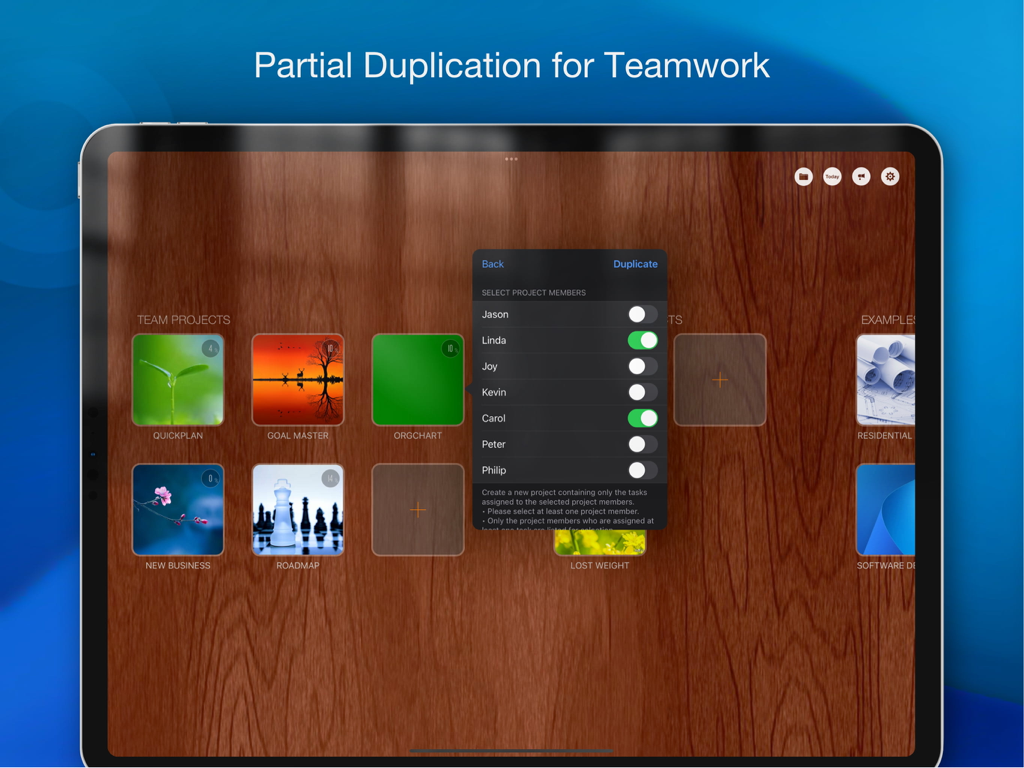
QuickPlan Basic - Project Plan - iPad interface showing the project duplication feature by selecting specific team members in the QuickPlan app.
iPad interface showing the project duplication feature by selecting specific team members in the QuickPlan app.

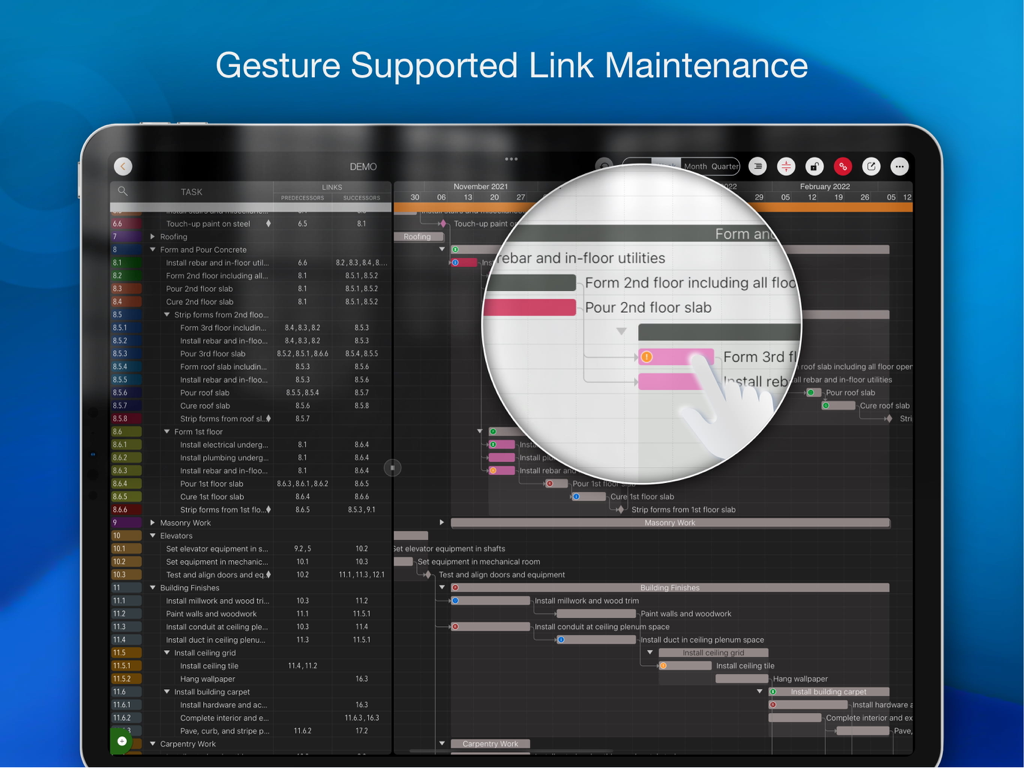
QuickPlan Basic - Project Plan - iPad screen of QuickPlan project management app demonstrating gesture supported link maintenance on a Gantt chart
iPad screen of QuickPlan project management app demonstrating gesture supported link maintenance on a Gantt chart

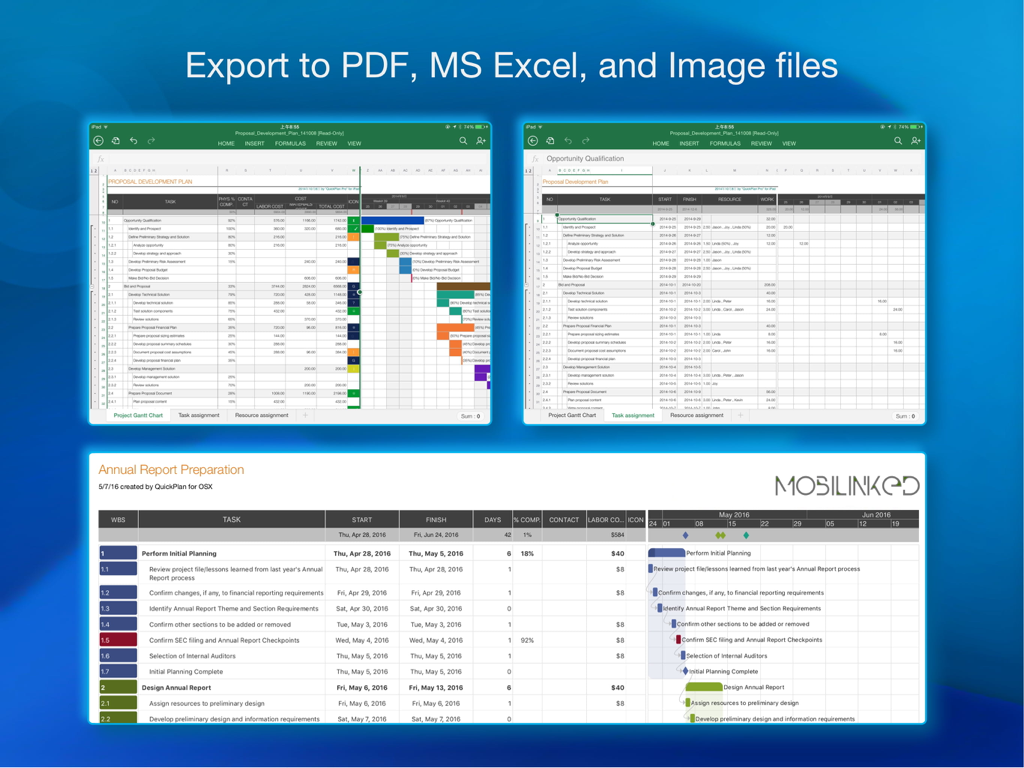
QuickPlan Basic - Project Plan - iPad screenshots showing QuickPlan Basic project plan export options to PDF, MS Excel, and image files.
iPad screenshots showing QuickPlan Basic project plan export options to PDF, MS Excel, and image files.

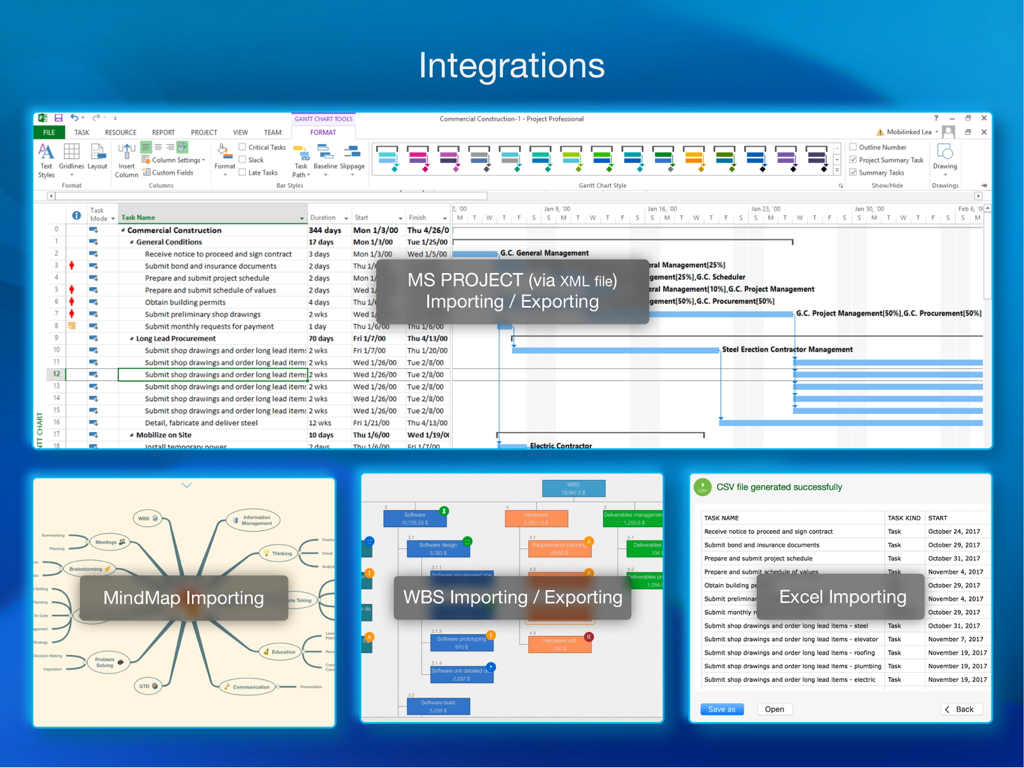
QuickPlan Basic - Project Plan - Overview of QuickPlan integrations showing MS Project XML, MindMap, WBS, and Excel import and export options.
Overview of QuickPlan integrations showing MS Project XML, MindMap, WBS, and Excel import and export options.

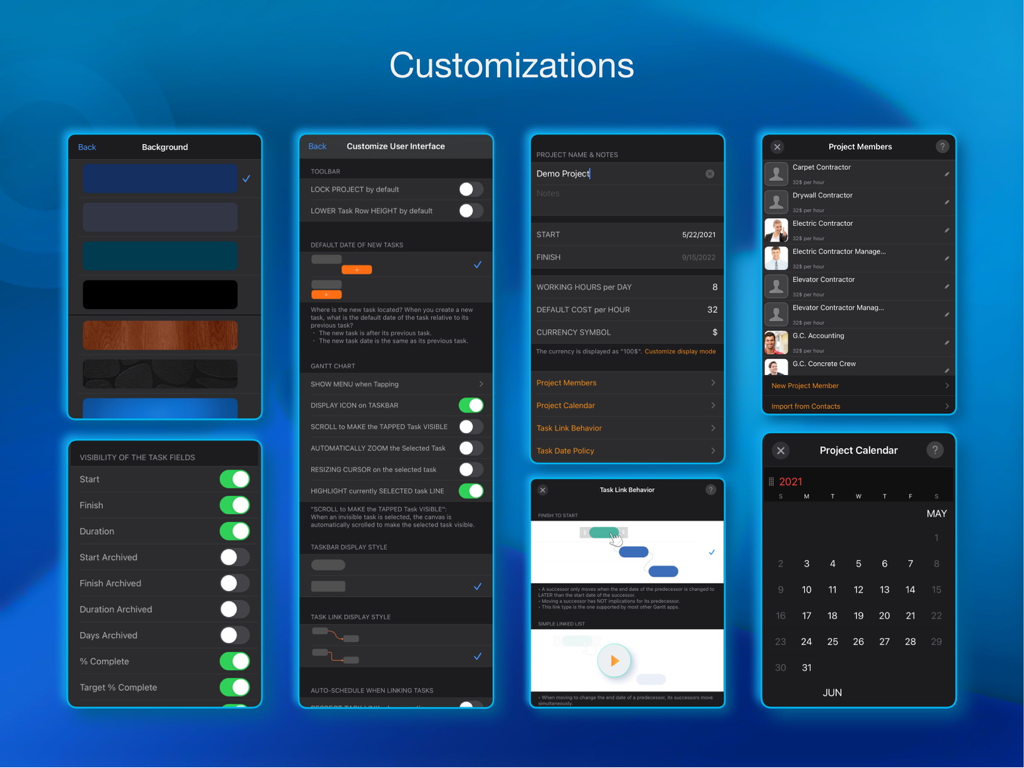
QuickPlan Basic - Project Plan - A collection of app screens showing various project management customization settings for UI background project members and task behaviors.

A collection of app screens showing various project management customization settings for UI background project members and task behaviors.

Description

Project planning has never been easier. Project management with natural gestures on the Gantt chart, synchronization and sharing of projects across multiple devices and teams, and support for integration with Microsoft Project Plan. *** This is the BASIC edition with some in-app purchases. *** Get this edition if you only need the basic features for project planning. For all the features, get the **PRO** edition with a one-time payment by searching "QuickPlan, Project Gantt Chart" in App Store or visiting https://quickplan.app/getapps. ## PRIVACY FOCUSED Projects are saved locally on the device or in iCloud Drive, developer team does not have a server to store user-created data. With NATURAL GESTUREs on a clean and elegant interface, project management is more accessible, faster and more efficient than ever before. Visualize, manage and simplify projects flexibly and efficiently with Gantt charts, outline list and property editor, create tasks, organize your project calendar and resources, track status. It's easier than you think, with a minimum of effort and learning. QuickPlan app supports exporting projects to image, Excel, PDF, Microsoft Project and WBS files. AND to import projects from Microsoft Project, WBS and Mind-map files. The app supports synchronization of project plans between the same user's macOS and iOS devices and supports team collaboration via iCloud Drive. And it supports syncing and sharing via OneDrive and Dropbox. QuickPlan also supports duplicating projects by members for better teamwork. QuickPlan optimizes the best features of Microsoft Project Plan and brings them to iPad - without the complexity - providing users of all experience levels with an INTUITIVE and discoverable project management experience. ## EFFICIENT MAINTENANCE - Gestures for tasks: create, remove, move, indent and outdent, change order. - Gestures to zoom in and out, collapse and expand. - Keyboard shortcuts. - Batch input. - The most fluid Gantt chart app on a clean interface. ## STRONG PLANNING - Multiple Projects. - Supports duplication of the entire project and duplication by specific members. - Organize tasks into REAL task groups and sub-projects. - Task color, icon, contact, and required task fields. - Five levels of outline (plus sub-project, for a total of ten levels of outline). - Gesture-based management of task links. - Lock editing, row height. - Integration with the iOS Files app. - Manual and automatic project backup. - Project currency, charge rate, project resources, calendar, task date policy. ## TREE and LIST - Representation as a tree with support for displaying key paths. - Representation as a list with support for sorting and filtering. ## UI CUSTOMISATION - Customization of the task column title and visibility. - Style of the task bar. ## REPORTING - Export as image, PDF and Microsoft Excel (including three sheets). - With options to customize the output. ## SYNC - Sync projects between iOS and Mac devices via iCloud Drive, OneDrive and Dropbox. ## TEAM COLLABORATION - Sync between team members via iCloud Drive. ## INTEGRATION - Export and import Microsoft Project XML files. - Import and export SwiftApp WBS files. - Import from Microsoft Excel files. - Import from iThought Map files. ## SHARE - Supports Airdrop, OneDrive, Dropbox. ## TEAMWORK - Create a new project by exporting tasks for the selected project members. ## NOTIFICATION - Widget to track ongoing tasks (iOS 14 or later). - Today widget and Local Notification. The best project planning app for iPad. - Initialize, discuss, present and share your plan. - Export it to Microsoft Project Plan to work on it PC. - Strategic Planning. - Import MS Project XML file and reports, tracking. - Plan actions in meetings, confirm. - Guide employees.

Download

Download on App Store

This page is not an official page of the app or its developer, but an independent editorial publication created for informational and commentary purposes. Unless expressly stated otherwise, neither the app nor its developer is affiliated with, endorsed by, sponsored by, authorized by, or otherwise officially connected with MWM, Apple, Google Play, the app publisher, or the app's developer, and nothing on this page implies that the app was developed using MWM's services. Any trademarks, logos, screenshots, and other content remain the property of their respective owners.