Image Filter Photo Editor Tool

Image Filter Photo Editor Tool


Download on App Store
Logo of Image Filter Photo Editor Tool

Image Filter Photo Editor Tool: Professional-Grade Effects Made Simple

Transform your photos into stunning digital art with Photoshop-inspired filters. From vintage aesthetics and comic book styles to advanced color mapping, elevate your creative vision with powerful tools designed for iPhone and iPad.

Download on App Store

Publisher

Paul Adam

Category

Photo & Video

Downloads

0

User Rating

5.0/5

Total Ratings

0

Locales

1

Artistry at Your Fingertips

Discover the interface used by 0 users.
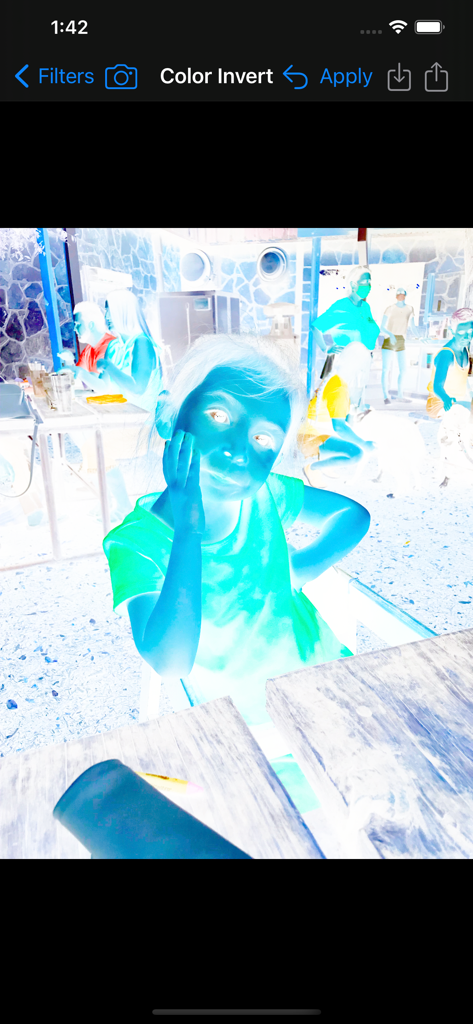
A screenshot of the Image Filter Photo Editor Tool app showing a portrait of a girl with a color inversion filter applied.

A screenshot of the Image Filter Photo Editor Tool app showing a portrait of a girl with a color inversion filter applied.

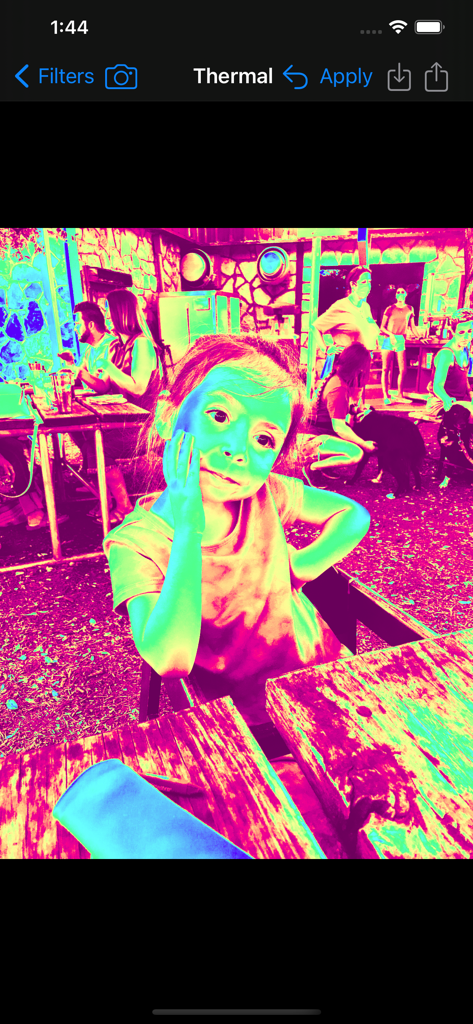
A photo of a young girl with a vibrant pink and cyan thermal filter effect applied using the Image Filter app.

A photo of a young girl with a vibrant pink and cyan thermal filter effect applied using the Image Filter app.

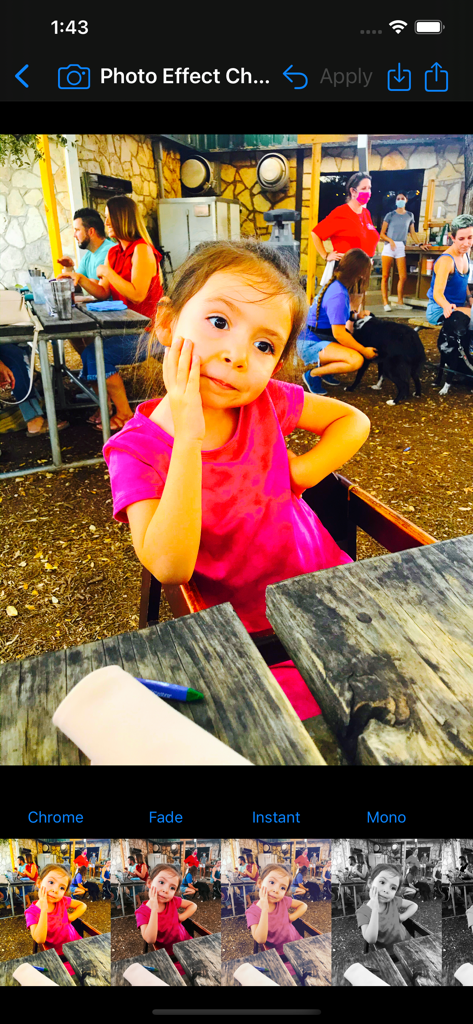
Interface of the Image Filter Photo Editor Tool displaying vintage film filter options like Chrome and Fade

Interface of the Image Filter Photo Editor Tool displaying vintage film filter options like Chrome and Fade

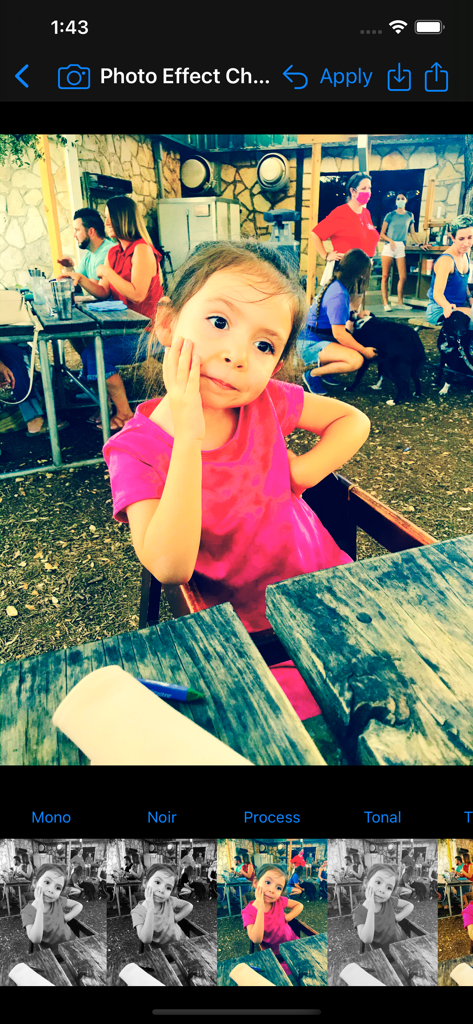
User interface of the Image Filter Photo Editor Tool showing a photo of a girl with various vintage film filters applied

User interface of the Image Filter Photo Editor Tool showing a photo of a girl with various vintage film filters applied

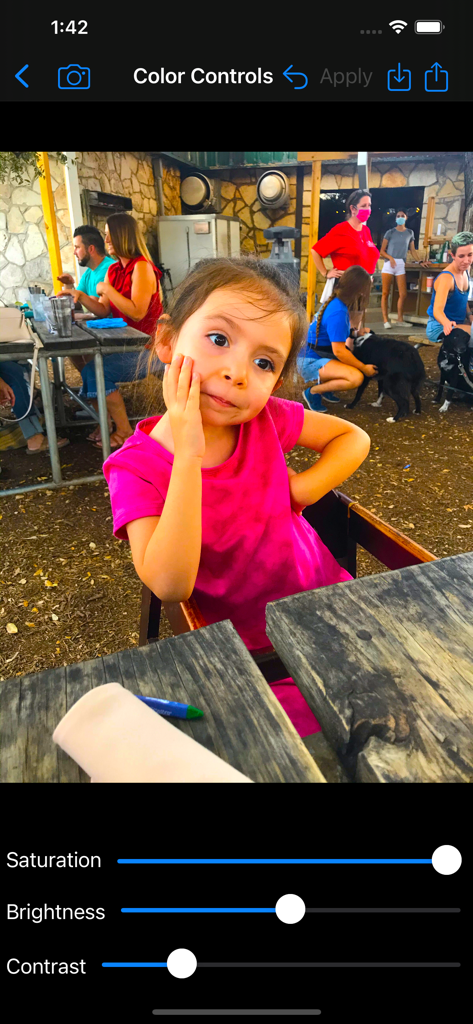
Interface of the Image Filter app showing adjustable sliders for saturation brightness and contrast on a portrait photo

Interface of the Image Filter app showing adjustable sliders for saturation brightness and contrast on a portrait photo

Smartphone screen showing the Hue Adjust tool applying a purple filter to a photo of a child in the Image Filter app.

Smartphone screen showing the Hue Adjust tool applying a purple filter to a photo of a child in the Image Filter app.

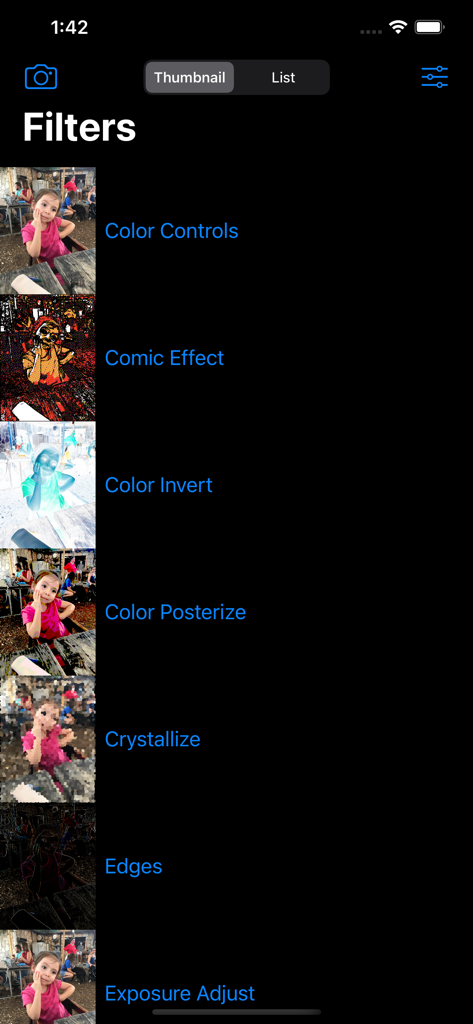
A list of available filters in the Image Filter app including Comic Effect and Color Invert with thumbnail previews.

A list of available filters in the Image Filter app including Comic Effect and Color Invert with thumbnail previews.

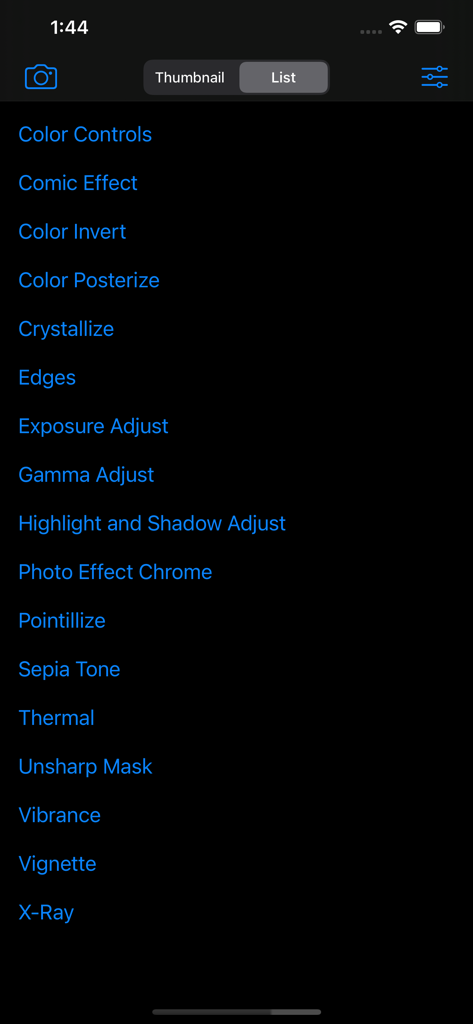
A vertical list of photo editing filters in a dark mode interface including Comic Effect Sepia Tone and Thermal

A vertical list of photo editing filters in a dark mode interface including Comic Effect Sepia Tone and Thermal

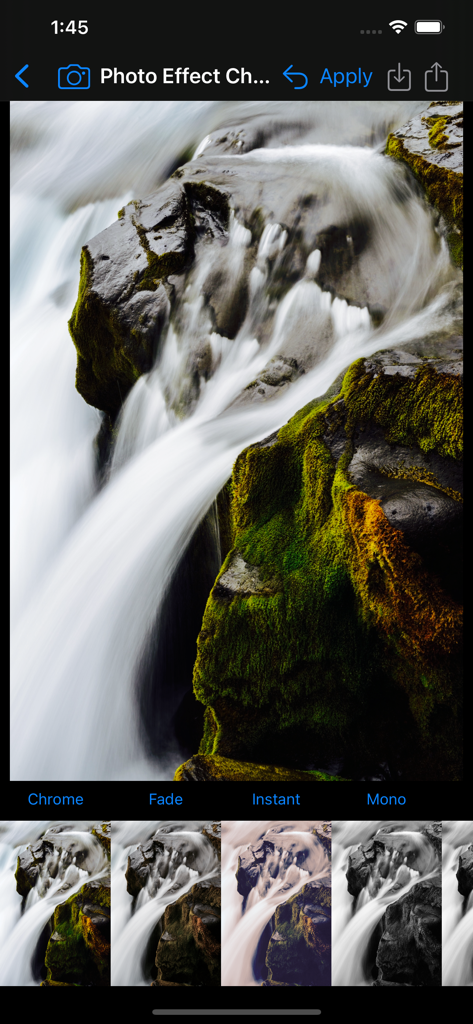
Waterfall photo being edited with Chrome and vintage filters in the photo editor tool

Waterfall photo being edited with Chrome and vintage filters in the photo editor tool

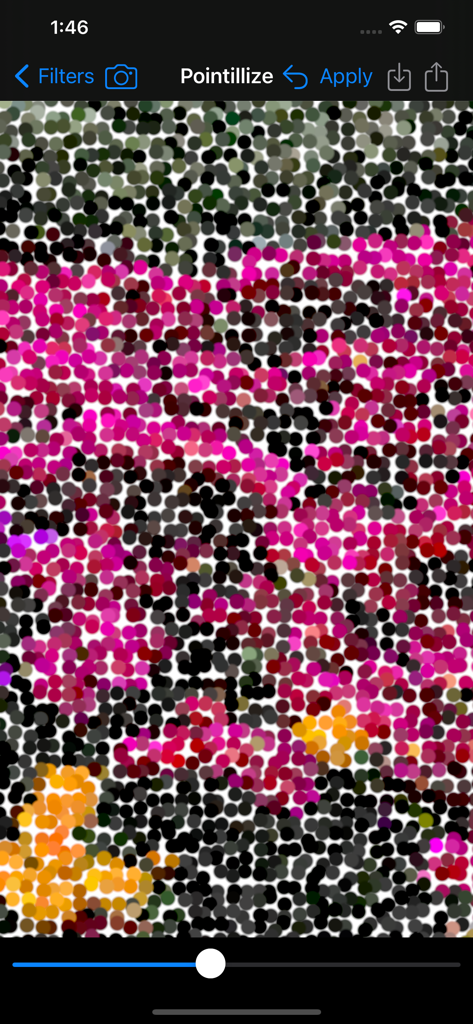
A screenshot of the Pointillize filter being applied to a photo within the Image Filter Photo Editor Tool app interface.

A screenshot of the Pointillize filter being applied to a photo within the Image Filter Photo Editor Tool app interface.

Unleash Your Creative Edge

The tools that make this app stand out, trusted by 0 users.

πŸ“Έ

Studio-Quality Artistic Filters

Instantly transform your shots into comic book pages, pop-art posters, or vintage film classics with over 30 pro-grade effects.

🌈

Precision Color Mastery

Take total control with advanced color mapping, monochrome shifts, and exposure tools designed for the perfect aesthetic.

πŸ›‘οΈ

Protect Your Original Work

Safeguard your digital copyright with custom text watermarks and export high-resolution files ready for professional sharing.

About the app

Everything you need to know about Image Filter Photo Editor Tool.

Description

Amazing Photoshop like filter effects on your iPhone & iPad! β—† Color Controls – Greatly enhance colors, or remove them for a black & white photo. β—† Comic Effect – Turn images into comic book pages. β—† Color Invert – Invert all colors as if image was converted to a negative. β—† Color Map – Maps the colors from preset gradients or add your own gradient color stops. β—† Color Monochrome – Remaps colors so they fall within shades of a single color. β—† Color Posterize – Turn images into posters, i.e. the β€œAndy Warhol” effect. β—† Crystallize – Creates polygon-shaped color blocks from image. β—† Dot Screen – Simulates the dot patterns of a halftone screen. β—† Edges – Finds edges in image and displays them in color. β—† Exposure Adjust – Brighten up dark photos or darken bright photos. β—† Gamma Adjust – Darkens or lightens photos. β—† Gloom – Dulls the highlights of an image. β—† Gaussian Blur – Classic blur filer we all love. β—† Hatched Screen – Simulates the hatched pattern of a halftone screen. β—† Highlight and Shadows – Increase or decrease shadows and highlight. β—† Hue Adjust – Adjust photo’s hue/color tint. β—† Line Screen – Simulates the line pattern of a halftone screen. β—† Motion Blur – Blur by angle and distance. β—† Photo Effects: - Chrome – Vintage photography film with exaggerated color. - Fade – Vintage photography film with diminished color. - Instant – Vintage photography film with distorted colors. - Mono – Black-and-white photography film with low contrast. - Noir – Black-and-white photography film with exaggerated contrast. - Process – Vintage photography film with emphasized cool colors. - Tonal – Black-and-white photography film without significantly altering contrast. - Transfer – Vintage photography film with emphasized warm colors. β—† Pixellate – Makes an image blocky by mapping to colored squares defined by the replaced pixels. β—† Pointillize – Renders photo in a pointillistic style. β—† Sepia Tone – Give an old-fashioned look to your photos. β—† Sharpen Luminance – The classic sharpen filter. β—† Straighten – Rotate the image. β—† Temperature and Tint – Change the colors of the image. β—† Thermal – Apply a Thermal image effect. β—† Unsharp Mask – Sharpen images to make them stand out. β—† Vibrance – Make the photo’s color pop without looking fake. β—† Vignette – Soften photo’s edges and draw attention to its center. β—† Vignette Effect – More advanced controls than basic Vignette. β—† Watermark – Add text in a custom font on top of the image to protect your copyright. β—† X-Ray – Apply a X-Ray style effect to an image. β—† Zoom Blur – Simulates the effect of zooming the camera while capturing the image. *More filters with free future updates! Apply image filters in a quick, easy to use interface. Share filtered photos to text messages & save to your phone. Save full size image to Photo Library, Send via Email, Copy into other apps. Post to the #ImageFilterApp Hashtag to see other's image filter creations on Instagram, Twitter, & Facebook. This app will be updated over time with many more filters added. App supports Light and Dark Appearance Modes. Landscape and Portrait orientations are supported. Fully Accessible with the VoiceOver screen reader for blind and low vision users.

Latest Version

3.3

Size

17.2 MB

First Released

Jan 11, 2021

Ready to Transform Your Photos into Professional Art?

Join the community of creators using Photoshop-level filters, unique comic effects, and advanced color controls. Unlock your unique aesthetic on iPhone and iPad today.

Download on App Store

App information, icons, screenshots, and descriptions displayed on this page are sourced from the Apple App Store and are the property of their respective developers. Download estimates and rankings are based on MWM's proprietary models and may not reflect actual figures. This page is provided for informational and analytical purposes only.

Believe this page infringes your intellectual property? File a dispute