
This page is not an official page of the app or its developer, but an independent editorial publication created for informational and commentary purposes. Unless expressly stated otherwise, neither the app nor its developer is affiliated with, endorsed by, sponsored by, authorized by, or otherwise officially connected with MWM, Apple, Google Play, the app publisher, or the app's developer, and nothing on this page implies that the app was developed using MWM's services. Any trademarks, logos, screenshots, and other content remain the property of their respective owners.


iMaps+ for Google Maps
Unlock high-performance features for your travels with offline map caching, 3D urban views, and precision journey recording designed for the power user.
Downloads
2M+User Rating
Total Ratings
6K+Publisher
Category
NavigationLocales
2Latest Version
5.0.7Size
48.9 MBFirst Released
Jan 10, 2013Navigate with Professional Precision
Experience a cleaner, more powerful interface that enhances Google Maps data with specialized tools for power users and frequent travelers.
Intelligent Radar Search
Instantly scan your surroundings to locate essential services like ATMs, hotels, and restaurants without the clutter of sponsored ads.
Advanced Offline Caching
Save map data automatically as you browse, ensuring you stay on track even when traveling through cellular dead zones or international destinations.
Frequently Asked Questions
Everything you need to know about iMaps+ for Google Maps
How do I search for locations and points of interest using iMaps+?
iMaps+ enables searching by address, textual queries (e.g., 'London, UK'), or 'radar searching' the visible map area for points of interest like restaurants, pubs, and ATMs. Users can tap on results for more details.
Does iMaps+ include Street View for exploring places?
Yes, iMaps+ provides Street View functionality. It is accessible by tapping on places of interest, from a dropped pin, a search result, a bookmarked location, or by dragging the peg-man from the top left of the screen.
Can I use iMaps+ to view maps offline?
Yes, iMaps+ caches map details once they are viewed. This feature allows users to browse previously viewed maps again even when an internet connection is unavailable, which is ideal for travel.
What types of navigation and directions does iMaps+ offer?
iMaps+ provides step-by-step directions for driving, cycling, walking, and public transport. Users can choose to avoid highways or tolls and select from multiple alternative routes. Public transport allows setting arrival/departure times.
Does iMaps+ allow users to book hotels directly?
Yes, iMaps+ supports hotel booking through partnerships with Booking.com, Hotels.com, and Agoda.com. This functionality is integrated within the place details for convenience.
Is iMaps+ a subscription-based application?
iMaps+ operates as a subscription service. Full functionality requires a recurring purchase. Payments are charged to your iTunes Account upon purchase confirmation.
Does iMaps+ include location-based alerts or notifications?
Yes, iMaps+ supports location-based notifications. Users can set up 'Location Alarms' to trigger a notification when they arrive at a specific geographical destination.
Can I record my travel routes and activities with iMaps+?
Yes, iMaps+ can record journeys like hikes or bike rides, even while the app runs in the background. Recorded routes are saved and can be recalled at any time, but this feature is an In-App Purchase (IAP).
Does iMaps+ impact my device's battery life?
Yes, continued use of GPS in the background with iMaps+ can significantly decrease your device's battery life. Users should be aware of this impact.
What languages are supported for search and directions in iMaps+?
iMaps+ supports directions and search in multiple languages, including English, French, Portuguese, Italian, German, Spanish, Chinese, Japanese, Arabic, Russian, Korean, and Hindi.
The following screenshots and description are sourced directly from the app's official store listing and are the property of the app developer.
App Store
Screenshots
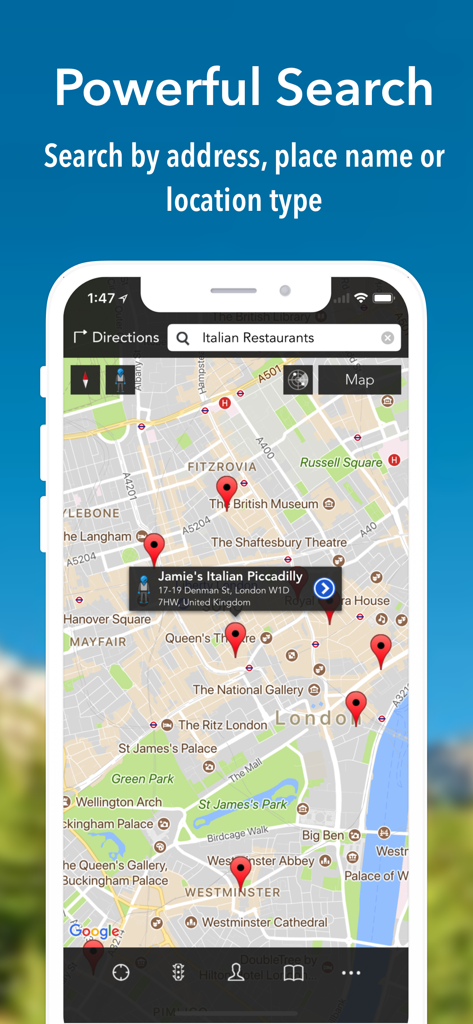
iMaps plus app screenshot showing map search results for Italian restaurants in London on an iPhone
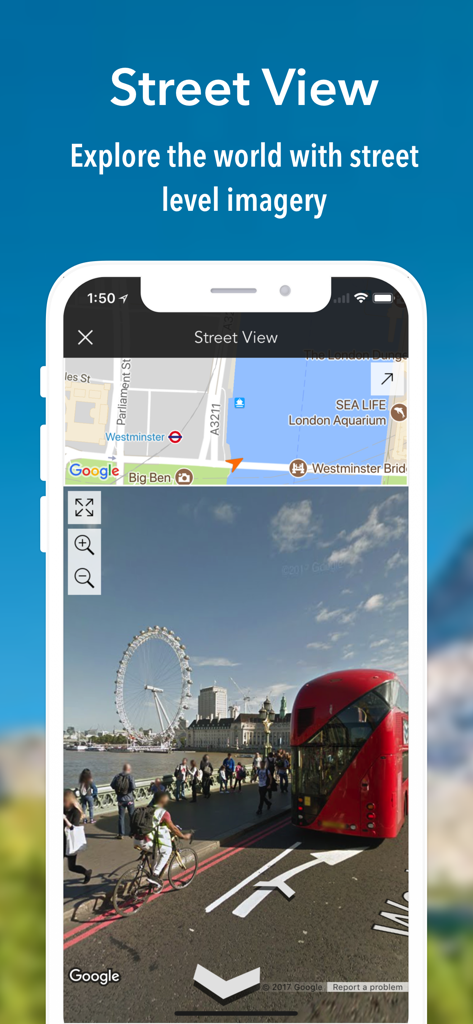
iMaps plus app showing street level imagery of London with a red bus and the London Eye
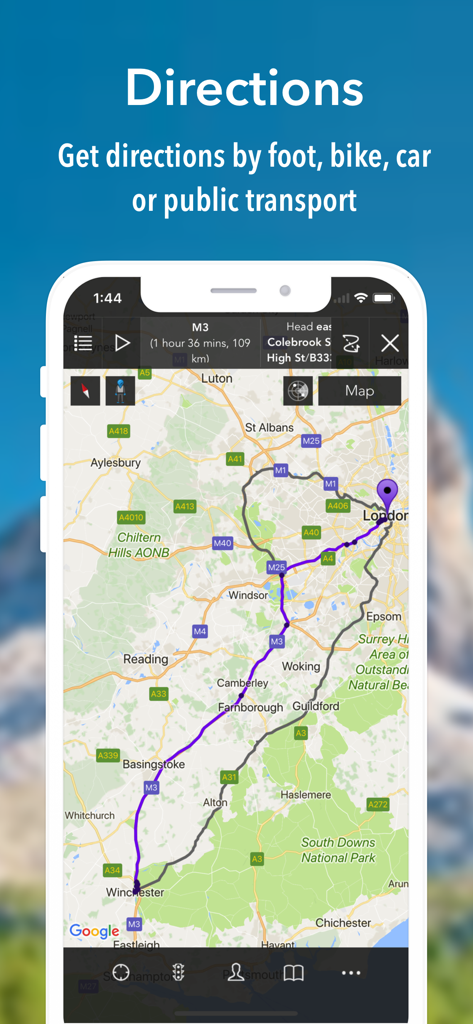
iMaps plus app showing a navigation route from Winchester to London on an iPhone screen
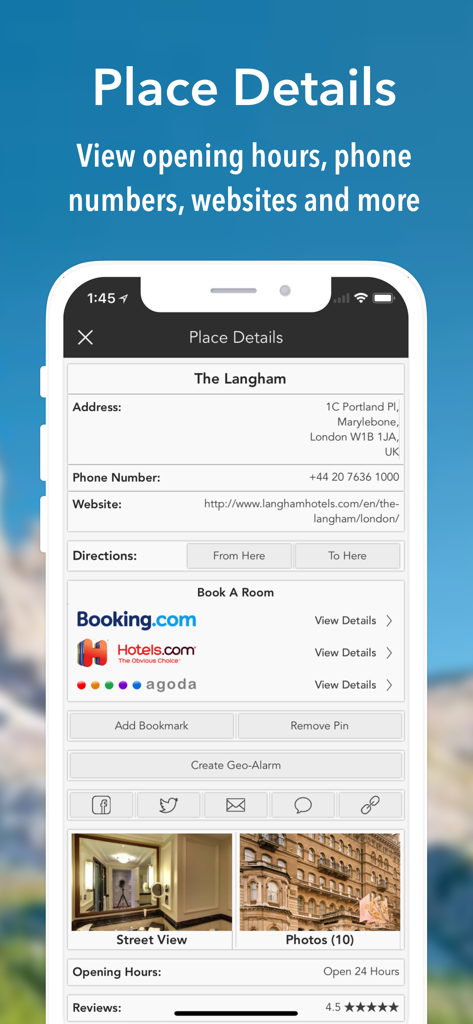
iMaps plus navigation app place details screen with contact information and hotel booking links
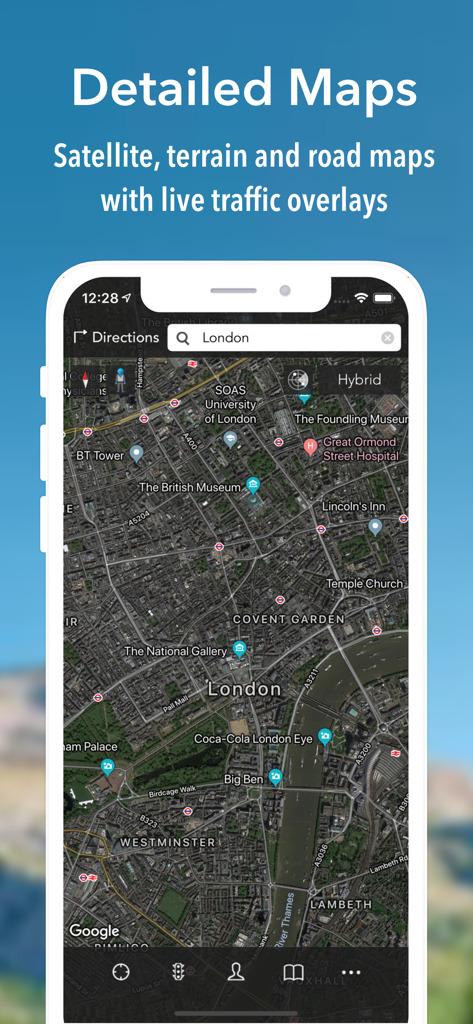
iMaps plus app interface showing a detailed hybrid satellite map of London with traffic overlays
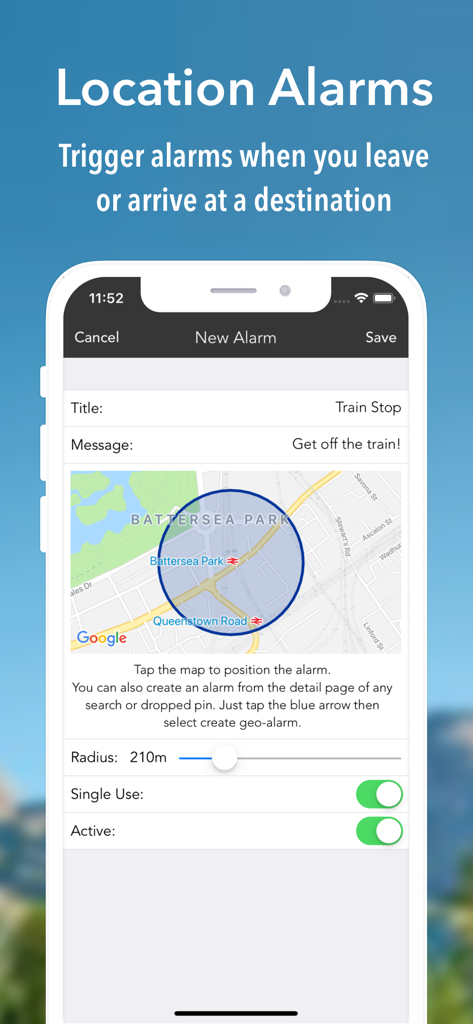
Interface for setting up a location based arrival notification in the iMaps plus app
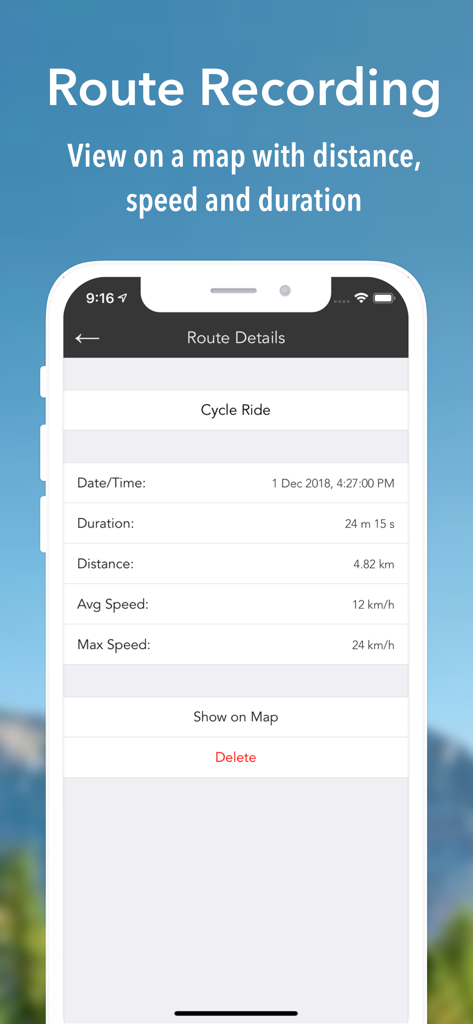
iMaps plus app screen showing recorded route details for a cycle ride including duration distance and speed
Description
Download
More Like This
Apps with similar features and user experience

百度地图-路线规划,出行必备
Beijing Baidu Netcom Science & Technology Co.,Ltd

Citymapper: All Live Transit
Citymapper Limited

GPS智能指南针-北斗卫星导航实时公交定位海拔测亩仪
Chengdu Yichituo Technology Co., Ltd.

Smart 5G Navigation
Chengdu Xinda Network Technology Co., Ltd.

VIP Real-time Map
Guangzhou Jishu Network Technology Co.,Ltd.

北斗导航-3D高清卫星地图Pro
Guangzhou Tianhe District Yongji Network Technology Co., Ltd.

Google Maps
Google LLC

腾讯地图-路线规划,导航地铁打车出行
Shenzhen Tencent Computer Systems Company Limited

Yandex Maps & Navigator
DIRECT CURSUS COMPUTER SYSTEMS TRADING LLC
This page is not an official page of the app or its developer, but an independent editorial publication created for informational and commentary purposes. Unless expressly stated otherwise, neither the app nor its developer is affiliated with, endorsed by, sponsored by, authorized by, or otherwise officially connected with MWM, Apple, Google Play, the app publisher, or the app's developer, and nothing on this page implies that the app was developed using MWM's services. Any trademarks, logos, screenshots, and other content remain the property of their respective owners.