
This page is not an official page of the app or its developer, but an independent editorial publication created for informational and commentary purposes. Unless expressly stated otherwise, neither the app nor its developer is affiliated with, endorsed by, sponsored by, authorized by, or otherwise officially connected with MWM, Apple, Google Play, the app publisher, or the app's developer, and nothing on this page implies that the app was developed using MWM's services. Any trademarks, logos, screenshots, and other content remain the property of their respective owners.


iMovie
Complex editing, demystified. The app puts intuitive controls at users' fingertips, turning raw clips into polished, broadcast-ready stories with minimal friction.
Downloads
50M+User Rating
Total Ratings
855.2KPublisher
Category
Photo & VideoLocales
33Latest Version
3.0.5Size
660.0 MBFirst Released
Jun 24, 2010iMovie: Streamlined Video Editing for the Apple Ecosystem
An evaluation of key functionalities driving user accessibility and creative output.
Seamless Apple Ecosystem Integration
The app provides seamless project transfer capabilities between iPhone, iPad, and Mac via AirDrop or iCloud Drive, enabling continuous editing across devices and offering external display support.
Magic Movies Creation
It allows users to instantly generate polished videos with titles, transitions, and music from their selected photos and videos, requiring no manual editing.
High-Quality Export & Sharing
It enables high-quality video export up to 4K at 60 frames per second to the Photos library, with optimized options for sharing across social media platforms like Instagram and YouTube.
Advanced Visual Effects & Editing
This tool provides advanced editing capabilities, including picture-in-picture, green screen, and split screen effects, along with the ability to edit Cinematic mode videos from iPhones.
Guided Storytelling with Storyboards
The app features 20 Storyboard templates that guide users in creating popular video types by providing a structured layout for content, promoting effective storytelling.
Hollywood-Style Trailer Creation
This tool enables users to produce cinematic trailers using 14 pre-designed templates complete with professional graphics and original musical scores.
Thematic & Stylistic Enhancements
It features 8 unique themes, 13 Apple-designed video filters, and 11 animated title styles, allowing for easy customization of visual presentation.
Comprehensive Audio Editing
The app offers an extensive library of soundtracks that automatically adjust to video length, alongside options for sound effects, music library integration, and voice narration.
The following screenshots and description are sourced directly from the app's official store listing and are the property of the app developer.
App Store
Screenshots
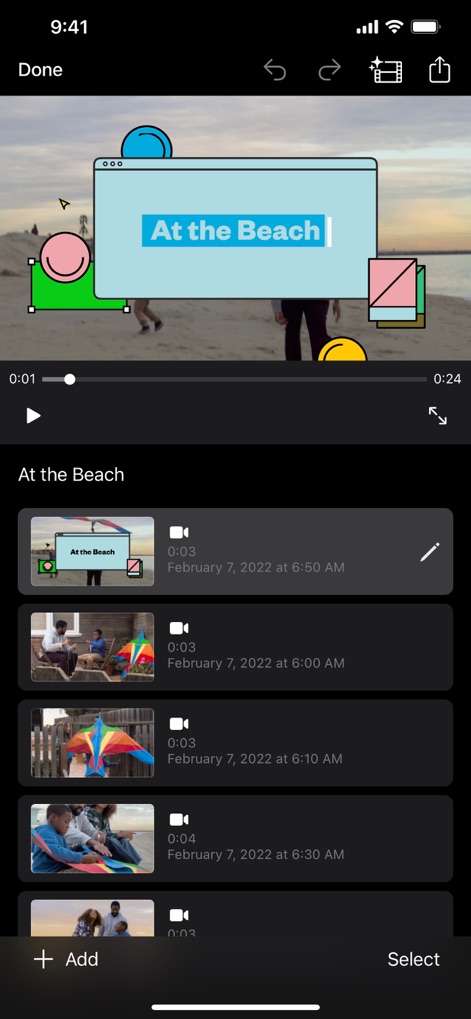
Project Timeline View
This screen showcases the intuitive project timeline for organizing video clips and the customizable video title overlay, simplifying video assembly.

Storyboard Selection
Explore the app's diverse range of storyboard templates, offering themed content categories to kickstart any video project with ease.
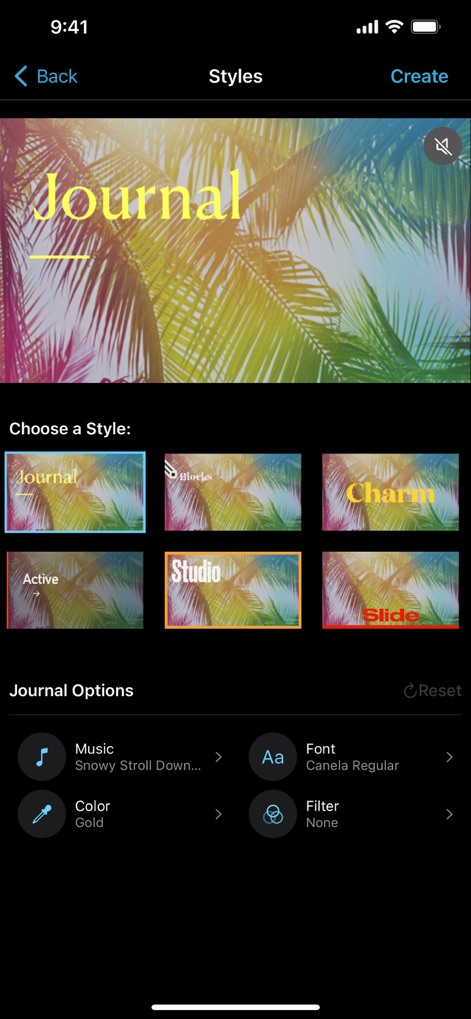
Visual Style Customization
Users can effortlessly apply varied visual style presets and fine-tune elements such as fonts and colors to match their project's aesthetic.
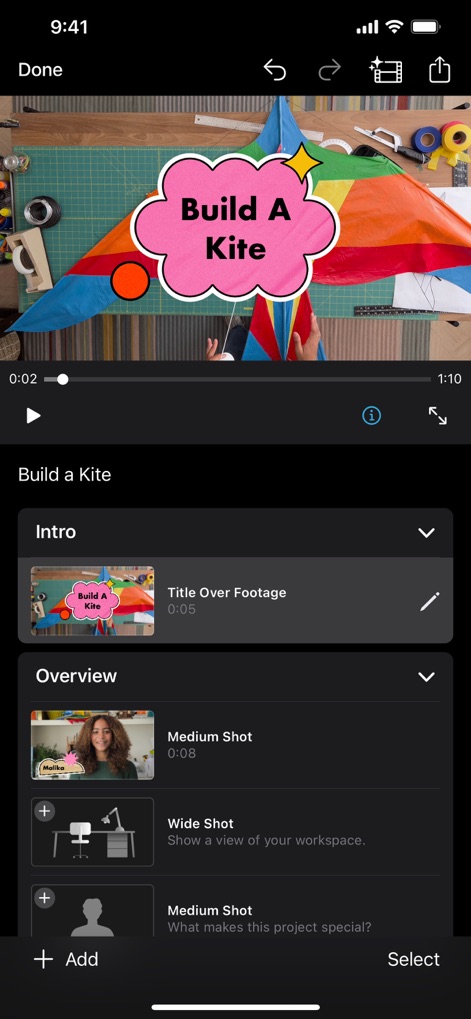
Project Structure & Clips
This view illustrates structured project organization with sections like Intro and Overview, alongside visual placeholder clip management for guided editing.

Cinematic Mode Editing
The app offers advanced Cinematic mode controls, allowing precise depth of field adjustments and subject focus for a professional film look.

Dynamic Title Effects
Discover the app's dynamic title effects, including the "Slide" style, and comprehensive text customization tools for impactful video introductions.

Multi-Track Overlays
This screen demonstrates the use of advanced overlay effects like green screen or picture-in-picture within the multi-track editing display for complex compositions.

Creative Filter Application
Apply creative video filters, such as the "Comic" effect, with a real-time preview to instantly transform the visual style of clips.
Description
Download
This page is not an official page of the app or its developer, but an independent editorial publication created for informational and commentary purposes. Unless expressly stated otherwise, neither the app nor its developer is affiliated with, endorsed by, sponsored by, authorized by, or otherwise officially connected with MWM, Apple, Google Play, the app publisher, or the app's developer, and nothing on this page implies that the app was developed using MWM's services. Any trademarks, logos, screenshots, and other content remain the property of their respective owners.