
This page is not an official page of the app or its developer, but an independent editorial publication created for informational and commentary purposes. Unless expressly stated otherwise, neither the app nor its developer is affiliated with, endorsed by, sponsored by, authorized by, or otherwise officially connected with MWM, Apple, Google Play, the app publisher, or the app's developer, and nothing on this page implies that the app was developed using MWM's services. Any trademarks, logos, screenshots, and other content remain the property of their respective owners.


iTrade - AI Trading Assistant
Stop guessing and start trading with confidence. Simply upload a screenshot of any stock, crypto, or forex chart to instantly reveal key support levels, trend patterns, and market sentiment.
Downloads
0User Rating
Total Ratings
0Publisher
Category
FinanceLocales
1Latest Version
1.0.1Size
32.9 MBFirst Released
May 21, 2025Trade with Absolute Confidence
Stop over-analyzing and start executing. Our AI instantly decodes complex charts so you can focus on making profitable moves without the emotional friction.
Instant AI Chart Scanning
Turn any screenshot into a full market report. Identify trends, sentiment, and patterns in seconds, perfect for fast-paced mobile trading.
Precision Entry & Exit Points
Eliminate guesswork with automated support and resistance mapping. Know exactly where the key price levels are to protect your capital.
The following screenshots and description are sourced directly from the app's official store listing and are the property of the app developer.
App Store
Screenshots
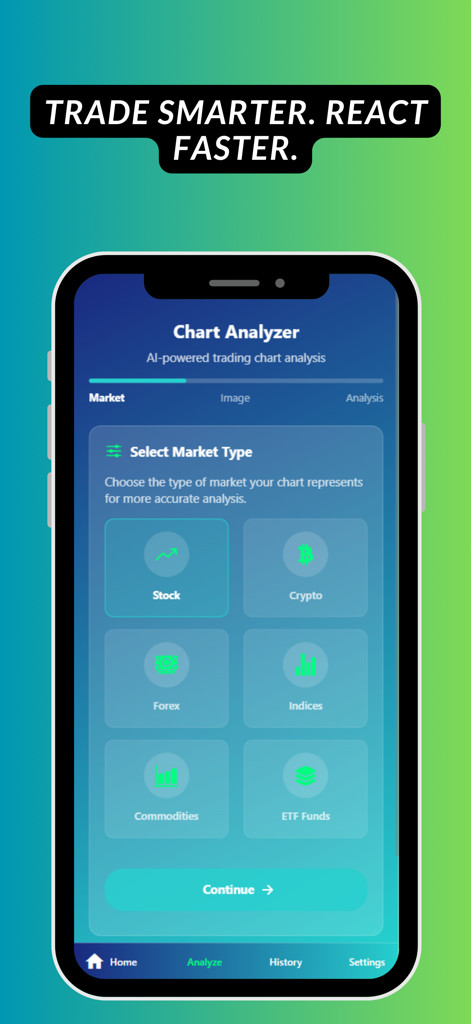
iTrade AI app screen for selecting market types like stock crypto and forex for chart analysis
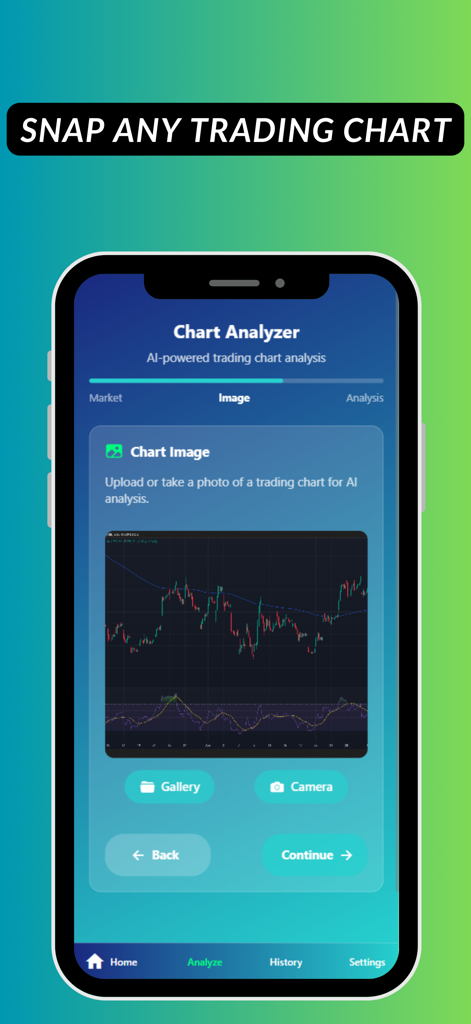
iTrade app interface showing the chart analyzer screen for uploading a stock or crypto chart for AI analysis
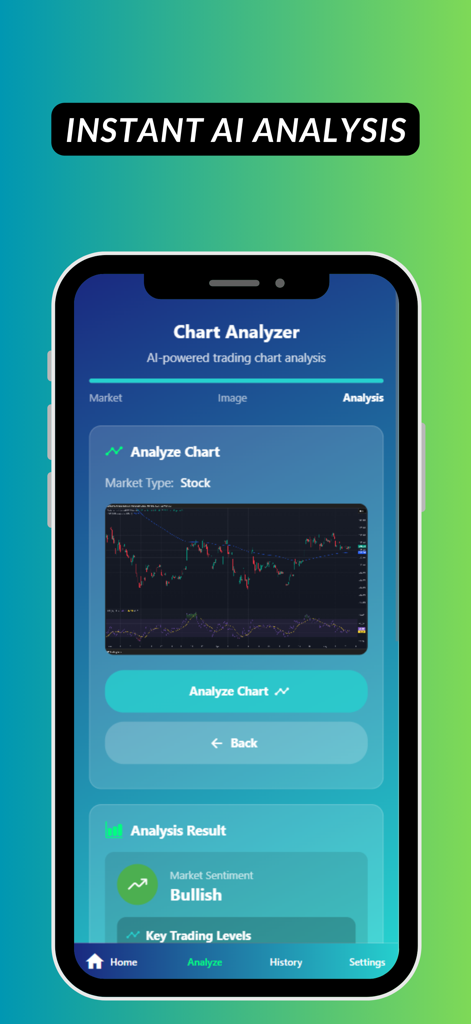
iTrade mobile app interface showing a stock chart being analyzed by AI with a bullish market sentiment result
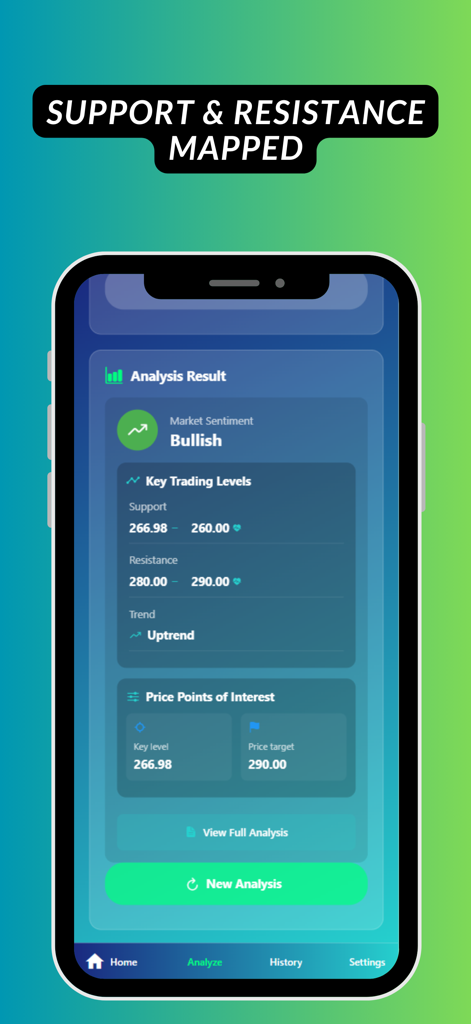
A mobile app interface showing AI-generated trading analysis including bullish sentiment, support and resistance levels, and price targets.
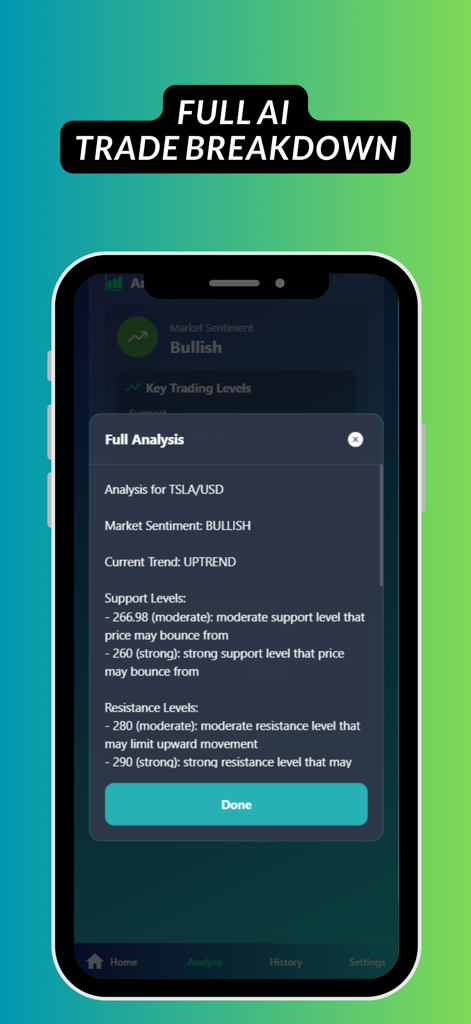
Mobile app screen showing a detailed AI-generated trading analysis for TSLA including market sentiment, trend direction, and support levels.
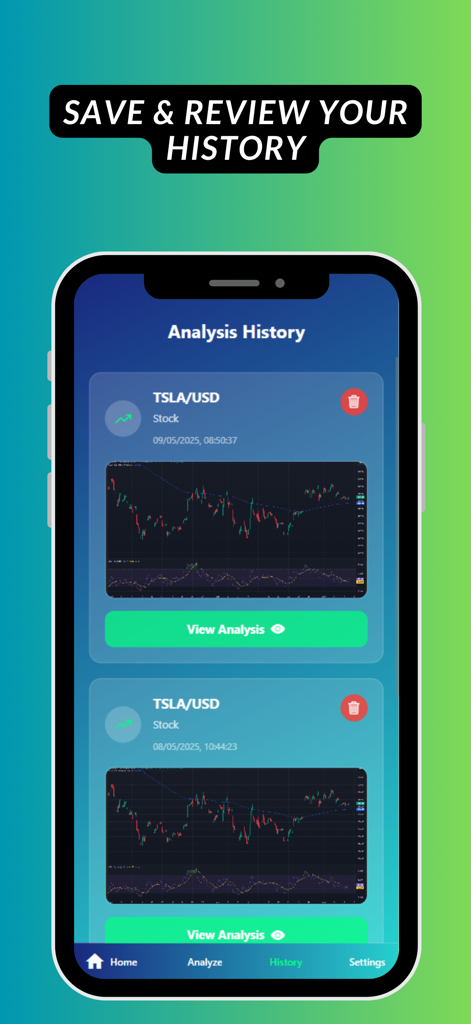
A mobile app screen displaying a list of saved stock chart analyses in the iTrade AI Trading Assistant history tab.
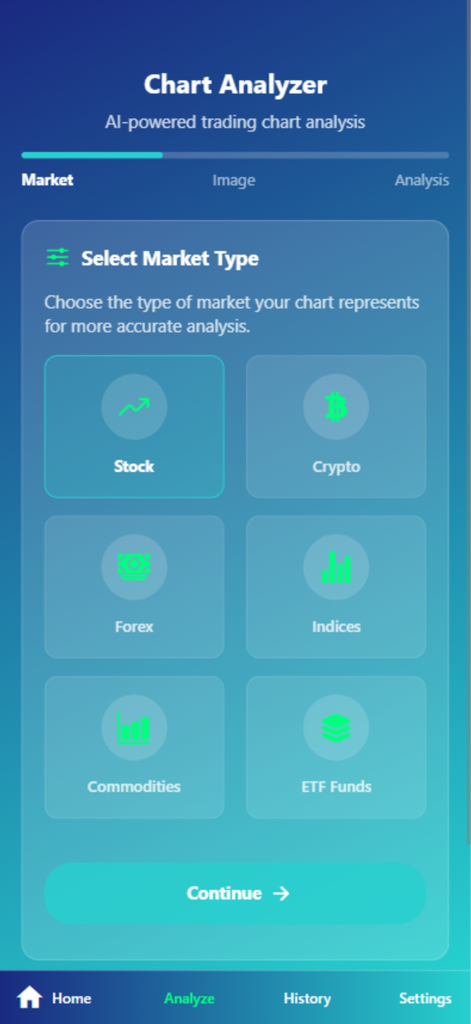
iTrade app interface for selecting market types like Stock, Crypto, and Forex for AI analysis.
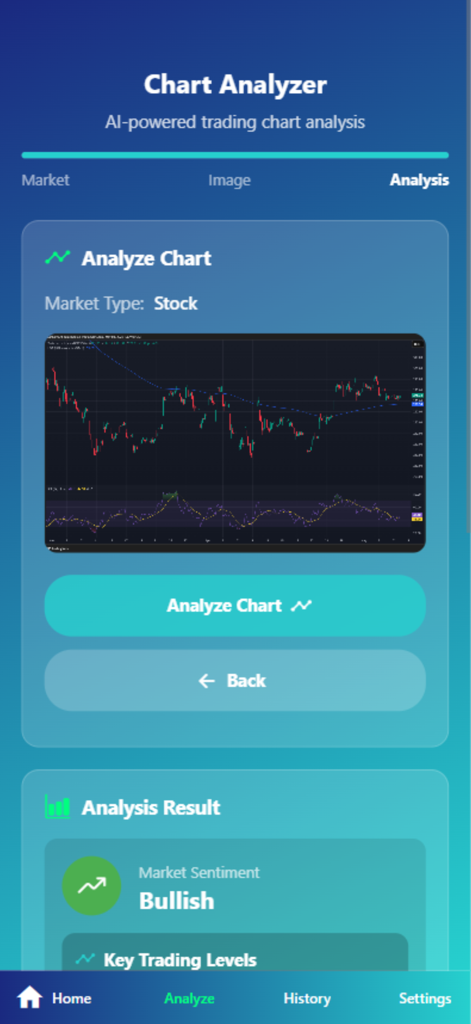
iTrade app interface displaying a chart analyzer tool with a stock market chart and bullish sentiment result
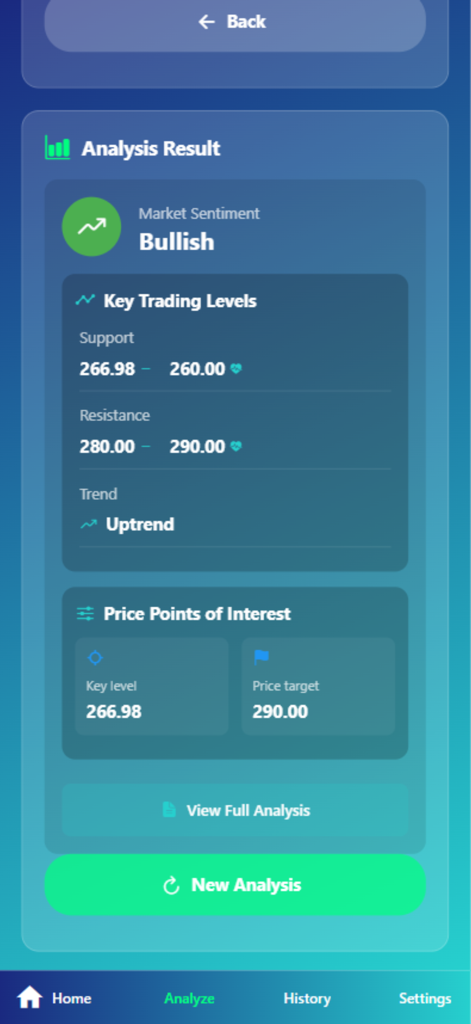
iTrade AI trading analysis screen showing bullish market sentiment, uptrend, and key price levels for support and resistance.
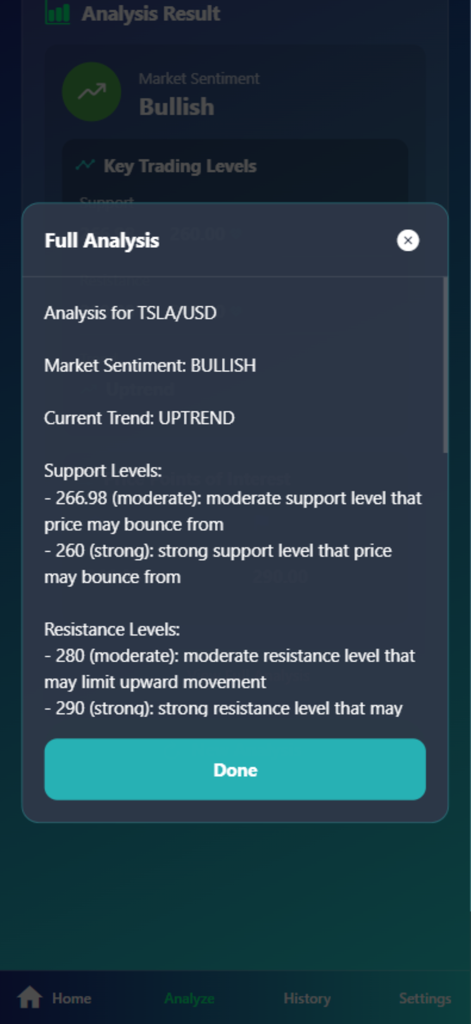
AI-generated trading analysis for TSLA showing bullish sentiment and support levels in the iTrade app
Description
Download
More Like This
Top-ranked apps in the same category

UnionPay APP
China Unionpay Co.,Ltd.

PayPal - Pay, Send, Save
PayPal, Inc.

Mercado Pago: cuenta digital
MercadoLibre S.A.

个人所得税
State Administration of Taxation

中国农业银行
AGRICULTURAL BANK OF CHINA LIMITED

TurboTax: File Your Tax Return
Intuit Inc.

Revolut: Send, spend and save
Revolut Ltd

中国工商银行
Industrial and Commercial Bank of China

电子税务局
State Administration of Taxation
This page is not an official page of the app or its developer, but an independent editorial publication created for informational and commentary purposes. Unless expressly stated otherwise, neither the app nor its developer is affiliated with, endorsed by, sponsored by, authorized by, or otherwise officially connected with MWM, Apple, Google Play, the app publisher, or the app's developer, and nothing on this page implies that the app was developed using MWM's services. Any trademarks, logos, screenshots, and other content remain the property of their respective owners.