KAPITALBANK. Online

KAPITALBANK. Online

Download on App Store
Logo of KAPITALBANK. Online

KAPITALBANK. Online: Your Secure Bridge to Finances in Uzbekistan

Send international transfers, exchange currency at favorable rates, and manage your accounts with ease. The trusted mobile bank for the Uzbek diaspora and global professionals.

Download on App Store

Publisher

Kapitalbank, JSCB

Category

Finance

Downloads

393K+

User Rating

4.5/5

Total Ratings

8K+

Locales

3

A Glimpse of Financial Freedom

Discover the interface used by 393K+ users.
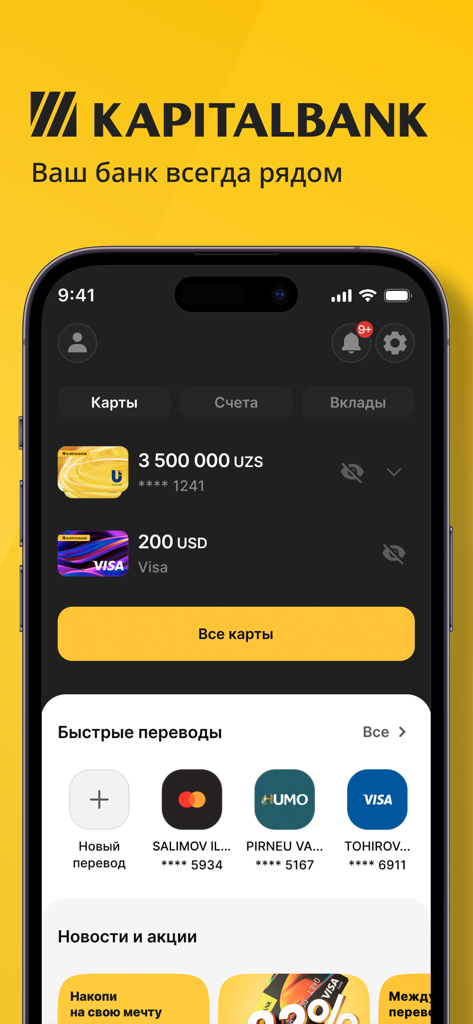
Kapitalbank mobile app dashboard displaying multi-currency accounts and fast transfer options

Kapitalbank mobile app dashboard displaying multi-currency accounts and fast transfer options

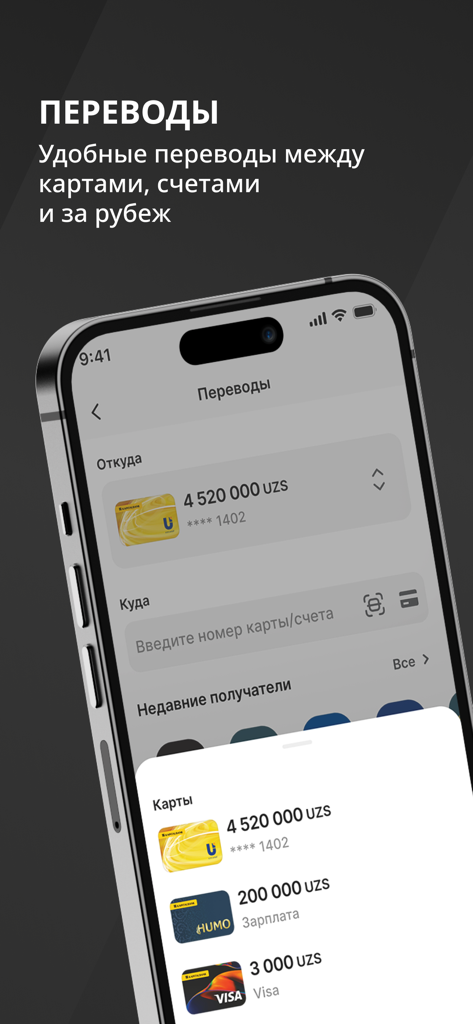
Kapitalbank Online app interface for international money transfers and card management with Uzbek soum balances

Kapitalbank Online app interface for international money transfers and card management with Uzbek soum balances

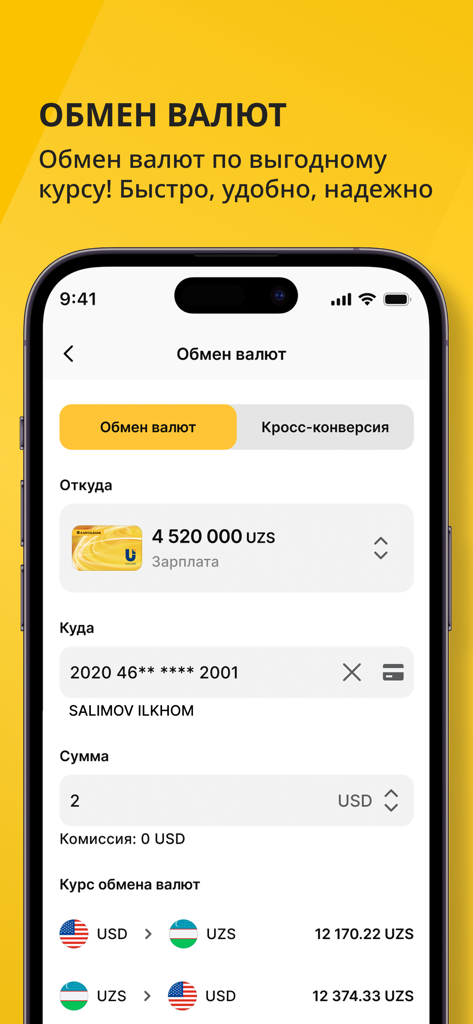
Currency exchange interface in the Kapitalbank app showing conversion rates for USD and Uzbek Soum

Currency exchange interface in the Kapitalbank app showing conversion rates for USD and Uzbek Soum

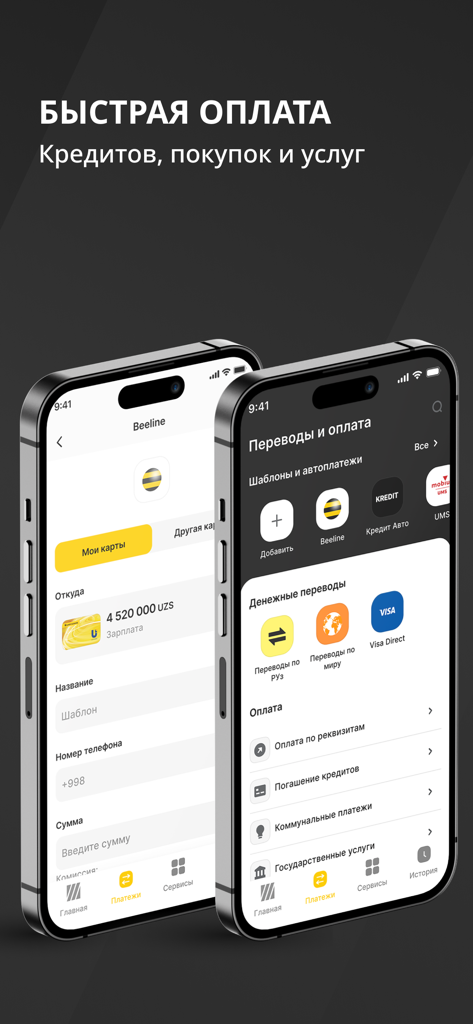
Kapitalbank Online mobile app interface showing fast payment options for loans and services

Kapitalbank Online mobile app interface showing fast payment options for loans and services

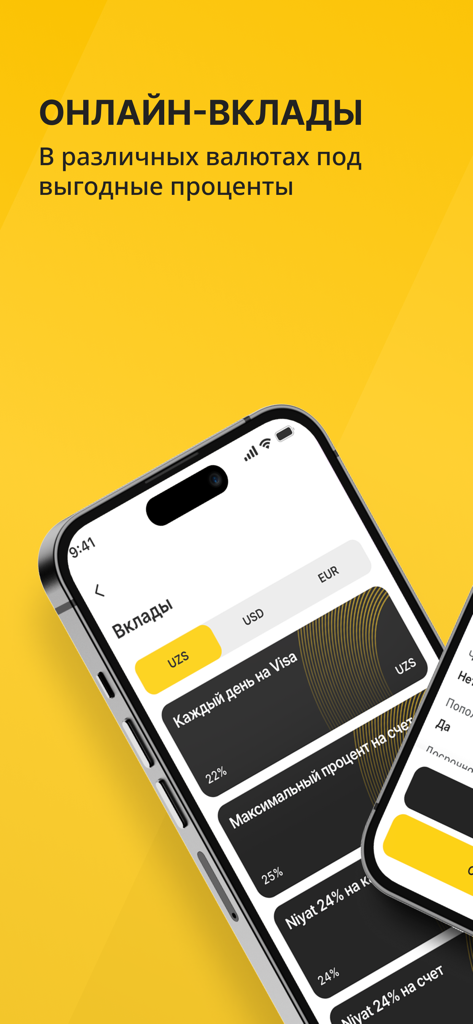
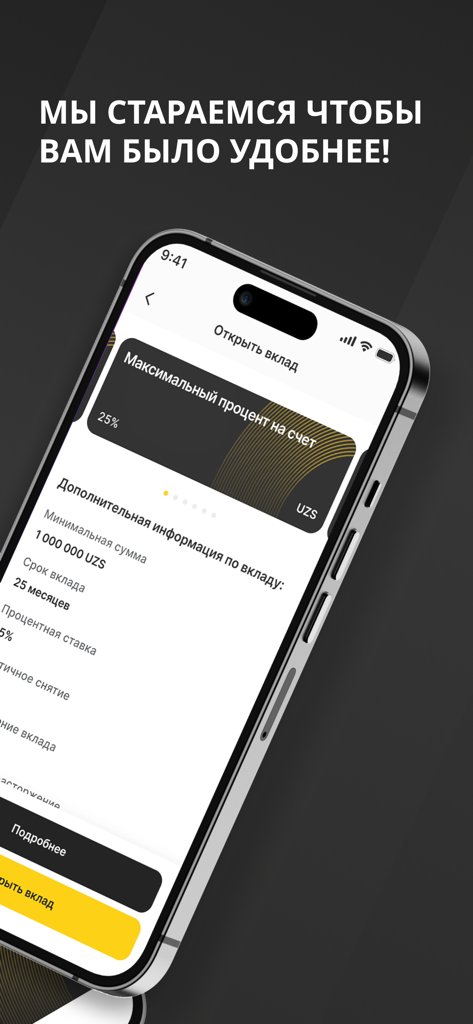
A mobile interface for Kapitalbank Online showing various deposit options in multiple currencies like UZS and USD with competitive interest rates.

A mobile interface for Kapitalbank Online showing various deposit options in multiple currencies like UZS and USD with competitive interest rates.

Kapitalbank Online app interface for opening a high interest savings deposit in Uzbek Soums.

Kapitalbank Online app interface for opening a high interest savings deposit in Uzbek Soums.

Banking Without Borders

The tools that make this app stand out, trusted by 393K+ users.

💸

Instant Global Transfers

Send money to Uzbekistan in Soums or USD directly from your phone, avoiding expensive third-party fees and long wait times.

💱

Premium Exchange Rates

Access favorable conversion rates within the app to maximize your savings when moving money between currencies.

🛡️

Remote Card Management

Securely block cards, change PINs, and pay for utility bills or tuition in Uzbekistan while living anywhere in the United States.

About the app

Everything you need to know about KAPITALBANK. Online.

Description

Приложение для клиентов «Капиталбанка» разработано так, чтобы управление банковскими продуктами и сервисами было максимально удобным, надежным и быстрым. Мобильный банк позволяет вам совершать переводы, обменивать валюту, управлять картами и вкладами Вам доступны денежные переводы – в сумах и иностранной валюте, как внутри Узбекистана, так и международные. Между картами, счетами, в системах мгновенных переводов. Все классические банковские операции с картами и счетами. Конвертация валюты по выгодному курсу. Оплата товаров и услуг, платежи по реквизитам и договорам. Изменение пин-кодов и блокировка карт. История всех операций и полный контроль за своими денежными средствами. The application for Kapitalbank clients is designed to make managing banking products and services as convenient, reliable, and fast as possible. The mobile bank allows you to make transfers, exchange currency, and manage cards and deposits. You have access to money transfers in Uzbek soums and foreign currency, both within Uzbekistan and internationally — between cards, accounts, and via instant transfer systems. All classic banking operations with cards and accounts. Currency conversion at a favorable rate. Payment for goods and services, as well as payments by details and contracts. Changing PIN codes and blocking cards. A history of all transactions and full control over your funds.

Latest Version

3.4.3

Size

121.3 MB

First Released

Oct 16, 2021

Your Secure Financial Bridge to Uzbekistan

Join thousands of professionals in the US who manage their transfers, currency exchange, and family bills with total security. Download Kapitalbank. Online today and take full control of your finances across borders.

Download on App Store
FAQ

Frequently Asked Questions

Everything you need to know about KAPITALBANK. Online

What are the main features of the KAPITALBANK. Online application?

The KAPITALBANK. Online application allows users to manage banking products, make transfers, exchange currency, manage cards and deposits, pay for services, change PINs, block cards, and view transaction history.

Can I make international transfers using KAPITALBANK. Online?

Yes, KAPITALBANK. Online supports international money transfers in Uzbek soums and foreign currency. Transfers are possible between cards, accounts, and via instant transfer systems.

Does KAPITALBANK. Online allow currency exchange?

Yes, KAPITALBANK. Online enables currency conversion at a favorable rate. Users can perform direct currency exchange and cross-conversion within the application.

Can I manage my bank cards and accounts with the KAPITALBANK. Online app?

Yes, KAPITALBANK. Online supports all classic banking operations with cards and accounts. Users can view cards, accounts, and deposits, as shown on the main dashboard.

Is it possible to block a card using KAPITALBANK. Online?

Yes, KAPITALBANK. Online provides the functionality to change PIN codes and block cards directly within the application for security and control over funds.

What types of payments can I make with the KAPITALBANK. Online application?

The KAPITALBANK. Online application supports payments for goods and services, payments by details and contracts, loan repayments, utility payments, and government services.

Can I open online deposits with KAPITALBANK. Online?

Yes, KAPITALBANK. Online allows users to open online deposits in various currencies, including UZS, USD, and EUR. These deposits offer favorable interest rates.

Does KAPITALBANK. Online show my transaction history?

Yes, KAPITALBANK. Online provides a complete history of all operations, enabling users to maintain full control over their financial funds and transactions.

App information, icons, screenshots, and descriptions displayed on this page are sourced from the Apple App Store and are the property of their respective developers. Download estimates and rankings are based on MWM's proprietary models and may not reflect actual figures. This page is provided for informational and analytical purposes only.

Believe this page infringes your intellectual property? File a dispute