
This page is not an official page of the app or its developer, but an independent editorial publication created for informational and commentary purposes. Unless expressly stated otherwise, neither the app nor its developer is affiliated with, endorsed by, sponsored by, authorized by, or otherwise officially connected with MWM, Apple, Google Play, the app publisher, or the app's developer, and nothing on this page implies that the app was developed using MWM's services. Any trademarks, logos, screenshots, and other content remain the property of their respective owners.


KinderCare
Stay connected to every smile and milestone with real-time photos, activity updates, and secure messaging from your childcare center.
Downloads
581K+User Rating
Total Ratings
50K+Publisher
Category
EducationLocales
3Latest Version
6.1.23Size
68.6 MBFirst Released
Apr 2, 2019Stay Connected to Your Child’s Daily Journey
Bridge the gap between work and family with a secure, real-time window into your child’s classroom experience and growth.
Real-Time Photo & Video Updates
Receive instant visual milestones that reduce separation anxiety and let you share in your child's joy throughout the workday.
Direct Messaging with Educators
Enjoy a secure, asynchronous line of communication with your Center Director to ask questions or share important updates instantly.
Frequently Asked Questions
Everything you need to know about KinderCare
How do I get started with the KinderCare app?
Users receive an invitation email from their center. They must follow the link to set up their password for the KinderCare app.
What features does the KinderCare app offer?
The KinderCare app provides a window into a child's day, access to pictures, daily updates, and a messaging feature.
Can I see pictures of my child using the KinderCare app?
Yes, the KinderCare app allows users to access pictures and updates of their child throughout the day, as seen in daily activity posts.
Does the KinderCare app have a messaging feature?
Yes, the KinderCare app includes a new messaging feature. This allows for communication with the center.
How do I know when the KinderCare app is available for my center?
Users should ask their Center Director when the KinderCare app will be live and ready for use in their specific center.
Can parents track their child's activities in the KinderCare app?
Yes, the KinderCare app provides updates like "Circle Time" describing daily activities and learning topics such as "Communication, language & literacy".
Can I share updates from the KinderCare app with others?
Yes, the KinderCare app allows sharing updates. Screenshot #1 shows a "Share with Crew" button associated with a daily update.
Can I view my child's profile in the KinderCare app?
Yes, the KinderCare app displays a child's profile, including their name, age, and birthdate, as shown in Screenshot #2.
The following screenshots and description are sourced directly from the app's official store listing and are the property of the app developer.
App Store
Screenshots
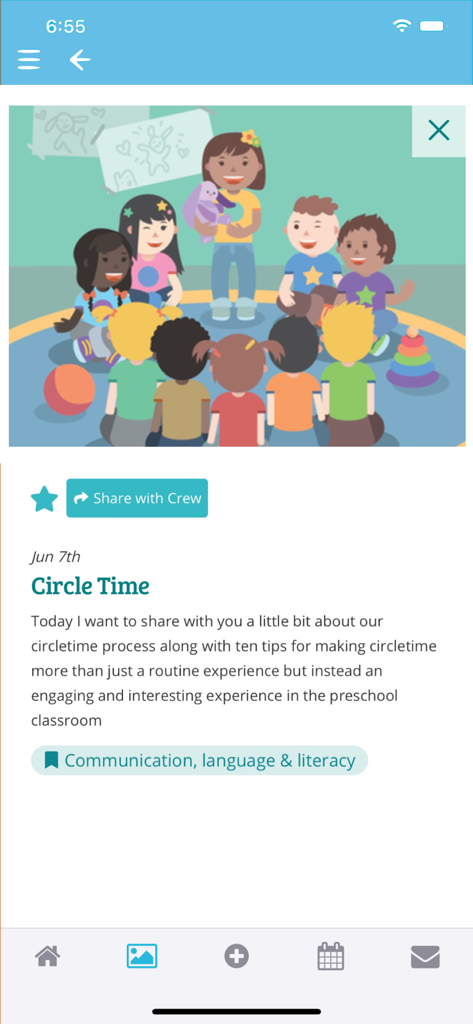
A KinderCare app screenshot showing a circle time activity update with a teacher and children illustration
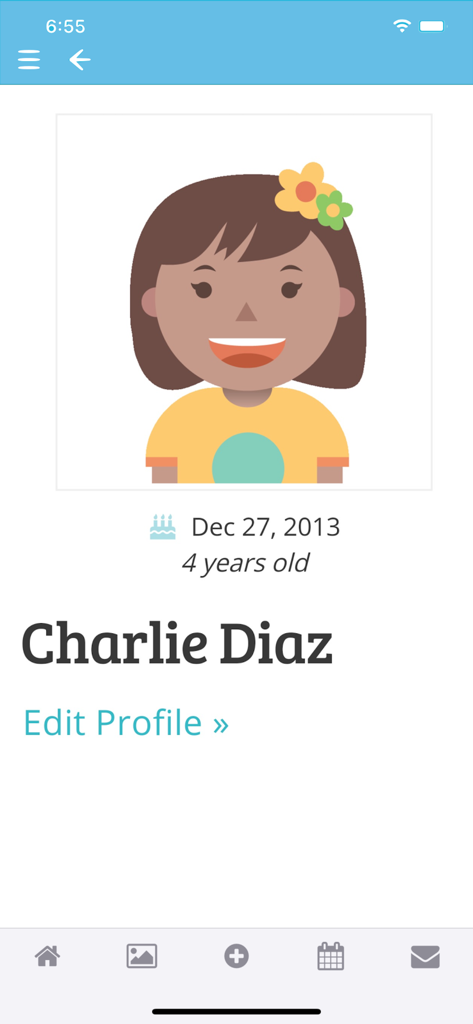
Mobile app screen showing a child profile for Charlie Diaz in the KinderCare application
Description
Download
More Like This
Apps with similar features and user experience

Storypark for Families
Storypark Ltd

Kids Note
Kidsnote, Inc

Xplor Home
MyXplor Pty Ltd

Tapestry Journal
The Foundation Stage Forum Ltd.

Learning Genie for Parents
Learning Genie Inc

OuderApp van Konnect
Joorz B.V.

掌心宝贝家长版-家长喜爱的家园共育平台
Shenzhen YunLingTianXia technology Co. Ltd.

Sdui
Sdui GmbH

智慧树家长端
Beijing Huanyu Intelligent Star Technology Co., Ltd.
This page is not an official page of the app or its developer, but an independent editorial publication created for informational and commentary purposes. Unless expressly stated otherwise, neither the app nor its developer is affiliated with, endorsed by, sponsored by, authorized by, or otherwise officially connected with MWM, Apple, Google Play, the app publisher, or the app's developer, and nothing on this page implies that the app was developed using MWM's services. Any trademarks, logos, screenshots, and other content remain the property of their respective owners.