
This page is not an official page of the app or its developer, but an independent editorial publication created for informational and commentary purposes. Unless expressly stated otherwise, neither the app nor its developer is affiliated with, endorsed by, sponsored by, authorized by, or otherwise officially connected with MWM, Apple, Google Play, the app publisher, or the app's developer, and nothing on this page implies that the app was developed using MWM's services. Any trademarks, logos, screenshots, and other content remain the property of their respective owners.


كشوف
Ditch the paper and reclaim your time. Track attendance, automate student assessments, and instantly share progress reports with parents—all from your iPad.
Downloads
164K+User Rating
Total Ratings
7K+Publisher
Category
EducationLocales
2Latest Version
7.9.29Size
147.0 MBFirst Released
Aug 13, 2020Master Your Classroom, Minus the Paperwork
The all-in-one digital assistant designed for modern K-12 educators to streamline attendance, grading, and student management directly from your iPad.
Effortless Roster Import
Stop the manual data entry. Import your entire class list from Excel files and organize subjects in seconds so you can focus on teaching.
Smart Engagement Tools
Boost classroom participation with a built-in random student selector and track performance using 10 custom evaluation icons for objective grading.
Frequently Asked Questions
Everything you need to know about كشوف
How does Kushoof help teachers manage students?
Kushoof assists teachers by enabling the division of students into multiple classes and subjects. It allows automatic student grouping and arranges names alphabetically or by academic level.
Does Kushoof allow daily student attendance marking?
Yes, Kushoof enables teachers to mark student attendance daily with a single button press. It provides automatic electronic attendance for all students.
How can teachers evaluate students using the Kushoof application?
Teachers can evaluate students using 10 specialized icons for both positive and negative assessment. Kushoof allows following student evaluations on one page, and assessment dates are automatically recorded.
Can teachers add student names to Kushoof from an Excel file?
Yes, the Kushoof application supports adding student names collectively. This includes the ability to import student names conveniently via an Excel file.
Does Kushoof offer automatic test correction?
Yes, Kushoof offers automatic test correction. Teachers can correct tests using the camera with artificial intelligence, simply by photographing the solution to get the result.
Can teachers send student information to parents through Kushoof?
Yes, Kushoof allows teachers to easily send a student's file directly to their parent. The application also provides the functionality to print students' statements.
What is the "Seconds" feature in the Kushoof application?
The 'Seconds' feature in Kushoof facilitates experience exchange between teachers and students. It utilizes quick educational videos to achieve this interactive learning.
Does Kushoof provide a backup option for attendance sheets?
Yes, Kushoof provides the capability to backup attendance sheets. This ensures that all critical student attendance data is securely preserved.
Where can I find the Terms of Use for the Kushoof app?
The Terms of Use (EULA) for the Kushoof app are available on their official website. You can find them at: https://kushoof.net/en/terms-conditions.
Does the Kushoof app support a dark theme?
Yes, the Kushoof application offers a dark theme. This feature improves user comfort and can help reduce eye strain, especially in low-light conditions.
The following screenshots and description are sourced directly from the app's official store listing and are the property of the app developer.
App Store
Screenshots

Mobile interface of Kushof app displaying a dashboard of student classes with attendance and evaluation metrics

A smartphone interface of the Kushof app displaying a list of students with colorful assessment and attendance icons
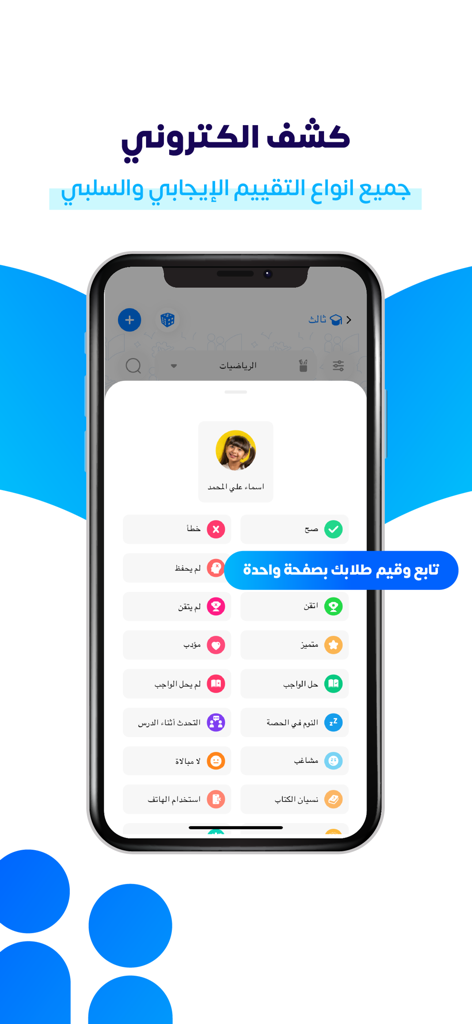
Mobile interface of Kushof app displaying student evaluation icons and assessment criteria
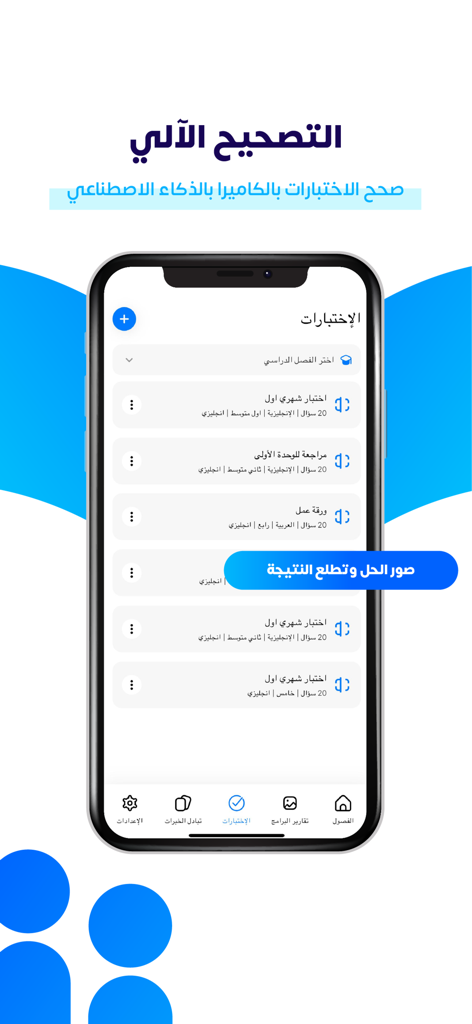
Kushof app interface displaying automatic test grading and AI camera correction options
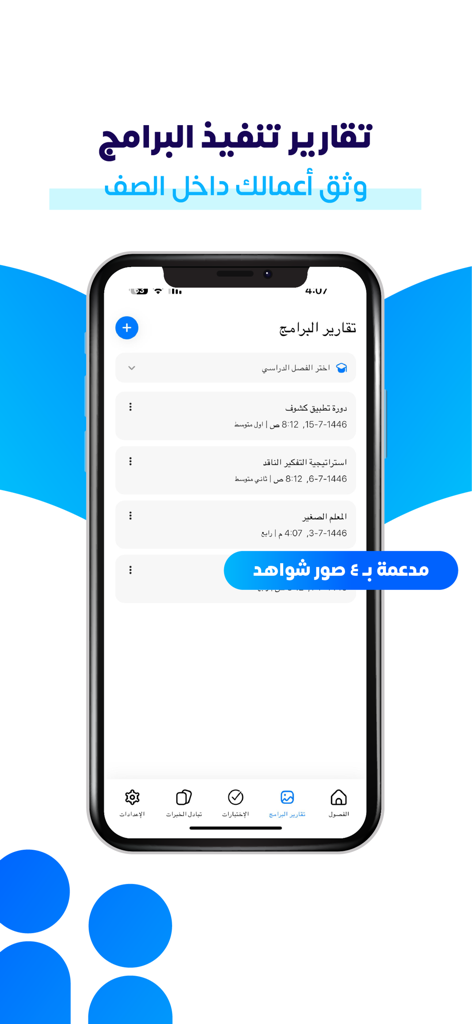
Kushof app interface showing a list of classroom program reports and documentation for teachers.
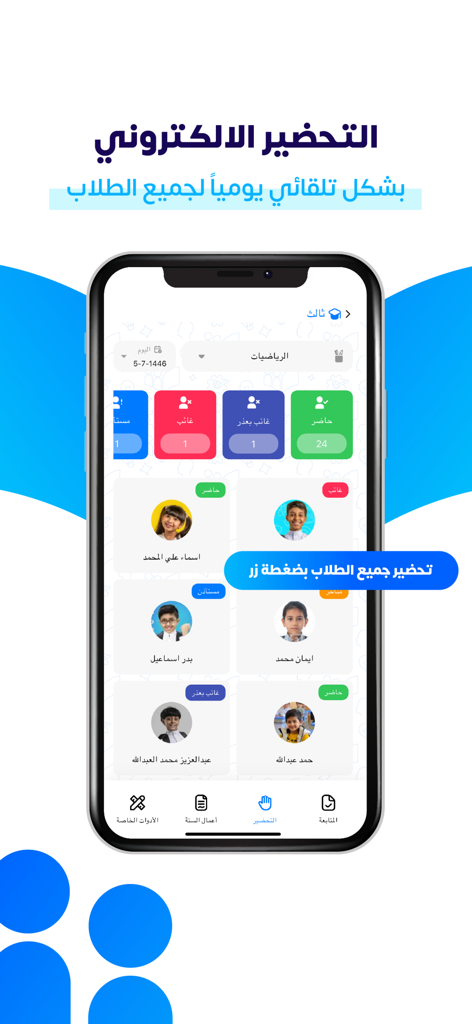
Mobile app screen showing a digital attendance sheet with student photos and attendance status icons.
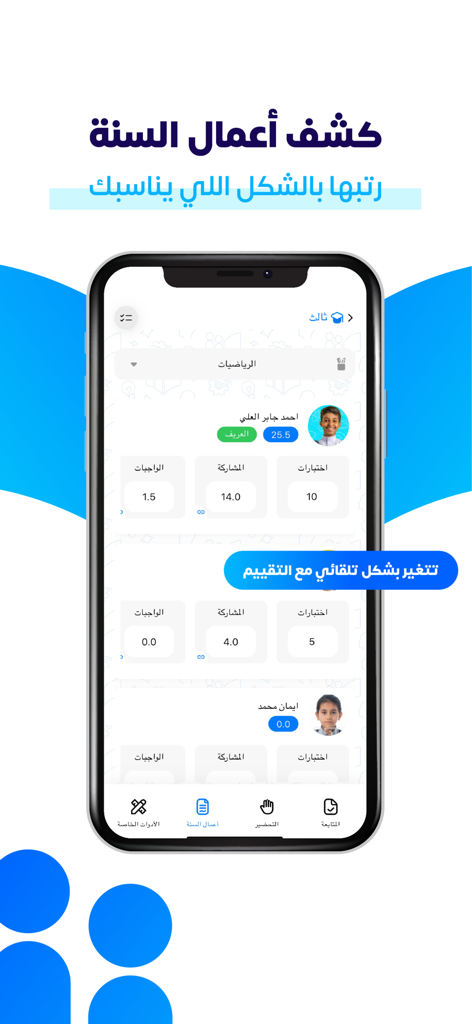
Dashboard view of the Kushof app displaying student records with grades for tests and participation
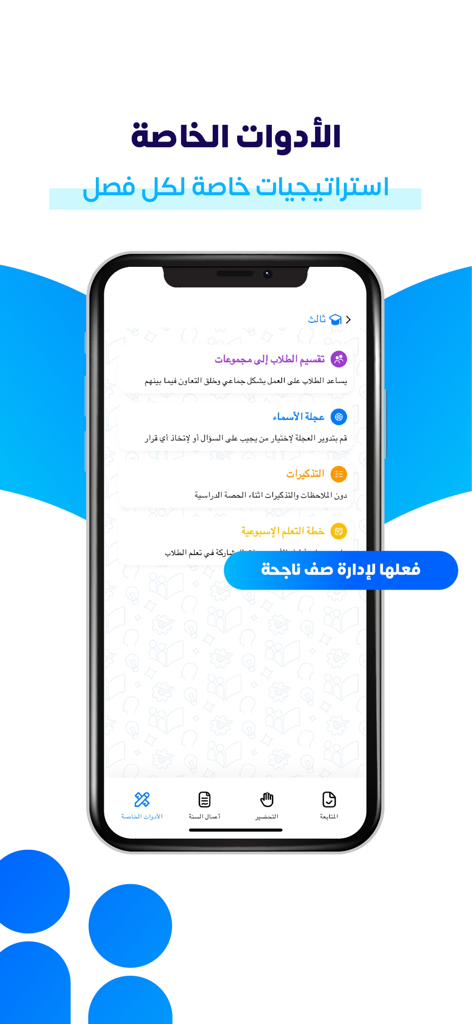
The Kushof app special tools screen showing classroom management features like student grouping and random name selection in Arabic
Description
Download
More Like This
Apps with similar features and user experience

幼师易创-幼教专属的Ai教学减负神器
Chongqing Meiyu Technology Co.Ltd

MyInstitute
BUNCH MICROTECHNOLOGIES PRIVATE LIMITED

Öğretmen Evrak
EDUSON YAZILIM SANAYI VE TICARET LIMITED SIRKETI

Журнал Дневник.ру
Edyukeishn Revolyushen Riserch End Development, Ooo

iDoceo - Planner and gradebook
iDoceo Studios Ltd.

أداة بيان
Ahmad Break Naem

المعلم الذكي
Faris Albalawi

شواهد.
Saleh Alqarni

TeacherTool Complete
Udo Hilwerling
This page is not an official page of the app or its developer, but an independent editorial publication created for informational and commentary purposes. Unless expressly stated otherwise, neither the app nor its developer is affiliated with, endorsed by, sponsored by, authorized by, or otherwise officially connected with MWM, Apple, Google Play, the app publisher, or the app's developer, and nothing on this page implies that the app was developed using MWM's services. Any trademarks, logos, screenshots, and other content remain the property of their respective owners.