
This page is not an official page of the app or its developer, but an independent editorial publication created for informational and commentary purposes. Unless expressly stated otherwise, neither the app nor its developer is affiliated with, endorsed by, sponsored by, authorized by, or otherwise officially connected with MWM, Apple, Google Play, the app publisher, or the app's developer, and nothing on this page implies that the app was developed using MWM's services. Any trademarks, logos, screenshots, and other content remain the property of their respective owners.


蓝狐盒子-极简本地漫画图片阅读器
Take full control of your digital library. Support for CBZ, CBR, PDF, and EPUB with seamless WiFi transfer and optimized reading modes for the ultimate offline experience.
Downloads
1M+User Rating
Total Ratings
5K+Publisher
Category
UtilitiesLocales
3Latest Version
3.3.5Size
119.8 MBFirst Released
Jul 6, 2022The Ultimate Hub for Your Digital Collection
Ditch the clutter and enjoy a fast, minimalist reader designed specifically for your offline manga, graphic novels, and digital artbooks.
Universal Format Support
No more conversion headaches. Seamlessly open CBR, CBZ, RAR, PDF, and EPUB files directly on your device.
Wireless Instant Transfer
Skip the cables and iTunes. Beam your entire comic library from your computer to your iPhone instantly via WiFi.
Frequently Asked Questions
Everything you need to know about 蓝狐盒子-极简本地漫画图片阅读器
What comic formats does 蓝狐盒子 support?
蓝狐盒子 supports extensive comic formats including ZIP (CBZ), RAR (CBR), MOBI, EPUB, and PDF. It also supports offline image viewing for PNG and JPG files.
How can users import comics into the 蓝狐盒子 app?
Users can import comics into 蓝狐盒子 using multiple methods: WiFi transfer/upload, direct import of local comic files, or through custom RSS feed subscriptions.
What reading modes does 蓝狐盒子 offer for comics?
蓝狐盒子 provides versatile page-turning modes. These include Up-to-Down scrolling (normal mode) and Left-to-Right page-turning, specifically adapted for Japanese manga reading.
Can users customize their reading experience in 蓝狐盒子?
Yes, 蓝狐盒子 allows users to customize their reading experience. Users can instantly switch between landscape and portrait orientations and adjust the reading brightness for optimal comfort.
How does 蓝狐盒子 help organize a comic library?
蓝狐盒子 provides intuitive comic shelf management. Users can organize their library with view/list mode sorting, customize file names, and add favorites to their collection with a single tap.
Is 蓝狐盒子 a subscription-based service?
Yes, 蓝狐盒子 operates as an automatic subscription service. Membership renews monthly, and users manage subscriptions through their iTunes account.
How can I cancel my 蓝狐盒子 monthly subscription?
To cancel, navigate to your Apple ID in device Settings, then "iTunes Store and App Store", select "View Apple ID", go to "Account Settings", click "Subscription", and choose "Blue Fox Box to Advertise Monthly" to cancel.
Does 蓝狐盒子 support offline viewing of comics?
Yes, 蓝狐盒子 offers seamless and rapid browsing of offline image-based comic resources. Once imported, comics and images can be viewed without an internet connection.
Where can I find the Privacy Policy for 蓝狐盒子?
The Privacy Policy for 蓝狐盒子 is available at http://wordpress.m1book.com/kbmh-ysxy. This link provides details on how the app handles user data.
The following screenshots and description are sourced directly from the app's official store listing and are the property of the app developer.
App Store
Screenshots
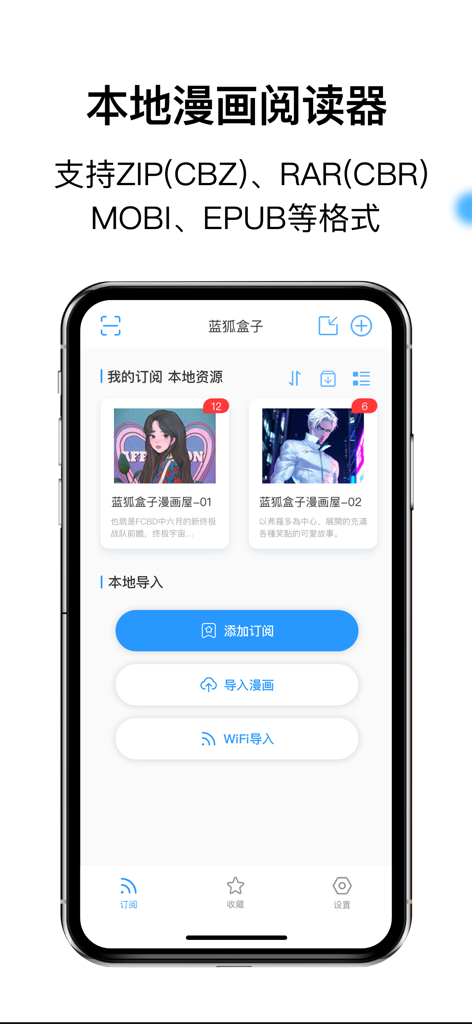
Blue Fox Box app interface showing local comic library and file import options on an iPhone
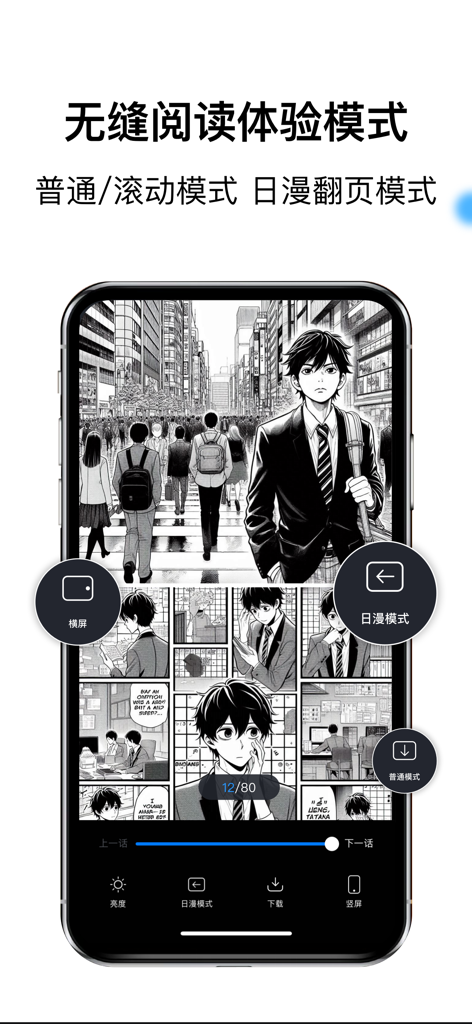
A smartphone displaying a manga page within the Blue Fox Box app showing different reading and page-turning modes.
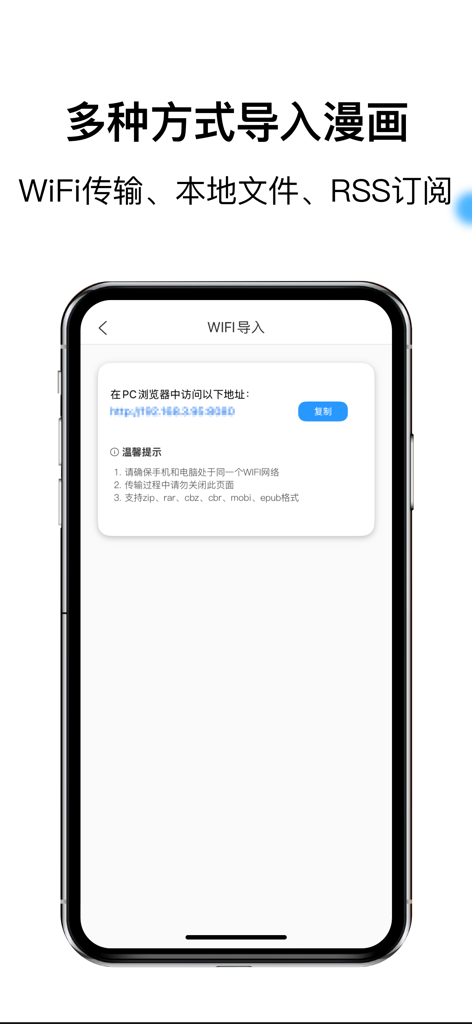
Blue Fox Box app interface showing the WiFi transfer screen for importing comic files from a PC browser
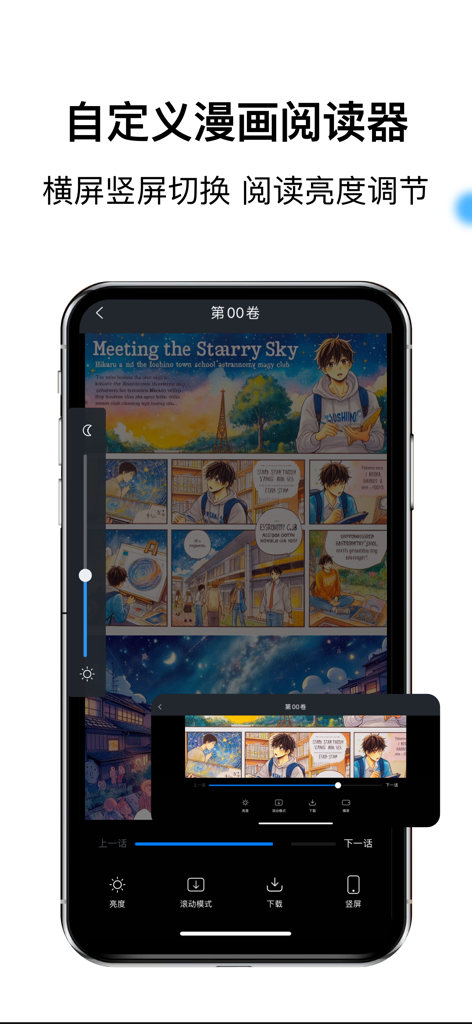
Blue Fox Box app interface showing a manga reader with brightness and orientation adjustment controls

Personalized bookshelf interface of the Blue Fox Box local manga reader app showing a list of digital comics
Description
Download
More Like This
Apps with similar features and user experience

WEBTOON: Manga, Comics, Manhwa
NAVER WEBTOON Ltd.

快看漫画
Kuaikan World (Beijing) Technology CO., LTD.

Tachimanga
继超 吴

WebComics - Webtoon, Manga
WEBCOMICS HOLDINGS HK LIMITED

GlobalComix: The Comics App
Global Publishing Interactive, Inc

Panels - Comic Reader
Produkt Software Engineering S.L.

漫画人极速版-看动漫画大全平台
中营 谢

百度阅读-电子书看书阅读神器
Beijing Baidu Netcom Science & Technology Co.,Ltd

Lovella: Novels & Audiobooks
FMPROJECT LIMITED
This page is not an official page of the app or its developer, but an independent editorial publication created for informational and commentary purposes. Unless expressly stated otherwise, neither the app nor its developer is affiliated with, endorsed by, sponsored by, authorized by, or otherwise officially connected with MWM, Apple, Google Play, the app publisher, or the app's developer, and nothing on this page implies that the app was developed using MWM's services. Any trademarks, logos, screenshots, and other content remain the property of their respective owners.