
This page is not an official page of the app or its developer, but an independent editorial publication created for informational and commentary purposes. Unless expressly stated otherwise, neither the app nor its developer is affiliated with, endorsed by, sponsored by, authorized by, or otherwise officially connected with MWM, Apple, Google Play, the app publisher, or the app's developer, and nothing on this page implies that the app was developed using MWM's services. Any trademarks, logos, screenshots, and other content remain the property of their respective owners.


Lens Buddy - Self Timer Camera
Solo shot? Group pose? This app grants users total creative control, sans the awkward reach or forgotten friend. It's digital emancipation for your camera roll.
Downloads
7.5M+User Rating
Total Ratings
66.7KPublisher
Category
Photo & VideoLocales
1Latest Version
103Size
32.7 MBFirst Released
Nov 22, 2017An Analytical Overview for Content Creators and Solo Photographers
Key Features of Lens Buddy
Hands-free Timed Photography
The app provides an intuitive system for timed photography, eliminating the need for manual button presses or external assistance, which is ideal for solo sessions and group shots.
Professional-Grade Image Capture
It allows for superior image quality, including 48MP capture and RAW format support (on compatible devices), catering to users who demand professional-grade visuals for their online presence.
Advanced Timer Customization
This tool features a fully customizable timer, enabling users to set precise intervals between shots, ensuring optimal timing for various poses and creative sequences.
Integrated Photo Management
The app provides an integrated gallery for viewing, rating, and organizing photos, streamlining the post-capture workflow and helping users efficiently select and export their best shots.
Dynamic Tracking Focus
It allows for dynamic tracking focus, ensuring subjects remain sharp and in focus even when they move within the frame during a timed photography session.
Dedicated Photo Booth Mode
The app includes a dedicated Photo Booth mode, offering a fun and engaging way to capture a series of sequential images for creative content.
Manual Camera Controls
This tool features granular control over zoom, manual focus, and exposure settings, empowering users to fine-tune their shots with creative precision.
Compositional Aids
The app provides essential framing aids like grids and a level, assisting users in achieving perfectly composed and aligned photographs for high-quality content.
Frequently Asked Questions
Everything you need to know about Lens Buddy - Self Timer Camera
What is Lens Buddy and how does it work?
Lens Buddy is a powerful self-timer camera app that enables hands-free photo and video capture. It automatically takes pictures at customizable time intervals, eliminating the need to press buttons or hold the device.
Does Lens Buddy support 48MP or RAW photo capture?
Yes, Lens Buddy supports high-resolution imaging, including 48MP capture and high-quality photos. It also offers RAW photo support on compatible iOS 14.3 devices, starting with iPhone 12 Pro and Pro Max models.
Can I customize the self-timer settings in Lens Buddy?
Yes, Lens Buddy features a fully customizable timer. Users can select from various burst intervals or high-quality timer options, ranging from milliseconds to an hour, to precisely control their photoshoot.
How does Lens Buddy help organize and select the best photos?
Yes, Lens Buddy includes a built-in gallery for managing photos. Users can view, rate, and organize their captured images directly within the app, helping to streamline the selection and export process.
Does Lens Buddy require a paid subscription for camera roll integration?
Yes, Lens Buddy integrates with the device's camera roll. This optional feature, available with a paid subscription, allows users to save, sort into albums, view, and manage their photos directly in the system camera roll.
Can I control the focus settings in Lens Buddy?
Yes, Lens Buddy provides comprehensive focus control options. Users can choose between Auto, Tracking, Manual, and Locked focus modes to ensure subjects remain sharp and clearly defined during their hands-free photoshoots.
Does Lens Buddy include photo editing features?
Yes, Lens Buddy features an editing suite within the app. Users can enhance their photos with various filters and adjust parameters such as auto enhance, straighten, brightness, and contrast directly after capture.
Can Lens Buddy record videos?
Yes, Lens Buddy now supports video recording, in addition to its robust photo capabilities. This new feature allows users to capture hands-free video content alongside their timed photographs.
The following screenshots and description are sourced directly from the app's official store listing and are the property of the app developer.
App Store
Screenshots
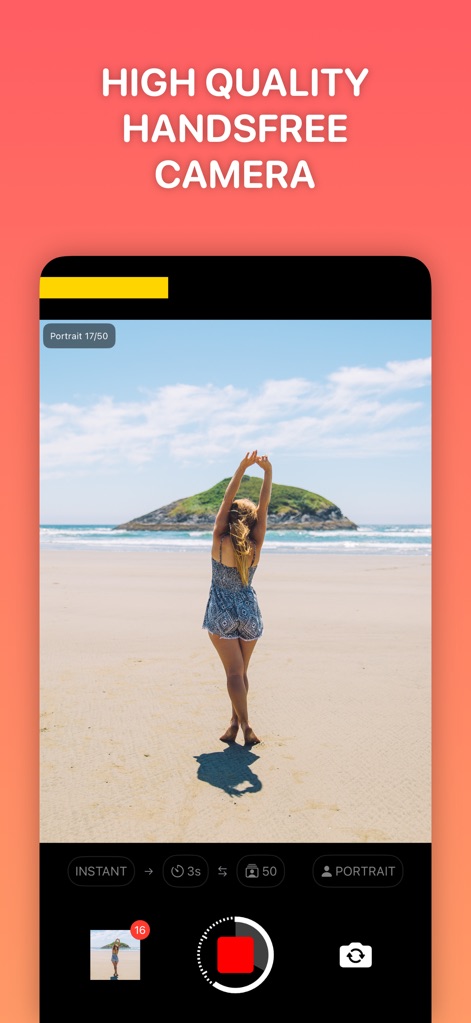
This app enables users to achieve professional-grade self-portraits, showcasing both the "Portrait" mode selector and the photo capture count, such as "17/50 Portrait".
High-Quality Capture
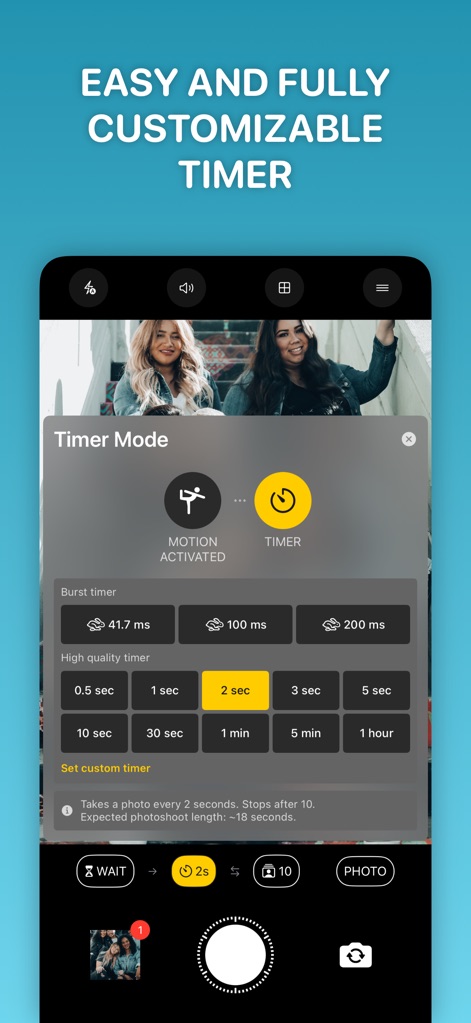
Discover the app's flexible timing options, featuring the comprehensive "Timer Mode" popup and the innovative "MOTION ACTIVATED" setting for hands-free shoots.
Advanced Timer Controls
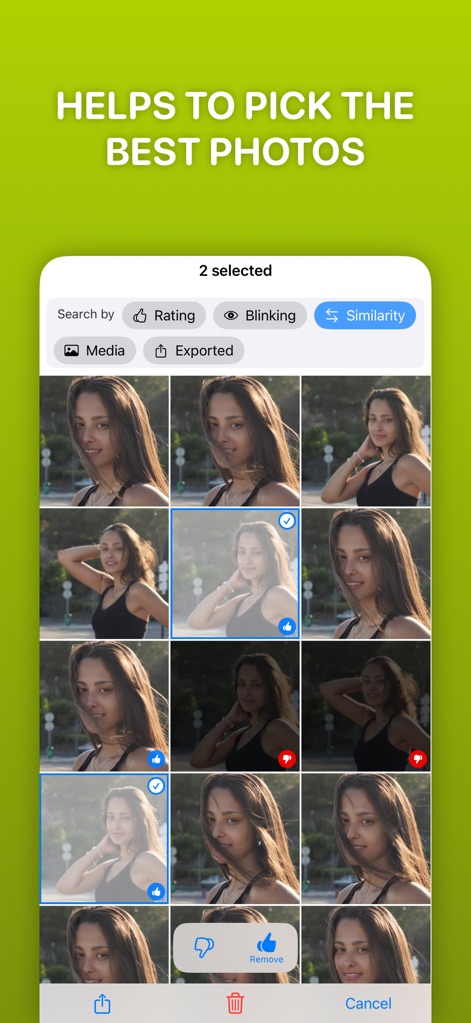
This tool simplifies post-shoot selection, allowing users to efficiently rate photos with intuitive "thumbs up" and "thumbs down" icons and filter by criteria such as "Blinking" or "Similarity".
Curate Your Best Shots

Users gain granular control over their shots with advanced focus options, including both "Manual" focus adjustment and intelligent "Tracking" focus to keep subjects sharp.
Precise Focus Control

The app provides robust editing capabilities, allowing users to apply creative "Filters" and fine-tune images with intuitive "Brightness" and "Contrast" adjustment sliders.
Enhance Photos In-App
Description
Download
More Like This
Apps with similar features and user experience


This page is not an official page of the app or its developer, but an independent editorial publication created for informational and commentary purposes. Unless expressly stated otherwise, neither the app nor its developer is affiliated with, endorsed by, sponsored by, authorized by, or otherwise officially connected with MWM, Apple, Google Play, the app publisher, or the app's developer, and nothing on this page implies that the app was developed using MWM's services. Any trademarks, logos, screenshots, and other content remain the property of their respective owners.