Lights – Photo Effects

Lights – Photo Effects

Download on App Store
Logo of Lights – Photo Effects

Lights – Photo Effects: Cinematic Glow for the Aesthetic Creator

Elevate your feed with 250+ neon flares, dreamy bokeh, and professional light leaks. Create stunning, high-end edits for Instagram and Reels in seconds.

Download on App Store

Publisher

Anatoly Lapshin

Category

Photo & Video

Downloads

0

User Rating

4.1/5

Total Ratings

0

Locales

1

Illuminate Your Feed

Discover the interface used by 0 users.
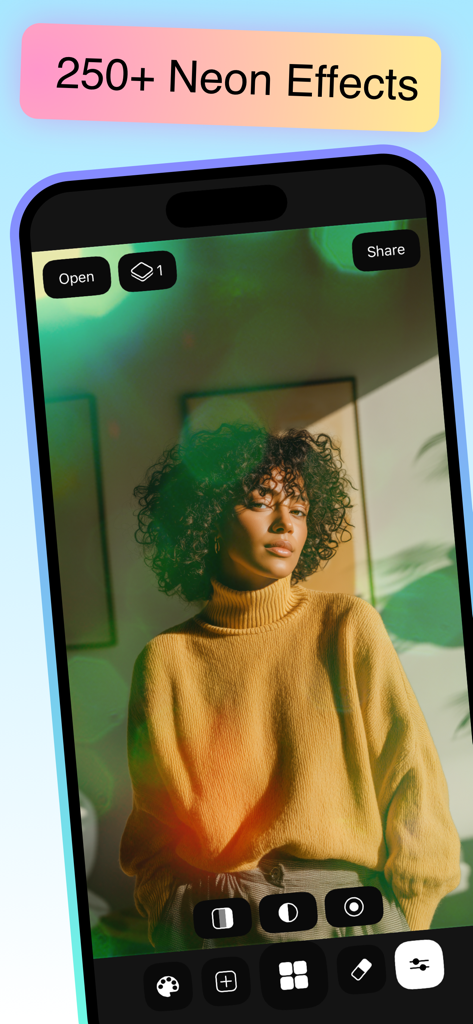
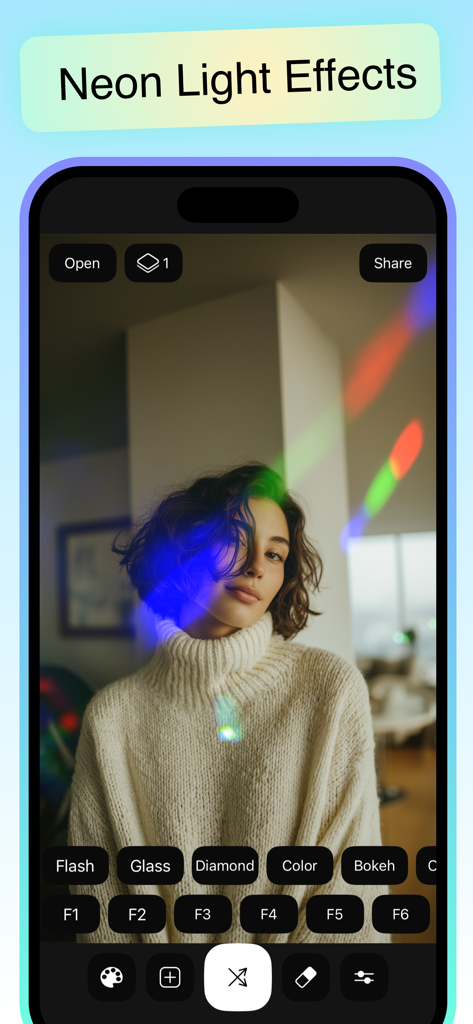
A woman's portrait with green neon light effects applied in the Lights app interface

A woman's portrait with green neon light effects applied in the Lights app interface

User interface of the Lights app showing neon light effects and colorful prism overlays on a portrait photo

User interface of the Lights app showing neon light effects and colorful prism overlays on a portrait photo

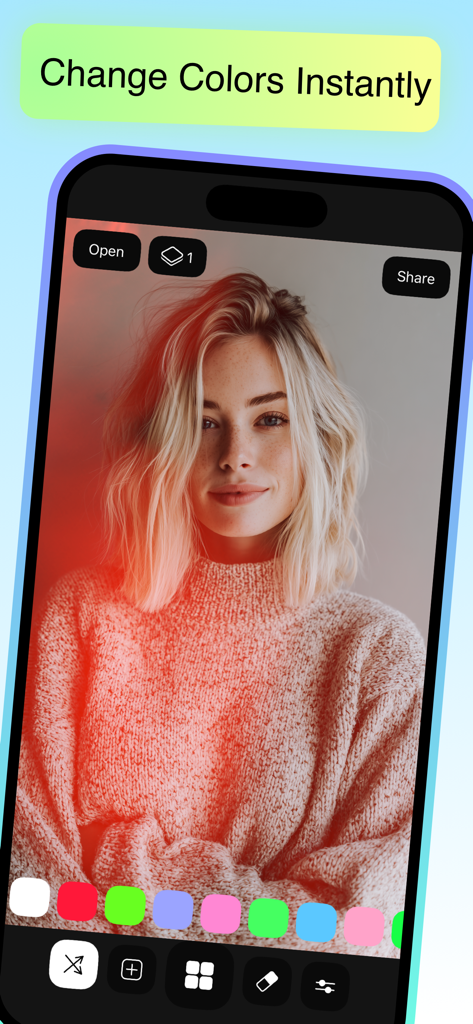
Mobile interface of the Lights Photo Effects app showing a portrait with a red light effect and a color picker tool

Mobile interface of the Lights Photo Effects app showing a portrait with a red light effect and a color picker tool

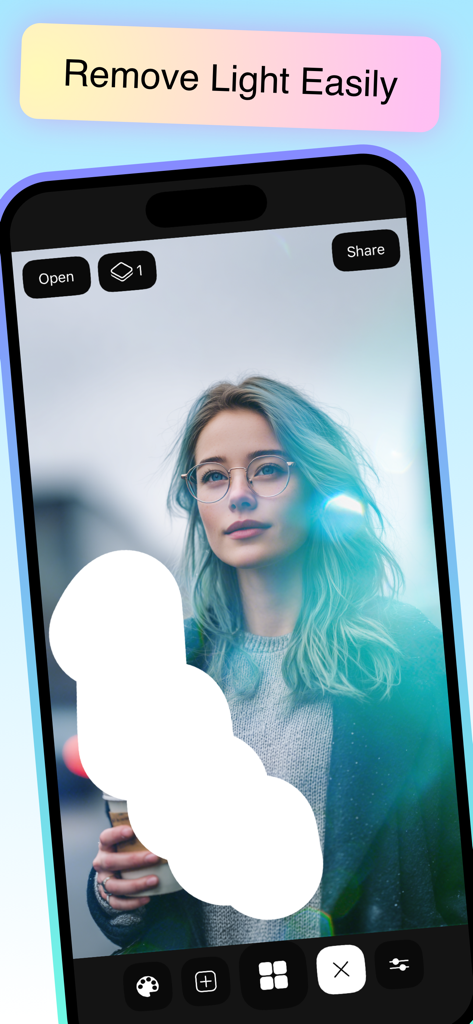
Mobile app interface demonstrating the light eraser tool on a portrait photo

Mobile app interface demonstrating the light eraser tool on a portrait photo

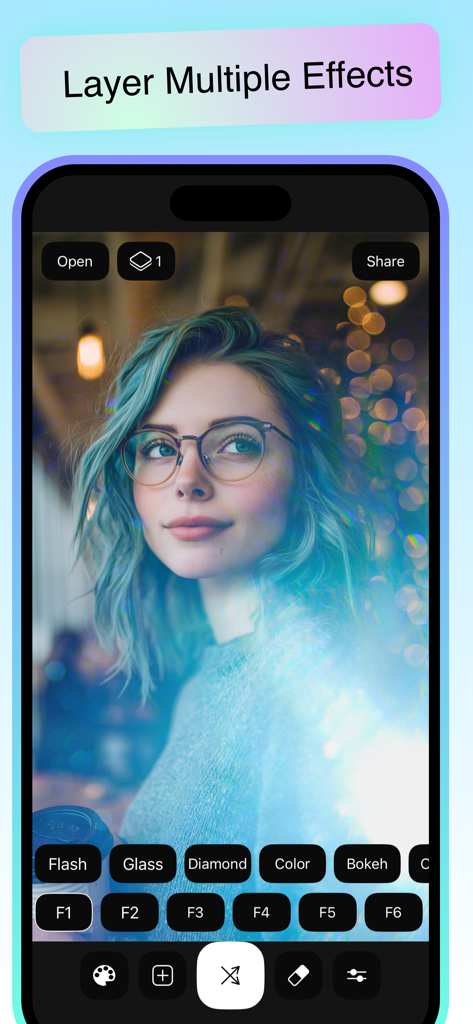
Smartphone screenshot showing the Lights app interface with a portrait photo edited using layered light effects and filters.

Smartphone screenshot showing the Lights app interface with a portrait photo edited using layered light effects and filters.

Turn Every Capture Into a Cinematic Masterpiece

The tools that make this app stand out, trusted by 0 users.

250+ Cinematic Light Overlays

Instantly apply everything from urban neon glows to dreamy bokeh and luxury lens flares, curated to give your photos a professional, expensive look.

🖌️

Precision Masking & Eraser

Stop filters from ruining your portraits. Use our advanced soft-edge eraser to keep your face clear while the light effects glow perfectly in the background.

🎨

Infinite Layering & Custom Colors

Stack multiple effects and use the smart color picker to match any vibe. Create a signature aesthetic that is completely unique to your personal brand.

About the app

Everything you need to know about Lights – Photo Effects.

Description

Create stunning neon lights and cinematic glow effects for your photos. Add lens flares, light leaks, bokeh, and aesthetic overlays in seconds. Perfect for Instagram, Reels, and creative edits. More than 250 ready-made filters Choose from a variety of ready-to-use vibrant effects to quickly add light to your photo. For convenient use and a choice of a large number of filters, a gallery is available to you with the sorting of bulbs according to the following categories, from ordinary sunlight to saturated sparks. Flash - Bright lens flares, that allows you to simulate flashlight and add the sun or moon to your photo. Glass - Shiny and shiny filters that have been created using transparent objects and reflections from mirrors. Diamond - this set is dominated by green filters with unusual shapes. Color - rare shades and glows are collected in one set, they include red lights. Bokeh - Filters shot with a portrait lens. Ocean - Various blue color effects. Highlight - This set contains exceptionally the best side light filters and excellent quality. City - city twilight with rich colors of car lights, all in blurred focus. X-rays are the most unusual filters, interference. Motion - glowing particles in motion for neon style. Jewelry - Shimmering reflections from glittery jewelry and garlands will add a festive atmosphere to your photo. Each set contains over 20 quality filters and the ability to rotate the filters 90 or 180 degrees. You will definitely find the best one for yourself. Besides the usual filters, you can create your own using the magic tab. Choose your color All filters are in their original colors, but you can easily change that. A smart color picker selects vibrant colors every time to match your filter. By changing the color, you can get a completely new effect. For example, instead of a yellow flash, get red side lights. Try color gradients in a photo to add some color. Eraser An indispensable tool for any photo effect. If the light is blocking your face, then you can easily fix it using the advanced eraser. The soft edges and the optimal size are great for finger work and you can easily erase the areas you want. Layers and tools If you want to make an original effect, use layers, and also if you want to double the light of the current filter. Mix any number of highlights in one photo. Use the tools to tweak the effect just the way you want it. Change the transparency of the filter. Change the saturation of the background, set it to black and white to make the effect stand out in the foreground of your image. Use blur for less sharpness and smoother transitions. Terms of Use: https://www.apple.com/legal/internet-services/itunes/dev/stdeula/

Latest Version

4.0.2

Size

142.6 MB

First Released

Aug 8, 2021

Give Your Feed an Unforgettable Glow

Stop settling for basic filters. Elevate your aesthetic and create cinematic photos in seconds with 250+ professional light effects.

Download on App Store

App information, icons, screenshots, and descriptions displayed on this page are sourced from the Apple App Store and are the property of their respective developers. Download estimates and rankings are based on MWM's proprietary models and may not reflect actual figures. This page is provided for informational and analytical purposes only.

Believe this page infringes your intellectual property? File a dispute