
This page is not an official page of the app or its developer, but an independent editorial publication created for informational and commentary purposes. Unless expressly stated otherwise, neither the app nor its developer is affiliated with, endorsed by, sponsored by, authorized by, or otherwise officially connected with MWM, Apple, Google Play, the app publisher, or the app's developer, and nothing on this page implies that the app was developed using MWM's services. Any trademarks, logos, screenshots, and other content remain the property of their respective owners.


Lightspeed Scanner (X)
Turn your smartphone into a powerful barcode reader and mobile register. Manage your catalog, perform real-time inventory counts, and sell to customers from anywhere on the shop floor.
Downloads
34K+User Rating
Total Ratings
1K+Publisher
Category
BusinessLocales
3Latest Version
7.8.1Size
111.9 MBFirst Released
May 19, 2016Power Your Retail Operations from Your Phone
The ultimate companion app for Lightspeed Retail. Eliminate friction, reduce hardware costs, and provide a seamless shopping experience for your customers.
Effortless Inventory Counts
Ditch the expensive handhelds. Use your phone's camera to scan items, perform stocktakes, and manage supplier orders in seconds.
Mobile Checkout & Clienteling
Check availability instantly and close sales anywhere on the floor with Tap to Pay—perfect for pop-ups and line-busting.
Frequently Asked Questions
Everything you need to know about Lightspeed Scanner (X)
What is Lightspeed Scanner and how does it function?
Lightspeed Scanner is a mobile companion app for Lightspeed Retail (X-Series) POS. It transforms a device's camera into a barcode reader, enabling users to manage product catalogs, sell to customers, and handle inventory from their mobile phone.
Does Lightspeed Scanner support mobile payment acceptance?
Yes, Lightspeed Scanner allows users to accept payments. It supports Tap to Pay for iPhone (for Lightspeed Payments users), selling On Account, or parking sales to complete them on an in-store register.
How do I add or edit products in Lightspeed Retail using Lightspeed Scanner?
Yes, Lightspeed Scanner allows users to add or edit products directly. You can record product name, description, price, SKU codes, locations, and product images within the app, which syncs to your Lightspeed Retail catalog.
Does Lightspeed Scanner provide current stock levels for products?
Yes, Lightspeed Scanner displays product information including current stock levels. Users can view inventory details across multiple outlets, ensuring quick access to availability for sales associates on the shop floor.
Does Lightspeed Scanner facilitate inventory management and counts?
Yes, Lightspeed Scanner supports full and partial inventory counts. Users can also create purchase orders, manage outlet transfers, receive stock, and record inventory adjustments directly from the app for precise control.
What types of barcode readers are compatible with Lightspeed Scanner?
Lightspeed Scanner uses your device's camera as a barcode reader. Additionally, users preferring infrared barcode readers can connect Socket barcode readers directly to the Lightspeed Scanner app for enhanced functionality.
Can Lightspeed Scanner assist with picking, packing, and fulfilling orders?
Yes, Lightspeed Scanner simplifies mobile order management. It enables staff to pick, pack, and fulfill orders efficiently using their phone, removing the need for additional hardware during the entire picking process.
How does Lightspeed Scanner synchronize data with the Lightspeed Retail POS system?
Yes, Lightspeed Scanner syncs directly with the Lightspeed Retail POS system. All actions performed within the app are visible instantly on the POS system via WiFi or mobile network connection, ensuring real-time updates.
The following screenshots and description are sourced directly from the app's official store listing and are the property of the app developer.
App Store
Screenshots
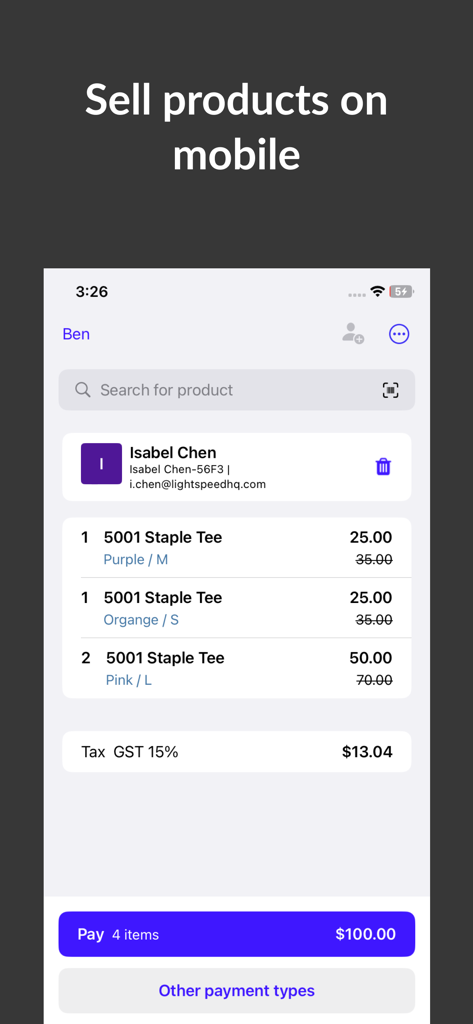
A mobile checkout screen in the Lightspeed Scanner app showing a product list for a customer named Isabel Chen
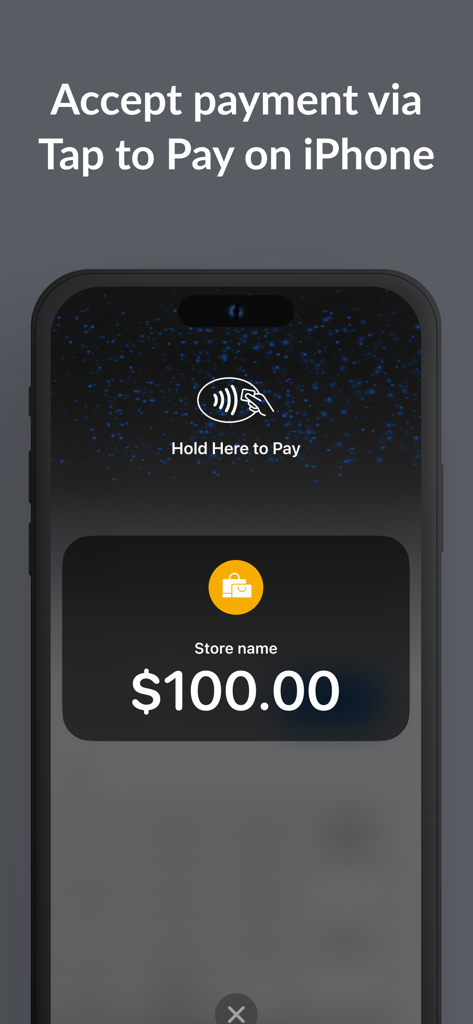
Lightspeed Scanner app interface showing the Tap to Pay on iPhone feature for a retail payment
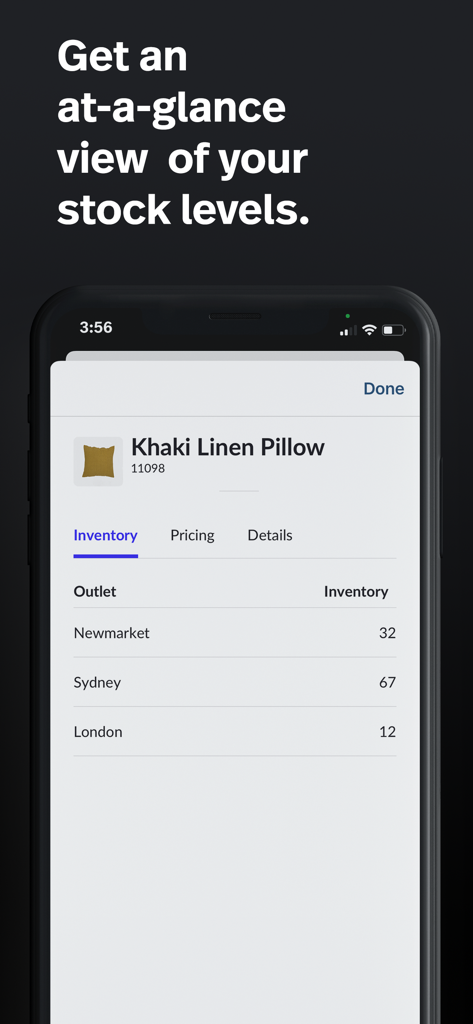
Interface of Lightspeed Scanner app displaying real-time stock levels for a product across different store outlets
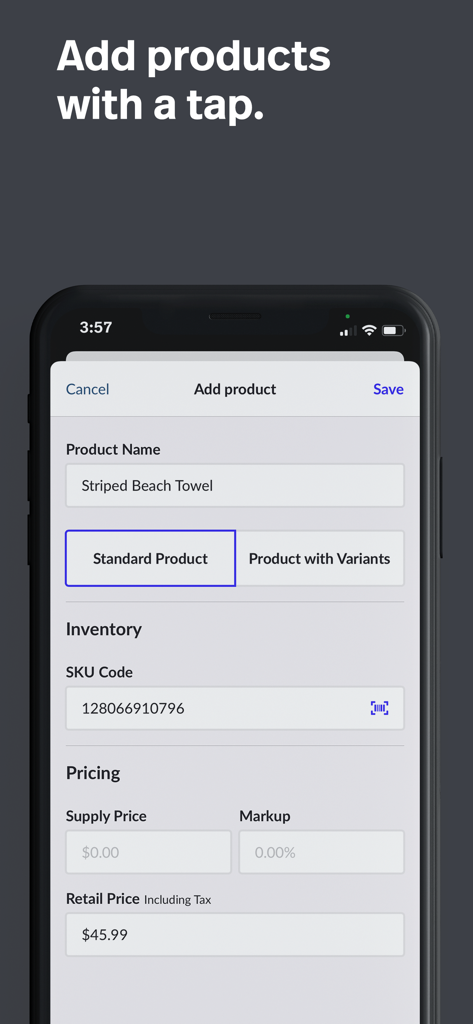
Add product screen in Lightspeed Scanner app showing inventory and pricing fields
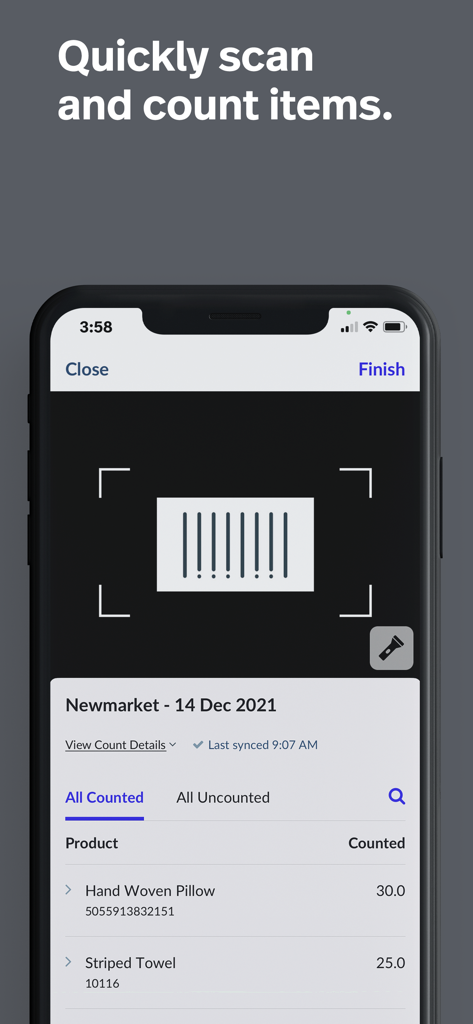
Mobile interface of the Lightspeed Scanner app featuring a barcode scanner and a list of counted retail items like pillows and towels
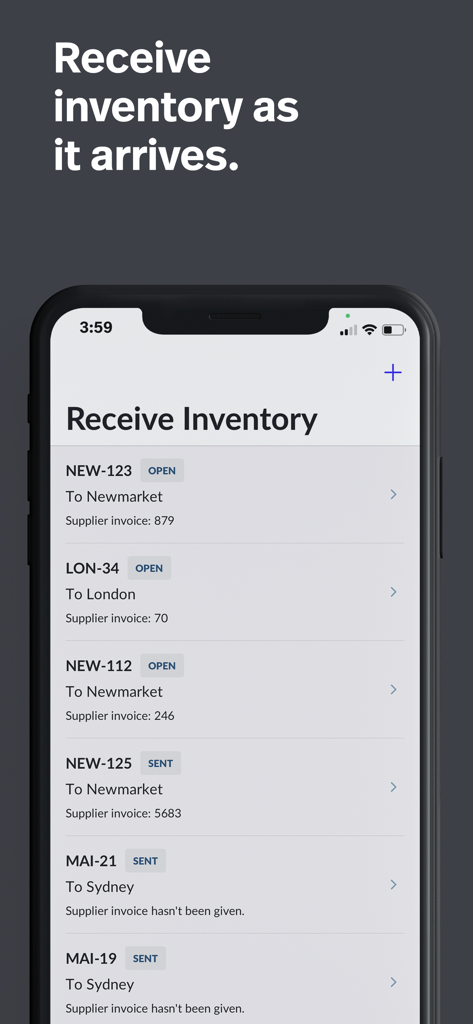
Interface of the Lightspeed Scanner app displaying a list of incoming inventory shipments for different retail store locations
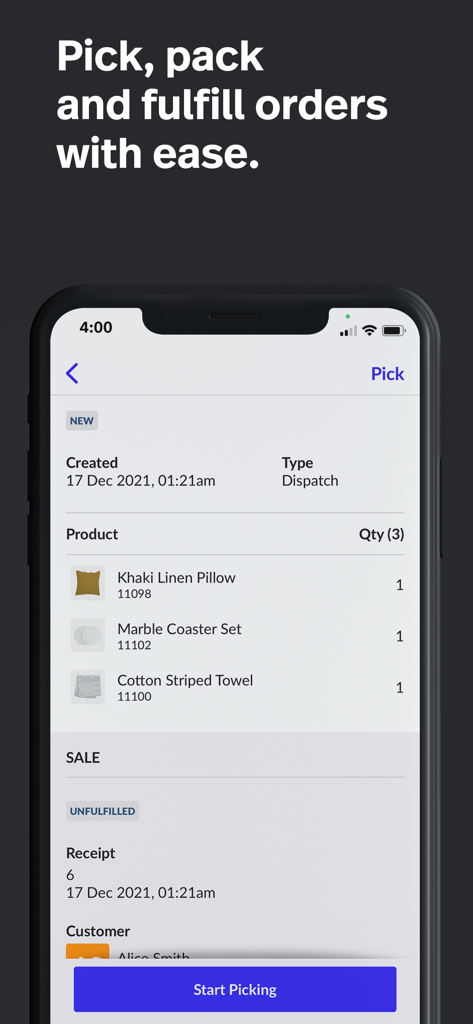
Mobile app interface of Lightspeed Scanner showing an order picking and fulfillment screen with a list of retail products.
Description
Download
More Like This
Top-ranked apps in the same category

Microsoft Teams
Microsoft Corporation

Zoom Workplace
Zoom Communications, Inc.

WhatsApp Business
WhatsApp Inc.

Indeed Job Search
Indeed Inc.

LinkedIn: Network & Job Finder
LinkedIn Corporation

Adobe Acrobat Reader: Sign PDF
Adobe Inc.

WeCom-Work Communication&Tools
Tencent Technology (Shenzhen) Company Limited

BOSS直聘-招聘求职找工作神器
Beijing China Product Bo Farce Network Technology Co., Ltd.

DingDing - Redefine Work in AI
DingTalk Technology Co., Ltd.
This page is not an official page of the app or its developer, but an independent editorial publication created for informational and commentary purposes. Unless expressly stated otherwise, neither the app nor its developer is affiliated with, endorsed by, sponsored by, authorized by, or otherwise officially connected with MWM, Apple, Google Play, the app publisher, or the app's developer, and nothing on this page implies that the app was developed using MWM's services. Any trademarks, logos, screenshots, and other content remain the property of their respective owners.