
This page is not an official page of the app or its developer, but an independent editorial publication created for informational and commentary purposes. Unless expressly stated otherwise, neither the app nor its developer is affiliated with, endorsed by, sponsored by, authorized by, or otherwise officially connected with MWM, Apple, Google Play, the app publisher, or the app's developer, and nothing on this page implies that the app was developed using MWM's services. Any trademarks, logos, screenshots, and other content remain the property of their respective owners.


Linearity Curve Graphic Design
Unleash precision anywhere. The app puts serious vector power into your pocket.
Downloads
5M+User Rating
Total Ratings
41.1KPublisher
Category
Graphics & DesignLocales
13Latest Version
6.9.1Size
682.4 MBFirst Released
May 24, 2017An Analytical Overview for Creative Professionals
Key Features: Linearity Curve Graphic Design
Robust Mobile-Optimized Workflow
Built natively for iPad and iPhone, it offers full Apple Pencil support with pressure sensitivity, a touch-optimized interface, gesture-based navigation, and cloud sync with offline capabilities, ensuring a fluid creative experience on the go.
Precision Vector Design Tools
The app provides a comprehensive suite of professional vector drawing tools, including Bezier Pen, Node editing, Shape Builder, Boolean operations, smart guides, and multiple artboards, enabling precise and scalable artwork creation.
Extensive File Compatibility & Export Options
The app supports importing and exporting industry-standard formats like .ai, SVG, PDF, PNG, JPG, and TIFF, ensuring seamless integration into existing professional workflows and flexible output for various platforms.
AI-Powered Auto Trace & Background Removal
This tool features advanced AI capabilities to instantly vectorize sketches, photos, or scanned artwork into editable SVG paths and offers one-tap background removal, streamlining the conversion of raster to vector.
Advanced Layering and Creative Controls
It allows users to leverage a full layer system with blend modes, opacity, and masking, along with custom vector brushes, gradient tools, and precise snapping options, for complex and sophisticated digital art and illustration.
Integrated Asset Libraries & Templates
It offers access to thousands of professional templates, a built-in stock photo library from Unsplash, icon packs, and customizable shapes, significantly accelerating the design process for various projects.
Frequently Asked Questions
Everything you need to know about Linearity Curve Graphic Design
What is Linearity Curve Graphic Design software?
Linearity Curve is a professional vector drawing app for iPad and iPhone. It provides tools for creating vector art, illustrations, logos, and graphic designs, optimized for desktop creativity and precision Bezier tools.
Can I use Linearity Curve on my iPhone, iPad, and Mac?
Yes, Linearity Curve Graphic Design is designed for use across multiple Apple devices. It is available on iPad, iPhone, and Mac, with cloud sync to keep projects updated across all platforms.
Does Linearity Curve offer automatic image vectorization?
Yes, Linearity Curve features an 'Auto Trace' tool. It instantly vectorizes sketches, photos, illustrations, or scanned artwork into editable paths, converting any image into clean, organized SVG files using AI.
What file formats does Linearity Curve Graphic Design support for import and export?
Linearity Curve supports importing and exporting industry formats such as .ai, SVG, PDF, PNG, JPG, and TIFF. It also opens projects directly from Illustrator, Figma, and Sketch.
Does Linearity Curve provide a background removal tool?
Yes, Linearity Curve includes AI-powered 'Background Removal' functionality. This feature isolates subjects in one click, simplifying image editing and allowing for quick adjustments to your designs.
Is Linearity Curve Graphic Design optimized for macOS performance?
Yes, Linearity Curve is built for macOS. It offers native Apple Silicon performance with hardware acceleration, full keyboard shortcut support, trackpad gestures, and a Liquid Glass interface for Mac users.
Can teams collaborate in real-time using Linearity Curve?
Yes, Linearity Curve supports real-time collaboration. It provides shared workspaces where teams can see changes instantly and seamlessly hand off projects between members on Mac, iPad, and iPhone.
Does Linearity Curve allow for custom vector brushes?
Yes, Linearity Curve allows users to create custom vector brushes. This feature helps artists develop a unique and consistent style for their digital art, offering flexibility in design.
Who is Linearity Curve Graphic Design intended for?
Linearity Curve is built for logo designers, illustrators, digital art creators, marketing teams, UX/UI designers working on icons and design systems, and print designers preparing various materials.
What can I create with Linearity Curve Graphic Design?
Linearity Curve is a professional vector art and graphic design software. It allows users to create stunning vector art, design complex illustrations, vectorize photos, and develop logos and brand systems.
The following screenshots and description are sourced directly from the app's official store listing and are the property of the app developer.
App Store
Screenshots
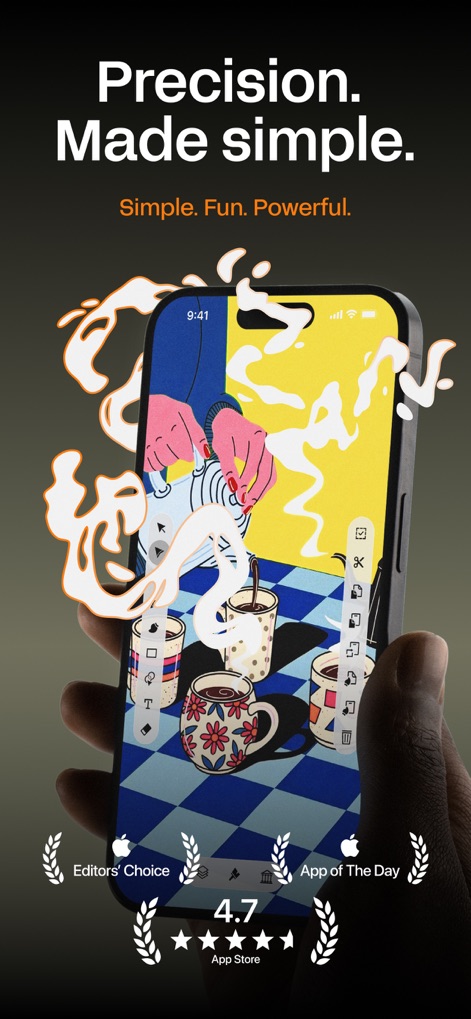
Discover how the app brings powerful vector graphic design to mobile, showcasing an intuitive interface and precision tools readily available for on-the-go creativity.
Mobile Design Precision
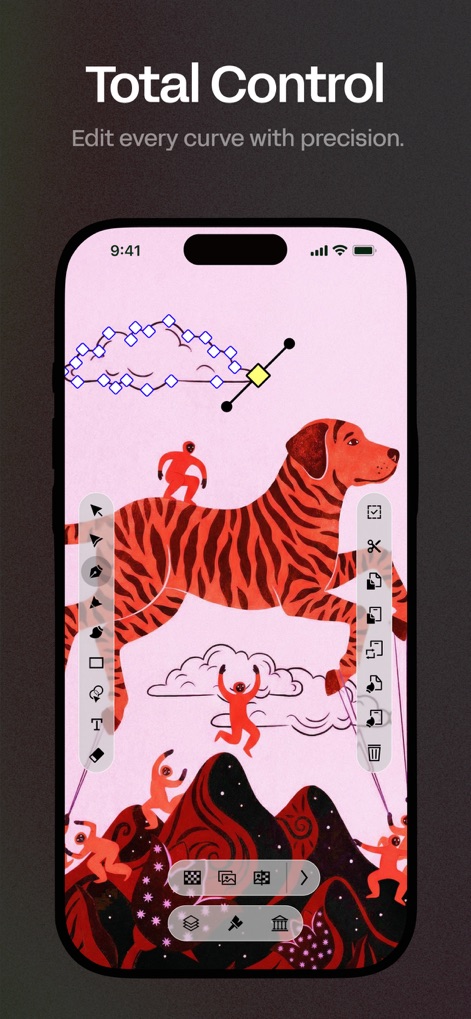
Witness the granular control offered by the app, highlighting visible Bezier nodes and handles that allow for precise curve manipulation and shape editing.
Masterful Vector Control
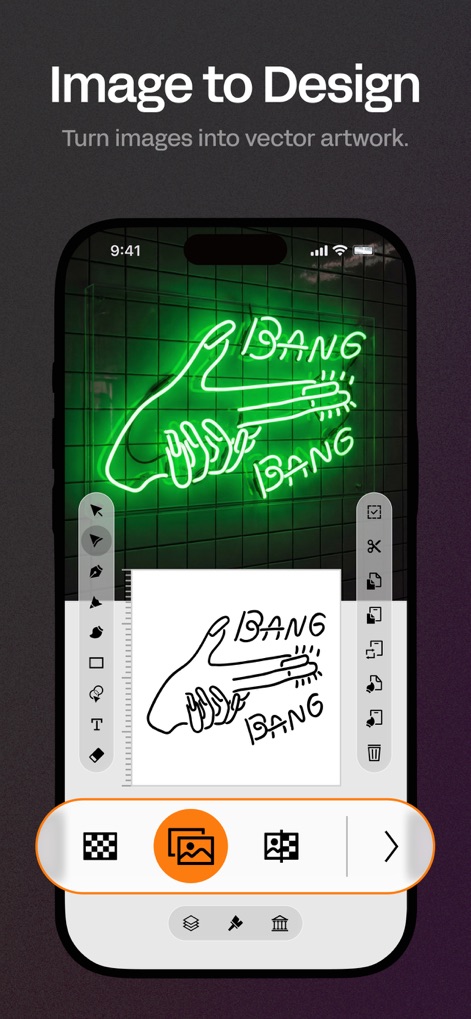
Explore the app's powerful Auto Trace capability, demonstrating how users can instantly convert raster images into clean, editable vector paths and outlines.
Vectorize Anything
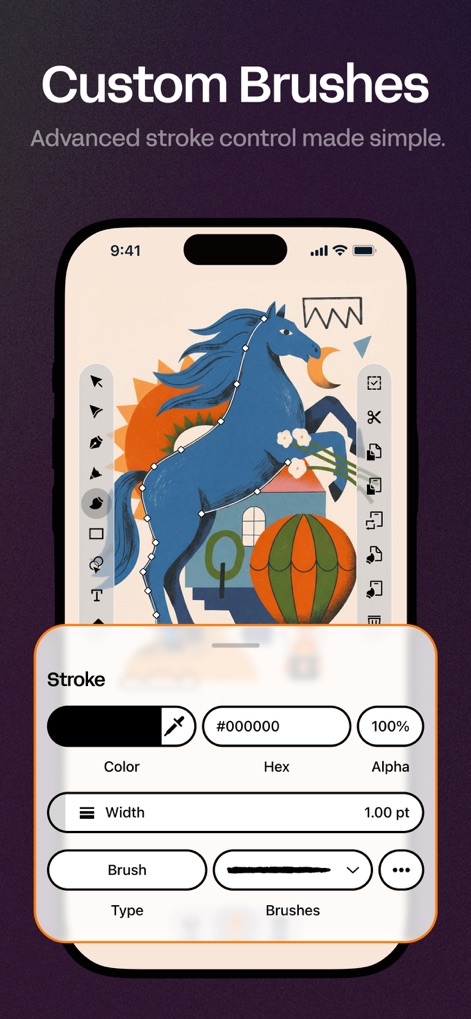
See how users can define their unique style with custom vector brushes, revealing a detailed stroke panel that offers extensive control over line appearance and artistic expression.
Expressive Brushwork
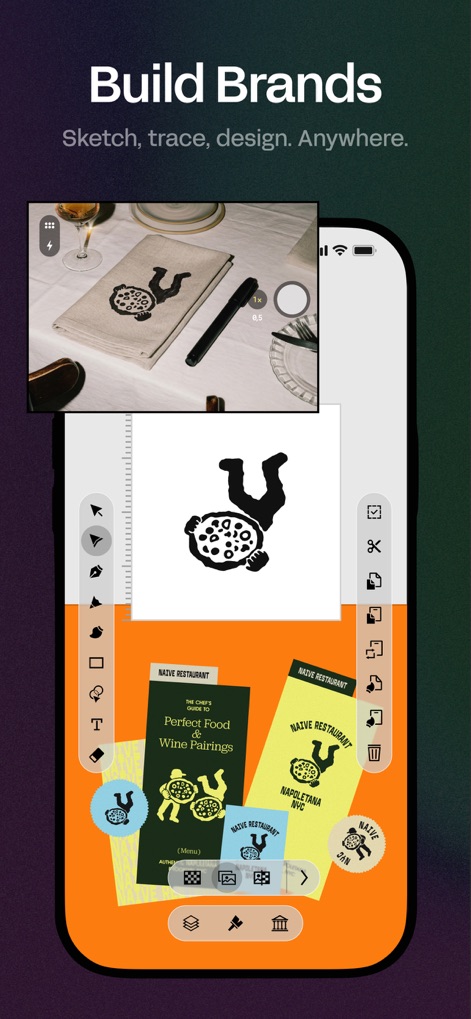
Understand how this tool supports comprehensive brand development, from digitizing physical sketches into vector logos to arranging various branding elements across multiple artboards.
Brand Identity Creation
Description
Download
More Like This
Apps with similar features and user experience

Sketchbook®
Sketchbook, Inc.

Mental Canvas Draw
Mental Canvas, Inc.

ibis Paint
ibis inc.

ibis Paint X
ibis inc.

Paper: Sketch, Draw & Create
Evernote Corporation

Adobe Fresco: Draw & Paint App
Adobe Inc.

Art Set 4
Lofopi Ltd

MediBang Paint – Drawing & Art
MediBang inc.

Tayasui Sketches
SKETCHES SRL
This page is not an official page of the app or its developer, but an independent editorial publication created for informational and commentary purposes. Unless expressly stated otherwise, neither the app nor its developer is affiliated with, endorsed by, sponsored by, authorized by, or otherwise officially connected with MWM, Apple, Google Play, the app publisher, or the app's developer, and nothing on this page implies that the app was developed using MWM's services. Any trademarks, logos, screenshots, and other content remain the property of their respective owners.