Liro: AI Video Caption Editor

Liro: AI Video Caption Editor

Download on App Store
Logo of Liro: AI Video Caption Editor

Liro: AI Video Captions & Studio-Grade Enhancement

Stop losing views to the mute button. Effortlessly auto-caption in 87 languages, polish your audio, and fix your look with the all-in-one AI toolkit built for TikTok, Reels, and YouTube creators.

Publisher

Smoozly Inc.

Category

Photo & Video

Downloads

231K+

User Rating

4.7/5

Total Ratings

8K+

Locales

9

Studio Quality in Your Pocket

Discover the interface used by 231K+ users.
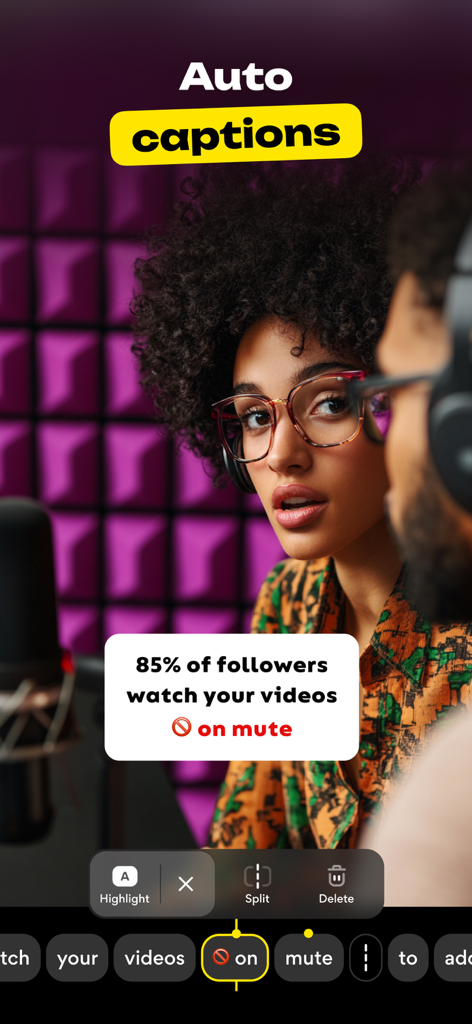
Liro app interface showing automatic captions on a video of a creator in a recording studio

Liro app interface showing automatic captions on a video of a creator in a recording studio

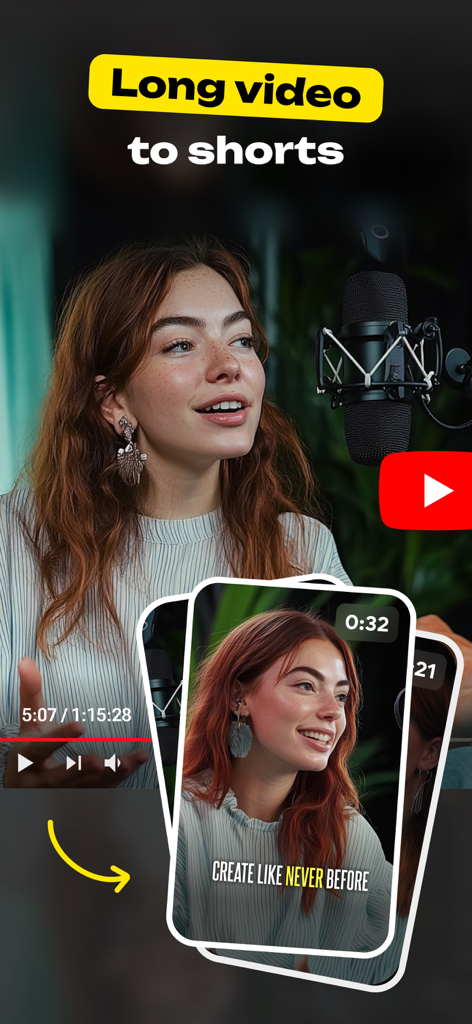
Liro app interface showing a long video being converted into short clips with captions for social media.

Liro app interface showing a long video being converted into short clips with captions for social media.

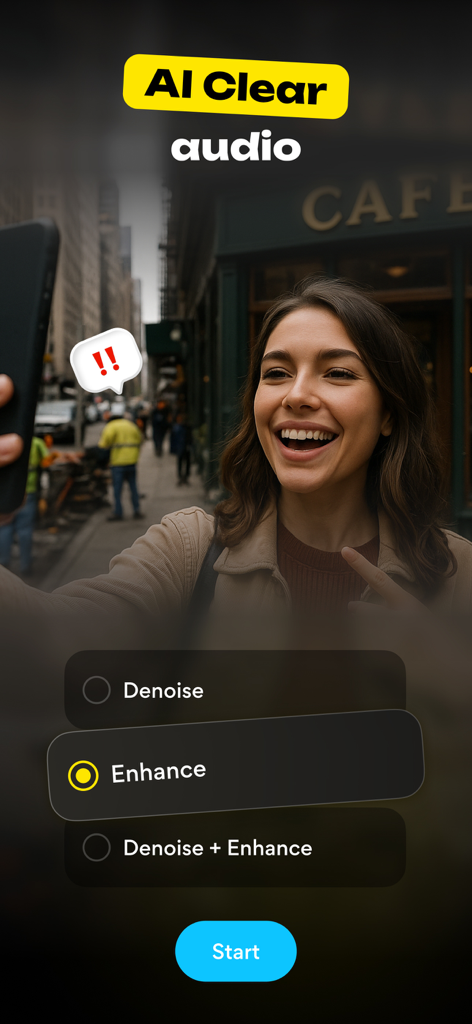
A woman filming a video with Liro app interface showing AI audio enhance and denoise options

A woman filming a video with Liro app interface showing AI audio enhance and denoise options

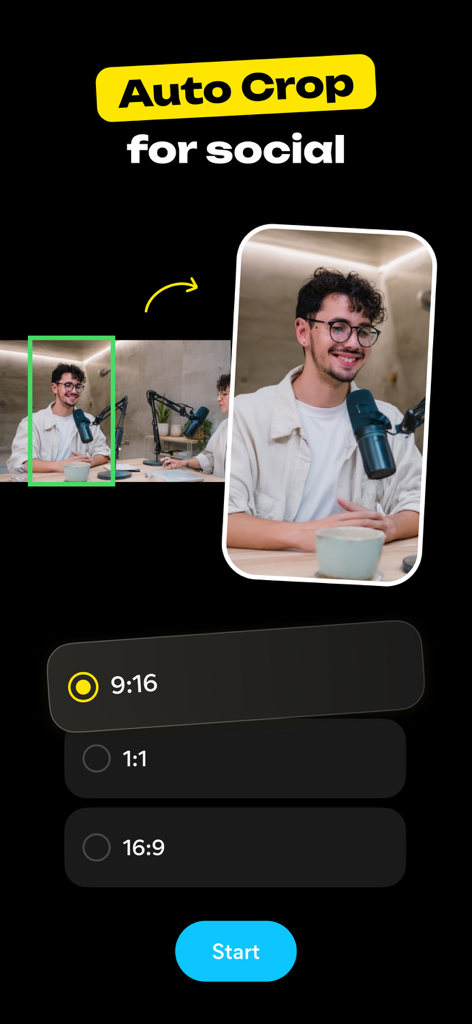
Liro app screen demonstrating AI auto crop feature for social media formats like Reels and TikTok

Liro app screen demonstrating AI auto crop feature for social media formats like Reels and TikTok

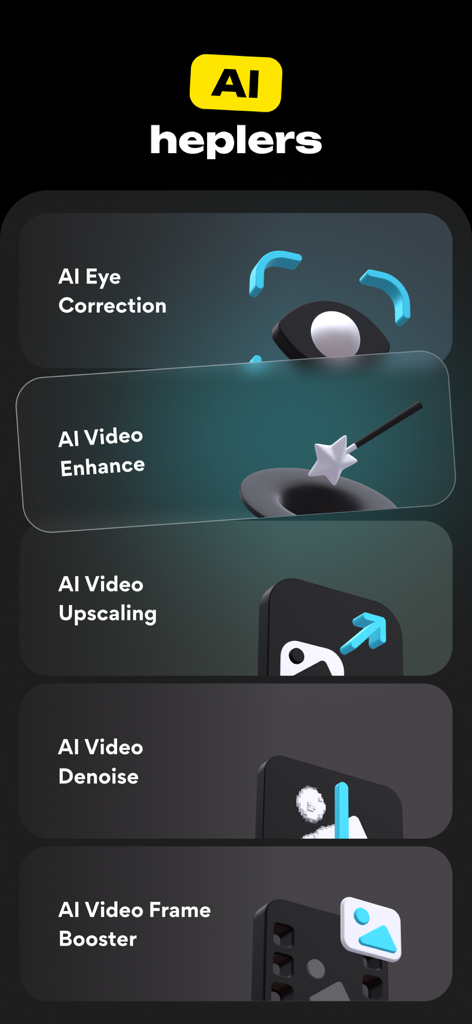
A menu of AI video editing features in Liro including eye correction and video enhancement.

A menu of AI video editing features in Liro including eye correction and video enhancement.

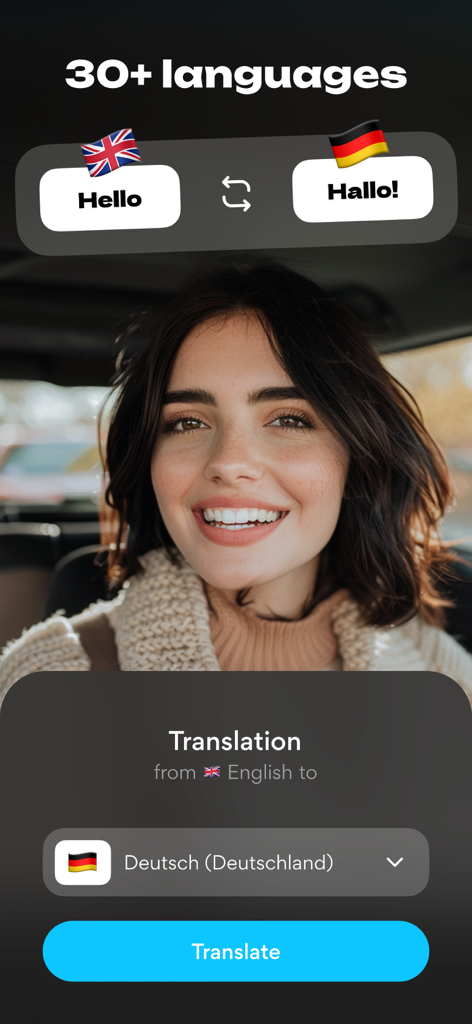
Interface of Liro app demonstrating video caption translation from English to German

Interface of Liro app demonstrating video caption translation from English to German

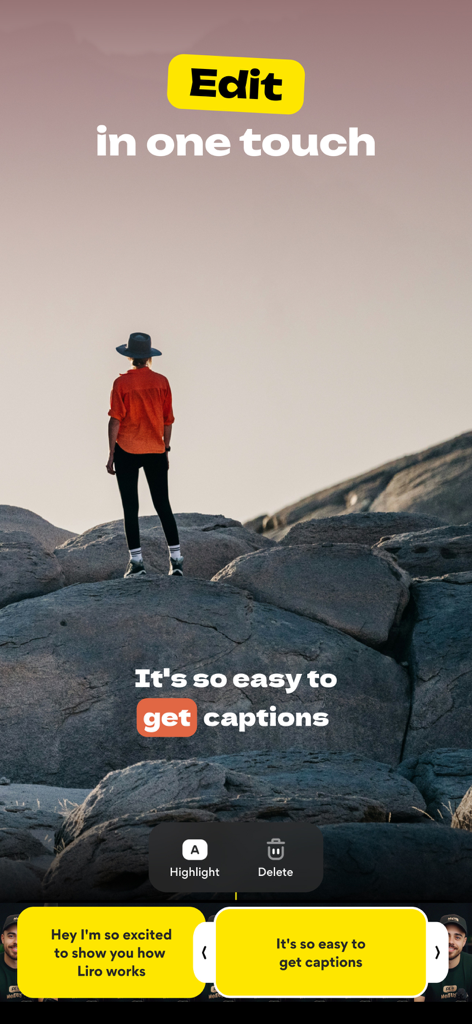
Screenshot of Liro app interface for easy video caption editing in one touch

Screenshot of Liro app interface for easy video caption editing in one touch

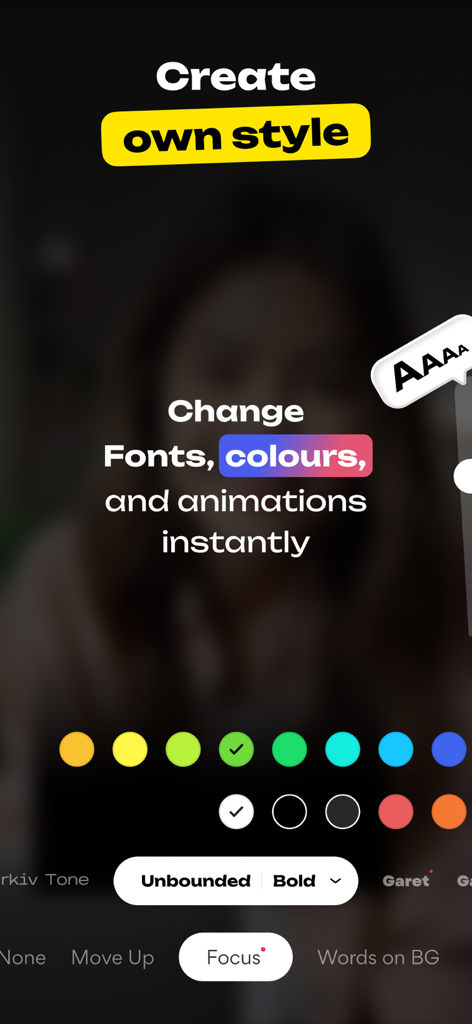
Interface of Liro app showing tools to change video caption fonts, colors, and animations for personal branding.

Interface of Liro app showing tools to change video caption fonts, colors, and animations for personal branding.

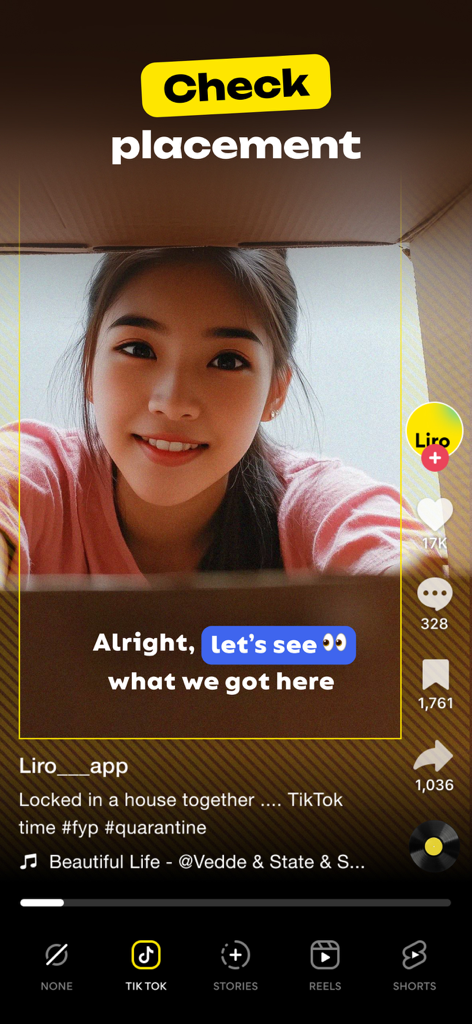
Liro app interface showing video caption placement preview for TikTok to ensure visibility.

Liro app interface showing video caption placement preview for TikTok to ensure visibility.

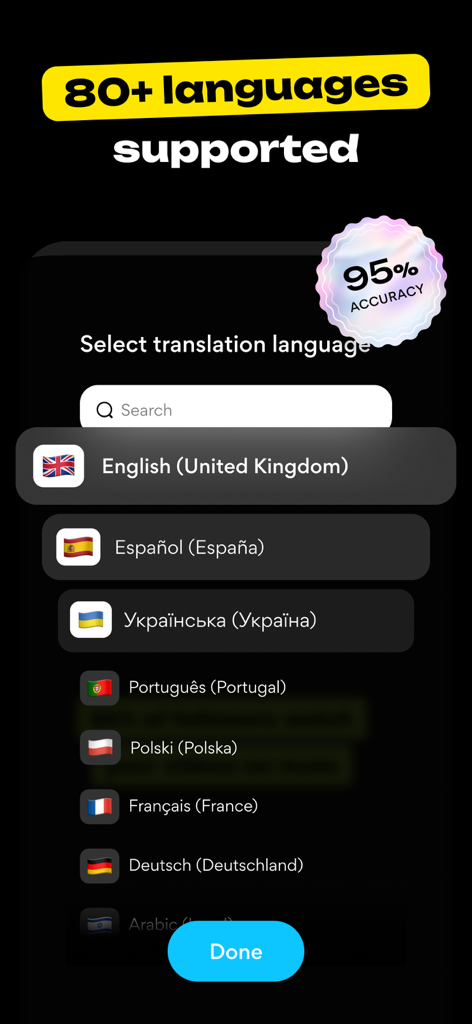
Language selection screen in Liro app for AI video captions showing over 80 supported languages and 95 percent accuracy.

Language selection screen in Liro app for AI video captions showing over 80 supported languages and 95 percent accuracy.

Turn Every Clip Into a Viral Masterpiece

The tools that make this app stand out, trusted by 231K+ users.

💬

Smart Captions for Silent Viewers

Auto-generate accurate captions in 87 languages and style them with custom fonts and colors to keep 80% of muted viewers engaged.

AI-Powered Studio Enhancements

Instantly fix low light, shaky footage, and awkward eye contact with pro-level AI tools that turn amateur clips into high-end content.

✂️

One-Tap Viral Repurposing

Effortlessly transform long-form content into short-form hits with AI that automatically crops, stabilizes, and finds the best moments for social media.

About the app

Everything you need to know about Liro: AI Video Caption Editor.

Description

WHY EVERY VIDEO NEEDS LIRO Imagine spending hours perfecting your video — every shot, every word, every emotion carefully crafted. But then… *crickets*. Viewers scroll past because they watch on mute, don’t understand the language, or lose interest. Liro changes that. It makes sure your story is seen, heard, and felt — wherever and however people watch. But Liro is more than captions — it’s your all-in-one creative toolkit. Liro gives casual creators everything they need to connect with the audience in just a few taps. What Liro can do? Imagine auto-generated captions in 87 languages — Liro gets them all, making sure every word lands perfectly. Or one-click translations that break down language barriers, so your story reaches new audiences. Need to stand out? Liro gives you full styling freedom: fonts, colors, animations, highlights — everything tailored to match your brand. And with instant previews for TikTok, YouTube, and Instagram, you’ll know exactly how your captions will shine before you hit publish. And it doesn’t stop there. Liro’s powerful AI tools work like magic: ▶ AI Audio Enhance → makes your voice crisp and clear ▶ AI Video Auto Crop → frames your subject perfectly ▶ AI Video Denoise → cleans up messy video shot in the dark ▶ AI Video Stabiliser → calms down shaky clips ▶ AI Eye Correction → fixes weird eye angles, so you look natural ▶ AI Video Frame Booster → smooths out choppy video ▶ AI Video Upscaling → gives your footage a sharp, high-res upgrade ▶ AI Bad Video Enhance → revives damaged or blurry videos ▶ AI Long to Reels → automatically cuts your long videos into short, shareable hits And the best part? We never stop improving. With every update, Liro gets faster, smarter, and more powerful, so your videos always stay ahead of the curve. Have a question, a feature idea, or just feel like sharing your experience? We’re always happy to hear from you! Reach out via the in-app chat, on Telegram at @LiroSupport, or by email at ms@liroapp.com Terms of Use (EULA): https://www.apple.com/legal/internet-services/itunes/dev/stdeula/

Latest Version

3.10.0

Size

326.8 MB

First Released

Feb 23, 2021

Stop Being Scrolled Past. Start Being Heard.

Join 231,000+ creators using Liro to turn raw clips into viral-ready content. Let our AI handle the captions and edits while you focus on your story.

Download on App Store

App information, icons, screenshots, and descriptions displayed on this page are sourced from the Apple App Store and are the property of their respective developers. Download estimates and rankings are based on MWM's proprietary models and may not reflect actual figures. This page is provided for informational and analytical purposes only.

Believe this page infringes your intellectual property? File a dispute