
This page is not an official page of the app or its developer, but an independent editorial publication created for informational and commentary purposes. Unless expressly stated otherwise, neither the app nor its developer is affiliated with, endorsed by, sponsored by, authorized by, or otherwise officially connected with MWM, Apple, Google Play, the app publisher, or the app's developer, and nothing on this page implies that the app was developed using MWM's services. Any trademarks, logos, screenshots, and other content remain the property of their respective owners.


Spring - Video Editor
The ultimate video editor for TikTok and Reels. Auto-caption instantly, remove backgrounds with AI, and export in stunning 4K with absolutely no watermarks or sneaky costs.
Downloads
581K+User Rating
Total Ratings
2K+Publisher
Category
Photo & VideoLocales
18Latest Version
2.0.8(2329)Size
181.5 MBFirst Released
Jun 27, 2024Create Viral Content in Minutes
Power your social media with AI-driven tools that make professional editing fast, fun, and completely free of watermarks.
AI Auto Captions
Save hours of manual work with instant subtitling. Our AI turns your speech into text automatically, keeping your audience engaged even on mute.
Viral Templates
Jump on the latest trends in under 60 seconds. Simply swap your clips into our high-energy templates designed for TikTok, Reels, and Shorts.
Frequently Asked Questions
Everything you need to know about Spring - Video Editor
Does Spring - Video Editor add watermarks to exported videos?
No, Spring - Video Editor does not add watermarks to exported videos. The application explicitly states "No watermarks" to ensure users create clean, professional content without brand overlays.
What specific artificial intelligence (AI) functionalities are available in Spring - Video Editor?
Spring - Video Editor offers various AI tools, including Auto Captions, Text-to-Speech, Music Match, Magic Removal, Noise Remover, Tracking, Upscaling, and AI Styles. These features streamline complex editing tasks for users.
What are the maximum resolution and frame rate for videos exported from Spring - Video Editor?
Spring - Video Editor allows users to save videos in resolutions up to 4K at 60 frames per second (FPS). This capability supports creating high-definition and smooth video content.
Does Spring - Video Editor provide ready-to-use templates for social media platforms like TikTok?
Yes, Spring - Video Editor offers trendy short-form templates specifically designed for platforms like Reels, Shorts, and TikTok. Users can customize these by simply changing images or videos.
Can users perform advanced video editing tasks such as keyframing and color correction in Spring - Video Editor?
Yes, Spring - Video Editor includes advanced editing tools such as keyframes for animation, color corrections, pan & zoom, transitions, and various visual effects. These empower creative control over video projects.
Is the music and sound effects library in Spring - Video Editor safe for social media uploads without copyright issues?
Yes, Spring - Video Editor provides "Use-it-Anywhere" music and sound effects. Users can safely upload videos incorporating these assets to platforms like YouTube, Instagram, and TikTok without copyright concerns.
The following screenshots and description are sourced directly from the app's official store listing and are the property of the app developer.
App Store
Screenshots
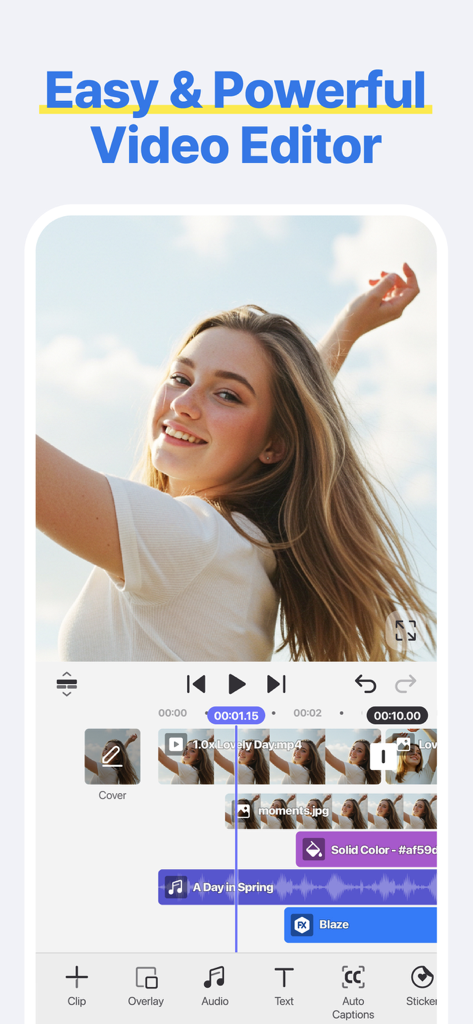
Mobile video editing interface of the Spring app showing a multi-track timeline and social media editing tools
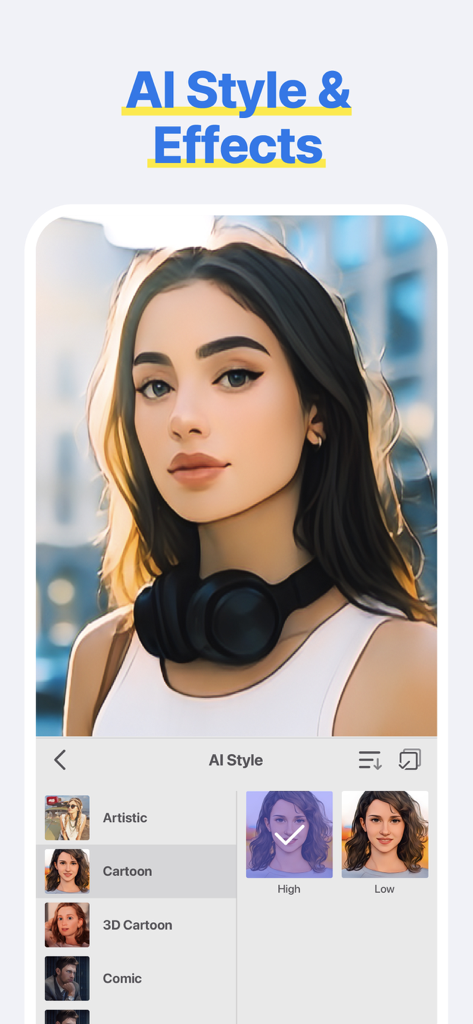
Spring Video Editor interface showing AI styles and cartoon effects applied to a portrait
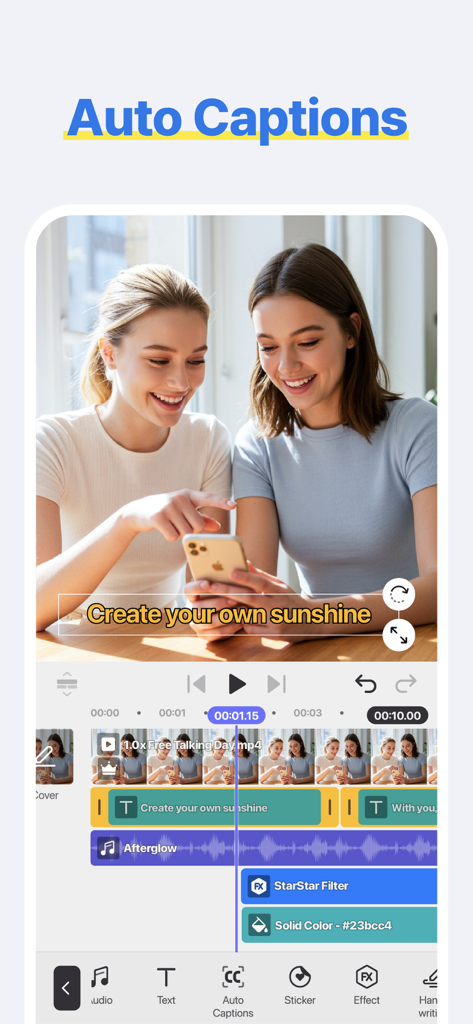
Mobile interface of the Spring Video Editor app showcasing the AI auto captions feature on a social media video
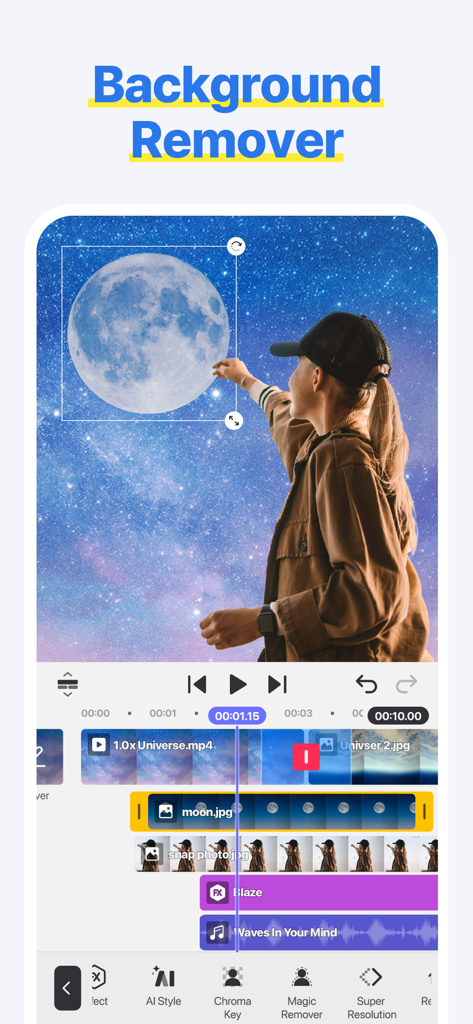
Spring video editor app interface showing the background remover feature with a girl and galaxy background
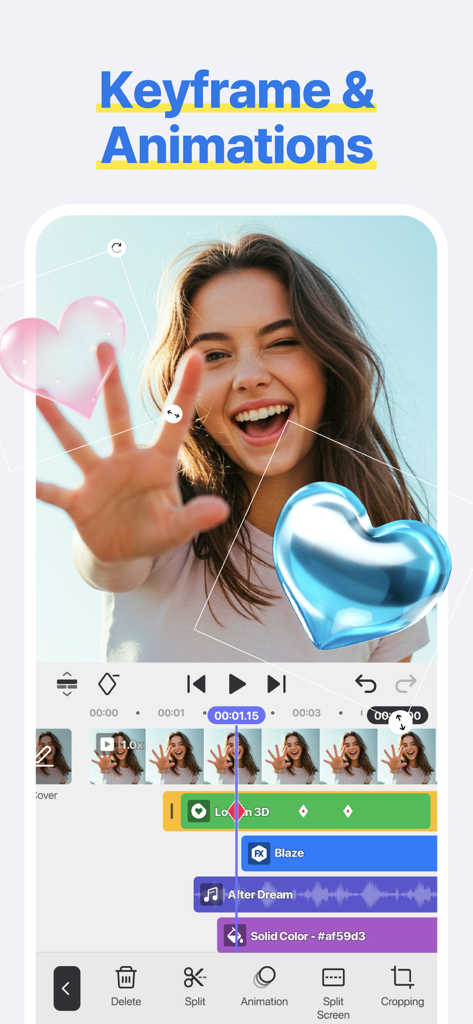
Spring video editor app interface showing keyframe animations with 3D heart stickers on a video timeline
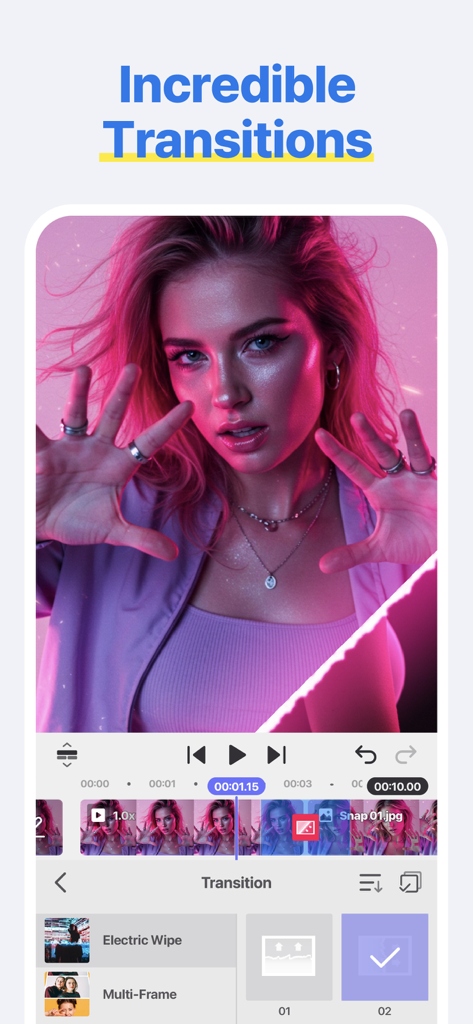
Smartphone screen showing the transitions editing feature in the Spring Video Editor app with a pink aesthetic video clip
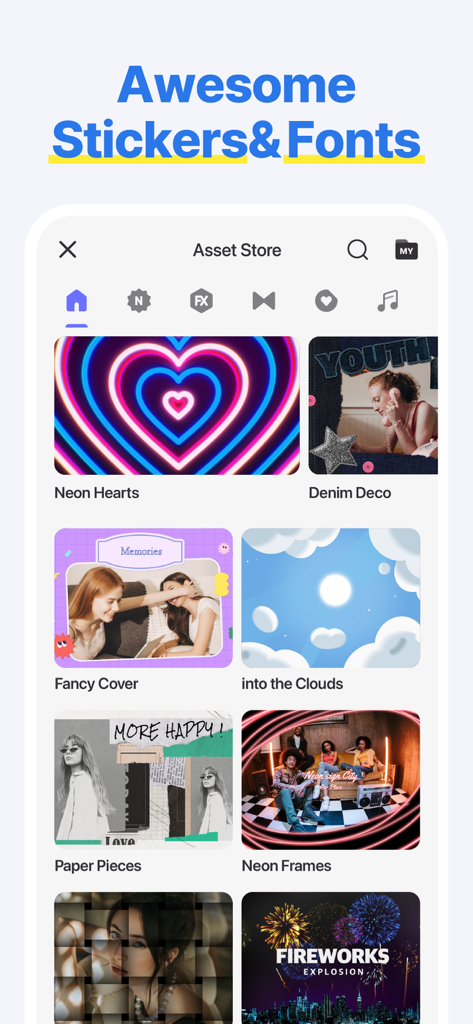
Spring Video Editor interface showing a collection of creative stickers and font packs in the asset store
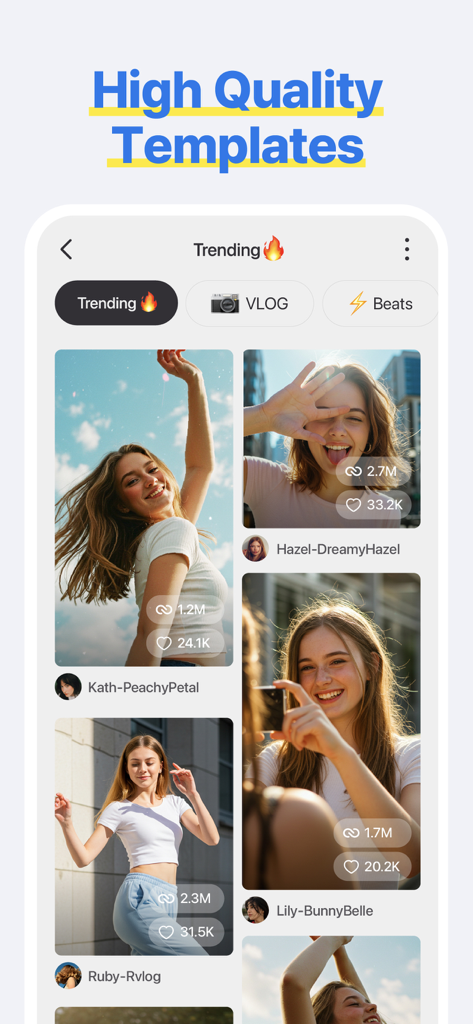
Interface of the Spring Video Editor app displaying trending high quality video templates for social media creators
Description
Download
More Like This
Apps with similar features and user experience

InShot - Video Editor
SHANTANU PTE. LTD.

快影
Beijing Kwai Technology Co., Ltd.

Leto: Font for Instagram Story
Leto.Fonts FZCO

Templify・ Photo & Video Editor
Templify Media, Inc.

Impresso - Video & Logo Maker
PIXERY BILGI TEKNOLOJILERI ANONIM SIRKETI

Movavi - Video Editor
Movavi Emea LLC

Zebra: Photo & Video Editor
Dmitriy Biserov

快剪辑-AI写真&视频大片一键制作
Wenzhou XunChi Digital Technology Co., Ltd.

Vozo AI Video Maker | Blink
Vistring Technology Holdings Limited
This page is not an official page of the app or its developer, but an independent editorial publication created for informational and commentary purposes. Unless expressly stated otherwise, neither the app nor its developer is affiliated with, endorsed by, sponsored by, authorized by, or otherwise officially connected with MWM, Apple, Google Play, the app publisher, or the app's developer, and nothing on this page implies that the app was developed using MWM's services. Any trademarks, logos, screenshots, and other content remain the property of their respective owners.