
This page is not an official page of the app or its developer, but an independent editorial publication created for informational and commentary purposes. Unless expressly stated otherwise, neither the app nor its developer is affiliated with, endorsed by, sponsored by, authorized by, or otherwise officially connected with MWM, Apple, Google Play, the app publisher, or the app's developer, and nothing on this page implies that the app was developed using MWM's services. Any trademarks, logos, screenshots, and other content remain the property of their respective owners.


Living Earth - Clock & Weather
Experience our planet in real-time with live cloud patterns, tropical storm tracking, and a global world clock. Beautifully crafted for the aesthetic professional and global citizen.
Downloads
648K+User Rating
Total Ratings
39K+Publisher
Category
WeatherLocales
11Latest Version
4.11.1Size
144.1 MBFirst Released
Aug 17, 2010A Cinematic Window to Our World
Living Earth merges high-definition data visualization with a stunning aesthetic, transforming your weather check into an immersive global experience.
Live 3D Satellite Imagery
View near real-time cloud patterns, hurricanes, and tropical storms on a breathtaking simulation of Earth, updated every three hours.
Global Command Center
Effortlessly coordinate across 3 million cities with a world clock that visualizes the day/night cycle and integrates perfectly with your Mac and iPad.
Frequently Asked Questions
Everything you need to know about Living Earth - Clock & Weather
What is Living Earth - Clock & Weather?
Living Earth is a clock and weather app that provides a live 3D simulation of our planet. It features global weather, forecasts, and a world clock for millions of cities, alongside real-time weather maps.
Does Living Earth - Clock & Weather display live cloud patterns?
Yes, Living Earth displays live clouds from near real-time satellite data, updated every 3 hours. Users can view global cloud patterns, hurricanes, and tropical storms on the app's 3D Earth simulation.
Can the Living Earth app show weather forecasts?
Yes, the Living Earth app provides detailed weather forecasts. It includes 10-day and 2-hour forecasts for over 3 million cities, along with live weather maps showing temperature, humidity, and wind.
Who provides weather data for Living Earth - Clock & Weather?
Living Earth receives its quality and detailed weather information from CustomWeather. CustomWeather is recognized as a reliable and accurate source for weather data globally, ensuring precision in the app's offerings.
Is Living Earth - Clock & Weather compatible with both iPhone and iPad?
Yes, Living Earth is a universal application. A single purchase grants access to the app across all compatible devices, including both iPhone and iPad, without requiring separate purchases.
Does the Living Earth app include a world clock function?
Yes, Living Earth features a comprehensive world clock. It supports over 3 million cities, allowing users to view current times and weather conditions for multiple global locations within the application.
Does Living Earth - Clock & Weather provide alerts for tropical cyclones?
Yes, Living Earth offers tropical cyclone notifications. It sends push notifications for new tropical cyclones and provides timely updates on active storm systems, keeping users informed.
What features are available in the Living Earth Today Widget?
The Living Earth Today Widget offers quick access to essential weather information, sunrise and sunset times, the world clock, and details on active tropical cyclones directly from the Today View.
Can Living Earth - Clock & Weather synchronize data between devices?
Yes, Living Earth supports iCloud city syncing. This feature enables synchronization of city lists and app settings across all user devices, including iPhones, iPads, and the Living Earth App for Mac.
The following screenshots and description are sourced directly from the app's official store listing and are the property of the app developer.
App Store
Screenshots
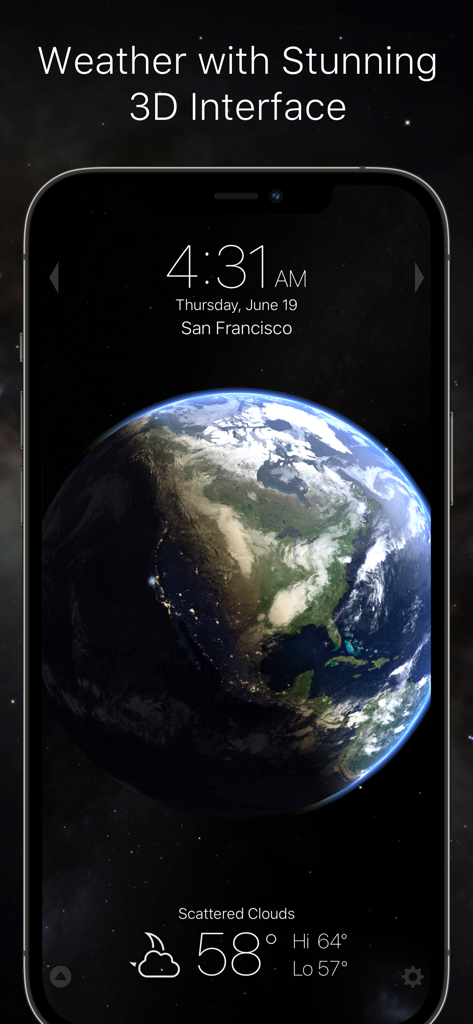
Living Earth app displaying a 3D globe with San Francisco time and weather conditions on a smartphone
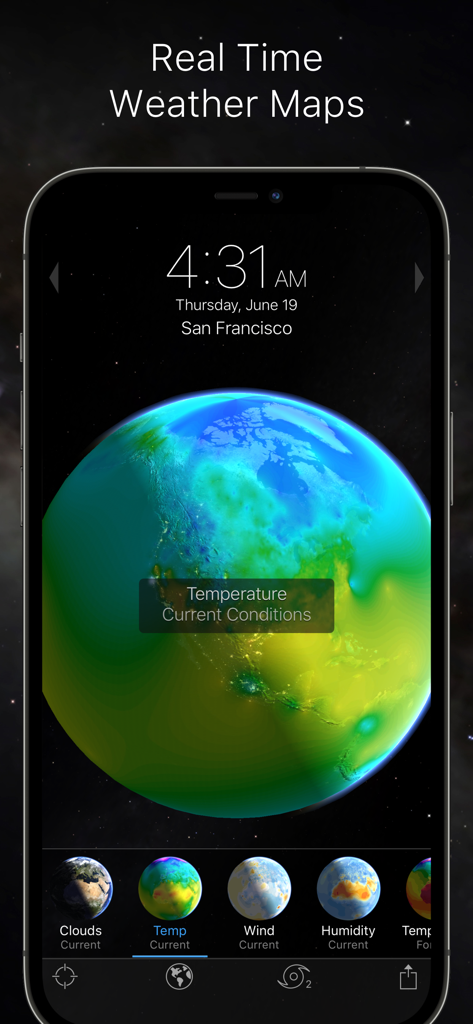
3D Earth globe with a real time temperature weather map visualization
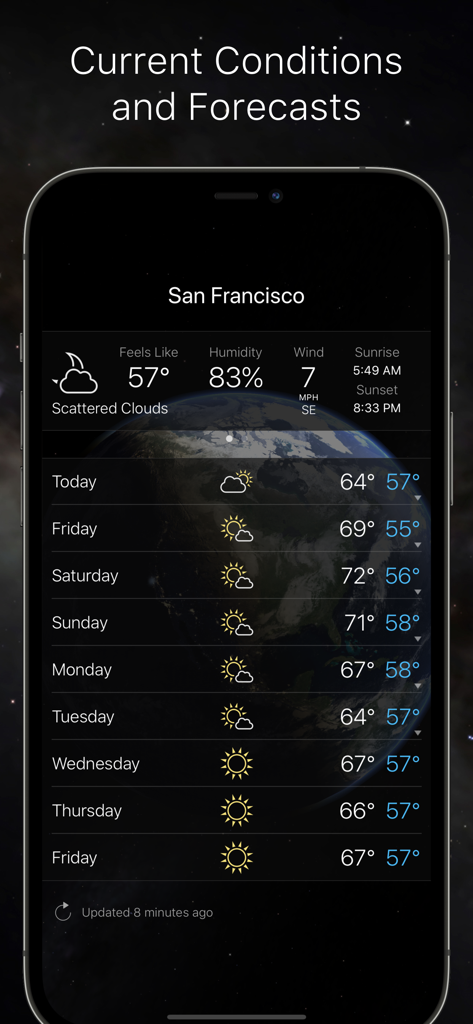
Living Earth weather app showing current conditions and 10 day forecast for San Francisco
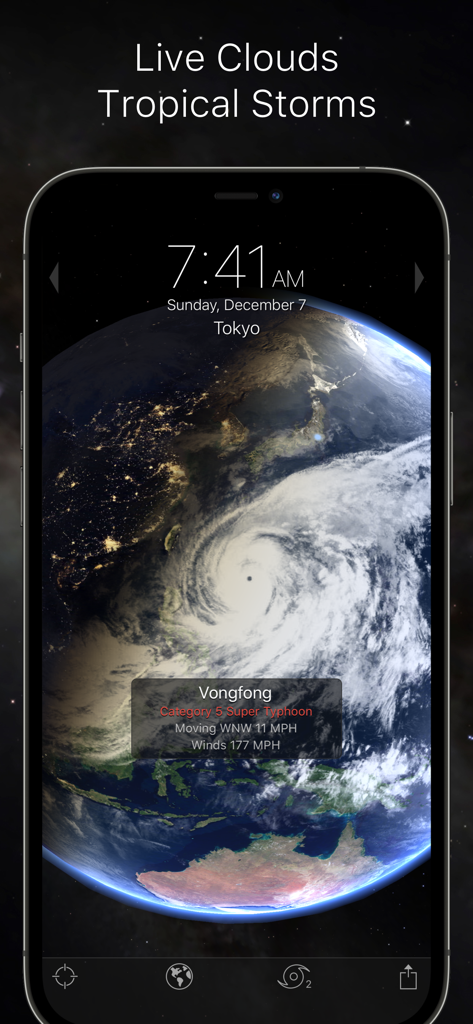
A 3D simulation of Earth on an iPhone showing a category 5 super typhoon and real-time cloud patterns.
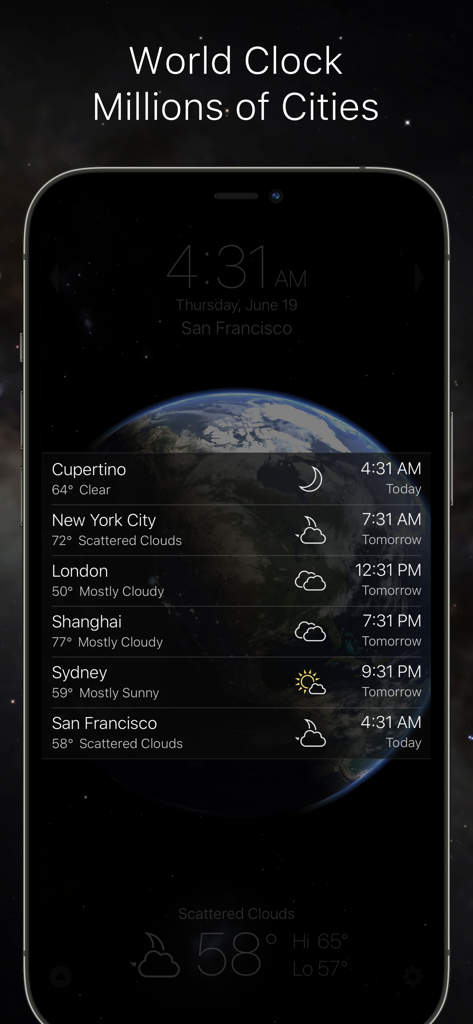
World clock interface in Living Earth app showing time and weather for global cities over a 3D view of Earth
Description
Download
More Like This
Apps with similar features and user experience
Earth-地球
Beidou Hanglu Technology Co.,Ltd.
WeatherMap+
Michal Frankowski
Globe Earth 3D - Live Map
Zipo Apps Ltd.
World Map Pro Edition
Appventions

Geo Walk - World Factbook 3D
Vito Technology Inc.
Atlas Pro: Maps & Facts
Appventions
World Map +
Appventions

WorldPulse Earth Weather Clouds & Temperature
Corporate Smalltalk Consulting Ltd

Liveuamap
Rodion Rozhkovsky
This page is not an official page of the app or its developer, but an independent editorial publication created for informational and commentary purposes. Unless expressly stated otherwise, neither the app nor its developer is affiliated with, endorsed by, sponsored by, authorized by, or otherwise officially connected with MWM, Apple, Google Play, the app publisher, or the app's developer, and nothing on this page implies that the app was developed using MWM's services. Any trademarks, logos, screenshots, and other content remain the property of their respective owners.