Logo Maker SOS: Design Creator
Download on App Store

This page is not an official page of the app or its developer, but an independent editorial publication created for informational and commentary purposes. Unless expressly stated otherwise, neither the app nor its developer is affiliated with, endorsed by, sponsored by, authorized by, or otherwise officially connected with MWM, Apple, Google Play, the app publisher, or the app's developer, and nothing on this page implies that the app was developed using MWM's services. Any trademarks, logos, screenshots, and other content remain the property of their respective owners.

Logo of Logo Maker SOS: Design Creator
Download on App Store

Logo Maker SOS: Design Creator

Turn your vision into a stunning logo with thousands of expert templates and auto-generated layouts. Create high-resolution, SVG-ready brand assets in minutes—no design experience required.

Key Figures

Downloads

1M+

User Rating

4.8/5

Total Ratings

35K+

Publisher

OrangeBay Information Technology Co., Ltd.

Category

Photo & Video

Locales

32

Latest Version

3.3.11

Size

120.7 MB

First Released

Dec 1, 2017
Features

Professional Branding Made Simple

Empowering entrepreneurs to design and export stunning brand identities in minutes—no design experience required.

One-Tap Layout Magic

Stop worrying about alignment. Our smart engine automatically generates professional layouts, instantly adjusting fonts and frames for you.

Designer-Grade Templates

Access thousands of customizable templates crafted by pros. Pick a base and make it yours with a library of symbols and unique watercolors.

The following screenshots and description are sourced directly from the app's official store listing and are the property of the app developer.

App Store

Screenshots
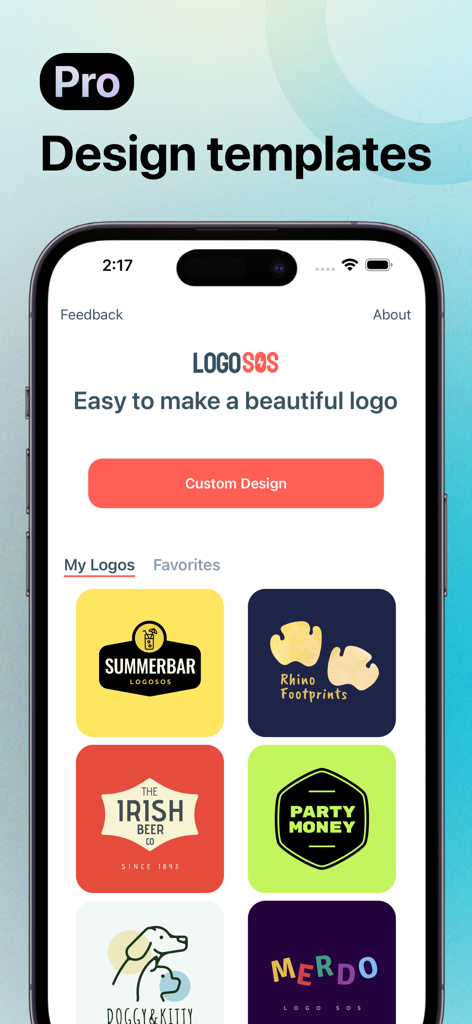
Logo Maker SOS: Design Creator - Logo Maker SOS mobile app interface showing various professional logo design templates for entrepreneurs.
Logo Maker SOS mobile app interface showing various professional logo design templates for entrepreneurs.

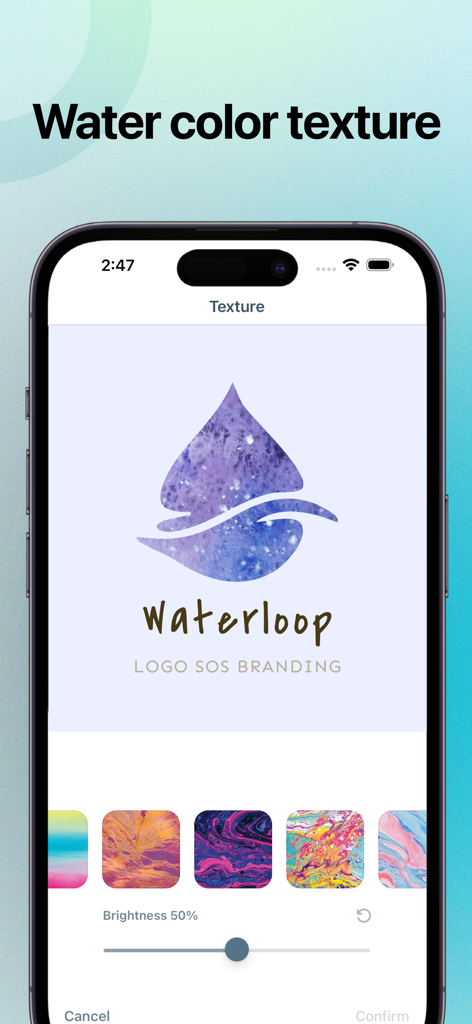
Logo Maker SOS: Design Creator - Logo Maker SOS interface showing watercolor texture options for a droplet icon logo
Logo Maker SOS interface showing watercolor texture options for a droplet icon logo

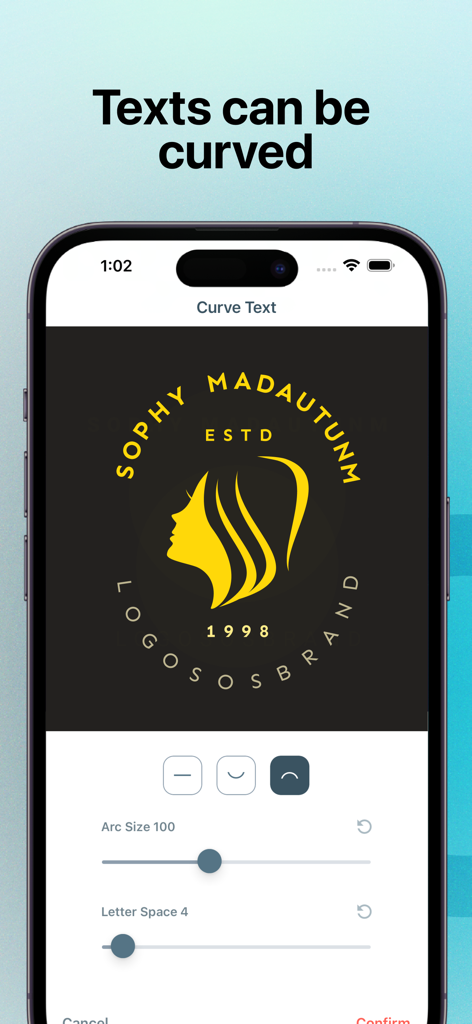
Logo Maker SOS: Design Creator - Professional logo design interface with curved text and arc size settings on a mobile screen
Professional logo design interface with curved text and arc size settings on a mobile screen

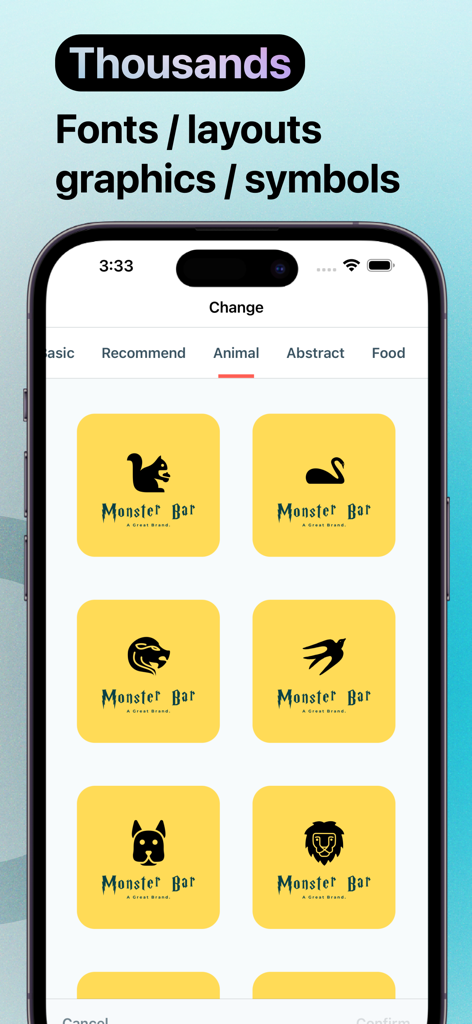
Logo Maker SOS: Design Creator - Logo Maker SOS app interface showing animal themed logo templates and design graphics
Logo Maker SOS app interface showing animal themed logo templates and design graphics

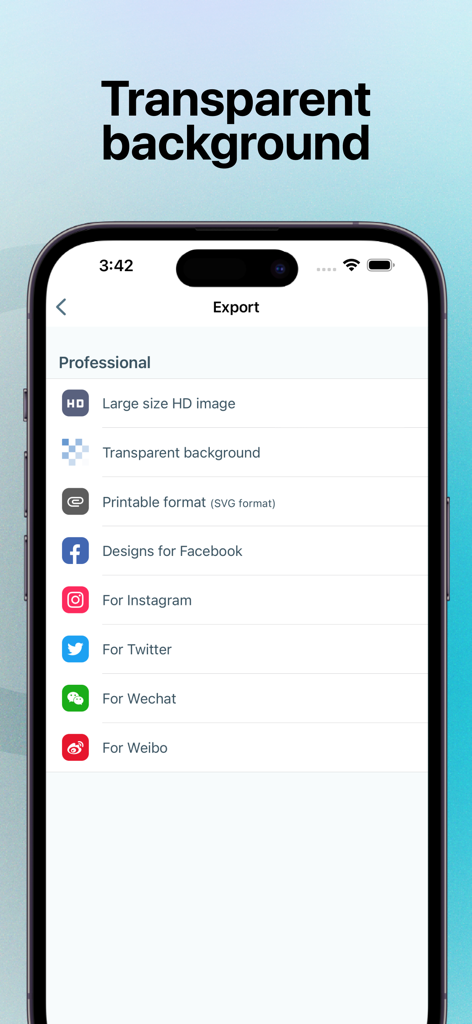
Logo Maker SOS: Design Creator - Logo Maker SOS app export menu showing options for transparent background SVG and social media formats

Logo Maker SOS app export menu showing options for transparent background SVG and social media formats

Description

Logo Maker SOS makes it easy to create stunning logos for your business from your iPhone, iPad, and iPod, even if you have no logo design experience. Logo Maker SOS can create logo designs more simpler than ever. You can create attractive logos and icons for any personal or business with just a few taps. Simply choose from a vast library of editable logo templates and edit your logo using thousands of fonts, symbols, and other design resources. Logo Maker SOS Features: - Vast Logo Templates Logo Maker SOS includes vastly customizable logo templates created by professional designers, which makes it easy to create unique logos for your brand without any design experience. You can add fonts, symbols, and branding elements that make a unique brand easily. - Auto-Generated Layout Design Logo Maker SOS can generate different layouts based on your design. It's very convenient for you to pick different types of logos. For example, you use a wordmark template to edit, and you want to test adding a symbol or adding a frame to the wordmark. You don't need to adjust the position or size of any element. Logo Maker SOS will generate all designs for you automatically. Logo Maker SOS allows you to create logos, icons, symbols, watermarks, or any type of professional design with a tap. - Variety Of Color Templates Logo Maker SOS includes lots of colorful designs. You can adjust all elements of color design with a tap. - Thousands Of Resources Logo Maker SOS has thousands of fonts, symbols, and watercolors. You can use those resources to create unique design logos simply. Adding elements to your designs can be easy with those professional resources. - Auto Save Your Designs Logo Maker SOS will auto-save your changes. So you can restore any historical version of your design anytime. - SVG and High-Resolution support SVG logo format can be edited by other designers and any design software. You can also share logos with high-resolution images. The transparent background image can be also exported easily. You can use it on any social media. Contact us at [support@logosos.com](mailto:support@logosos.com) If you have any problems or suggestions about the app, we'd be happy to hear from you. Download Logo Maker SOS now and create a professional high-quality logo design for your business today. About Premium - Logo Maker SOS is free to download. Pro Subscription gives you unlimited access to our premium content. - Logo Maker SOS's auto-renewing subscription options are $4.99 weekly, and $13.99 monthly. These prices are for United States customers. Pricing in other countries may vary and actual charges may be converted to your local currency depending on the country of residence. - Payment will be charged to your iTunes Account at confirmation of your subscription - Subscription automatically renews unless auto-renew is turned off at least 24 hours before the end of the current period - The account will be charged for renewal within 24 hours prior to the end of the current period, and at the cost of the chosen package - Any unused portion of a free trial period, if offered, will be forfeited when the user purchases a subscription to that publication, where applicable. - Your subscription automatically renews unless you turn if off in Account Settings 24+ hours before the end of the billing period. - Subscriptions may be managed by the user and auto-renewal may be turned off by going to the user's Account Settings after purchase Terms of Service: [https://about.logosos.com/terms.html](https://about.logosos.com/terms.html) Privacy Policy: [https://about.logosos.com/privacy.html](https://about.logosos.com/privacy.html)

Download

Download on App Store

This page is not an official page of the app or its developer, but an independent editorial publication created for informational and commentary purposes. Unless expressly stated otherwise, neither the app nor its developer is affiliated with, endorsed by, sponsored by, authorized by, or otherwise officially connected with MWM, Apple, Google Play, the app publisher, or the app's developer, and nothing on this page implies that the app was developed using MWM's services. Any trademarks, logos, screenshots, and other content remain the property of their respective owners.








