
This page is not an official page of the app or its developer, but an independent editorial publication created for informational and commentary purposes. Unless expressly stated otherwise, neither the app nor its developer is affiliated with, endorsed by, sponsored by, authorized by, or otherwise officially connected with MWM, Apple, Google Play, the app publisher, or the app's developer, and nothing on this page implies that the app was developed using MWM's services. Any trademarks, logos, screenshots, and other content remain the property of their respective owners.


Loyverse POS - Point of Sale
Stop bleeding profits. This app puts every cent of your business under a microscope, giving you the clarity to dominate your market.
Downloads
1M+User Rating
Total Ratings
1.8KPublisher
Category
BusinessLocales
50Latest Version
3.09Size
276.0 MBFirst Released
May 2, 2016An in-depth look at the core functionalities empowering small to medium businesses.
Key Features of Loyverse POS - Point of Sale
Mobile POS System
The app provides a flexible mobile POS system, enabling sales transactions directly from smartphones or tablets, enhancing operational mobility.
Integrated Payment Processing
This tool features integrated payment provider support, allowing for efficient, accurate, and error-minimized credit card transactions across various payment methods.
Real-time Inventory Management
It allows users to track inventory in real time, set stock levels, and receive low stock alerts, preventing overselling and optimizing stock.
Comprehensive Sales Analytics
The app provides detailed sales analytics, including revenue, average sales, and profit, empowering data-driven decision-making and trend analysis.
Customer Relationship Management & Loyalty
This tool features integrated CRM and a customer loyalty program, enabling businesses to build a customer base, reward repeat purchases, and personalize service.
Multi-Store and Device Management
It allows users to manage multiple stores and POS devices from a single account, centralizing control and simplifying operations for expanding businesses.
Offline Sales Capability
The app provides the capability to continue recording sales even when offline, ensuring uninterrupted business operations regardless of internet connectivity.
Specialized Hospitality Features
This tool features functionalities tailored for restaurants and bars, such as kitchen printer integration and dining options, optimizing food service workflows.
Frequently Asked Questions
Everything you need to know about Loyverse POS - Point of Sale
Is Loyverse POS free to use?
Yes, Loyverse POS is free point-of-sale software. It does not require credit card details, contracts, or commitments, offering full functionality without hidden costs.
What types of businesses can use Loyverse POS?
Loyverse POS supports various businesses including retail stores, cafes, bars, restaurants, pizzerias, bakeries, coffee shops, food trucks, grocery stores, beauty salons, and car washes.
Does Loyverse POS track inventory in real time?
Yes, Loyverse POS tracks inventory in real time. It allows setting stock levels, generates automatic low stock alerts, and handles items with various options like sizes or colors.
Can Loyverse POS process payments offline?
Yes, Loyverse POS maintains sales recording capabilities even when offline. It ensures continuity of transactions without an internet connection, syncing data once online.
What payment types does Loyverse POS accept?
Loyverse POS accepts multiple payment methods. It supports cash and card transactions, and integrates with various payment providers available in over 30 countries.
Can Loyverse POS connect to external hardware?
Yes, Loyverse POS connects to external hardware such as receipt printers, barcode scanners, and cash drawers. It also integrates with kitchen printers and customer display apps.
Does Loyverse POS offer customer loyalty programs?
Yes, Loyverse POS includes CRM and customer loyalty program features. It helps businesses build a customer base, reward recurring purchases, and provide personalized service.
How does Loyverse POS manage cash during shifts?
Loyverse POS provides cash management features. It tracks starting cash, payments, refunds, paid-in/paid-out amounts, and calculates expected cash for accurate shift summaries.
Does Loyverse POS support open tickets for restaurants?
Yes, Loyverse POS supports open tickets for table service environments. Users can create, save, and edit orders, and manage dining options like dine-in, takeout, or delivery.
Can Loyverse POS export sales data?
Yes, Loyverse POS exports sales data. Users can view complete sales history, generate reports on various metrics, and export this detailed data to spreadsheets for analysis.
The following screenshots and description are sourced directly from the app's official store listing and are the property of the app developer.
App Store
Screenshots
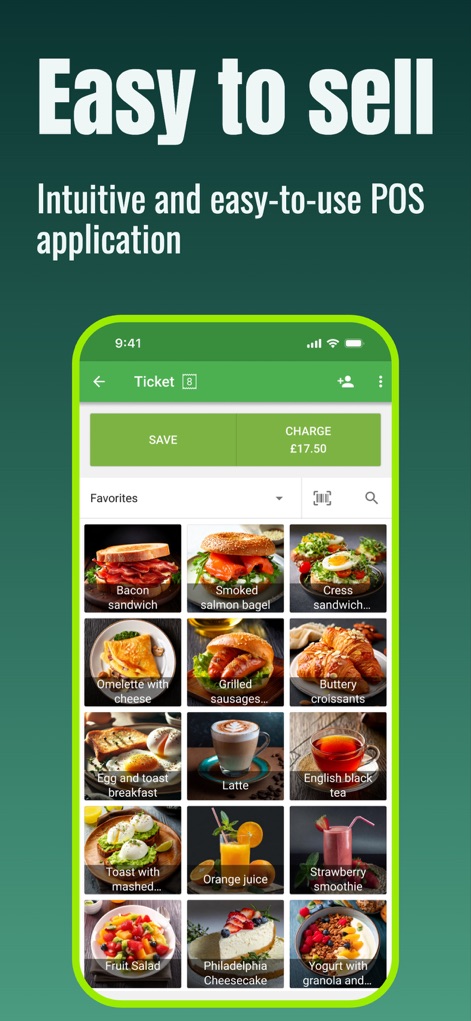
Discover how this tool features a visual product catalog with images and clearly displays "SAVE" and "CHARGE" transaction options for efficient selling.
Quick Sales Interface
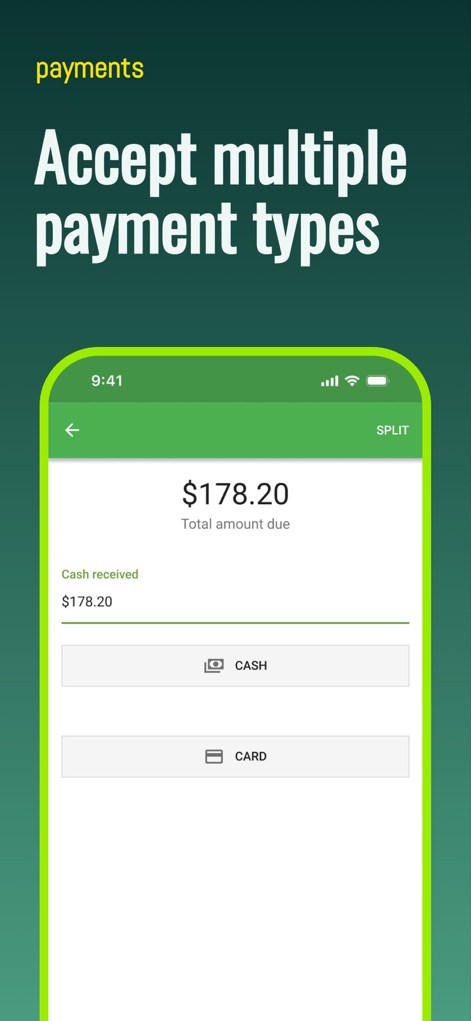
Observe the app's intuitive payment screen, allowing for the acceptance of multiple payment methods like cash and card, and a precise total amount display.
Flexible Payment Processing
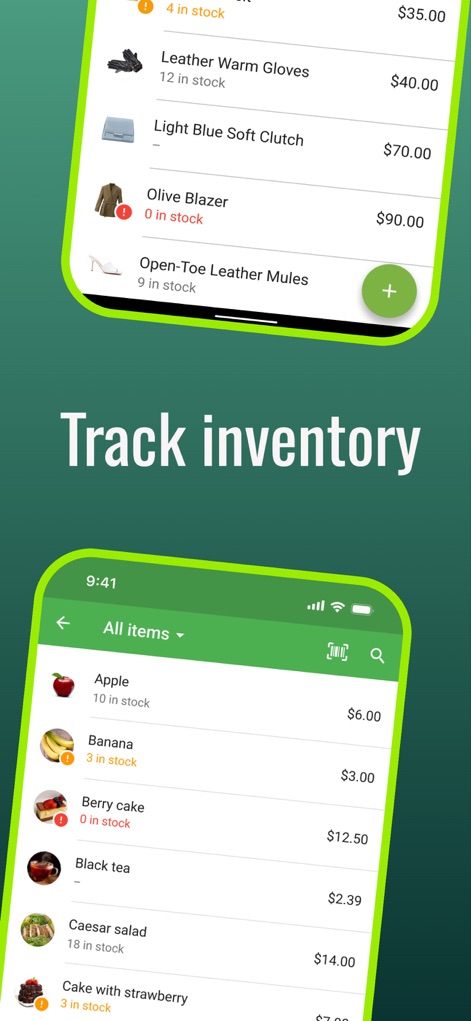
See how Loyverse POS provides immediate inventory oversight, showcasing precise stock levels and detailed item listings for effective management.
Real-time Stock Management
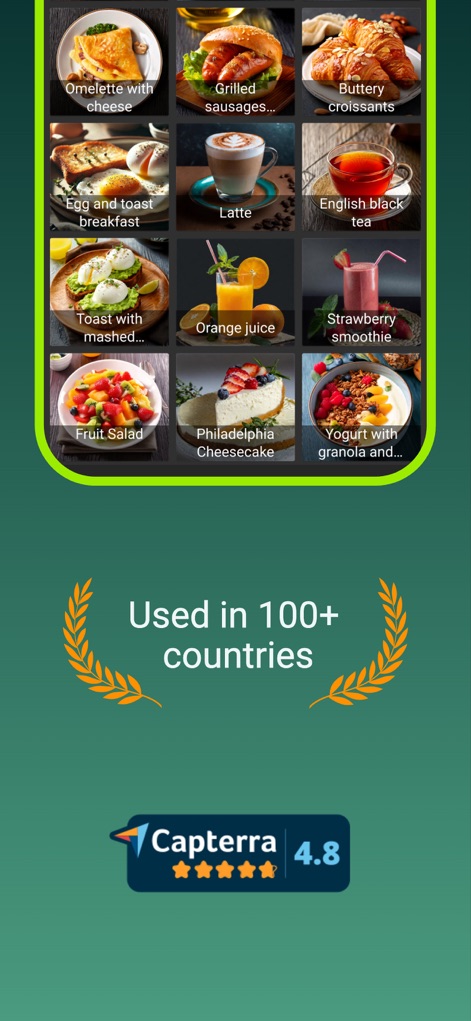
Explore the app's visually rich interface for quick item selection, presenting product images and clear pricing for seamless order building.
Streamlined Item Selection
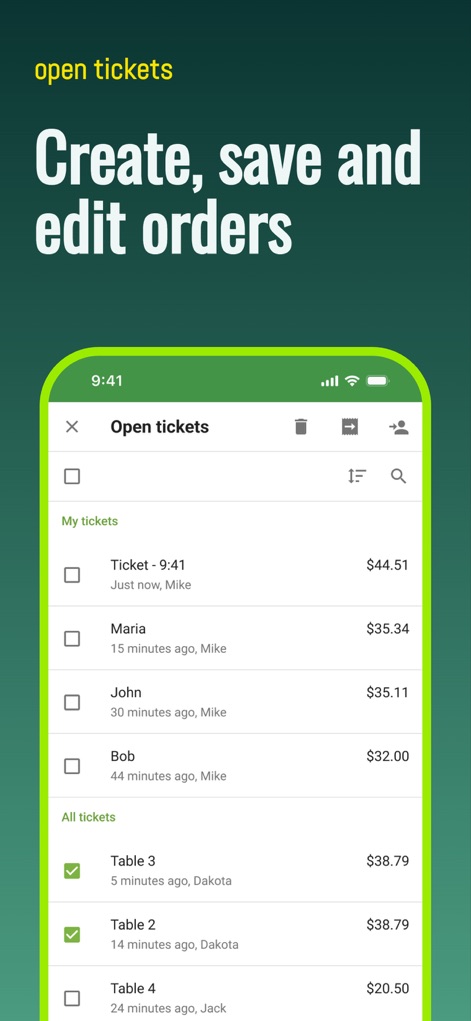
Understand how the app organizes open tickets with customer names and timestamps, enabling easy creation, saving, and editing of orders.
Efficient Order Handling
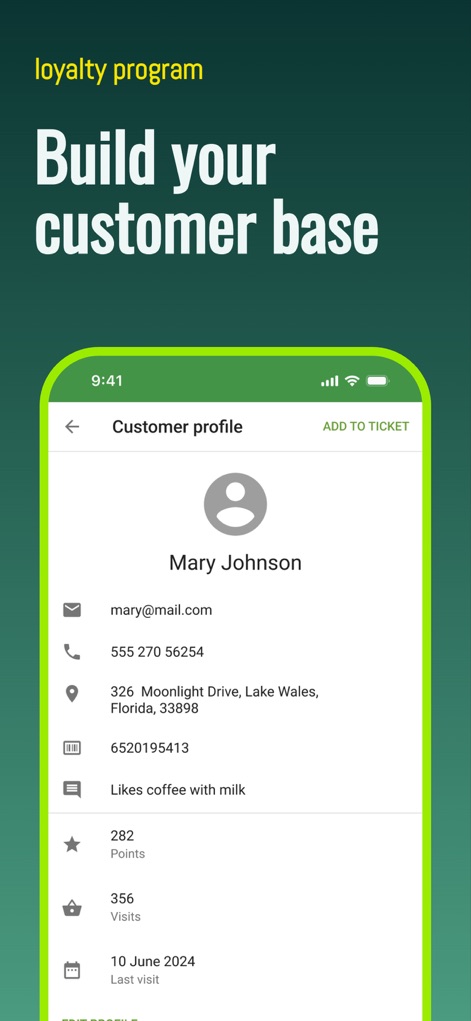
This app provides comprehensive customer profiles including contact details and purchase history, alongside robust loyalty points tracking to foster engagement.
Enhanced Customer Relationships
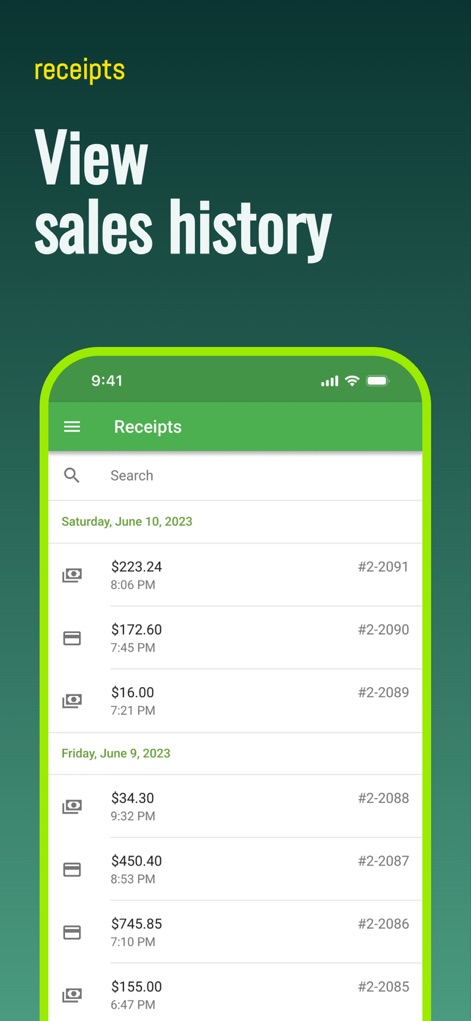
Users can easily review past transactions through a detailed list of receipts, complete with dates, amounts, and unique receipt numbers for thorough sales analysis.
Comprehensive Sales History
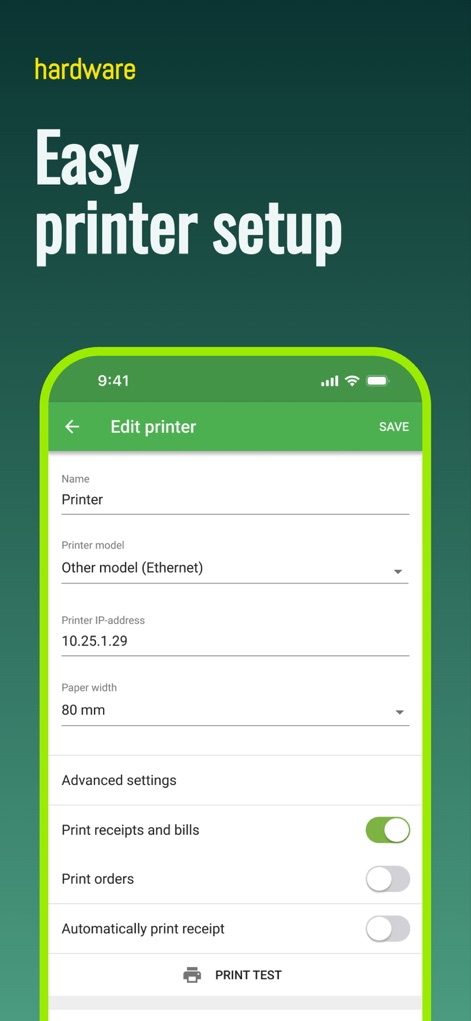
Observe the straightforward printer setup interface, offering configurable options like printer model and IP address, alongside intuitive toggle switches for print preferences.
Seamless Hardware Integration
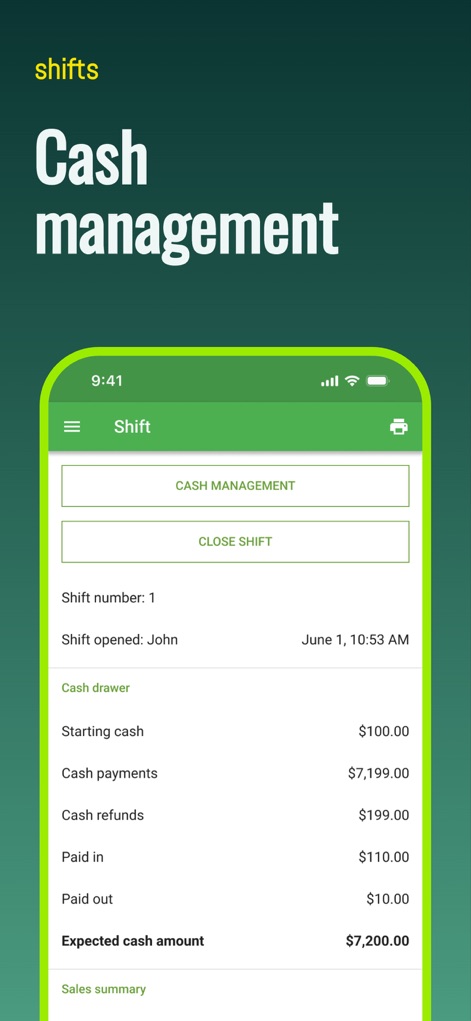
Explore the app's detailed shift summary, meticulously tracking cash movements such as payments and refunds, and calculating the expected cash amount for precise reconciliation.
Accurate Cash Reconciliation
Description
Download
More Like This
Apps with similar features and user experience

收钱吧-商家收款神器
Shanghai Shouqianba Internet Technology Co., Ltd.

Cielo Gestão: maquininha
Cielo S.A.

Clover Go - Dashboard & POS
Clover Network, Inc.

PagVendas NF-e, Vendas, Gestão
PagSeguro Internet S.A

Sổ Bán Hàng: Quản lý toàn diện
Finan Pte. Ltd.

智慧商贸进销存-库存、仓库管理进销存
Anhui QiSeMi Information Technology Co., Ltd.

МойСклад. Торговля, склад, CRM
Logneks OOO

TinyPOS:Make & Print Bills
志国 成

Jarbas: POS, Sales & Stock
Jarbas Software e Servicos LTDA
This page is not an official page of the app or its developer, but an independent editorial publication created for informational and commentary purposes. Unless expressly stated otherwise, neither the app nor its developer is affiliated with, endorsed by, sponsored by, authorized by, or otherwise officially connected with MWM, Apple, Google Play, the app publisher, or the app's developer, and nothing on this page implies that the app was developed using MWM's services. Any trademarks, logos, screenshots, and other content remain the property of their respective owners.