
This page is not an official page of the app or its developer, but an independent editorial publication created for informational and commentary purposes. Unless expressly stated otherwise, neither the app nor its developer is affiliated with, endorsed by, sponsored by, authorized by, or otherwise officially connected with MWM, Apple, Google Play, the app publisher, or the app's developer, and nothing on this page implies that the app was developed using MWM's services. Any trademarks, logos, screenshots, and other content remain the property of their respective owners.

履歴書作成
The ultimate tool for JET applicants, expats, and professionals. Generate JIS-compliant Rirekisho and Job History documents for free, perfectly formatted and ready to print or email.
Downloads
517K+User Rating
Total Ratings
8K+Publisher
Category
ProductivityLocales
2Latest Version
8.23.0Size
28.6 MBFirst Released
Jul 3, 2022Everything You Need for a Professional Japanese Application
Create perfectly formatted resumes, job histories, and cover letters that meet strict Japanese corporate standards—all for free on your mobile device.
JIS-Standard Compliance
Generate resumes that automatically follow Ministry of Health and JIS standards, ensuring you always look professional to Japanese recruiters.
Complete Application Suite
Beyond just a resume, create your Job History (Shokumu Keirekisho) and Cover Letter (Okurijo) in minutes from your iPhone or iPad.
Frequently Asked Questions
Everything you need to know about 履歴書作成
Is the 履歴書作成 app free to use?
Yes, the 履歴書作成 app is completely free to use, offering all its features without any cost. There are no hidden fees or in-app purchases.
What types of documents can the 履歴書作成 app create?
The 履歴書作成 app allows users to create resumes (履歴書), curriculum vitae (職務経歴書), and cover letters (送り状) for various job applications.
Does the 履歴書作成 app support official resume standards?
Yes, the 履歴書作成 app supports both the Ministry of Health, Labour and Welfare (MHLW) and JIS (Japanese Industrial Standards) resume formats to ensure compliance.
Can I output resumes created with the 履歴書作成 app as a PDF?
Yes, the 履歴書作成 app enables users to output created resumes as PDF files, print them directly, or save them within the application for future access.
How can users add photos to their resumes in the 履歴書作成 app?
Users can select existing photos, crop them to the desired size, and utilize photos taken with other camera applications to include in their resumes.
What printing options are available for resumes from the 履歴書作成 app?
The 履歴書作成 app offers printing options for A3 (one page) or A4 (two pages). It provides specific guidance for both home printers and convenience store printing services.
Can users customize their curriculum vitae in the 履歴書作成 app?
Yes, the 履歴書作成 app allows users to fully customize their curriculum vitae by freely adding and modifying text, lines, tables, and blank sections.
Does the 履歴書作成 app allow emailing of created documents?
Yes, after generating a curriculum vitae as a PDF, users can print it or conveniently send it via email directly from the 履歴書作成 app.
The following screenshots and description are sourced directly from the app's official store listing and are the property of the app developer.
App Store
Screenshots
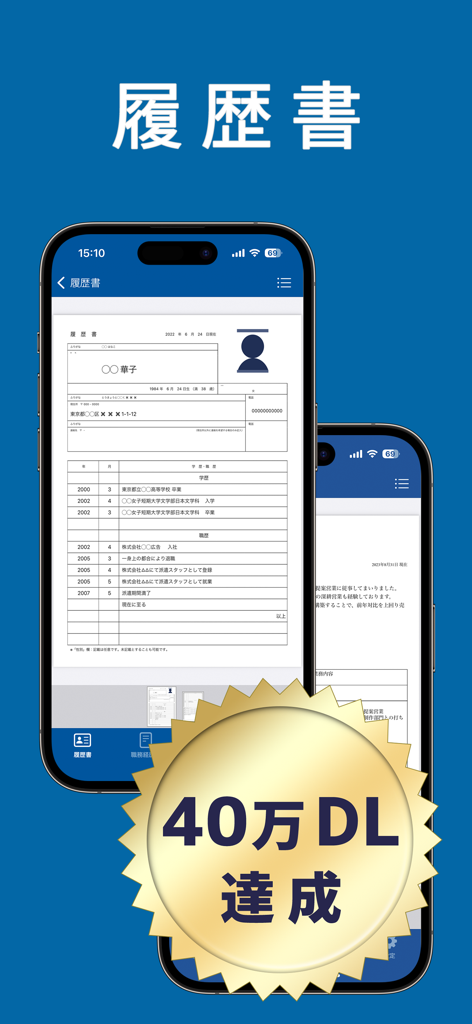
Japanese resume builder app showing a standardized rirekisho form on a smartphone screen
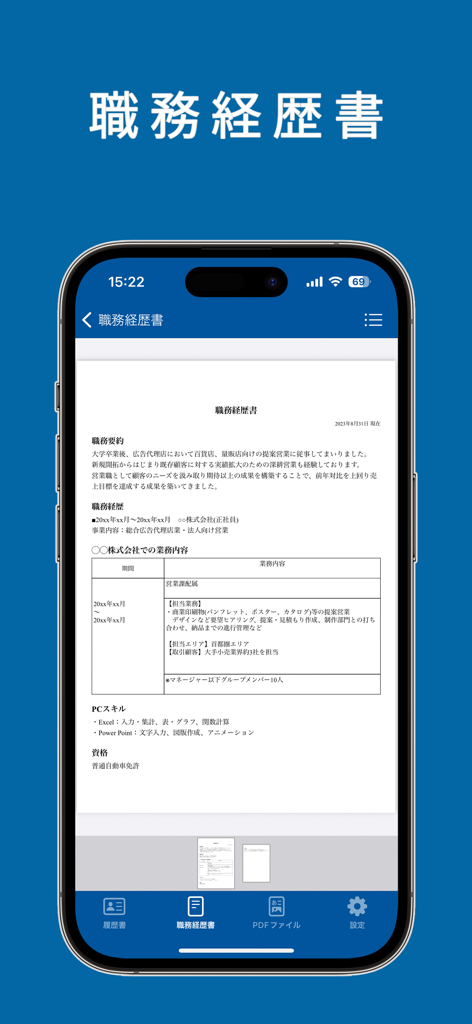
Mobile app interface showing a Japanese work history document preview on an iPhone
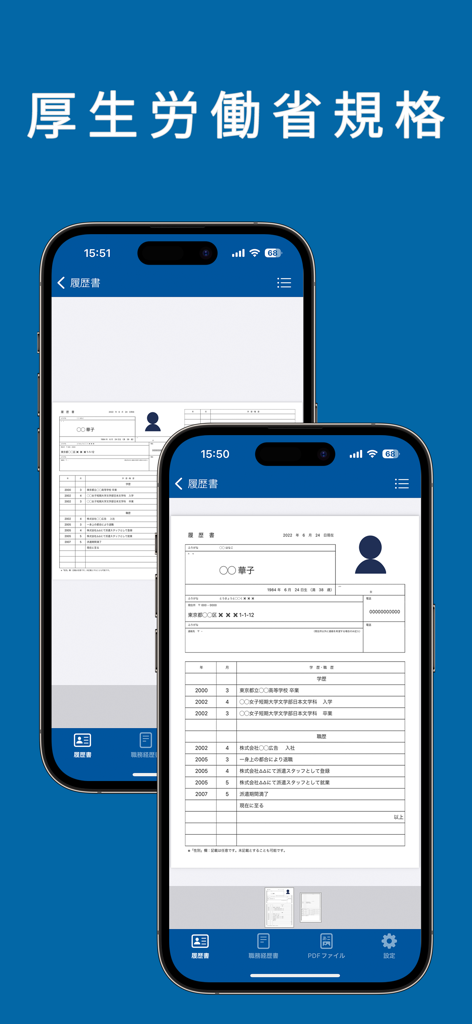
Two iPhones displaying a standardized Japanese resume following Ministry of Health regulations on a blue background
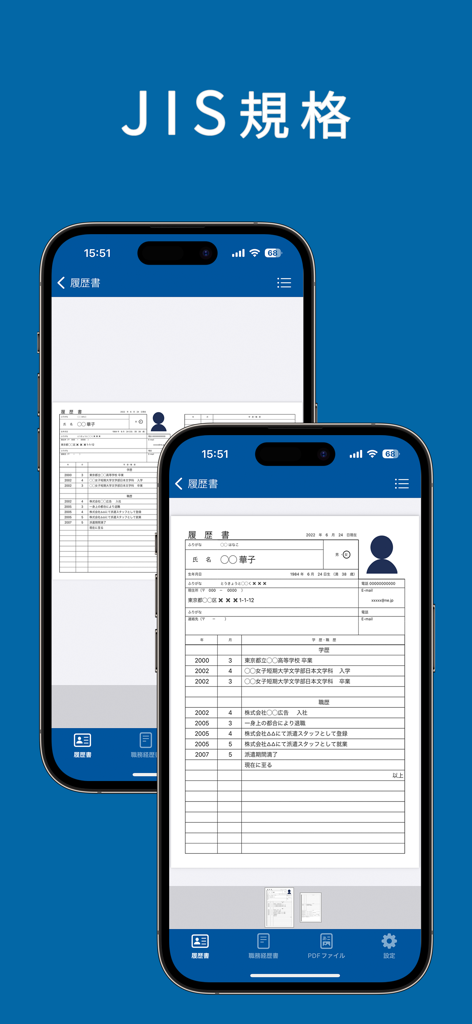
Mobile app interface showing a standardized Japanese JIS resume format on two iPhones
Description
Download
More Like This
Apps with similar features and user experience
Resume : Intelligent CV Maker
Intelligent CV

Resume Builder - CV Creator
Clebson Pereira
Resume Builder - CV Engineer
First Pick Ltd
Resume Builder Pro with AI
Uncaught Exception Inc.
Quick & Easy Resume Builder CV
Wiliam Goncalves Pinto

Resume Maker, CV Job Builder
Oleg Yuriev

Resume Builder⁺
Rounding Squares BV
履歴書作成(インディード)
Indeed Inc.

Resume AI – Intelligent CV App
Giovanna Clemente
This page is not an official page of the app or its developer, but an independent editorial publication created for informational and commentary purposes. Unless expressly stated otherwise, neither the app nor its developer is affiliated with, endorsed by, sponsored by, authorized by, or otherwise officially connected with MWM, Apple, Google Play, the app publisher, or the app's developer, and nothing on this page implies that the app was developed using MWM's services. Any trademarks, logos, screenshots, and other content remain the property of their respective owners.