Luma View

Luma View

Download on App Store
Logo of Luma View

Luma View: Professional-Grade Surveillance and Total Control

Experience peace of mind with HD live monitoring, smart AI-powered event filtering, and multi-device management for your high-end home or business security system.

Download on App Store

Publisher

Wirepath Home Systems, LLC

Category

Lifestyle

Downloads

1K+

User Rating

2.3/5

Total Ratings

100

Locales

30

Complete Visual Command

Discover the interface used by 1K+ users.
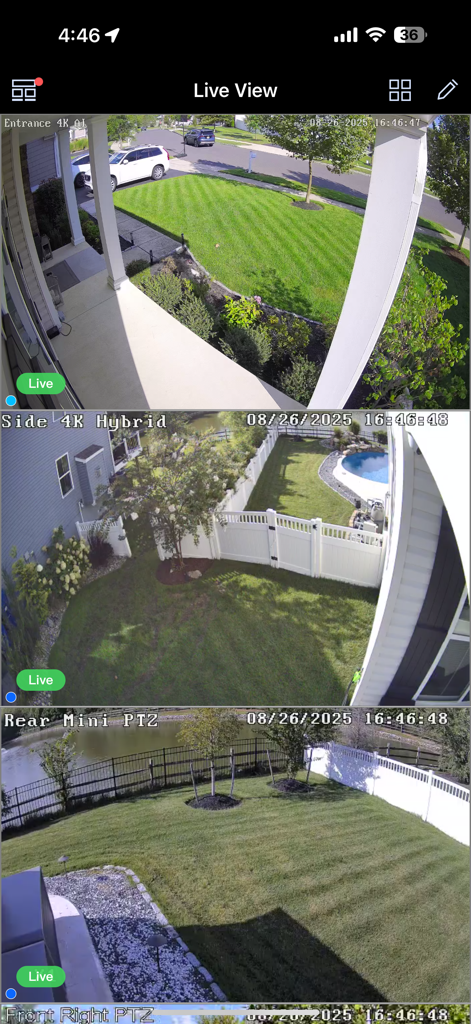
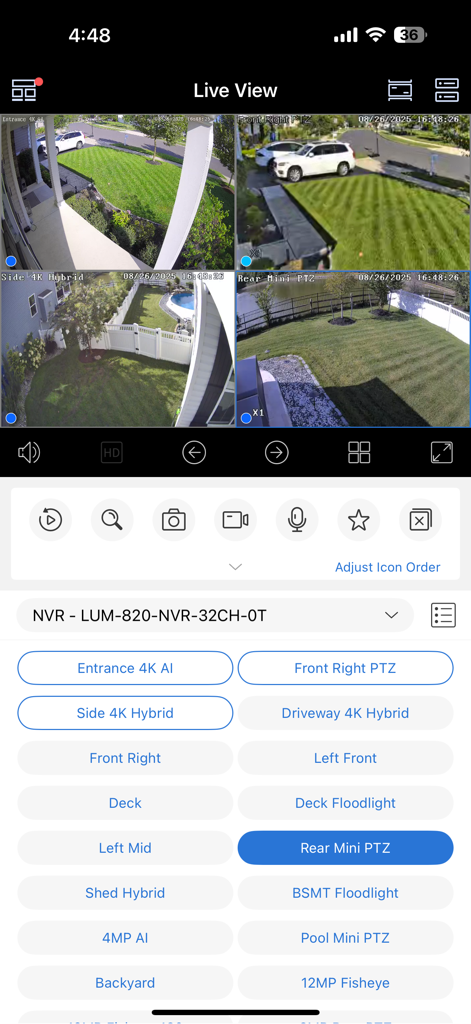
Live surveillance interface of the Luma View app showing multiple security camera views of a home.

Live surveillance interface of the Luma View app showing multiple security camera views of a home.

Luma View mobile app live feed interface showing four security camera views

Luma View mobile app live feed interface showing four security camera views

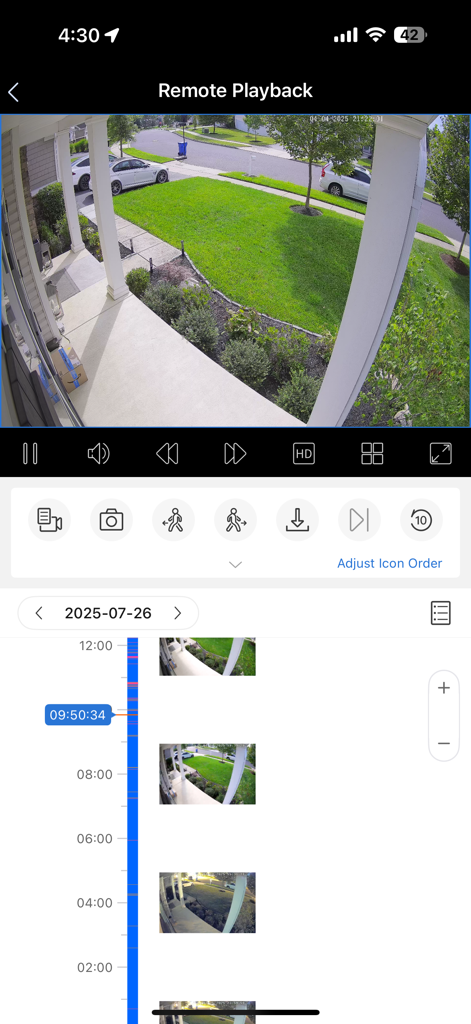
Luma View app remote playback interface showing a security camera feed and recorded events timeline

Luma View app remote playback interface showing a security camera feed and recorded events timeline

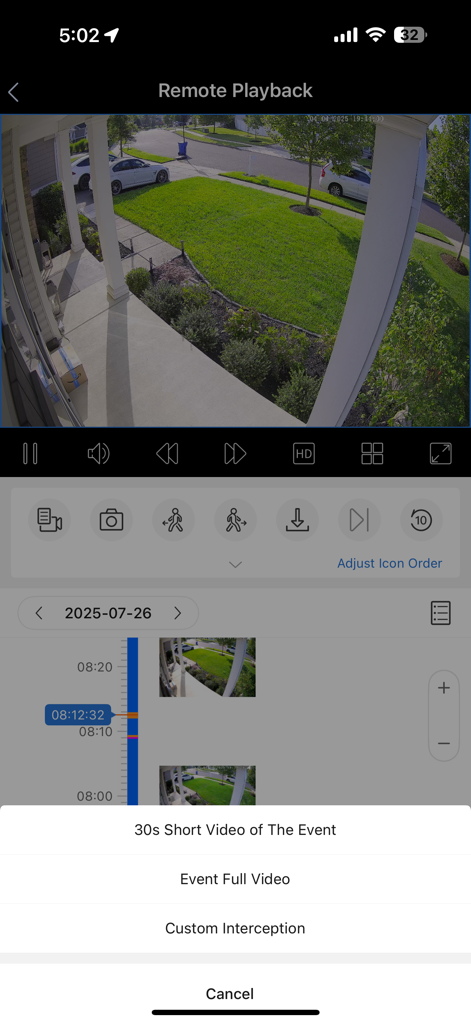
Luma View app remote playback screen showing home security footage and options to download event video clips

Luma View app remote playback screen showing home security footage and options to download event video clips

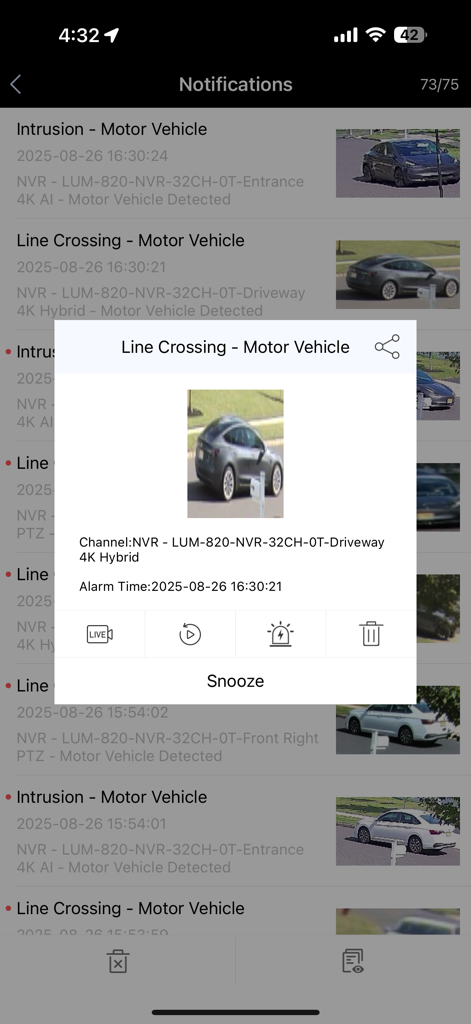
Security alert notification for motor vehicle detection in the Luma View app.

Security alert notification for motor vehicle detection in the Luma View app.

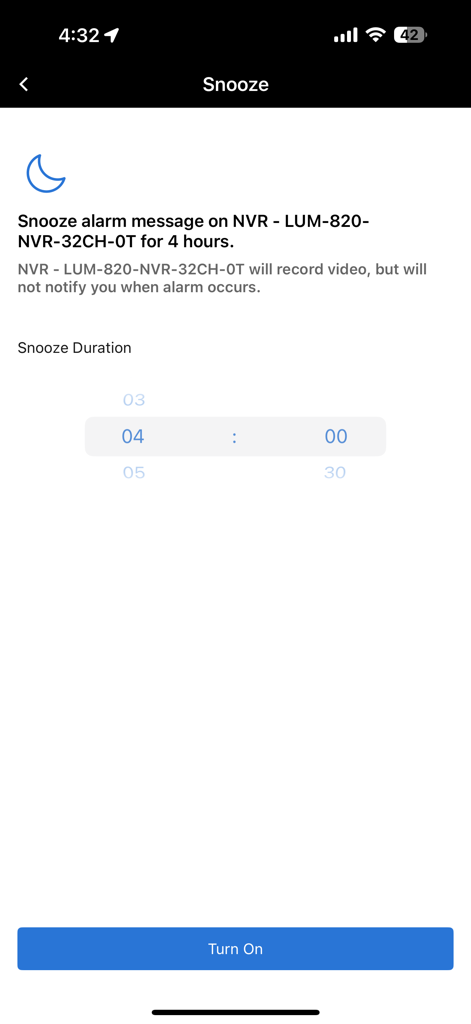
Snooze alarm notification settings screen with duration picker and turn on button in the Luma View app.

Snooze alarm notification settings screen with duration picker and turn on button in the Luma View app.

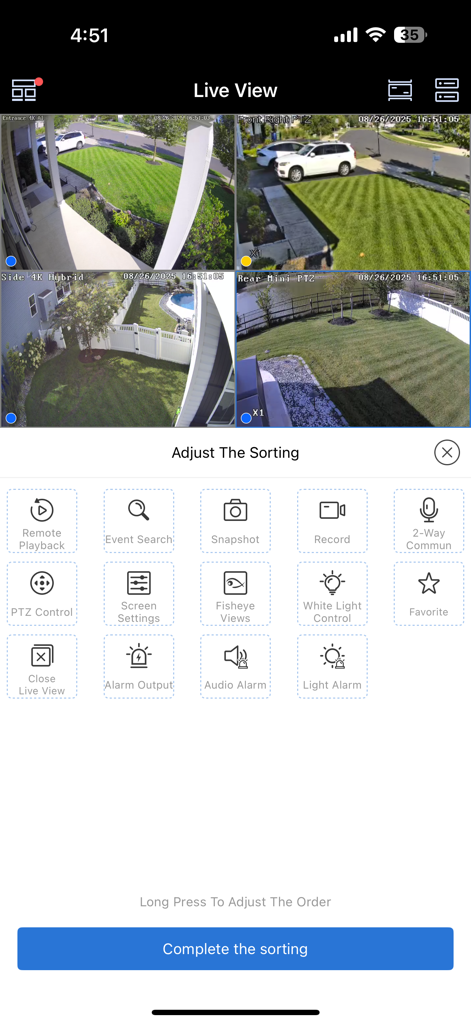
Live multi-camera security feed and control dashboard in the Luma View app.

Live multi-camera security feed and control dashboard in the Luma View app.

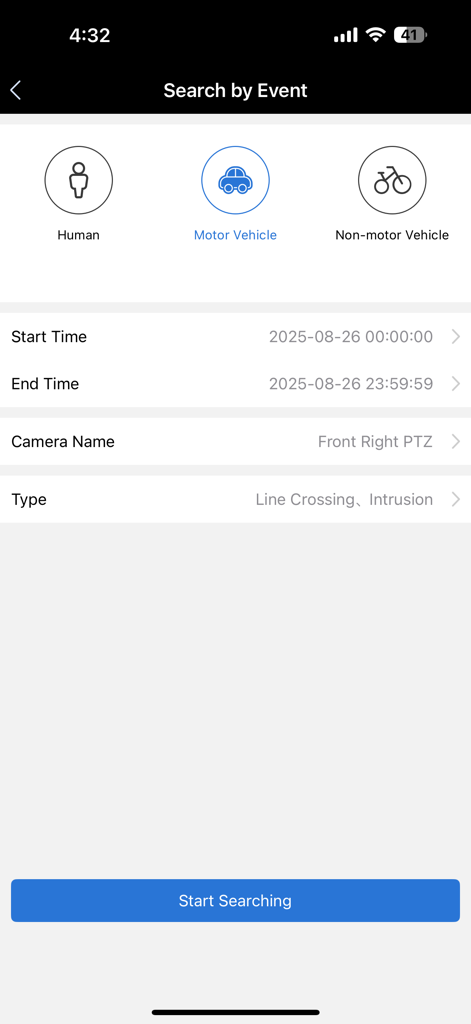
Smart event search screen in the Luma View app showing filters for humans and vehicles

Smart event search screen in the Luma View app showing filters for humans and vehicles

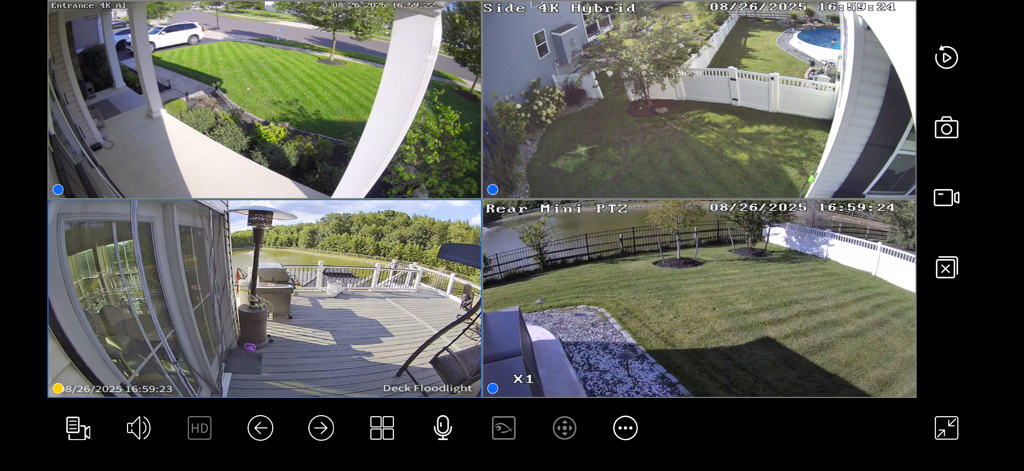
Landscape view of Luma View app showing four security camera feeds simultaneously on a split screen.

Landscape view of Luma View app showing four security camera feeds simultaneously on a split screen.

Total Security Command at Your Fingertips

The tools that make this app stand out, trusted by 1K+ users.

🔍

AI-Powered Event Filtering

Stop sifting through hours of footage. Our smart filters instantly isolate human and vehicle activity, so you only see the events that truly matter.

🖥️

Professional Command Center

Monitor your entire estate with ease. View up to 16 HD streams simultaneously on your iPad or iPhone, complete with synchronized playback and pinch-to-zoom.

🗣️

Real-Time Interaction

Take control from anywhere. Use two-way audio to speak with visitors and remotely manage Pan/Tilt/Zoom cameras to ensure every corner of your property is secure.

About the app

Everything you need to know about Luma View.

Description

The all new Luma View app offers powerful features at your fingertips, allows you check on what matters – anytime, anywhere. Watch live video, user-friendly event search, playback, and save recordings, or take a snapshot all from your tablet or mobile device. • Enjoy HD live viewing of a single or split screen (4, 9, or 16 channels simultaneously) in both portrait and landscape modes with convenient pinch to zoom • Synchronize playback up to 16 channels • User-friendly Smart Event Search with human and vehicle filtering • Push message offer quick overview of latest events • Auto switch between high or standard resolution depending on your remote connection • Customize your grid views for multi-device management – Drag and drop cameras where you’d like them, even across multiple DVRs/NVRs • Easily scan timeline and playback to find recordings and events • Instantly capture snapshots or record videos with a tap of your finger • Add snapshots and video to your photo library for safe keeping or to share with family, friends, or colleagues • Listen or speak to whoever is on the other end (Audio support varies by camera model) • Remotely control pan/tilt/zoom (PTZ) cameras

Latest Version

1.10.62

Size

100.1 MB

First Released

Dec 27, 2022

Your Property, Protected and Within Reach

Join thousands of homeowners and business professionals who trust Luma View for high-definition surveillance. Download now to experience total control and peace of mind, anywhere in the world.

Download on App Store
FAQ

Frequently Asked Questions

Everything you need to know about Luma View

Can I watch live video from my cameras using the Luma View app?

Yes, the Luma View app provides HD live viewing of single or split screens (4, 9, or 16 channels) in portrait and landscape modes with pinch to zoom.

Does the Luma View app have smart event search capabilities?

Yes, Luma View features Smart Event Search with filtering for human, motor vehicle, and non-motor vehicle events. Users can also scan the timeline for recordings.

How does Luma View notify users about events?

The Luma View app sends push messages to provide a quick overview of the latest events. Notifications include alerts for motor vehicle intrusion and line crossing.

Can I control PTZ cameras with the Luma View app?

Yes, the Luma View app allows users to remotely control pan/tilt/zoom (PTZ) cameras directly from their mobile device.

Is two-way audio communication supported by Luma View?

Yes, the Luma View app supports two-way communication, allowing users to listen or speak to whoever is on the other end. Audio support varies by camera model.

Can I save and share recordings or snapshots from the Luma View app?

Yes, the Luma View app allows users to instantly capture snapshots or record videos. These can be added to the photo library and shared with others.

Does Luma View offer customizable grid views for cameras?

Yes, the Luma View app allows users to customize grid views for multi-device management, including dragging and dropping cameras, even across multiple DVRs/NVRs.

Does the Luma View app support synchronized playback?

Yes, the Luma View app supports synchronizing playback for up to 16 channels, allowing users to review multiple camera feeds concurrently.

Can I temporarily disable alarm notifications in Luma View?

Yes, the Luma View app allows users to snooze alarm messages on the NVR for a specified duration, such as 4 hours.

App information, icons, screenshots, and descriptions displayed on this page are sourced from the Apple App Store and are the property of their respective developers. Download estimates and rankings are based on MWM's proprietary models and may not reflect actual figures. This page is provided for informational and analytical purposes only.

Believe this page infringes your intellectual property? File a dispute