Lutron RadioRA 2 + HWQS App

Lutron RadioRA 2 + HWQS App

Download on App Store
Logo of Lutron RadioRA 2 + HWQS App

Lutron RadioRA 2 + HWQS App: Sophisticated Command for Your Luxury Home

Experience the pinnacle of home automation with effortless control over your lighting, shades, and climate. Designed for the discerning homeowner, our app brings the power of your professionally installed RadioRA 2 or HomeWorks QS system to your fingertips, anywhere in the world.

Download on App Store

Publisher

Lutron Electronics Co., Inc.

Category

Lifestyle

Downloads

0

User Rating

4.3/5

Total Ratings

0

Locales

5

Elegance in Every Detail

Discover the interface used by 0 users.
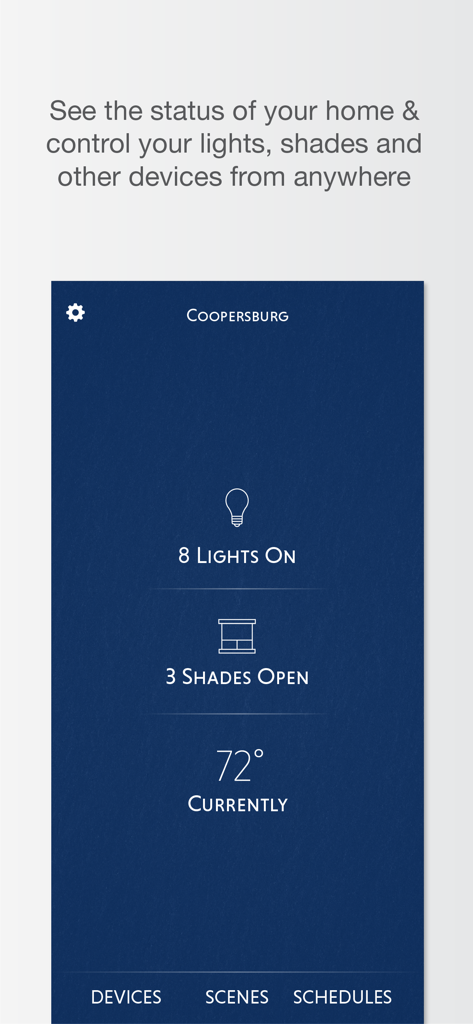
Lutron app home status screen showing light, shade, and temperature controls.

Lutron app home status screen showing light, shade, and temperature controls.

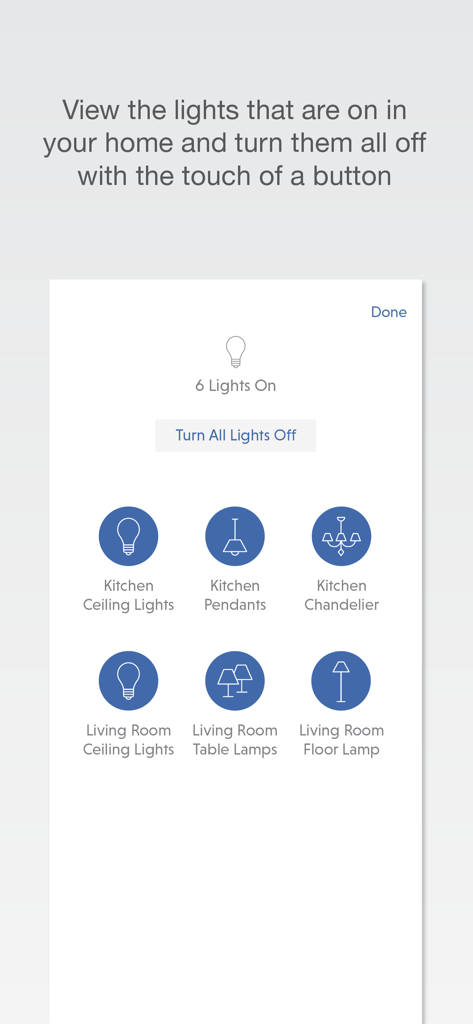
Lutron app interface showing active home lights with a master turn off button

Lutron app interface showing active home lights with a master turn off button

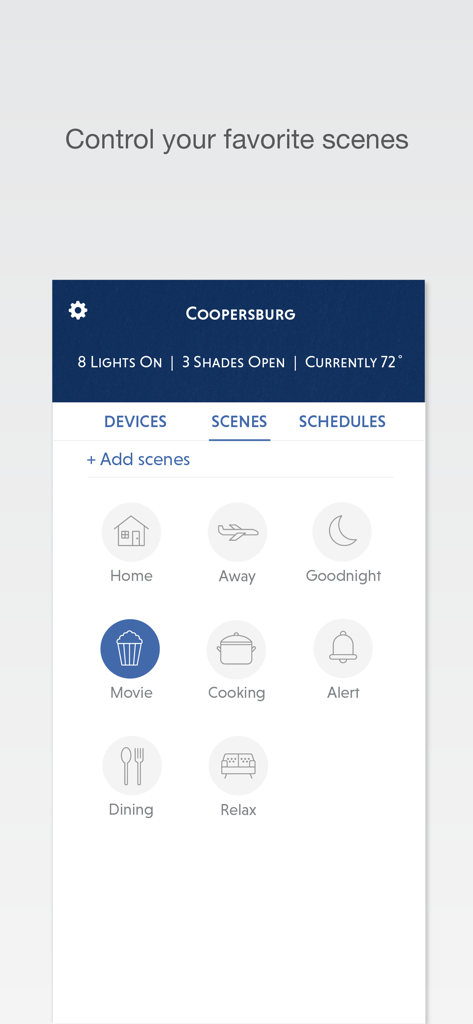
Screenshot of the Lutron app showing various lighting and automation scenes like Home, Movie, and Relax

Screenshot of the Lutron app showing various lighting and automation scenes like Home, Movie, and Relax

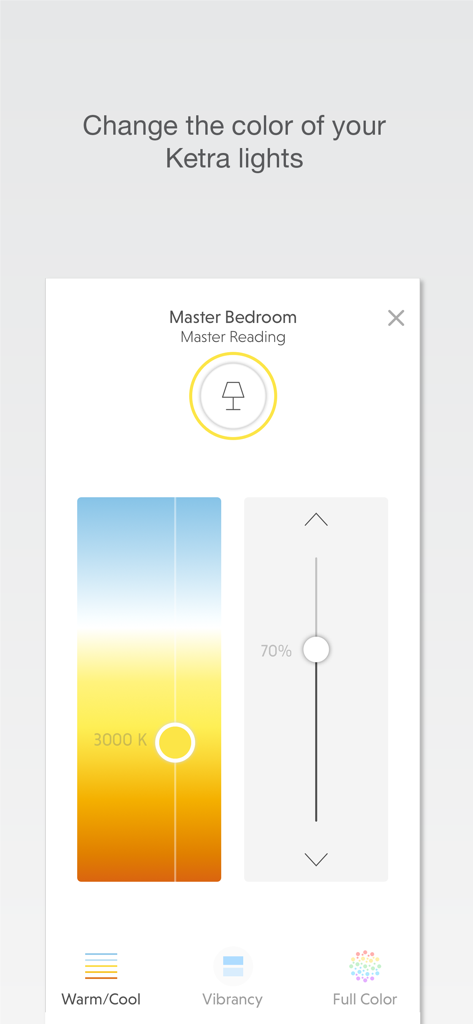
Lutron RadioRA 2 app interface showing color temperature and brightness controls for Ketra lights in a master bedroom.

Lutron RadioRA 2 app interface showing color temperature and brightness controls for Ketra lights in a master bedroom.

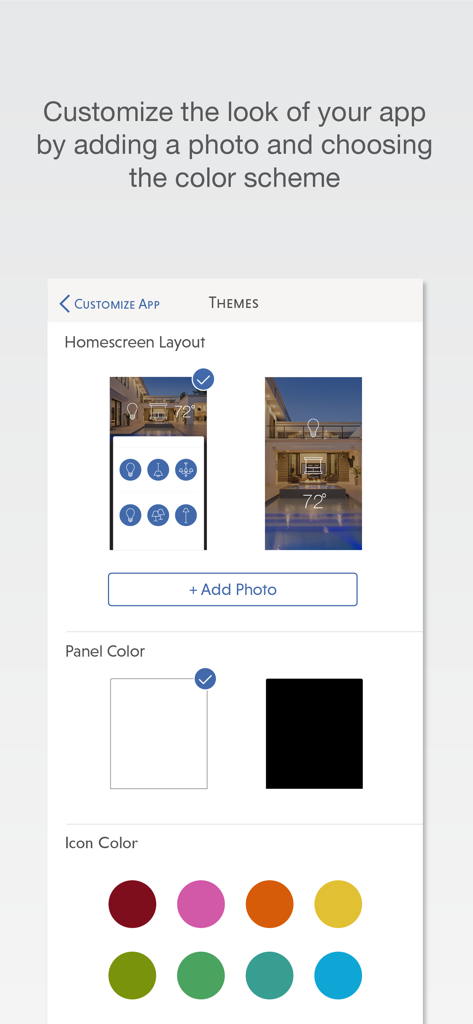
Customization screen for the Lutron RadioRA 2 and HWQS app showing layout and color options

Customization screen for the Lutron RadioRA 2 and HWQS app showing layout and color options

Master Your Environment with Effortless Precision

The tools that make this app stand out, trusted by 0 users.

Artistic Ambiance with Ketra

Experience the gold standard of lighting by adjusting warmth, vibrancy, and color to perfectly showcase your home’s architecture and art collection.

🌍

Global Peace of Mind

Monitor and manage your estate from anywhere in the world. Use geofencing to ensure your home is welcoming upon arrival and secure while you travel.

🗓️

Intelligent Lifestyle Scenes

Automate your daily rituals with schedules that sync with the sun. Transition seamlessly from a bright morning to an intimate dinner setting without a thought.

About the app

Everything you need to know about Lutron RadioRA 2 + HWQS App.

Description

Control your home's lights, shades, temperature, keypads, and more with your iPhone and iPad. This app requires a Lutron total home control system (RadioRA® 2 or HomeWorks® QS) programmed using the appropriate version of design and programming software along with the Lutron Connect Bridge.* Features: Control from anywhere Control lights, shades, temperature, keypads, and more in the comfort of your home or from anywhere in the world – the office, the airport, the beach – set your home to a comfortable temperature when returning from a trip, ensure lights aren't left on and shades aren't left open while you're away. Personalize your keypad buttons Add, edit, and remove button settings on your own. Make temporary adjustments for special occasions, or permanent changes to match your preferences. Right on schedule Schedule scenes to happen automatically at set times of day, or based on sunrise and sunset. Turn on your porch light at dusk, turn it off at dawn, or open your shades in the morning to wake up with the sun. Geofencing (iPhone only) Receive a notification if you’ve left the lights on after leaving home, then turn them off right from your Today Widget. Ketra Adjust the brightness, color (warm/cool color temperature as well as full color) and Vibrancy with a quick and simple interface. Ketra lighting can transform your home by changing the mood from warm and relaxing to bright and energizing, enhance the details of your home decor, and add color to accent the environment and create a dramatic or festive mood. Today Widget Set your favorite scenes from your home screen using the Today Widget. No need to launch the app. Low Battery Receive low battery indications for battery-powered shades, Pico wireless controls, and Radio Powr Savr sensors to know when it's time to replace their batteries. World Class Support Lutron remains committed to providing you with world class quality and service. Contact us at our 24/7 hotline (800.523.9466). *Design and programming software is available only to qualified installers and is required for initial setup of this application. This application is only compatible with RadioRA 2 (10.0+) and HomeWorks QS (10.0+) and requires the Lutron Connect Bridge. Contact your Lutron dealer for more information. ***Continued use of GPS running in the background can dramatically decrease battery life.***

Latest Version

7.7.1

Size

89.6 MB

First Released

Apr 25, 2016

Experience Total Home Mastery

Seamlessly manage your professional Lutron system from anywhere in the world. Download the app to orchestrate your lighting, shades, and climate with unparalleled precision.

Download on App Store

App information, icons, screenshots, and descriptions displayed on this page are sourced from the Apple App Store and are the property of their respective developers. Download estimates and rankings are based on MWM's proprietary models and may not reflect actual figures. This page is provided for informational and analytical purposes only.

Believe this page infringes your intellectual property? File a dispute