LYNX Whiteboard
LYNX Whiteboard
Download on App Store

This page is not an official page of the app or its developer, but an independent editorial publication created for informational and commentary purposes. Unless expressly stated otherwise, neither the app nor its developer is affiliated with, endorsed by, sponsored by, authorized by, or otherwise officially connected with MWM, Apple, Google Play, the app publisher, or the app's developer, and nothing on this page implies that the app was developed using MWM's services. Any trademarks, logos, screenshots, and other content remain the property of their respective owners.

Logo of LYNX Whiteboard
Download on App Store

LYNX Whiteboard

Transform your brainstorming and lessons into interactive experiences. Whether in the classroom or the boardroom, collaborate in real-time with multi-touch support, cloud syncing, and seamless integration of your existing documents—all in a professional, ad-free environment.

Key Figures

Downloads

2K+

User Rating

4.0/5

Total Ratings

0

Publisher

SAHARA PRESENTATION SYSTEMS LTD

Category

Education

Locales

-

Latest Version

8.5.11

Size

200.5 MB

First Released

Oct 16, 2017
Features

Transform Your Ideas into Action

From interactive classrooms to hybrid boardrooms, LYNX Whiteboard provides the professional tools you need to visualize, collaborate, and succeed.

Universal File Integration

Stop starting from scratch. Seamlessly import and edit your existing SMART Notebook, PowerPoint, and Google Docs files with full compatibility.

Live Multi-Touch Synergy

Foster active engagement by allowing up to 10 users to brainstorm and draw simultaneously, making it perfect for group projects and huddle sessions.

The following screenshots and description are sourced directly from the app's official store listing and are the property of the app developer.

App Store

Screenshots
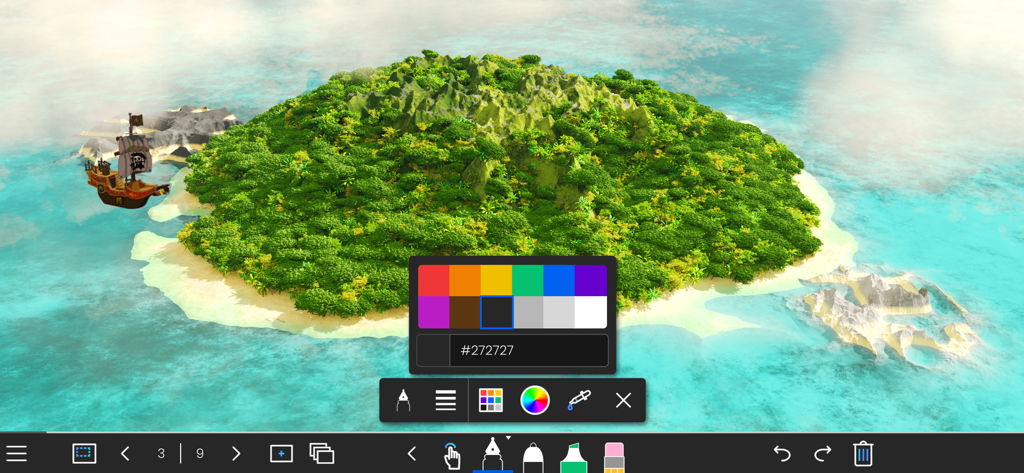
LYNX Whiteboard - LYNX Whiteboard app interface featuring a 3D island background with a color picker and drawing tools
LYNX Whiteboard app interface featuring a 3D island background with a color picker and drawing tools

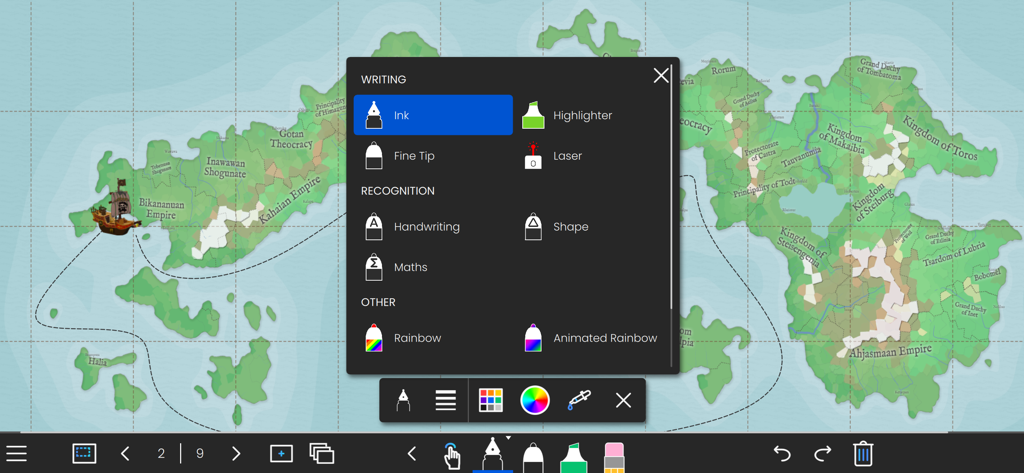
LYNX Whiteboard - LYNX Whiteboard application showing writing and recognition tool options over an interactive map background
LYNX Whiteboard application showing writing and recognition tool options over an interactive map background

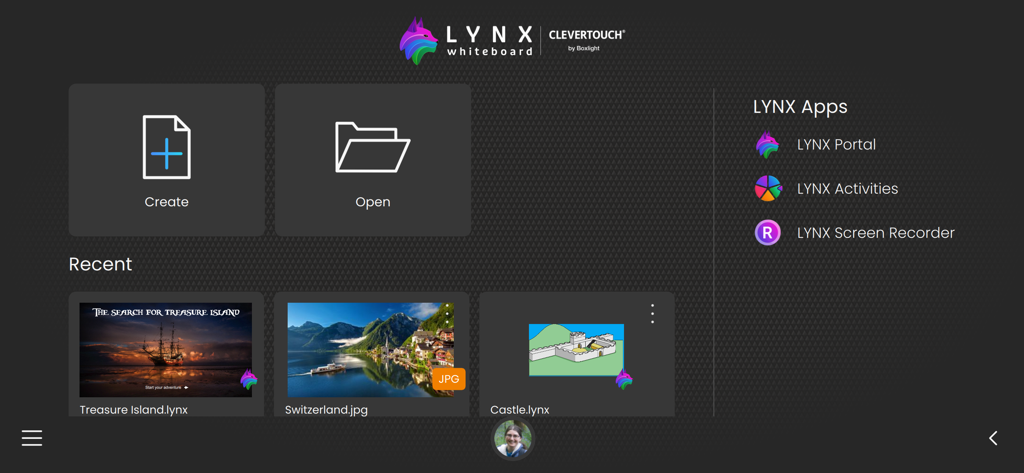
LYNX Whiteboard - LYNX Whiteboard app home screen displaying buttons to create or open projects and a section for recent files
LYNX Whiteboard app home screen displaying buttons to create or open projects and a section for recent files

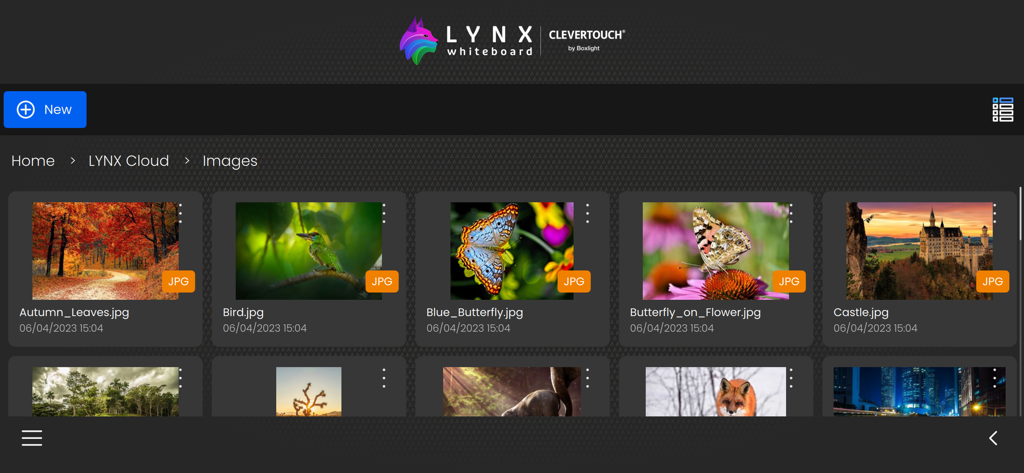
LYNX Whiteboard - The LYNX Whiteboard app interface displaying a collection of images stored in the LYNX Cloud gallery.

The LYNX Whiteboard app interface displaying a collection of images stored in the LYNX Cloud gallery.

Description

Introducing LYNX Whiteboard, the ultimate tool for idea sharing and collaboration with your team or classmates. LYNX Whiteboard is designed to enhance your productivity and creativity by providing you with a virtual whiteboard that you can access from anywhere. With LYNX Whiteboard, you can easily sketch, draw, write, and erase just like you would on a physical whiteboard. Whether you’re working on a project, presenting an idea, or teaching a class, LYNX Whiteboard has everything you need to make your collaboration sessions more effective. -- LYNX for Business -- Brainstorming sessions: Collaborate with colleagues to generate new ideas and strategies, and capture them all on your virtual whiteboard. Presentations: Use LYNX Whiteboard to create engaging presentations that showcase your ideas and data, and share them with your team or clients. Project planning: Organize your thoughts, tasks, and timelines on a virtual whiteboard, and collaborate with your team to stay on track. -- LYNX for Education -- Lesson planning: Use LYNX Whiteboard to create interactive lessons that engage students with multimedia, diagrams, and games, and collaborate with other teachers to share your best practices. Group projects: Work with classmates to brainstorm, plan, and create projects using a virtual whiteboard, and collaborate in real-time from anywhere. Virtual tutoring: Use LYNX Whiteboard to provide virtual tutoring sessions, and collaborate with students to help them learn and solve problems. -- LYNX for Families -- Creative projects: Use LYNX Whiteboard to sketch out ideas for art, design, or writing projects, and collaborate with friends or family members to refine your vision. Organization: Keep track of schedules, grocery lists, and other important information by creating a shared whiteboard for your family to access from anywhere. Virtual game nights: Use LYNX Whiteboard to play charades and other drawing games with friends and family. FEATURES -- Easy to Use Interface -- LYNX Whiteboard has an intuitive interface that makes it easy to start using right away. You can create a new board with just a few taps, and start sketching, drawing, or writing immediately. -- Variety of Pen Styles and Sizes -- From ink pens, handwriting recognition and highlighters to rainbow pens and erasers, LYNX Whiteboard has everything you need to create a stylish and engaging presentation. -- Multi-touch -- LYNX Whiteboard supports up to 10 people all collaborating simultaneously on the board. -- Customizable Backgrounds -- You can choose from a range of backgrounds for your whiteboard, including plain white, gridlines, music score or an image from the media search. This makes it easy to tailor your whiteboard to your specific needs. -- Sharing and Collaboration -- LYNX Whiteboard makes it easy to share your whiteboard with others, whether you’re working on a project with colleagues, teaching a class, or presenting an idea. You can invite others to view your board, or share it as a PDF. -- LYNX Cloud Storage -- Whiteboards can be saved to LYNX Cloud, so you can access them from anywhere, anytime. This means you can pick up right where you left off, even if you switch devices or locations. -- Multi-Device Support -- LYNX Whiteboard works across multiple devices, including smartphones, tablets, and computers. This means you can start working on one device, and pick up where you left off on another. -- Extensive File Support -- Use all your existing presentation files and documents. LYNX Whiteboard supports PowerPoint, MS Word, Google Docs, SMART Notebook, PDF and more. -- No Ads -- LYNX Whiteboard is completely ad-free. LYNX Whiteboard is perfect for teams, students, teachers, and anyone who needs to collaborate and share ideas. With its intuitive interface, and comprehensive features, it’s the ultimate tool for boosting productivity and creativity. Try LYNX Whiteboard today, and take your collaboration sessions to the next level.

Download

Download on App Store

This page is not an official page of the app or its developer, but an independent editorial publication created for informational and commentary purposes. Unless expressly stated otherwise, neither the app nor its developer is affiliated with, endorsed by, sponsored by, authorized by, or otherwise officially connected with MWM, Apple, Google Play, the app publisher, or the app's developer, and nothing on this page implies that the app was developed using MWM's services. Any trademarks, logos, screenshots, and other content remain the property of their respective owners.








