
This page is not an official page of the app or its developer, but an independent editorial publication created for informational and commentary purposes. Unless expressly stated otherwise, neither the app nor its developer is affiliated with, endorsed by, sponsored by, authorized by, or otherwise officially connected with MWM, Apple, Google Play, the app publisher, or the app's developer, and nothing on this page implies that the app was developed using MWM's services. Any trademarks, logos, screenshots, and other content remain the property of their respective owners.

M-Pesa Tanzania
Securely send money, pay bills, and support your family in Tanzania and across East Africa. Manage your finances from the USA with the speed and safety of the official M-Pesa app.
Downloads
343K+User Rating
Total Ratings
27K+Publisher
Category
FinanceLocales
2Latest Version
2.23.2Size
98.8 MBFirst Released
Jan 11, 2018Your Financial Bridge to Tanzania
Manage your finances, support your family, and settle bills back home with the speed and security of East Africa’s most trusted mobile wallet, right from the US.
Seamless Global Remittances
Send money instantly from your US accounts to M-Pesa wallets in Tanzania, Kenya, Uganda, and Rwanda with total transparency on withdrawal fees.
Remote Bill & Gov Payments
Manage your Tanzanian assets from abroad by paying government fees, utility bills, and parking directly through the app’s secure payment portal.
Frequently Asked Questions
Everything you need to know about M-Pesa Tanzania
What is the M-Pesa App for Tanzania?
The M-Pesa App is the largest and most innovative mobile financial service in Tanzania. It allows users to send money, pay bills, withdraw cash, and manage finances securely.
Can iOS users from other mobile networks use the M-Pesa App?
Yes, iOS users from other networks can now enjoy M-Pesa services after being registered. This is a new feature in the updated M-Pesa App.
How do I secure my M-Pesa App transactions and login?
You can secure your M-Pesa App transactions using Touch ID or Face ID for login and authorization. The M-Pesa 4-digit PIN also serves as an authentication method.
Can I send money internationally using the M-Pesa App?
Yes, the M-Pesa App allows you to send money across borders easily to countries including Kenya, Uganda, Burundi, Rwanda, and Congo.
Does the M-Pesa App support QR code payments?
Yes, the M-Pesa App supports new QR code scans for Bills Payments and Pay for Merchants services. You can also pay for NPK Parking Card fees via QR code.
How can I transfer money between my M-Pesa account and my bank account?
The M-Pesa App allows you to transfer money from your M-Pesa account to your bank account, and also from your bank back to M-Pesa.
Can I view my M-Pesa account balance within the app?
Yes, you can view your M-Pesa account balance directly in the app. The home screen displays your current balance and other financial details.
What new mini apps are available in the M-Pesa App?
The M-Pesa App now offers exciting new mini apps and services. These include access to Mastercard, Glovo, Virtual VISA, Startimes, and Vodacom TV services.
How do I contact M-Pesa App customer support?
You can contact M-Pesa App customer support by sending an email to customercare@vodacom.co.tz or by calling customer care at 100.
Does the M-Pesa App allow including withdrawal fees in transfers?
Yes, the M-Pesa App allows you to include withdrawal fees directly in your transfers. This makes it more convenient for recipients when withdrawing cash.
The following screenshots and description are sourced directly from the app's official store listing and are the property of the app developer.
App Store
Screenshots
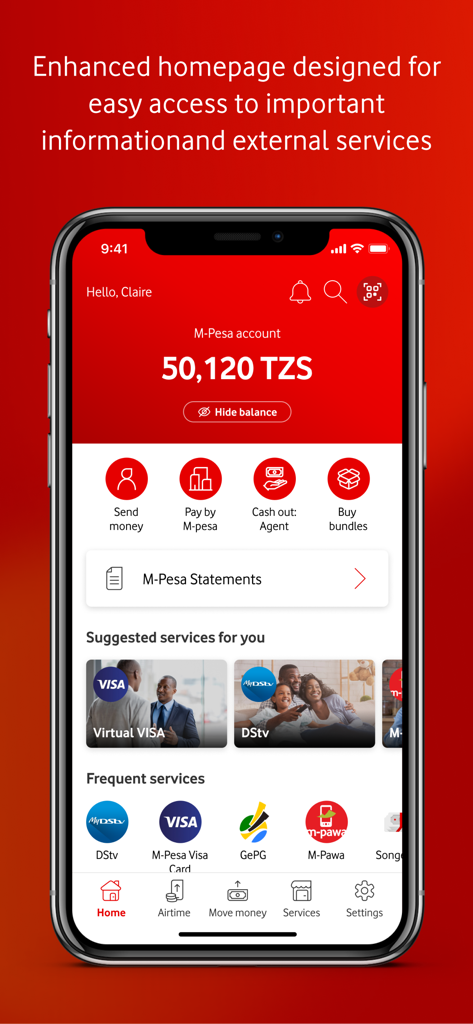
Mobile app interface of M-Pesa Tanzania showing account balance and financial service shortcuts
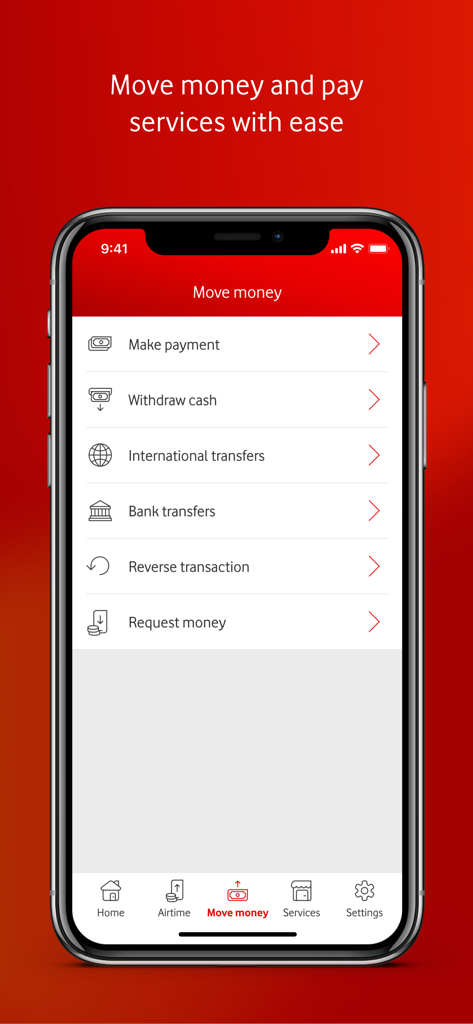
The Move Money screen of the M-Pesa Tanzania app featuring options for international transfers and bank payments.
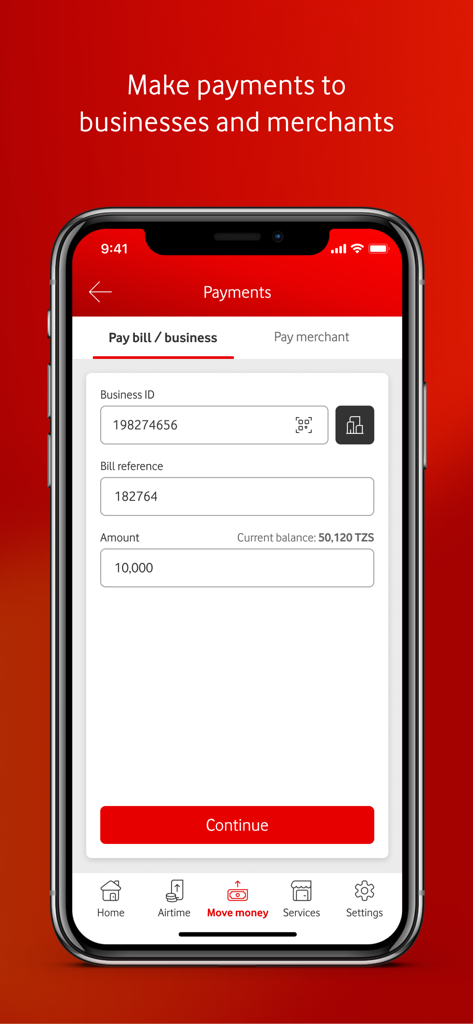
M-Pesa Tanzania app interface showing a payment form to pay bills or businesses with fields for Business ID and bill reference
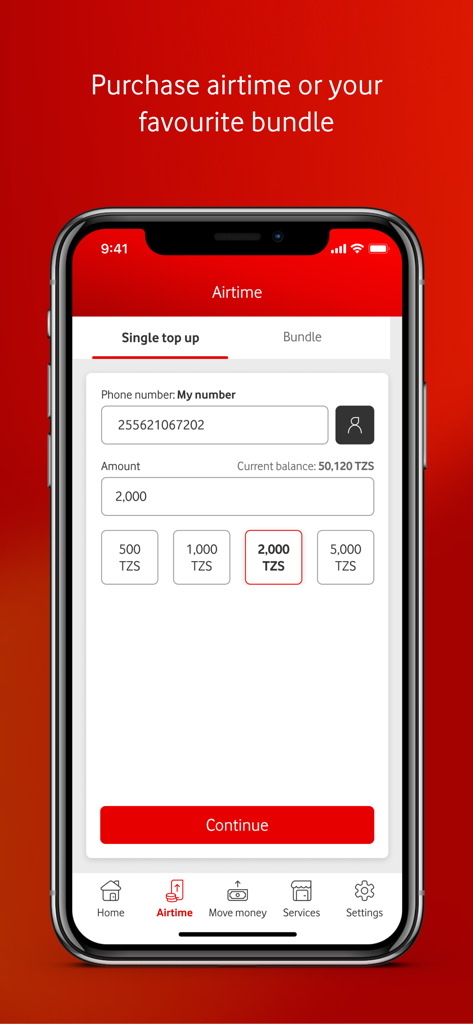
M-Pesa Tanzania app screen for purchasing mobile airtime and data bundles
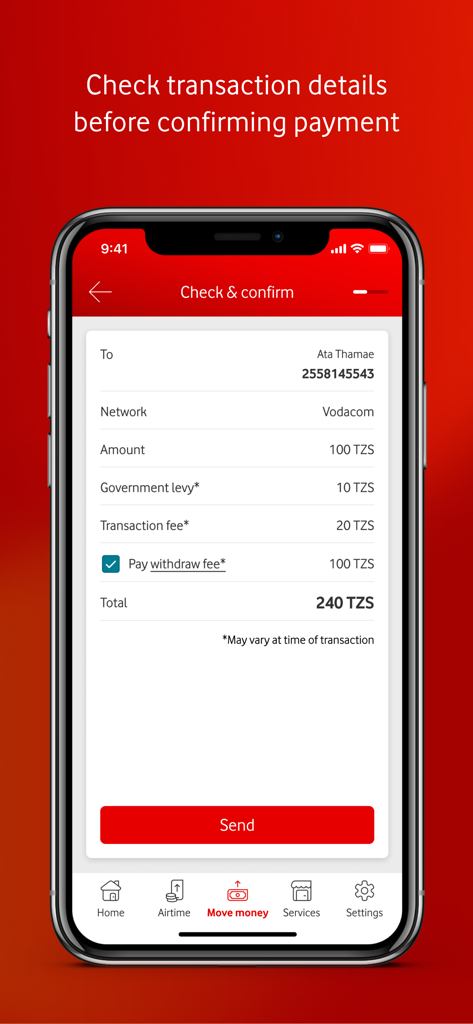
Screenshot of the check and confirm payment screen on M-Pesa Tanzania app showing transaction details and withdrawal fee option.
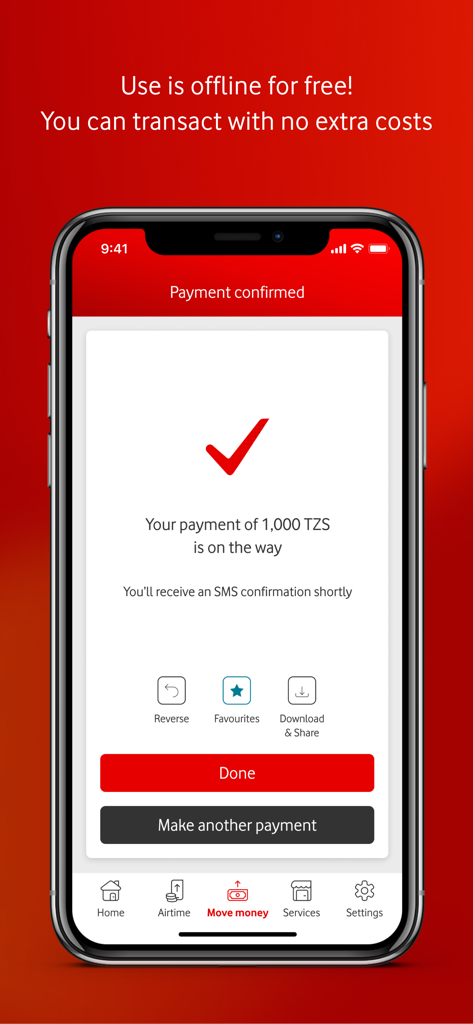
M-Pesa Tanzania app payment confirmation screen showing a successful 1,000 TZS transaction
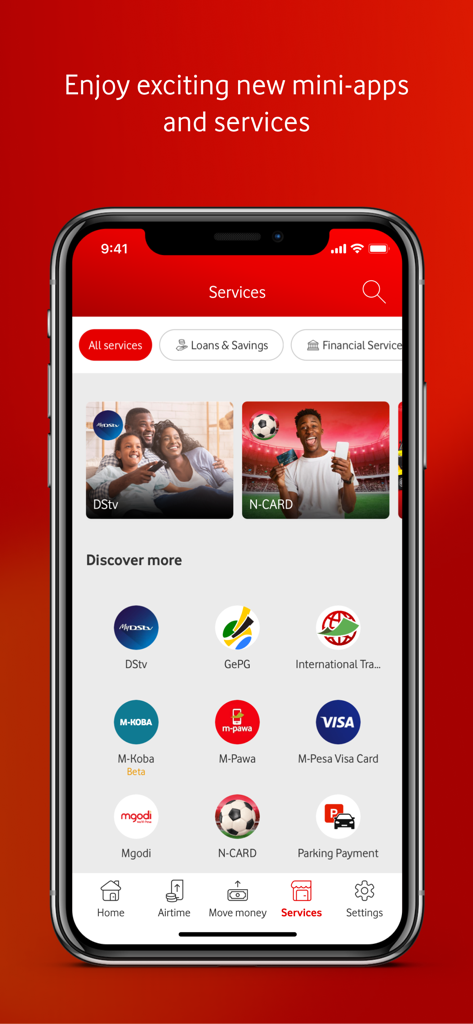
M-Pesa Tanzania app services menu displaying various mini-apps for bill payments and financial transactions
Description
Download
More Like This
Apps with similar features and user experience

DaviPlata
BANCO DAVIVIENDA SA

payme - переводы и платежи
INSPIRED LLC

DM App: Conta, Crédito e Pix
Dmcard Cartoes de Credito

Deuna!
Banco Pichincha C.A.

Flip: Transfer Without Admin
FLIPTECH LENTERA INSPIRASI PERTIWI, PT

HelloMoney by AUB
ASIA UNITED BANK CORPORATION

Flash: Mobile Payments & Bills
Flash For Technological Solutions

urpay
GLOBAL FINANCIAL DIGITAL SOLUTIONS COMPANY

RCBC DiskarTech Savings
Rizal Commercial Banking Corporation
This page is not an official page of the app or its developer, but an independent editorial publication created for informational and commentary purposes. Unless expressly stated otherwise, neither the app nor its developer is affiliated with, endorsed by, sponsored by, authorized by, or otherwise officially connected with MWM, Apple, Google Play, the app publisher, or the app's developer, and nothing on this page implies that the app was developed using MWM's services. Any trademarks, logos, screenshots, and other content remain the property of their respective owners.