
This page is not an official page of the app or its developer, but an independent editorial publication created for informational and commentary purposes. Unless expressly stated otherwise, neither the app nor its developer is affiliated with, endorsed by, sponsored by, authorized by, or otherwise officially connected with MWM, Apple, Google Play, the app publisher, or the app's developer, and nothing on this page implies that the app was developed using MWM's services. Any trademarks, logos, screenshots, and other content remain the property of their respective owners.


Magnifying Glass & Mirror
Turn your phone into a powerful magnifier and illuminated mirror. Whether reading a menu in a dim restaurant or checking a label, get the clarity you need with a single tap.
Downloads
1M+User Rating
Total Ratings
8K+Publisher
Category
LifestyleLocales
1Latest Version
3.4Size
1.5 MBFirst Released
Sep 10, 2016Powerful Tools for Clearer Vision
Designed for simplicity and independence, our app turns your phone into a high-definition magnifier and illuminated mirror that is always in your pocket.
Steady Zoom & Freeze
Magnify tiny text on pill bottles or menus and freeze the image so you can read comfortably without needing a steady hand.
Brightened Vanity Mirror
Switch to the front camera with integrated light bars for a crystal-clear reflection, perfect for grooming in dim restaurants or theaters.
Frequently Asked Questions
Everything you need to know about Magnifying Glass & Mirror
How does Magnifying Glass & Mirror magnify objects?
Yes, the Magnifying Glass & Mirror app uses your device's camera to magnify objects. Simply point your camera at the object you wish to enlarge for magnification.
Can Magnifying Glass & Mirror be used as a mirror?
Yes, Magnifying Glass & Mirror functions as a mirror. Users can switch to the front camera and utilize integrated light bars for improved visibility in dim lighting conditions.
How do I freeze an image using Magnifying Glass & Mirror?
To freeze an image in the Magnifying Glass & Mirror app, simply tap on the screen. This action captures the current view, allowing for closer examination and adjustments.
Can I adjust frozen images in Magnifying Glass & Mirror?
Yes, after freezing an image in Magnifying Glass & Mirror, you can pinch to zoom, rotate, and pan it. The app also provides sliders for adjusting brightness and contrast.
How do I save magnified images from Magnifying Glass & Mirror?
To save an image from the Magnifying Glass & Mirror app, use the dedicated save button. This function sends the final, adjusted image directly to your device's Photos album.
Does Magnifying Glass & Mirror have a color inversion feature?
Yes, Magnifying Glass & Mirror includes a toggle button to invert colors. This feature allows users to create a negative image, providing an alternative visual representation.
The following screenshots and description are sourced directly from the app's official store listing and are the property of the app developer.
App Store
Screenshots
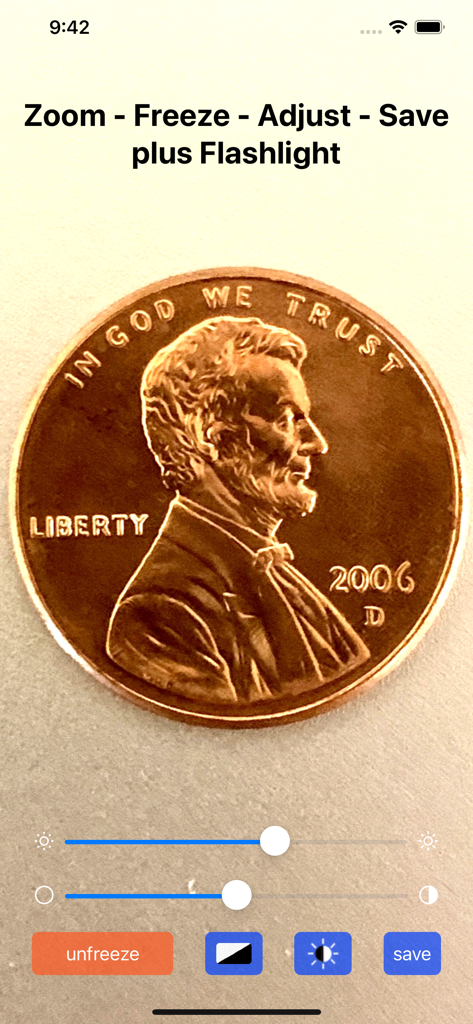
A magnified image of a penny within the Magnifying Glass app showing zoom and adjustment controls
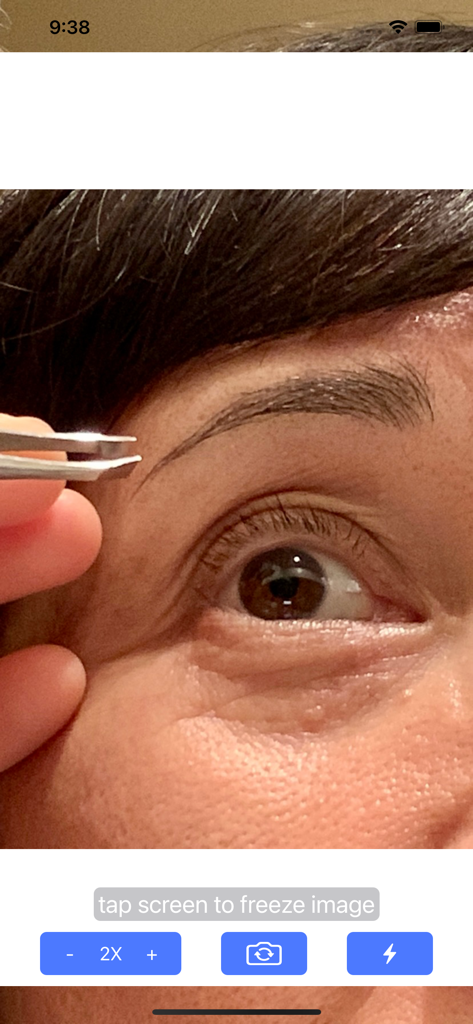
Close up of an eye and eyebrow being groomed with tweezers using the magnifying mirror app zoom interface
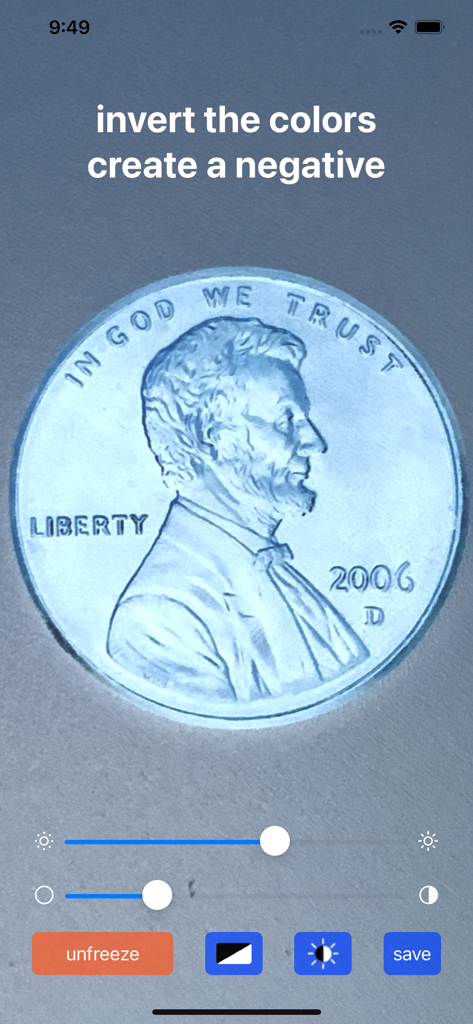
Magnifying glass app showing a zoomed in penny with inverted colors in negative mode for high contrast visibility.
Description
Download
More Like This
Apps with similar features and user experience




This page is not an official page of the app or its developer, but an independent editorial publication created for informational and commentary purposes. Unless expressly stated otherwise, neither the app nor its developer is affiliated with, endorsed by, sponsored by, authorized by, or otherwise officially connected with MWM, Apple, Google Play, the app publisher, or the app's developer, and nothing on this page implies that the app was developed using MWM's services. Any trademarks, logos, screenshots, and other content remain the property of their respective owners.