
This page is not an official page of the app or its developer, but an independent editorial publication created for informational and commentary purposes. Unless expressly stated otherwise, neither the app nor its developer is affiliated with, endorsed by, sponsored by, authorized by, or otherwise officially connected with MWM, Apple, Google Play, the app publisher, or the app's developer, and nothing on this page implies that the app was developed using MWM's services. Any trademarks, logos, screenshots, and other content remain the property of their respective owners.


MediFile
Securely access, save, and share high-quality ultrasound images and clinical reports. Connect instantly with your doctor or midwife to keep your medical milestones organized, safe, and ready to share with loved ones.
Downloads
990K+User Rating
Total Ratings
2K+Publisher
Category
MedicalLocales
1Latest Version
2.1.1Size
41.9 MBFirst Released
Dec 8, 2017Your Pregnancy Journey, Digitized
MediFile bridges the gap between the clinic and your home, providing instant access to your ultrasound images and professional medical reports in one secure place.
Instant Digital Keepsakes
Forget physical prints or outdated CDs. Receive high-quality ultrasound images and videos directly on your phone to save, cherish, and share with your loved ones instantly.
Frictionless QR Sync
Connect with your practitioner in seconds. Simply scan the QR code provided by your doctor or midwife to automatically sync your latest exam results to your personal gallery.
Frequently Asked Questions
Everything you need to know about MediFile
What is the primary function of the MediFile app?
MediFile is an essential application for patients and practitioners to find, save, and manage ultrasound images and associated medical reports.
How does MediFile help patients access their ultrasound results?
MediFile helps patients find all ultrasound images and reports provided by their doctor or midwife. It integrates directly with professional software like iMonecho.com.
Can practitioners share medical reports using MediFile?
Yes, MediFile allows practitioners to find reports sent by colleagues and share their own reports with other colleagues efficiently with a single click.
How are new images received in the MediFile app?
MediFile users receive notifications for new images when they are available after a new exam. These images can then be viewed within the app.
Does MediFile display a timeline of pregnancy ultrasounds?
Yes, MediFile displays a "Ma Grossesse" (My Pregnancy) timeline. This shows dates for events like the last menstrual period and various trimester ultrasounds with associated reports, photos, and videos.
The following screenshots and description are sourced directly from the app's official store listing and are the property of the app developer.
App Store
Screenshots
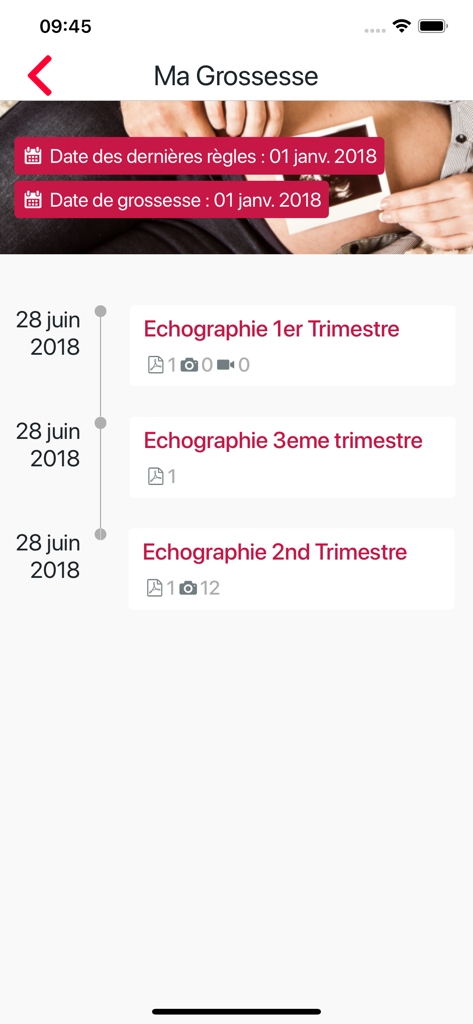
MediFile mobile app interface displaying a timeline of pregnancy ultrasound reports and images
Description
Download
More Like This
Apps with similar features and user experience

ぴよログ予防接種
PiyoLog Inc.

VNVC
VIETNAM VACCINE JOINT STOCK COMPANY

Docket® - Immunization Records
Docket Health, Inc.

열나요 - 아이를 위한 열・해열제 관리
Mobiledoctor Inc.

小豆苗
Shenzhen Threegene Technology Co., Ltd.

ALHOSN UAE
Ministry of health

金苗宝 - 宝宝打预防针的专业App
Suzhou S&S Automation Co.,Ltd.

หมอพร้อม
CHONBURI HOSPITAL

粤苗
Guangdong Provincial Center for Disease Control and Prevention
This page is not an official page of the app or its developer, but an independent editorial publication created for informational and commentary purposes. Unless expressly stated otherwise, neither the app nor its developer is affiliated with, endorsed by, sponsored by, authorized by, or otherwise officially connected with MWM, Apple, Google Play, the app publisher, or the app's developer, and nothing on this page implies that the app was developed using MWM's services. Any trademarks, logos, screenshots, and other content remain the property of their respective owners.