
This page is not an official page of the app or its developer, but an independent editorial publication created for informational and commentary purposes. Unless expressly stated otherwise, neither the app nor its developer is affiliated with, endorsed by, sponsored by, authorized by, or otherwise officially connected with MWM, Apple, Google Play, the app publisher, or the app's developer, and nothing on this page implies that the app was developed using MWM's services. Any trademarks, logos, screenshots, and other content remain the property of their respective owners.


mem
Harness the power of the Leitner System to optimize your memory. Scan physical cards, sync via Dropbox, and take full control of your study sessions with the ultimate tool for high-achieving students and professionals.
Downloads
22K+User Rating
Total Ratings
0Publisher
Category
ReferenceLocales
3Latest Version
2.1.11Size
13.8 MBFirst Released
Feb 15, 2014Master Complex Subjects with Scientific Precision
Designed for high-achievers, mem uses the proven Leitner System to turn overwhelming study loads into manageable, long-term knowledge.
Evidence-Based Spaced Repetition
Review cards at mathematically optimized intervals using the Leitner System to move information from short-term to long-term memory.
Seamless Data Ownership
Maintain total control with non-proprietary CSV files and instant Dropbox synchronization between your Mac, PC, and mobile devices.
Frequently Asked Questions
Everything you need to know about mem
What is the Hand Computer app?
The Hand Computer app simulates the Leitner system, offering a simple and effective memory tool. It assists foreign language students and individuals studying any subject to remember words or phrases using spaced repetition flashcards.
How does the Hand Computer app work?
The Hand Computer app simulates the Leitner system. Users add new cards to the first compartment. If remembered during review, cards move to the next compartment; if forgotten, they return to the first. This employs spaced repetition.
What is the Leitner System in the Hand Computer app?
The Hand Computer app uses the Leitner System, a flashcard-based memory tool. This system, designed by Sebastion Leitner, applies spaced repetition by reviewing cards at increasing intervals across different compartments to enhance memory retention.
Can I capture my own cards with the Hand Computer app?
Yes, the Hand Computer app allows users to capture their own cards. This is done by tapping the “+” button, then the Camera button, and choosing “Scan Multiple Cards” within the app.
Does the Hand Computer app support synchronization with Dropbox?
Yes, the Hand Computer app supports synchronization via Dropbox. This feature allows users to edit their documents on a Mac or PC, ensuring data consistency across devices.
Does the Hand Computer app have a Night Mode?
Yes, the Hand Computer app includes a Night Mode. This feature provides a gentler visual experience, which is beneficial for users who are studying during nighttime hours.
What file format does Hand Computer app use for cards?
The Hand Computer app saves documents in a non-proprietary plain text CSV file format. This ensures compatibility and allows users to easily manage and edit their card data.
How can I add multiple words to the Hand Computer app using Dropbox?
Users add multiple words to Hand Computer via Dropbox. Prepare a CSV file on a Mac/PC with "Word, Definition" format, then save it in the Hand Computer folder within Dropbox.
Does the Hand Computer app include sound for words?
Yes, the Hand Computer app allows users to listen to words. This audio feature aims to improve memory retention and pronunciation for language learners or those studying new vocabulary.
Does the Hand Computer app use spaced repetition?
Yes, the Hand Computer app incorporates spaced repetition. It is a core principle of the Leitner system simulation, ensuring cards are reviewed at optimal, increasing intervals for effective memory retention.
The following screenshots and description are sourced directly from the app's official store listing and are the property of the app developer.
App Store
Screenshots
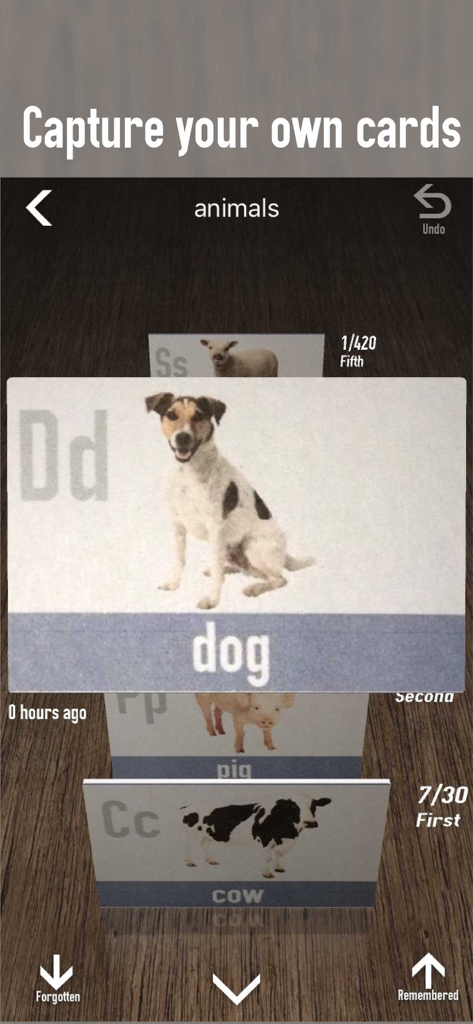
Mobile interface of the mem app displaying a 3D stack of animal flashcards with options to mark cards as remembered or forgotten
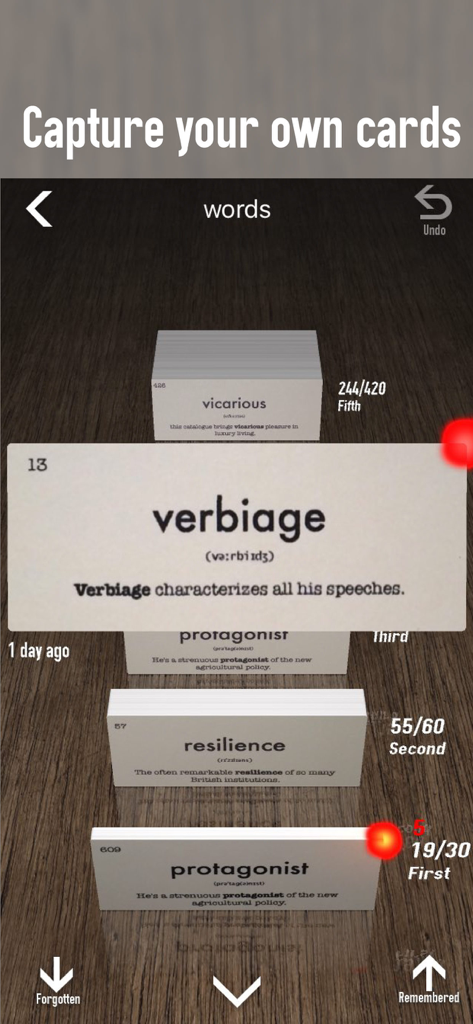
A digital flashcard interface showing vocabulary words like verbiage and resilience organized by the Leitner system in the mem app.
Description
Download
More Like This
Top-ranked apps in the same category

Google Translate
Google LLC

火箭沙盒
P2E CO., LTD.

Bible
Life.Church

Bible Chat: Daily Devotional
BookVitals APP SRL

Youdao Dictionary
Beijing NetEase Youdao Computer System Co.,Ltd

Translate Now - AI Translator
AIR APPS SYSTEMS, UNIPESSOAL, LDA

Naver Papago - AI Translator
NAVER Corp.

ΗiΤV - Endless Movies & Shows
学 张

Live Translator - AI Translate
DigitalSail (HK) Limited
This page is not an official page of the app or its developer, but an independent editorial publication created for informational and commentary purposes. Unless expressly stated otherwise, neither the app nor its developer is affiliated with, endorsed by, sponsored by, authorized by, or otherwise officially connected with MWM, Apple, Google Play, the app publisher, or the app's developer, and nothing on this page implies that the app was developed using MWM's services. Any trademarks, logos, screenshots, and other content remain the property of their respective owners.