
This page is not an official page of the app or its developer, but an independent editorial publication created for informational and commentary purposes. Unless expressly stated otherwise, neither the app nor its developer is affiliated with, endorsed by, sponsored by, authorized by, or otherwise officially connected with MWM, Apple, Google Play, the app publisher, or the app's developer, and nothing on this page implies that the app was developed using MWM's services. Any trademarks, logos, screenshots, and other content remain the property of their respective owners.

Messages
Experience the power of the blue bubble. Whether you're editing a sent text, sharing via satellite, or collaborating with friends, stay seamlessly connected across your iPhone, Mac, and Apple Watch with industry-leading privacy.
Downloads
36K+User Rating
Total Ratings
65K+Publisher
Category
Social NetworkingLocales
33Latest Version
3.0Size
5.3 MBFirst Released
Oct 25, 2021More Than Just a Text
Experience the gold standard of communication with tools designed for deep expression, total privacy, and seamless connection across all your devices.
Expressive by Nature
Bring every chat to life with Memoji, stickers, and full-screen effects that make your personality shine through every message.
Safety & Peace of Mind
Keep your circle updated with automatic Check Ins and stay reachable even without cell service using Messages via satellite.
Frequently Asked Questions
Everything you need to know about Messages
What is the Messages app?
The Messages app is a communication platform for sending unlimited texts, photos, videos, and documents to iOS, iPadOS, macOS, watchOS, or visionOS devices using iMessage, or via RCS, SMS, and MMS.
Can I send messages without cellular or Wi-Fi using the Messages app?
Yes, the Messages app supports sending Messages via satellite to stay connected even when cellular or Wi-Fi is unavailable. This feature's availability varies by region.
Does the Messages app translate incoming texts?
Yes, the Messages app can automatically translate incoming texts, including group messages. This functionality extends to the Apple Watch version of the app.
How does the Messages app handle spam?
The Messages app features on-device spam detection to filter spam from conversations. Users can also opt-in to screen messages from unknown numbers, enhancing privacy.
Can I edit a message after sending it in the Messages app?
Yes, you can edit any message in the Messages app for up to 15 minutes after sending it. Recipients will see a record of all edits made to the message.
Is it possible to unsend a message in the Messages app?
Yes, the Messages app allows you to unsend any message for up to 2 minutes after sending it, providing a brief window to retract accidentally sent texts.
Can I schedule messages to send later with the Messages app?
Yes, the Messages app allows you to schedule a message to send at a specified time using the 'Send Later' feature, aiding in planned communications.
What are some personalization features in the Messages app?
The Messages app offers personalization features like sharing your name, photo, or Memoji. You can also add effects to messages and customize group conversations with names and photos.
How do I manage group conversations in the Messages app?
The Messages app helps manage group conversations by allowing you to name groups, add photos, use Mentions to direct messages, and employ inline replies for specific messages.
Does the Messages app integrate with other Apple services?
Yes, the Messages app integrates with iMessage apps, Apple Cash, SharePlay for synchronized activities, and the Shared with You feature for content from other Apple apps.
Can I use the Messages app on Apple Watch?
Yes, the Messages app is available on Apple Watch. It enables quick reading and responding, smart replies, dictation, audio messages, and a QWERTY keyboard on Series 7 or later.
Does the Messages app support polls?
Yes, the Messages app allows users to create and send polls within conversations. This feature facilitates gathering opinions or making decisions directly within the chat interface.
Can I filter messages in the Messages app?
Yes, the Messages app provides message filters, allowing you to categorize conversations. You can filter by 'Messages', 'Unknown Senders', 'Spam', 'Recently Deleted', and 'Drafts'.
How does the Check In feature work in Messages?
The Check In feature in Messages allows you to automatically notify friends or family upon reaching a destination or after a set time, enhancing personal safety and communication.
Does Messages in iCloud keep my message history updated across devices?
Yes, Messages in iCloud keeps your complete message history updated and accessible across your iPhone, iPad, Mac, Apple Watch, and Apple Vision Pro, even on new devices.
The following screenshots and description are sourced directly from the app's official store listing and are the property of the app developer.
App Store
Screenshots
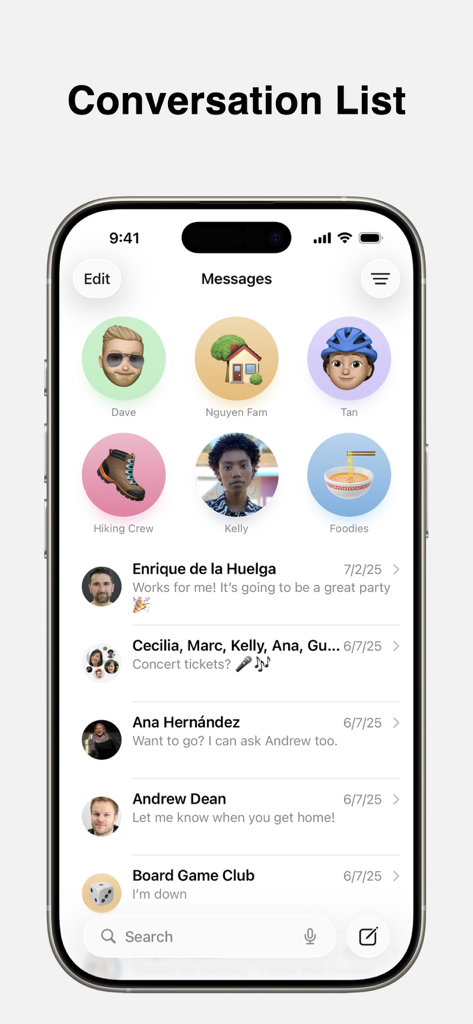
iPhone screen showing the Apple Messages app conversation list with pinned contacts
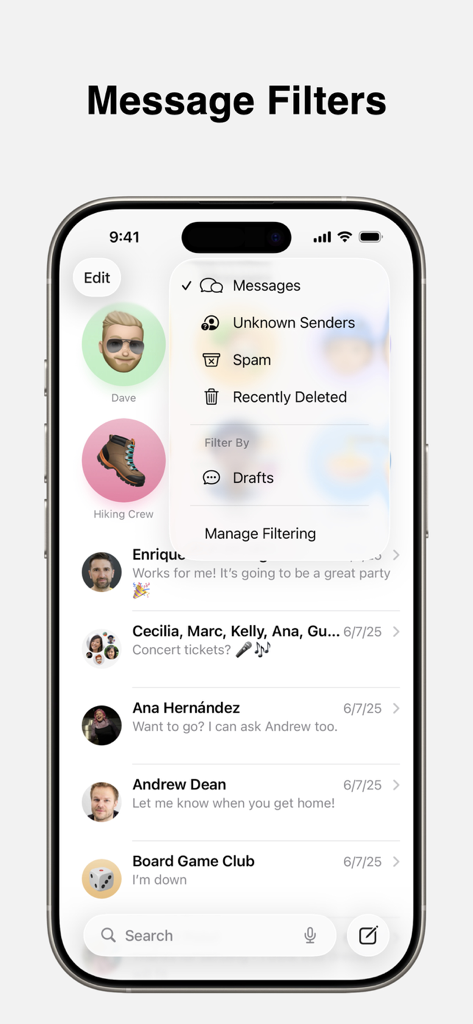
Apple Messages app on iPhone showing message filtering options for unknown senders and spam
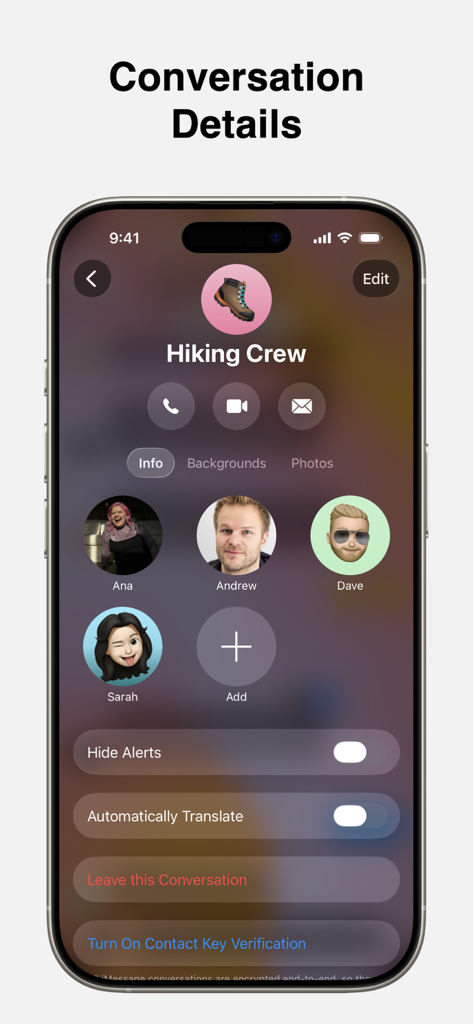
iPhone screen showing the Conversation Details page for a group chat named Hiking Crew in the Apple Messages app.
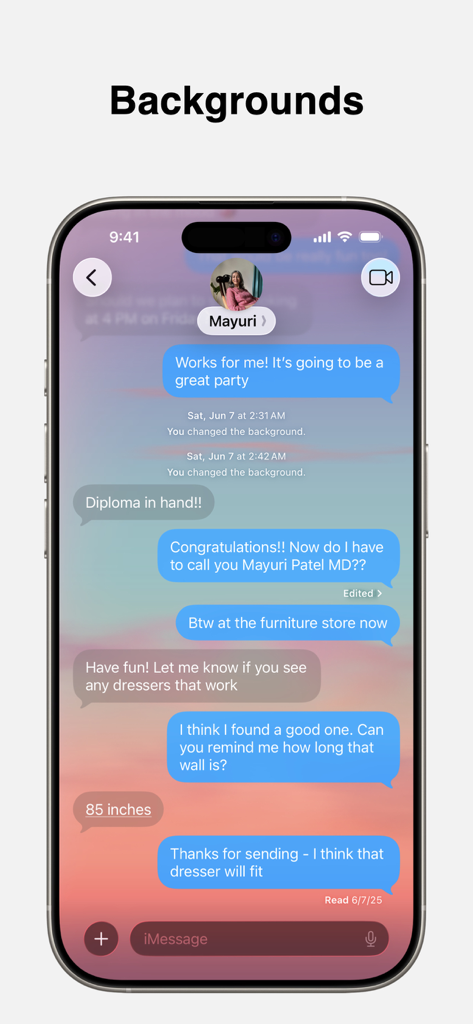
iPhone screen displaying the Messages app with a custom sunset chat background
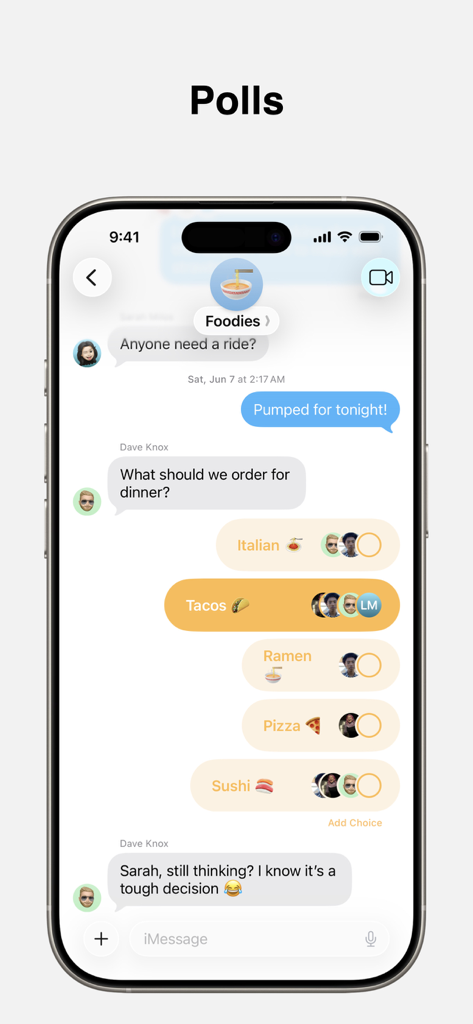
A group chat in the Apple Messages app displaying a poll with several dinner options like Tacos and Sushi.
Description
Download
More Like This
Top-ranked apps in the same category

Threads
Instagram, Inc.

Telegram Messenger
Telegram FZ-LLC

WhatsApp Messenger
WhatsApp Inc.

Meta Platforms, Inc.

Messenger
Meta Platforms, Inc.
Google Meet
Google LLC

Discord - Talk, Play, Hang Out
Discord Inc.

rednote
Xingin Information Technology (Shanghai) Co., Ltd

Tencent Technology (Shenzhen) Company Limited
This page is not an official page of the app or its developer, but an independent editorial publication created for informational and commentary purposes. Unless expressly stated otherwise, neither the app nor its developer is affiliated with, endorsed by, sponsored by, authorized by, or otherwise officially connected with MWM, Apple, Google Play, the app publisher, or the app's developer, and nothing on this page implies that the app was developed using MWM's services. Any trademarks, logos, screenshots, and other content remain the property of their respective owners.