
This page is not an official page of the app or its developer, but an independent editorial publication created for informational and commentary purposes. Unless expressly stated otherwise, neither the app nor its developer is affiliated with, endorsed by, sponsored by, authorized by, or otherwise officially connected with MWM, Apple, Google Play, the app publisher, or the app's developer, and nothing on this page implies that the app was developed using MWM's services. Any trademarks, logos, screenshots, and other content remain the property of their respective owners.


Mi WOM
Take full control of your mobile life from abroad. Effortlessly pay bills, recharge data for your family back home, and keep your Colombian line active with just one tap.
Downloads
352K+User Rating
Total Ratings
2K+Publisher
Category
ProductivityLocales
1Latest Version
4.6.8Size
89.6 MBFirst Released
Mar 15, 2022Manage Your Colombian Connection from the US
Mi WOM bridges the gap, allowing you to handle recharges, payments, and plan management for yourself or your family back in Colombia with just a few taps.
Remote Bill Payments
Instantly pay bills or top up data for family members in Colombia to keep everyone connected without the hassle of third-party services.
Keep Your Number Active
Maintain your Colombian SIM card from abroad to receive essential bank OTP codes and manage your digital identity without it expiring.
Frequently Asked Questions
Everything you need to know about Mi WOM
How to log in to the Mi WOM app?
You log in to the Mi WOM app using your mobile number or document number. After entering your details, the app sends a verification code to complete the login process.
What features does the Mi WOM app offer for customers?
The Mi WOM app allows you to activate a line, port your number, recharge, buy packages, pay bills, track orders, and access the help center for prepaid and postpaid products.
Can I manage my bills and payments in the Mi WOM app?
Yes, the Mi WOM app enables you to pay bills, view your payment history, and configure automatic payments. You can access current and past invoices easily.
How do I check my data usage and plan details with Mi WOM?
In the Mi WOM app, access the 'Mi Plan' section to view your data usage, available GB for navigation and sharing, and other plan specifics like unlimited minutes and SMS.
Does the Mi WOM app support both prepaid and postpaid services?
Yes, the Mi WOM app supports comprehensive management for both prepaid and postpaid products. Users can handle their specific service needs within the application.
Can I purchase data packages and recharge my line via the Mi WOM app?
Yes, you can conveniently buy data packages and recharge your line directly through the Mi WOM app. This functionality is available even before logging in.
How can I view my current balance and recharge history in Mi WOM?
The Mi WOM app displays your current balance and provides a detailed history of all your recharges, including the dates and amounts for each transaction.
What can I do in the Mi WOM app without logging in?
The Mi WOM app allows users to buy packages and recharges, track orders, pay bills, register new lines, or initiate porting processes even before logging in.
The following screenshots and description are sourced directly from the app's official store listing and are the property of the app developer.
App Store
Screenshots
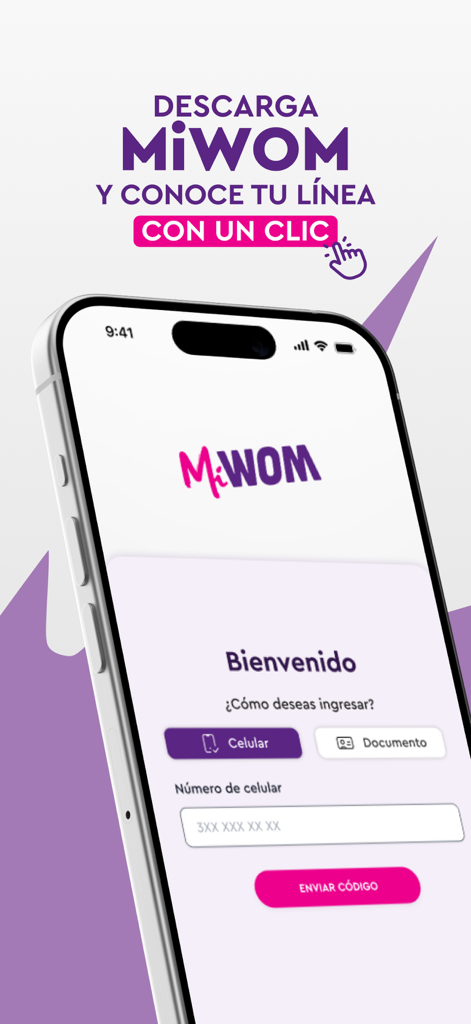
Welcome screen of the Mi WOM app on a smartphone with a login field for mobile numbers.
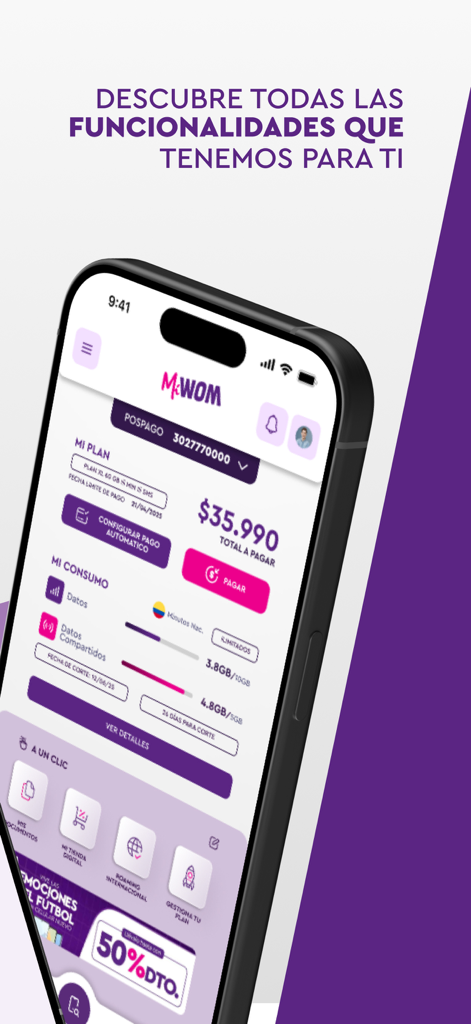
Mi WOM mobile app interface showing postpaid plan balance and data consumption
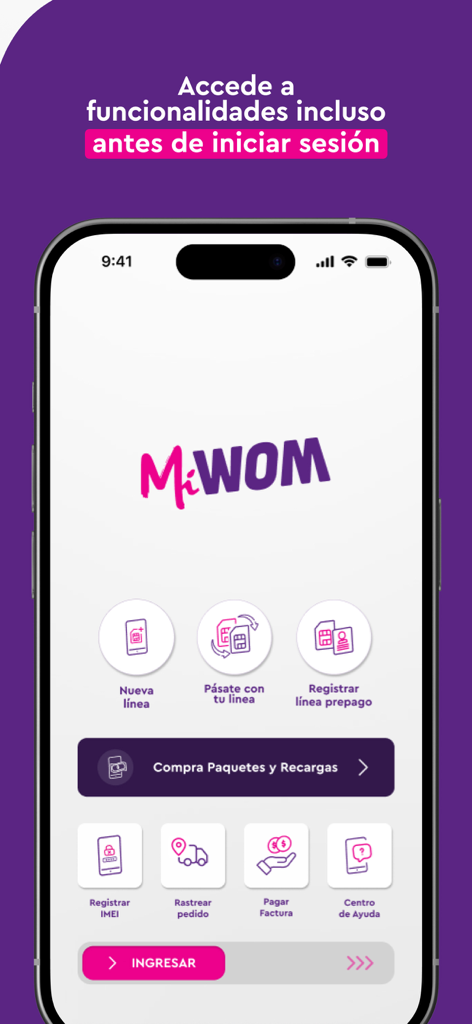
Smartphone screen showing the Mi WOM app menu with options to buy packages, pay bills, and register new lines.
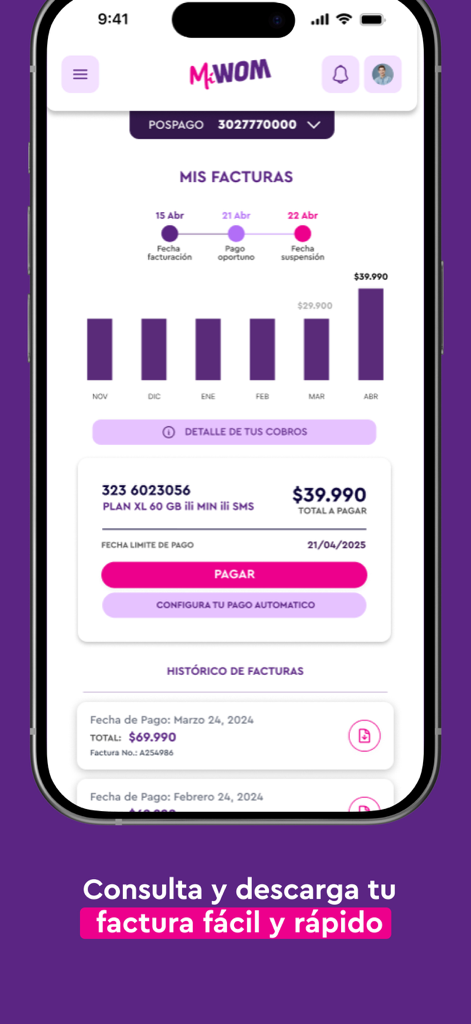
Screenshot of Mi WOM app showing monthly billing history chart and a payment button for mobile plans.
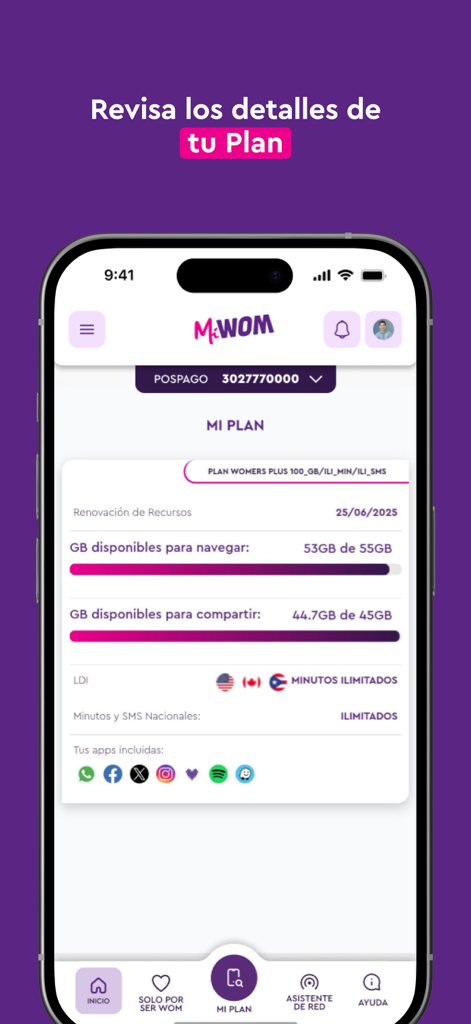
Mi WOM app interface showing mobile plan details and data consumption
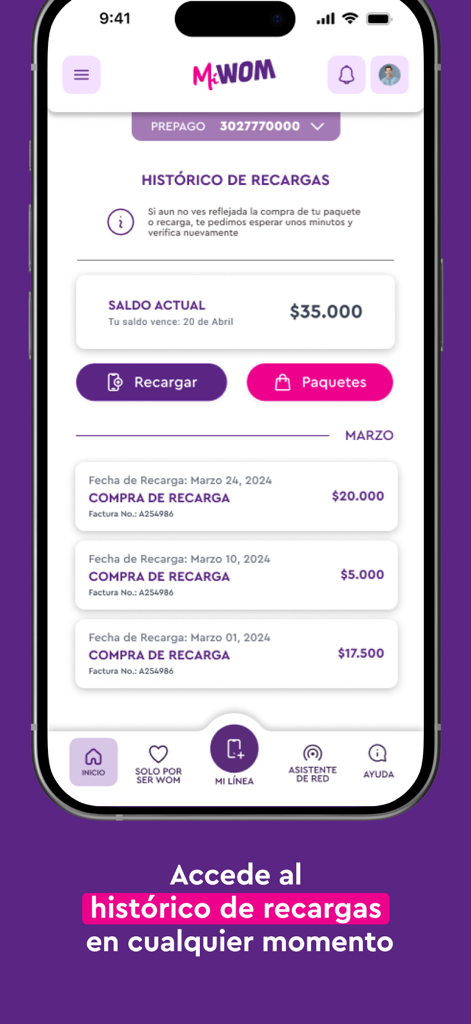
Interface of Mi WOM app displaying prepaid recharge history and current balance
Description
Download
More Like This
Apps with similar features and user experience

My lifecell
Limited Liability Company "ASTELIT"

My Straight Talk: Mobile App
Tracfone Wireless Inc.

Azercell
Azercell Telecom MMC

Halo Telco
Winner Venture Sdn Bhd

Everyday Mobile (Woolworths)
Woolworths Group Limited

Bakcell
BAKCELL MMC

Mint Mobile
UVNV, Inc.

Visible mobile
Visible Service LLC

myMetro®
MetroPCS Wireless, Inc.
This page is not an official page of the app or its developer, but an independent editorial publication created for informational and commentary purposes. Unless expressly stated otherwise, neither the app nor its developer is affiliated with, endorsed by, sponsored by, authorized by, or otherwise officially connected with MWM, Apple, Google Play, the app publisher, or the app's developer, and nothing on this page implies that the app was developed using MWM's services. Any trademarks, logos, screenshots, and other content remain the property of their respective owners.