Microsoft Clipchamp

Microsoft Clipchamp

Download on App Store
Logo of Microsoft Clipchamp

Microsoft Clipchamp: Create Pro-Quality Social Videos in Minutes

Master the creator economy with AI-powered auto-captions, trending templates, and effortless editing tools designed to grow your brand on TikTok, Reels, and Shorts.

Publisher

Microsoft Corporation

Category

Photo & Video

Downloads

1M+

User Rating

4.6/5

Total Ratings

9K+

Locales

33

Your Studio in Pictures

Discover the interface used by 1M+ users.
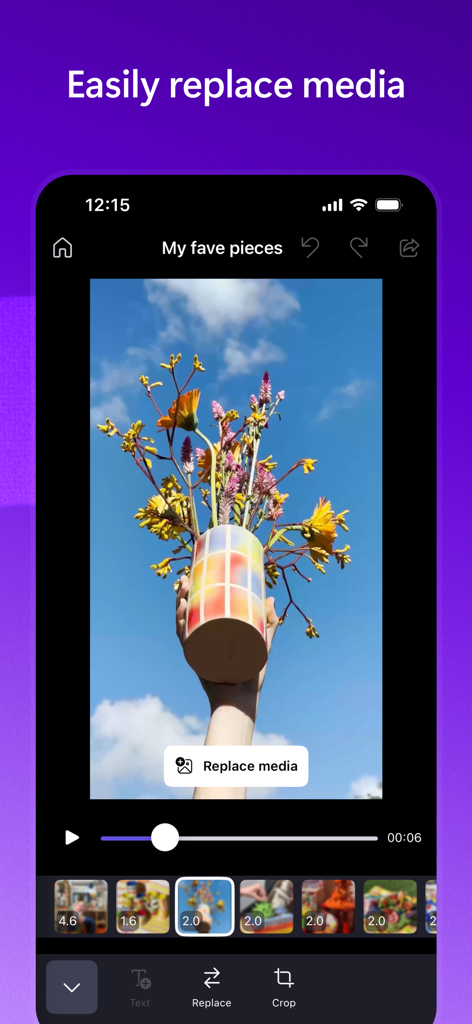
Screenshot of Microsoft Clipchamp app showing the easily replace media feature with a video of flowers in a vase.

Screenshot of Microsoft Clipchamp app showing the easily replace media feature with a video of flowers in a vase.

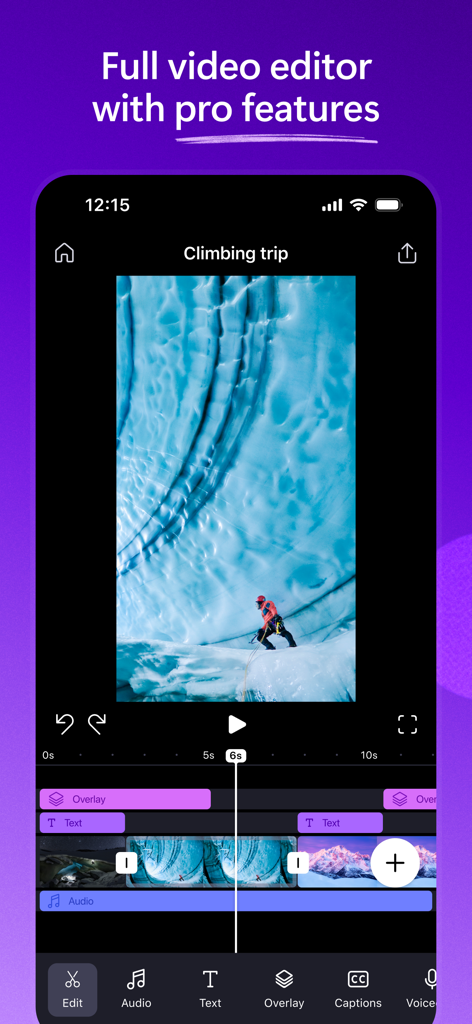
Microsoft Clipchamp mobile video editor showing timeline layers for text audio and video clips

Microsoft Clipchamp mobile video editor showing timeline layers for text audio and video clips

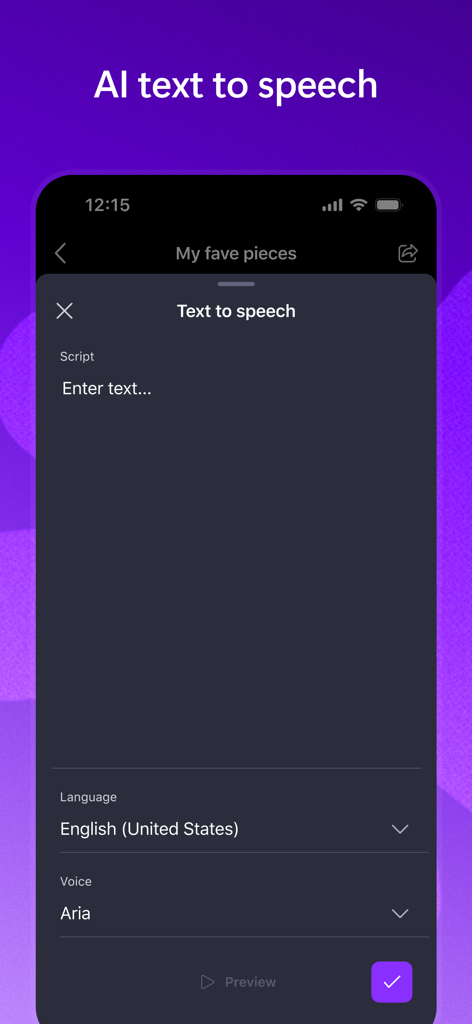
Mobile interface of Microsoft Clipchamp app showing AI text to speech tool with English United States language and Aria voice selection

Mobile interface of Microsoft Clipchamp app showing AI text to speech tool with English United States language and Aria voice selection

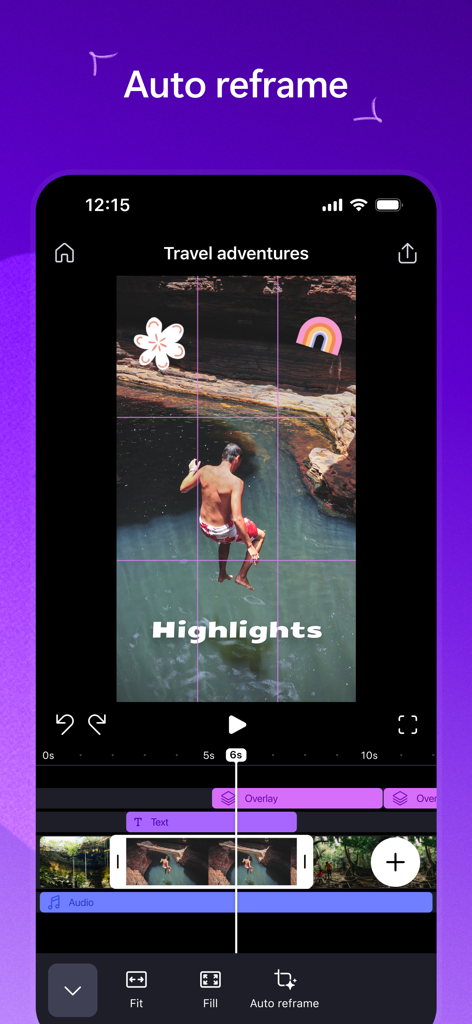
Microsoft Clipchamp mobile app interface showing the auto reframe tool used to crop a travel video for social media.

Microsoft Clipchamp mobile app interface showing the auto reframe tool used to crop a travel video for social media.

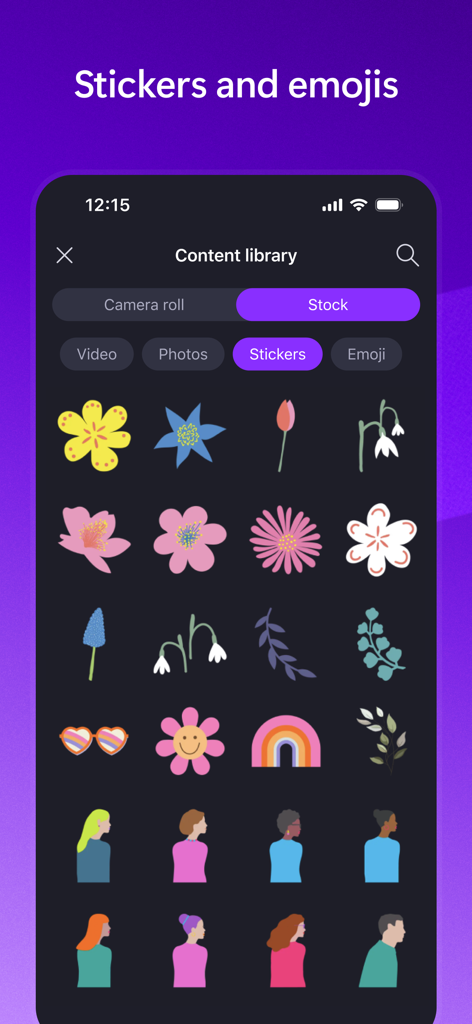
A library of flower and character stickers within the Microsoft Clipchamp mobile video editor

A library of flower and character stickers within the Microsoft Clipchamp mobile video editor

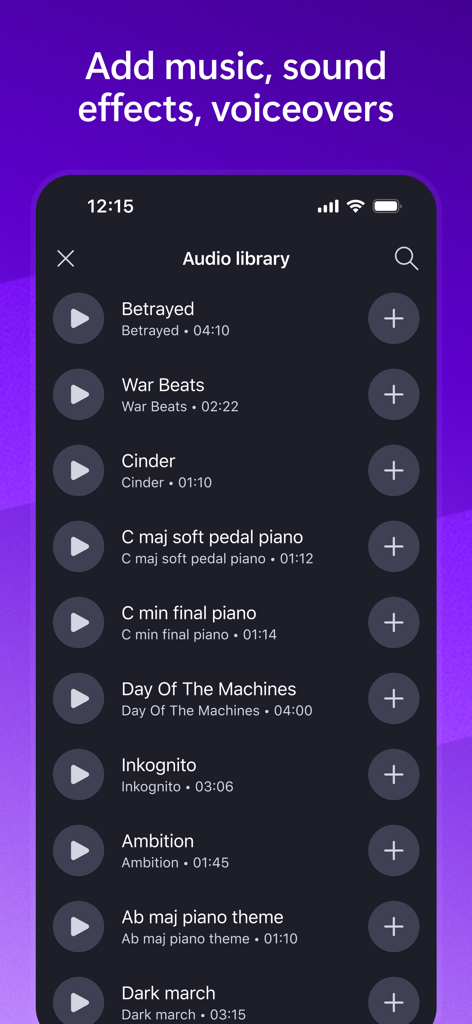
A mobile interface for the Microsoft Clipchamp audio library showing a list of music tracks with play and add buttons.

A mobile interface for the Microsoft Clipchamp audio library showing a list of music tracks with play and add buttons.

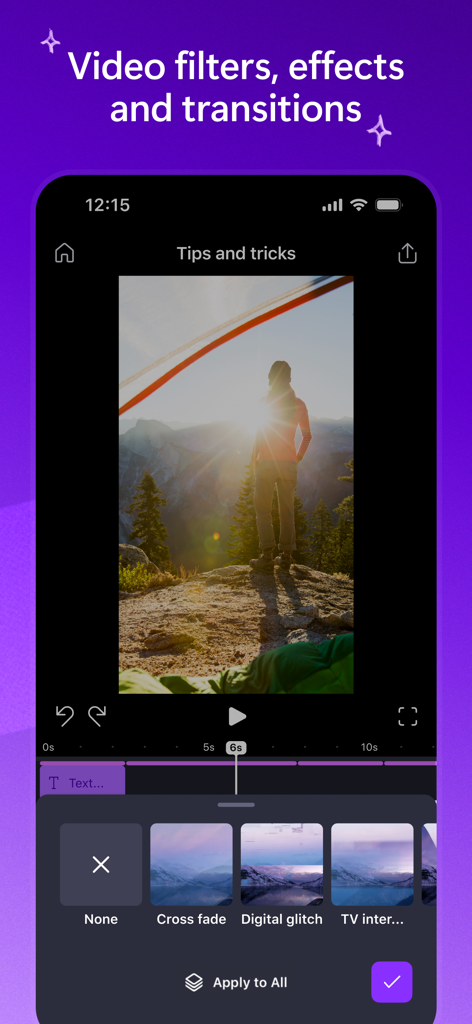
Mobile screen of Microsoft Clipchamp app showing video transition options like cross fade and digital glitch

Mobile screen of Microsoft Clipchamp app showing video transition options like cross fade and digital glitch

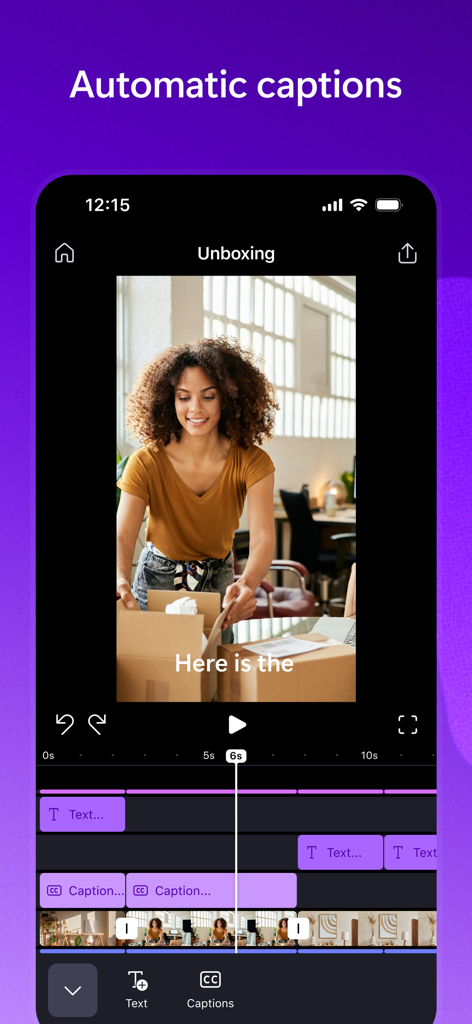
Microsoft Clipchamp mobile app showing the automatic captions editing tool for creators

Microsoft Clipchamp mobile app showing the automatic captions editing tool for creators

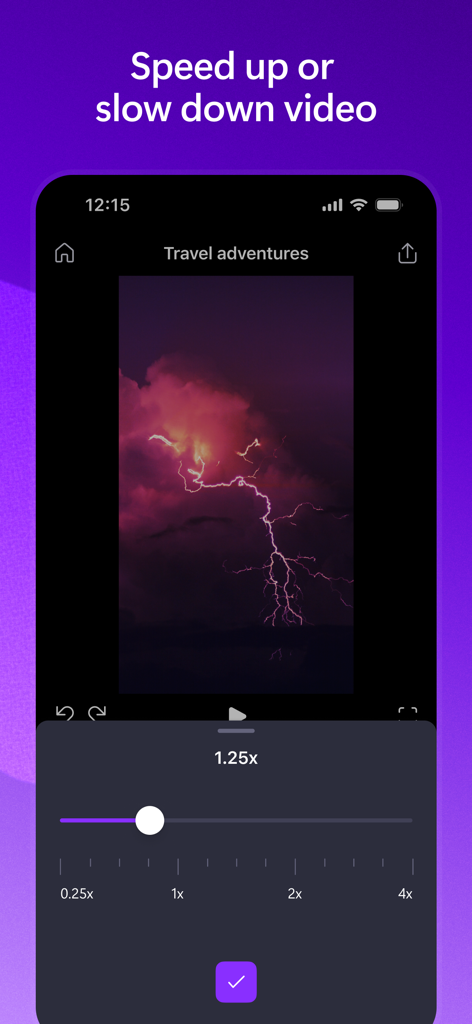
Mobile interface of Microsoft Clipchamp showing speed adjustment for a video

Mobile interface of Microsoft Clipchamp showing speed adjustment for a video

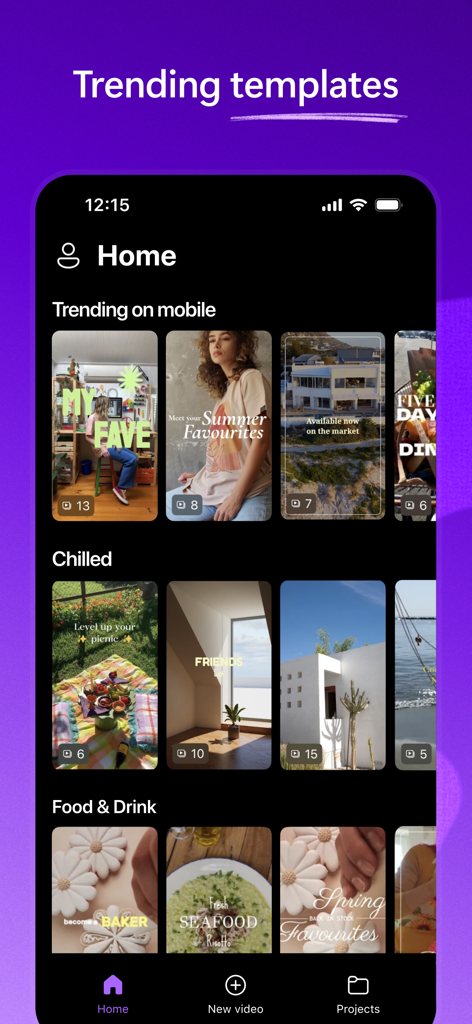
Microsoft Clipchamp home screen showing trending video templates for social media content creation

Microsoft Clipchamp home screen showing trending video templates for social media content creation

Professional Video Creation, Simplified

The tools that make this app stand out, trusted by 1M+ users.

Beat-Synced Templates

Create viral-ready Reels and TikToks in seconds with high-quality templates that automatically sync your footage to the rhythm of the music.

💬

AI Auto-Captions

Maximize engagement with the 80% of users who watch on mute. Generate accurate, stylish subtitles instantly using advanced speech-to-text AI.

🤖

Smart Auto-Reframing

Stop recording twice. Effortlessly turn your landscape videos into perfect vertical posts while the AI keeps your subject centered in every frame.

About the app

Everything you need to know about Microsoft Clipchamp.

Description

Microsoft Clipchamp - create videos made for mobile in minutes, no experience required. - Templates for small businesses Create eye catching Reels, Shorts and TikToks with high quality, beat synced templates perfect for small businesses and content creators. - Easy to use Easily swap out template footage with your own or choose from our royalty-free stock library. Edit the text and change the font and color to suit your brand. - Full video editor Express yourself with trending stickers and fonts, background music, voiceovers, transitions, effects and filters. - AI tools Create subtitles with autocaptions, make AI voiceovers with text to speech, and reframe your landscape footage into portrait mode with auto reframe.

Latest Version

2.3.15

Size

442.6 MB

First Released

Jul 29, 2020

Ready to create your next viral video?

Join over 1 million creators and small businesses using AI-powered tools to turn ideas into stunning Reels, Shorts, and TikToks in minutes. No experience required.

Download on App Store
FAQ

Frequently Asked Questions

Everything you need to know about Microsoft Clipchamp

Can I create videos for social media platforms like TikTok and Reels with Microsoft Clipchamp?

Yes, Microsoft Clipchamp provides beat-synced templates specifically designed for creating eye-catching Reels, Shorts, and TikToks. This feature is ideal for small businesses and content creators.

Does Microsoft Clipchamp offer easy video editing for beginners?

Yes, Microsoft Clipchamp is designed for users with no prior experience. It features easy media replacement, royalty-free stock footage, and customizable text, fonts, and colors.

What AI tools are included in Microsoft Clipchamp?

Microsoft Clipchamp includes several AI tools. These comprise automatic caption generation, AI voiceovers using text-to-speech functionality, and auto reframe to convert landscape footage into portrait mode.

Can I add music and voiceovers to my videos in Microsoft Clipchamp?

Yes, Microsoft Clipchamp allows users to add background music and voiceovers. The app provides an audio library to select various tracks and supports voiceover creation.

Does Microsoft Clipchamp support video speed adjustments?

Yes, Microsoft Clipchamp supports video speed adjustments. Users can control playback speed from 0.25x to 4x, allowing for slow-motion or fast-motion effects.

Are there templates available in Microsoft Clipchamp?

Yes, Microsoft Clipchamp offers trending templates. These templates are optimized for mobile video platforms and cater to various content types like business, food, and travel.

App information, icons, screenshots, and descriptions displayed on this page are sourced from the Apple App Store and are the property of their respective developers. Download estimates and rankings are based on MWM's proprietary models and may not reflect actual figures. This page is provided for informational and analytical purposes only.

Believe this page infringes your intellectual property? File a dispute