
This page is not an official page of the app or its developer, but an independent editorial publication created for informational and commentary purposes. Unless expressly stated otherwise, neither the app nor its developer is affiliated with, endorsed by, sponsored by, authorized by, or otherwise officially connected with MWM, Apple, Google Play, the app publisher, or the app's developer, and nothing on this page implies that the app was developed using MWM's services. Any trademarks, logos, screenshots, and other content remain the property of their respective owners.


Microsoft Designer
No design degree? No problem. The app hands users a powerful AI art studio, turning casual ideas into eye-popping visuals.
Downloads
1M+User Rating
Total Ratings
977Publisher
Category
Graphics & DesignLocales
33Latest Version
1.0.33Size
73.5 MBFirst Released
Jun 11, 2024An Analytical Overview of Key Features Driving User-Friendly Visual Content Creation with AI
Microsoft Designer: A Creative Companion for Casual Users
AI-Powered Image Generation
The app provides the ability to generate diverse and imaginative images from text descriptions, empowering users to visualize concepts effortlessly.
Intelligent Photo Editing
It allows users to effortlessly remove unwanted objects, blur backgrounds, or erase distractions from photos, enhancing image clarity and focus without complex tools.
Social Post Design
The app provides tools specifically for crafting eye-catching social media posts, helping users to stand out online with custom visuals and text.
Custom Greeting Cards
It allows users to design custom greeting cards for various occasions, offering personalized messages and imagery for thoughtful communication.
Event Invitation Creator
This tool features the creation of customized invitations for any event, enabling users to design visually appealing announcements.
Personalized Digital Stickers
The app provides the creation of personalized stickers and emojis, enabling users to add unique and expressive elements to their digital communications.
Artistic Image Transformation
It allows users to transform ordinary photos into various artistic styles, generating visually appealing artwork from their existing images.
Custom Wallpaper & Backgrounds
This tool features the creation of custom wallpapers and backgrounds, enabling users to personalize their devices with unique visual themes.
Frequently Asked Questions
Everything you need to know about Microsoft Designer
What is Microsoft Designer?
Microsoft Designer is an AI-powered app that enables users to visually create, design, and edit images, designs, and photos. It uses generative AI to produce personalized content such as cards, wallpapers, and social posts.
Is Microsoft Designer free to use?
Yes, Microsoft Designer is available for free. Users access its features with a Microsoft account, which includes 5 GB of free cloud storage for saving designs, files, and photos across devices.
How do I create AI images with Microsoft Designer?
Microsoft Designer allows users to create unique images using generative AI. Users describe their desired image with words, and the AI then generates the visual content based on the text prompt.
Can Microsoft Designer remove backgrounds from photos?
Yes, Microsoft Designer includes an AI-powered feature called 'Remove background' that easily removes unwanted image backgrounds in one step. This helps users highlight subjects in their photos.
Does Microsoft Designer have a feature to erase objects from photos?
Microsoft Designer offers a 'Generative erase' feature that utilizes AI to remove distractions from photos. Users can make unwanted objects disappear from their images with precision.
What types of greeting cards can be made with Microsoft Designer?
Users can craft custom greeting cards in Microsoft Designer for various occasions, including birthdays and holidays. The app allows for personalized messages and images to be integrated into the designs.
Can I make custom stickers with Microsoft Designer?
Yes, Microsoft Designer enables users to create custom stickers. These personalized stickers can be used to stand out on messaging apps, social media, and other digital platforms.
The following screenshots and description are sourced directly from the app's official store listing and are the property of the app developer.
App Store
Screenshots
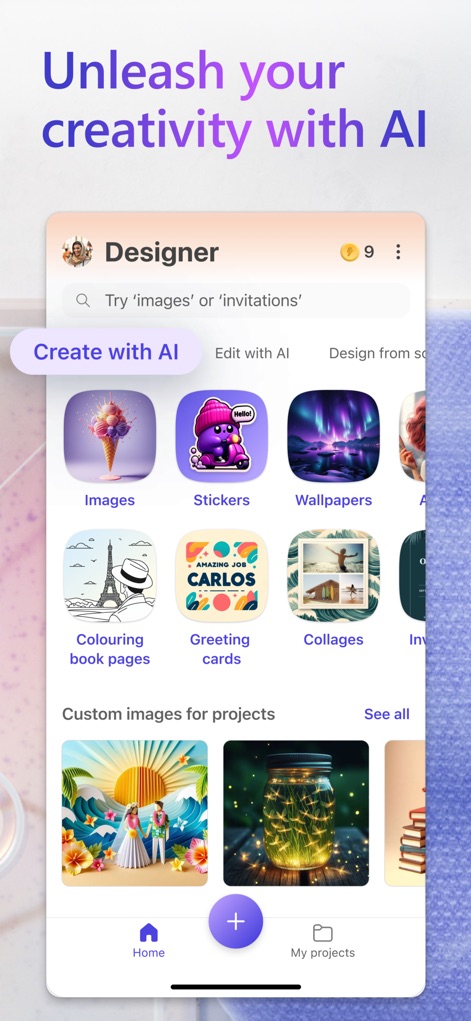
See how the app's intuitive home screen organizes diverse content creation categories and highlights custom images for projects.
AI Creation Hub
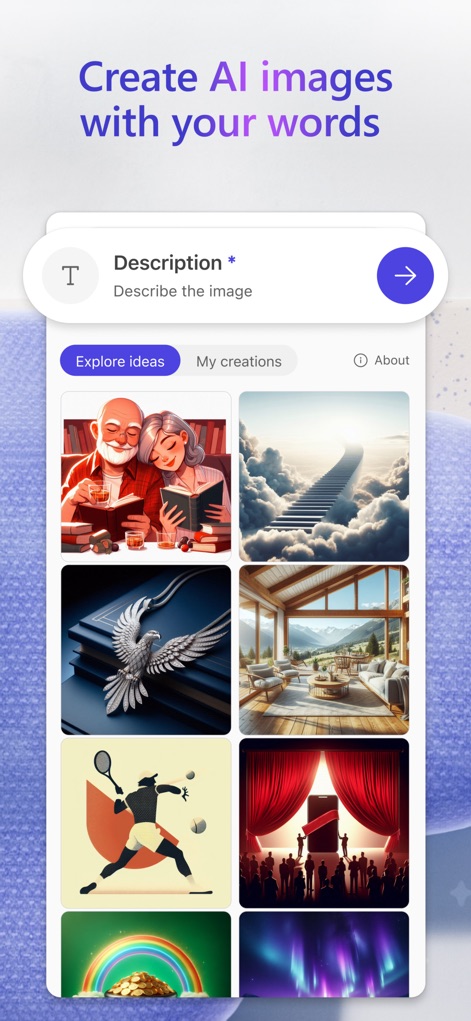
This tool demonstrates how users can generate diverse AI images by providing a text description and exploring creative ideas or personal creations.
AI Image Generation
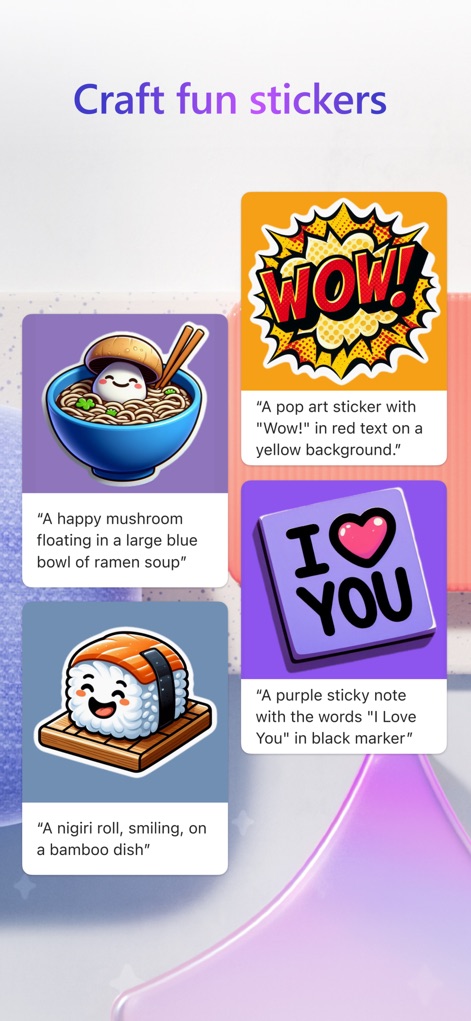
Discover how easy it is to create unique stickers by inputting descriptive text prompts and viewing the generated custom designs.
Custom Sticker Creator
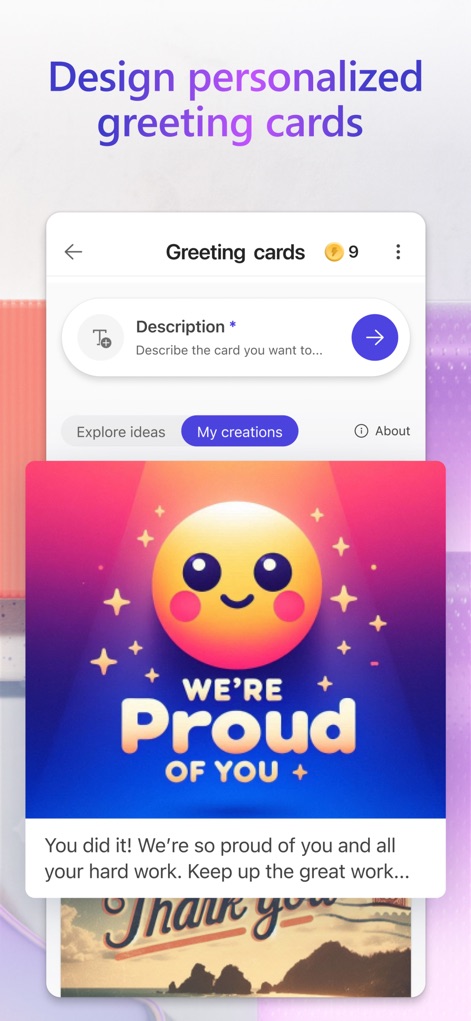
Explore how the app facilitates the design of personalized greeting cards, allowing users to input descriptions and view various creative options.
Personalized Greetings
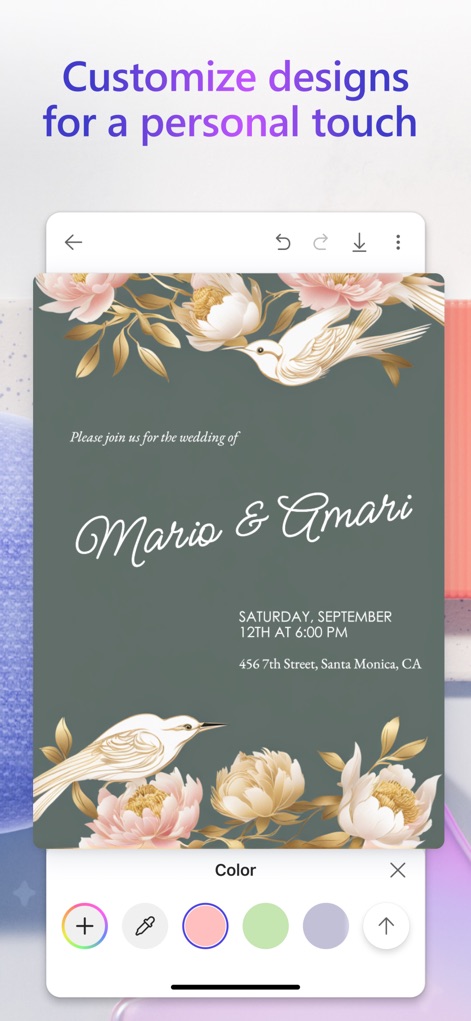
Observe how users can fine-tune designs with this editor, featuring a detailed invitation template and a convenient color selection palette.
Design Customization
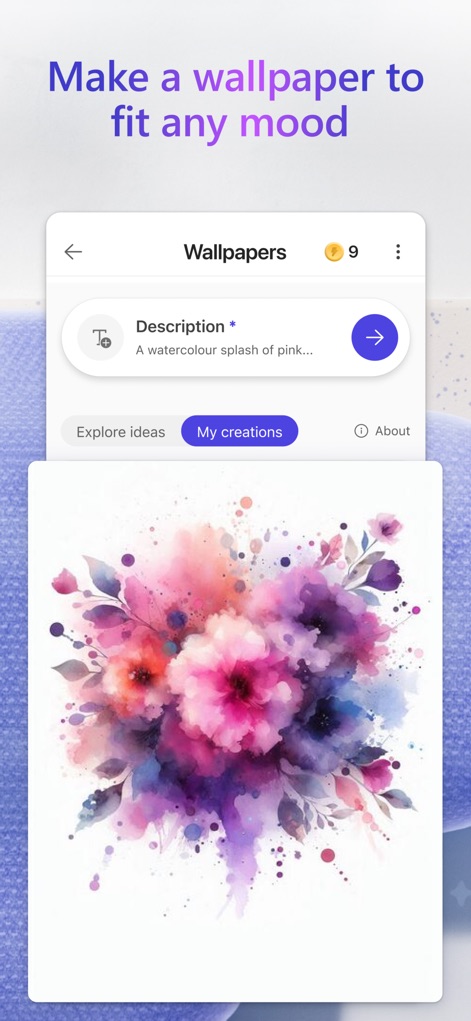
This feature allows users to generate custom wallpapers by entering a descriptive prompt and showcasing a vibrant watercolor design.
Wallpaper Creation
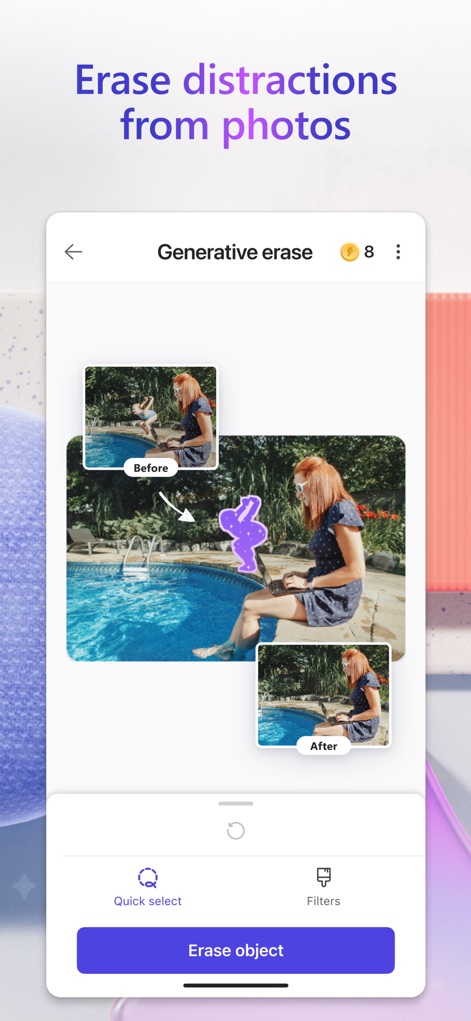
Witness the power of generative erase, which allows users to seamlessly remove unwanted objects and preview the "before" and "after" photo states.
Generative Erase
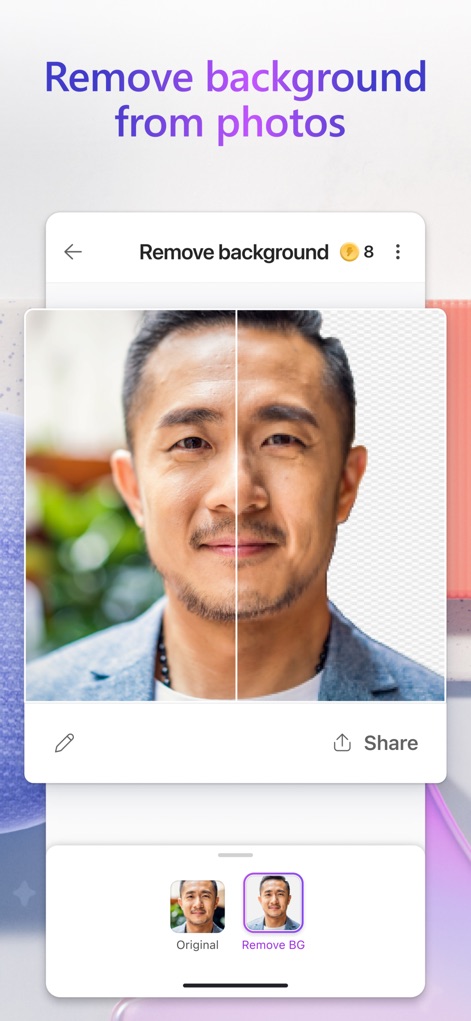
See how effortlessly the app removes photo backgrounds, presenting a clear split-screen view of the original and the transparent background result.
Background Removal
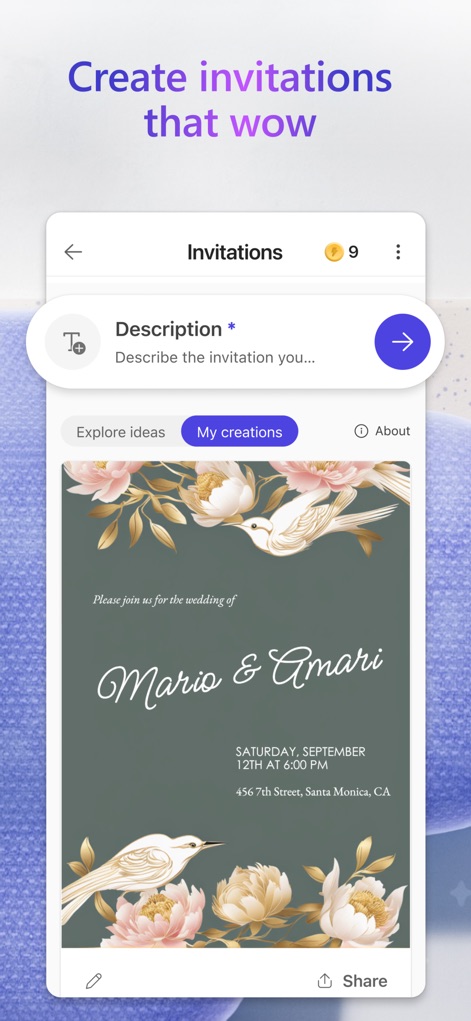
Discover how the app helps craft stunning invitations, enabling users to input event details and preview sophisticated designs.
Elegant Invitations
Description
Download
More Like This
Apps with similar features and user experience
17V28: Creative Carousel
17V28 LTD

Vivisticker: Story Maker
Printage inc.

简篇创作-AI智能排版
Beijing Jianpian Intelligent Technology Co., Ltd.

Text Art: Typography & Word
Appostrophe AB
Flyer AI. Poster design maker
Dmitry Marchenkov
Word Swag - Cool Fonts
Oringe Inc.

Storyluxe: Templates & Filters
Luxe Studio Apps LLC

IG: Story Maker & Insta Editor
APPSLAB.IO - FZCO

UniStory -Story Maker, Collage
SHANTANU PTE. LTD.
This page is not an official page of the app or its developer, but an independent editorial publication created for informational and commentary purposes. Unless expressly stated otherwise, neither the app nor its developer is affiliated with, endorsed by, sponsored by, authorized by, or otherwise officially connected with MWM, Apple, Google Play, the app publisher, or the app's developer, and nothing on this page implies that the app was developed using MWM's services. Any trademarks, logos, screenshots, and other content remain the property of their respective owners.