
This page is not an official page of the app or its developer, but an independent editorial publication created for informational and commentary purposes. Unless expressly stated otherwise, neither the app nor its developer is affiliated with, endorsed by, sponsored by, authorized by, or otherwise officially connected with MWM, Apple, Google Play, the app publisher, or the app's developer, and nothing on this page implies that the app was developed using MWM's services. Any trademarks, logos, screenshots, and other content remain the property of their respective owners.


Microsoft Edge: AI Browser
The web just changed. It cuts through noise, crafts content, and secures your data, all with intelligent precision.
Downloads
100M+User Rating
Total Ratings
1.5MPublisher
Category
UtilitiesLocales
38Latest Version
146.3856.85Size
394.2 MBFirst Released
Nov 30, 2017Evaluation of Microsoft Edge: AI Browser's Core Capabilities
An analytical overview highlighting key features that enhance productivity, security, and AI-driven assistance for tech-savvy users.
AI-Powered Copilot Integration
The app seamlessly integrates an AI assistant, Copilot, leveraging advanced OpenAI and Microsoft models (including GPT-5) to provide smart summaries of content, answer complex questions, generate images, and offer personalized search results.
Robust Security & Privacy Features
This tool provides a suite of robust security and privacy features, including tracking prevention, Microsoft Defender SmartScreen for blocking threats, AdBlock for an uncluttered experience, and InPrivate browsing to safeguard user data.
AI-Powered Content Summarization
It allows users to quickly summarize web pages, PDFs, and videos, providing clear and cited insights in seconds, significantly boosting productivity.
AI-Assisted Content Creation
The app includes Copilot as a built-in AI writer, which transforms ideas into polished drafts, assists with brainstorming, and facilitates multi-language translation and proofreading, enhancing content creation efficiency.
Password Monitoring for Data Safety
The app features a password monitoring system that alerts users if any credentials saved in the browser are found on the dark web, enhancing account security.
Voice Interaction with AI Assistant
The app enables users to interact with Copilot using voice commands, facilitating hands-free brainstorming, question answering, and content creation.
Frequently Asked Questions
Everything you need to know about Microsoft Edge: AI Browser
What is Microsoft Edge: AI Browser?
Microsoft Edge is an AI browser featuring Copilot, your personal AI assistant. It offers smarter, more productive browsing powered by OpenAI and Microsoft AI models, including GPT-5.
Does Microsoft Edge include an AI assistant?
Yes, Microsoft Edge includes Copilot, an AI assistant built in. Copilot is powered by the latest AI models from OpenAI and Microsoft, enhancing browsing capabilities.
Can Microsoft Edge summarize articles and videos?
Yes, Microsoft Edge's built-in Copilot can summarize lengthy articles, web pages, PDFs, and videos. It provides clear, cited insights rapidly.
Does Microsoft Edge support browser extensions?
Yes, Microsoft Edge supports extensions to personalize the browsing experience. Examples include cookie management, video/audio speed control, and website theme customization.
What privacy features does Microsoft Edge offer?
Microsoft Edge prioritizes privacy with features like tracking prevention, Microsoft Defender SmartScreen, AdBlock, InPrivate browsing, and password monitoring.
Can Microsoft Edge generate images using AI?
Yes, Microsoft Edge's Copilot can generate images. Users describe what they want, and the AI creates it, transforming words into a masterpiece.
Is GPT-5 integrated into Microsoft Edge?
Yes, Microsoft Edge integrates GPT-5, the smartest and most intuitive AI model. It adapts by responding fast or thinking deeply based on the query's complexity.
How does InPrivate browsing work in Microsoft Edge?
InPrivate browsing in Microsoft Edge deletes your browsing information when all InPrivate tabs close. It does not save search history to Microsoft Bing or your Microsoft account.
Can Copilot in Microsoft Edge help with content creation?
Yes, Copilot in Microsoft Edge functions as a built-in AI writer. It transforms ideas into polished drafts and translates or proofreads across multiple languages.
Does Microsoft Edge protect against phishing?
Yes, Microsoft Edge includes built-in protection against phishing and malware attacks. This protection is provided by Microsoft Defender SmartScreen.
Can I use voice commands with Copilot in Microsoft Edge?
Yes, users can talk to Copilot with their voice in Microsoft Edge. This allows for hands-free brainstorming, complex questions, or writing stories and scripts.
The following screenshots and description are sourced directly from the app's official store listing and are the property of the app developer.
App Store
Screenshots
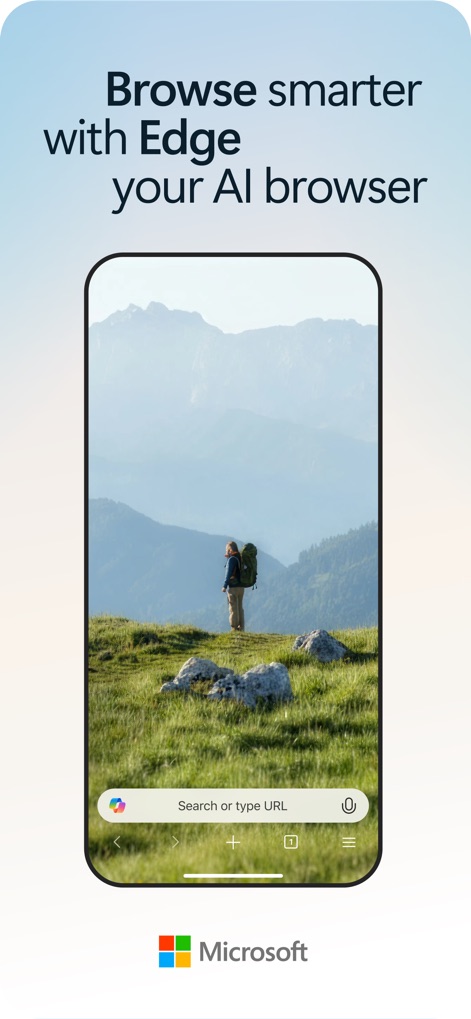
AI-Powered Browsing
The app showcases its intelligent search bar powered by Copilot, enabling smarter and more efficient web navigation.
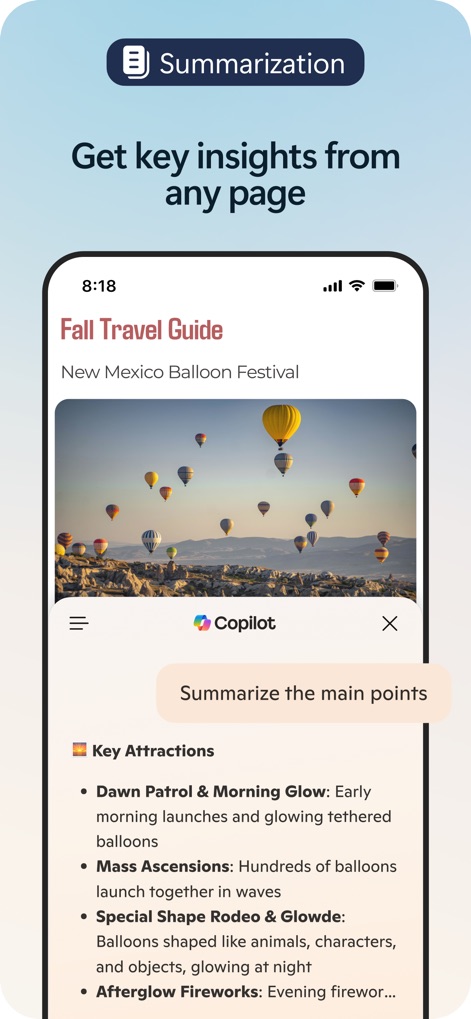
Instant Article Summaries
Users can leverage the built-in summarization feature to quickly extract key insights from lengthy articles and receive concise bullet-point overviews.
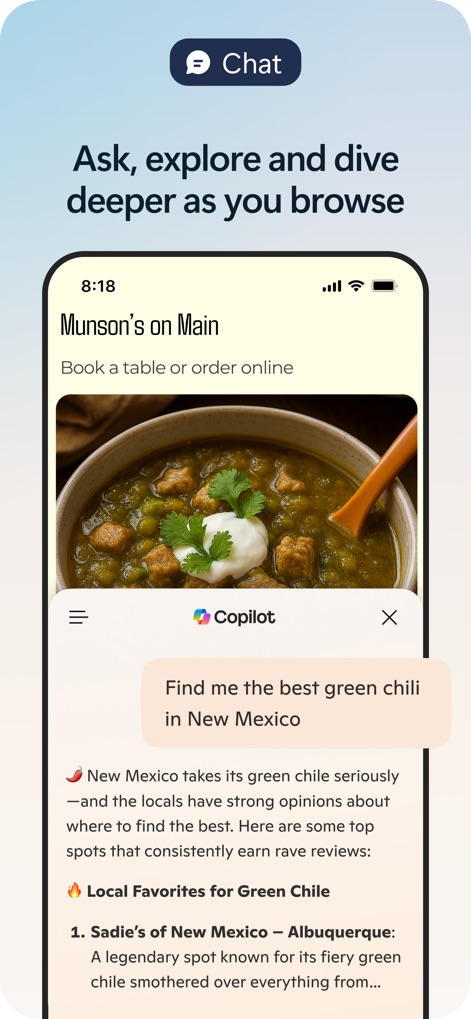
Conversational AI Assistance
This tool demonstrates its dynamic chat interface, allowing users to ask contextual questions and receive direct, relevant answers within the browsing session.
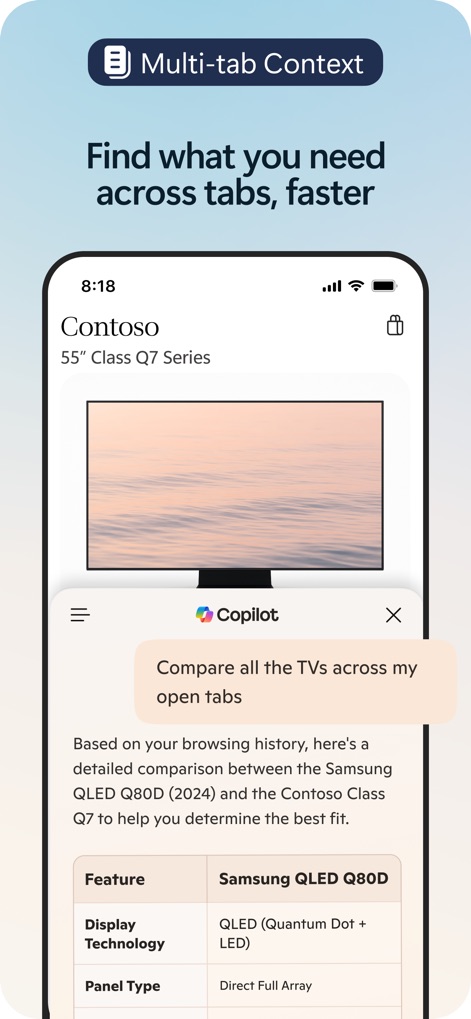
Cross-Tab Comparisons
The browser intelligently processes information across multiple open tabs, generating detailed comparison tables for informed decision-making.
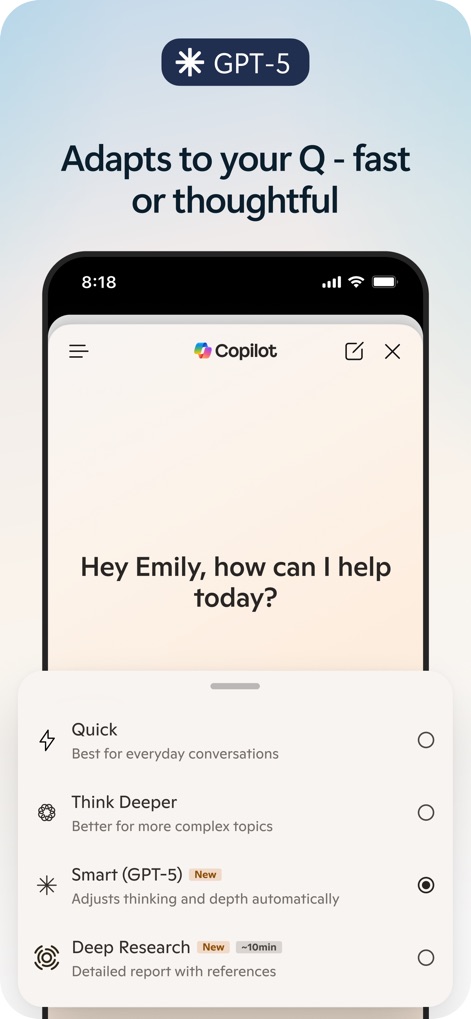
Adaptive AI Intelligence
The app's GPT-5 integration allows users to tailor Copilot's response depth, choosing between quick answers and comprehensive deep research modes.
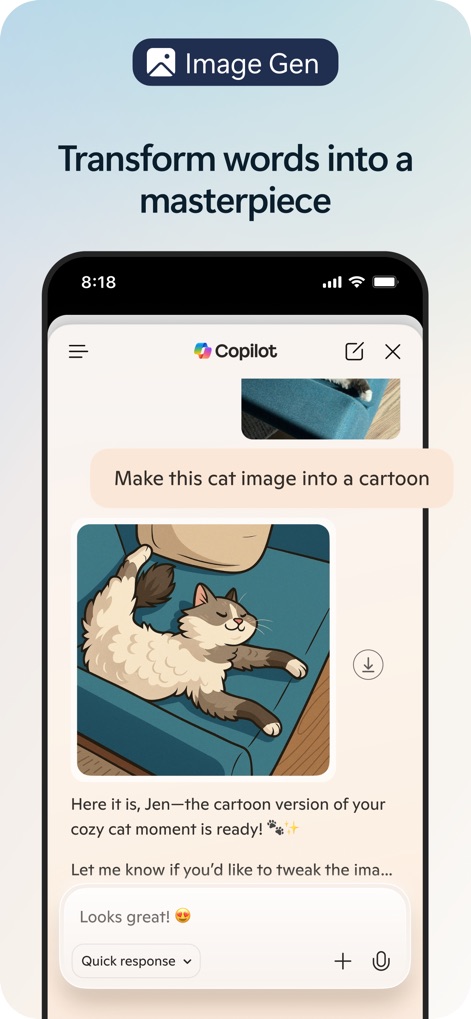
Creative Image Generation
This feature highlights the app's powerful image generation, allowing users to transform existing images into new styles or create visual content from simple text descriptions.
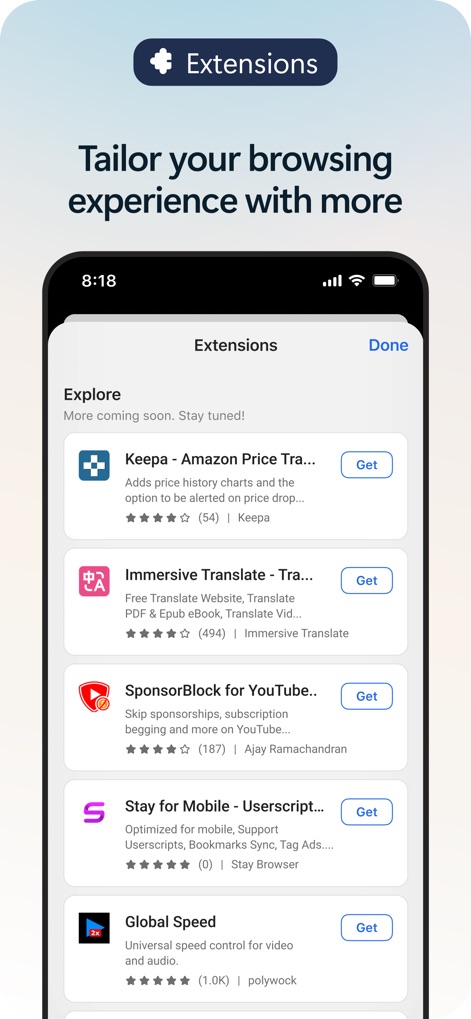
Enhanced Functionality Extensions
Users can customize their browsing experience with a rich selection of extensions, including tools for price tracking and immersive translation.
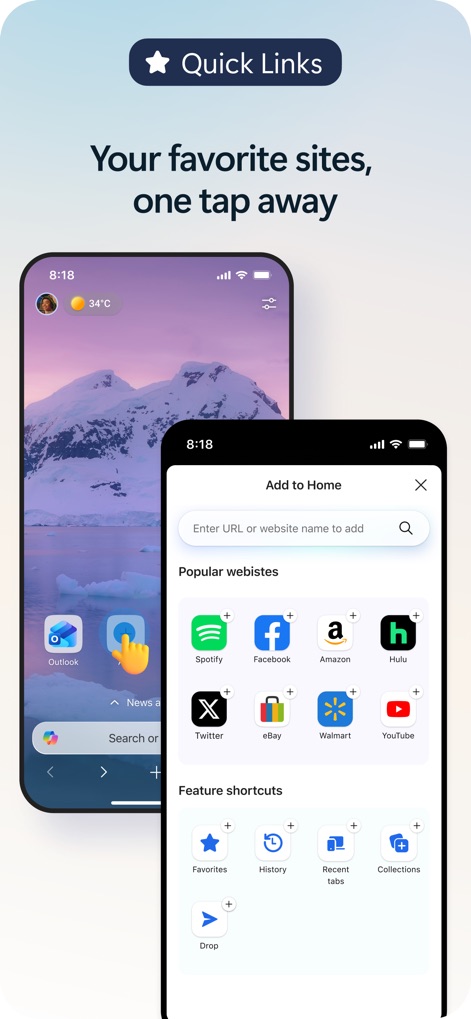
Streamlined Access Links
The app offers convenient Quick Links and feature shortcuts, enabling users to add and access popular websites and essential browser functions swiftly.
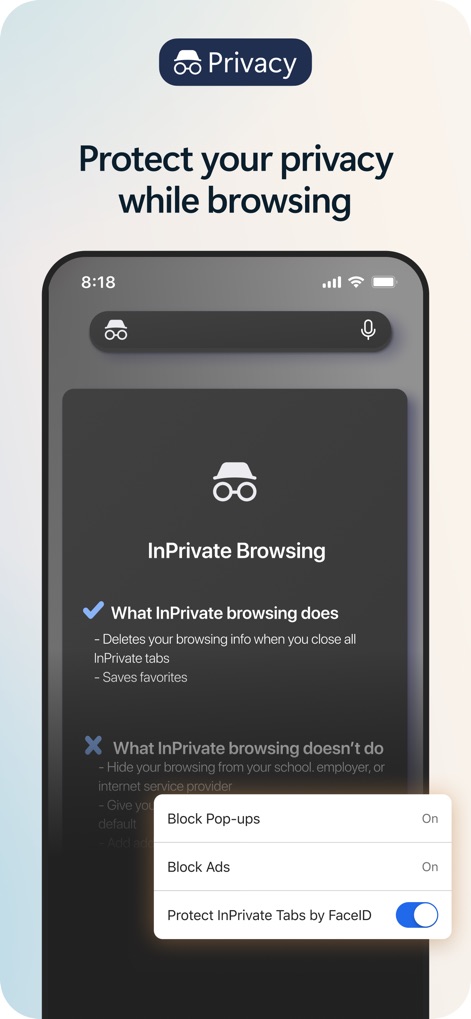
Robust Privacy Protection
This tool provides comprehensive privacy features, including InPrivate browsing to prevent tracking and biometric protection for sensitive tabs.
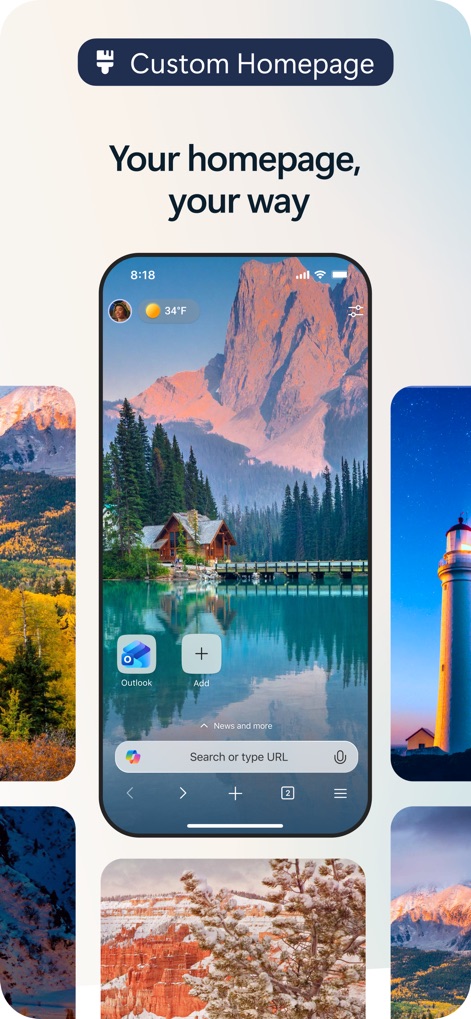
Personalized Homepage Experience
Users can tailor their browsing environment with a custom homepage, featuring personalized background images and easily accessible app shortcuts.
Description
Download
More Like This
Apps with similar features and user experience

ChatGPT
OpenAI OpCo, LLC

Grok
X.AI Corporation

Microsoft Copilot
Microsoft Corporation

Perplexity - AI Search & Chat
Perplexity AI Inc.

Alice: AI assistant
DIRECT CURSUS COMPUTER SYSTEMS TRADING LLC

Kimi - Now with K2.5
Beijing Moonshot Technology Co., Ltd

AI Chat Assistant – ChatNow
Tappz GmbH

Chat & Ask AI by Codeway
DEEP FLOW SOFTWARE SERVICES - FZCO

Luzia: Your AI Assistant
Factoria Elcano SL
This page is not an official page of the app or its developer, but an independent editorial publication created for informational and commentary purposes. Unless expressly stated otherwise, neither the app nor its developer is affiliated with, endorsed by, sponsored by, authorized by, or otherwise officially connected with MWM, Apple, Google Play, the app publisher, or the app's developer, and nothing on this page implies that the app was developed using MWM's services. Any trademarks, logos, screenshots, and other content remain the property of their respective owners.