
This page is not an official page of the app or its developer, but an independent editorial publication created for informational and commentary purposes. Unless expressly stated otherwise, neither the app nor its developer is affiliated with, endorsed by, sponsored by, authorized by, or otherwise officially connected with MWM, Apple, Google Play, the app publisher, or the app's developer, and nothing on this page implies that the app was developed using MWM's services. Any trademarks, logos, screenshots, and other content remain the property of their respective owners.

MicSwap: Microphone Recording
Elevate your music, podcasts, and voiceovers with legendary microphone models and iconic studio environments. Record like a pro and get that high-end sound without the $10,000 price tag.
Downloads
1M+User Rating
Total Ratings
1K+Publisher
Category
MusicLocales
23Latest Version
3.16Size
333.9 MBFirst Released
Dec 7, 2014Professional Studio Sound, Simplified
Transform your iPhone into a world-class recording suite with legendary microphone modeling and acoustic environments designed for creators.
17 Iconic Microphones
Instantly swap between legendary mics like the Shure SM7b or Neumann U87 to get that million-dollar tone without the boutique price tag.
Pro Studio Environments
Change your recording space with one tap. Move your session from a dry bedroom to a vintage radio booth or a professional studio for perfect acoustics.
Frequently Asked Questions
Everything you need to know about MicSwap: Microphone Recording
What is MicSwap: Microphone Recording?
MicSwap is a mobile recording studio application for music, podcasting, voiceover, and filmmaking. It allows users to record or import audio, swap microphones and studios, edit, and share recordings.
Can I record audio with MicSwap: Microphone Recording?
Yes, MicSwap records audio directly within the app. Users can also import existing audio files to apply effects and microphone models, supporting formats like Wav or M4a.
Does MicSwap: Microphone Recording provide different microphone models?
Yes, MicSwap offers 17 modeled microphones for different sounds, with 3 included in the free version. Users can swap microphones to change the sound of new or existing audio.
Can MicSwap: Microphone Recording be used with an external microphone?
Yes, users can connect and use an external microphone or interface with MicSwap through a subscription. The app also transforms an iPhone/iPad into a microphone for external speakers.
Is MicSwap: Microphone Recording compatible with other digital audio workstations (DAWs)?
Yes, MicSwap is compatible with other music apps like GarageBand, FL Studio, Auria, Cubasis, and Multitrack. It supports Audiobus, IAA, and AUv3 standards as a plugin.
Can I edit my recordings in MicSwap: Microphone Recording?
Yes, MicSwap allows users to edit and trim recordings. Features also include color-coding, sorting by various criteria, adjusting input gain, and applying effects.
Does MicSwap: Microphone Recording offer different studio environments?
Yes, MicSwap allows users to change studio environments to alter the sound and visual background of their recordings. This feature is available, with multiple studio options.
How much does MicSwap: Microphone Recording cost?
MicSwap offers a free version with 3 mics. Full access to all mics, studios, unlimited recording, and external mic support requires a subscription. Prices are set by Apple's App Store Matrix.
Does MicSwap: Microphone Recording support live audio monitoring?
Yes, MicSwap includes live monitoring functionality. Users can enable or disable this feature while recording to hear their audio in real-time before saving.
How do I manage my MicSwap: Microphone Recording subscription?
MicSwap subscriptions automatically renew at the end of the selected time. Users can turn off auto-renew at any time from their iTunes account settings to manage their subscription.
The following screenshots and description are sourced directly from the app's official store listing and are the property of the app developer.
App Store
Screenshots
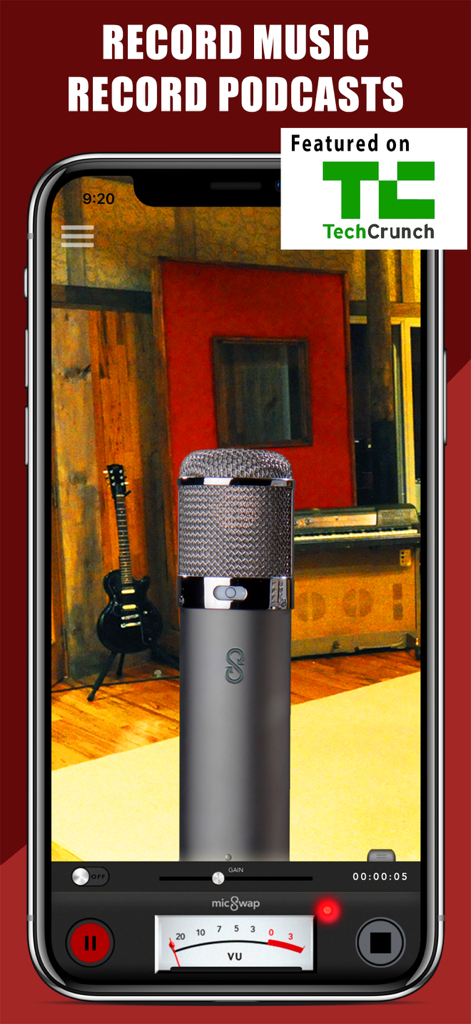
MicSwap app interface showing a professional microphone in a recording studio environment for music and podcasting
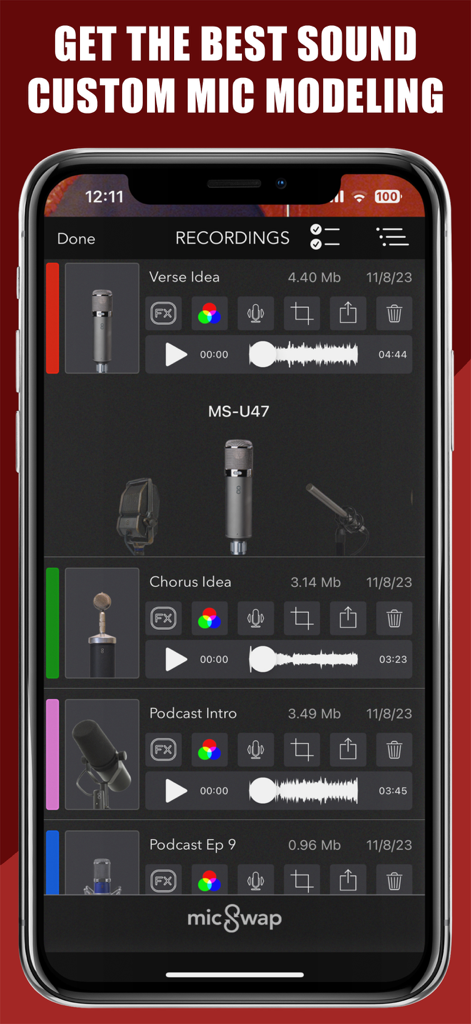
MicSwap app interface displaying recorded audio files with options for custom microphone modeling.
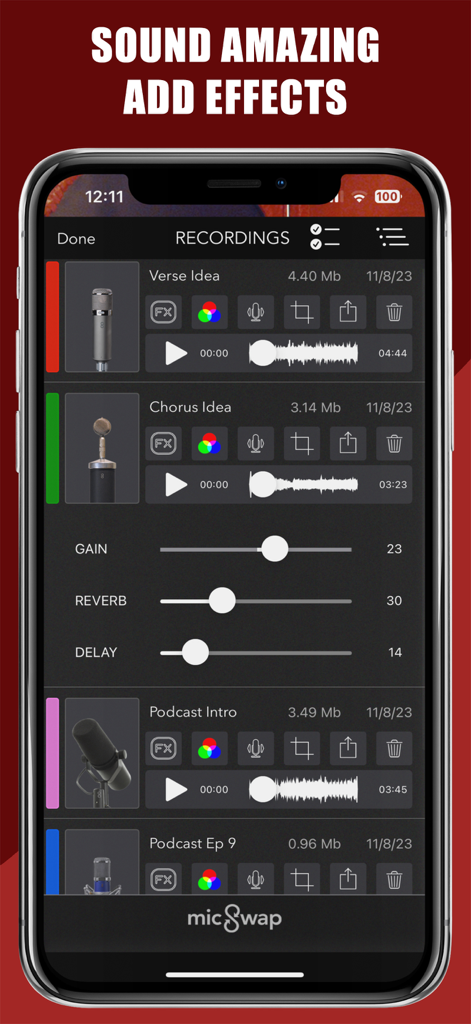
MicSwap mobile app showing a list of audio recordings for music and podcasts with adjustable gain, reverb, and delay effects.
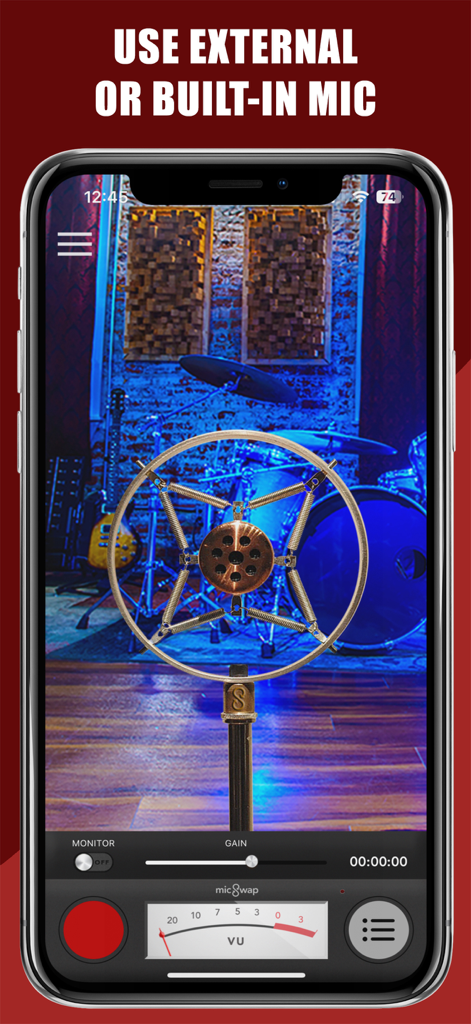
MicSwap app interface showing a vintage microphone model with a recording studio background
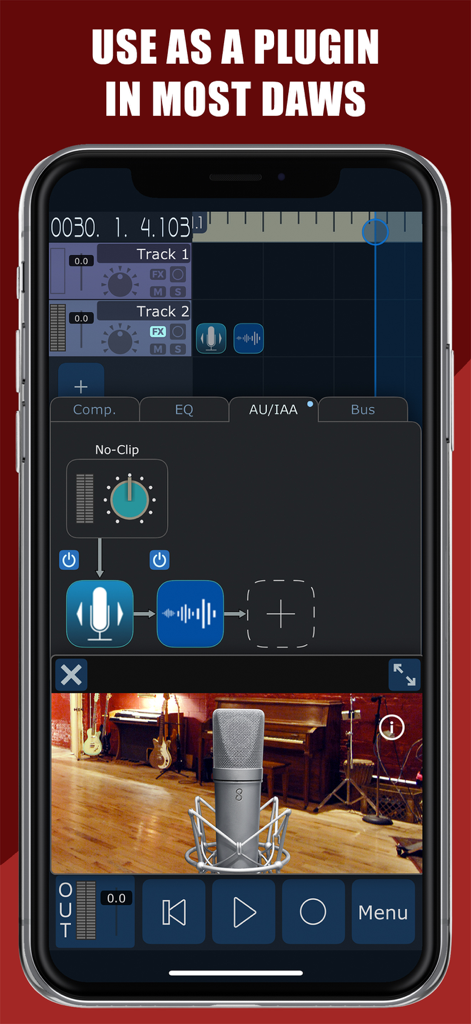
MicSwap app interface demonstrating DAW plugin integration and microphone modeling
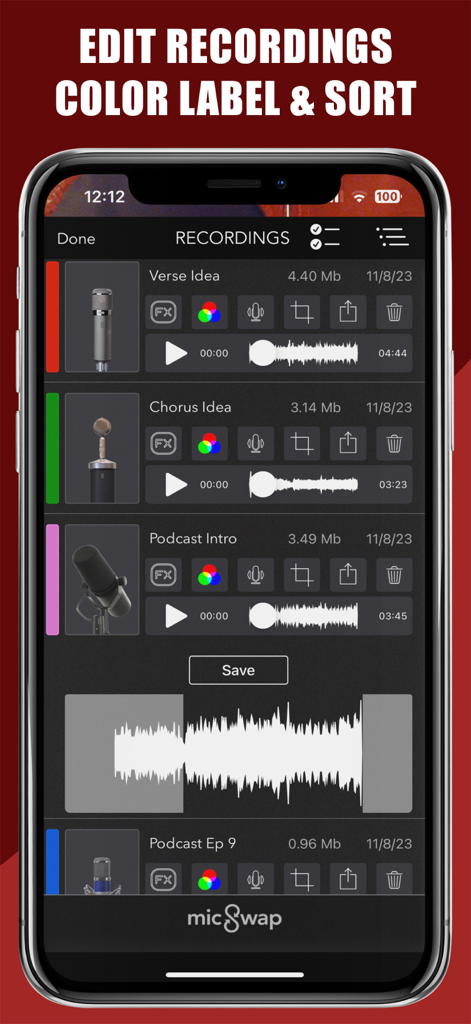
List of audio recordings in MicSwap with color labels and waveforms
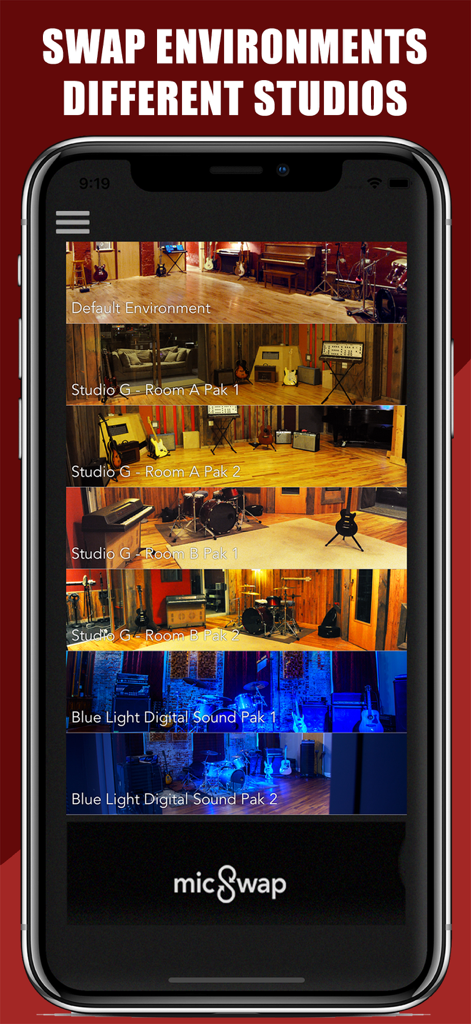
MicSwap app interface showing a selection of virtual recording studio environments and room presets
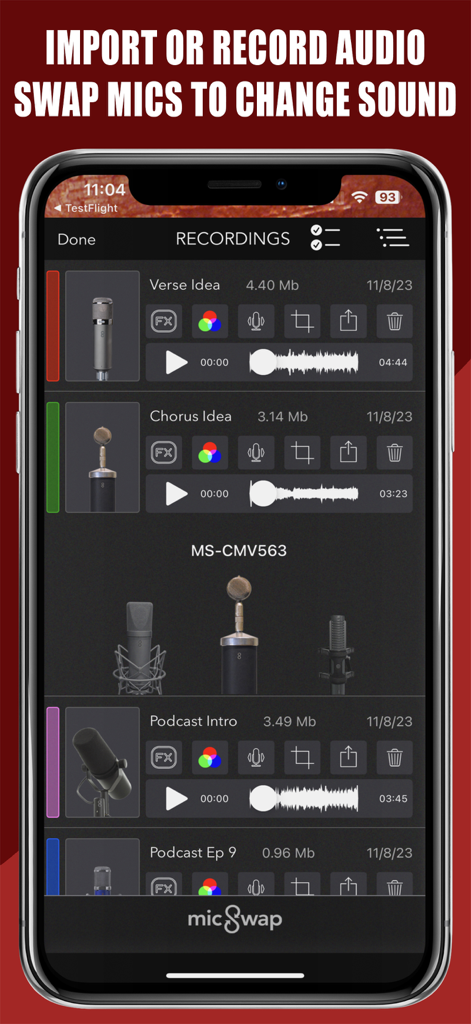
MicSwap app interface showing a list of audio recordings and microphone selection
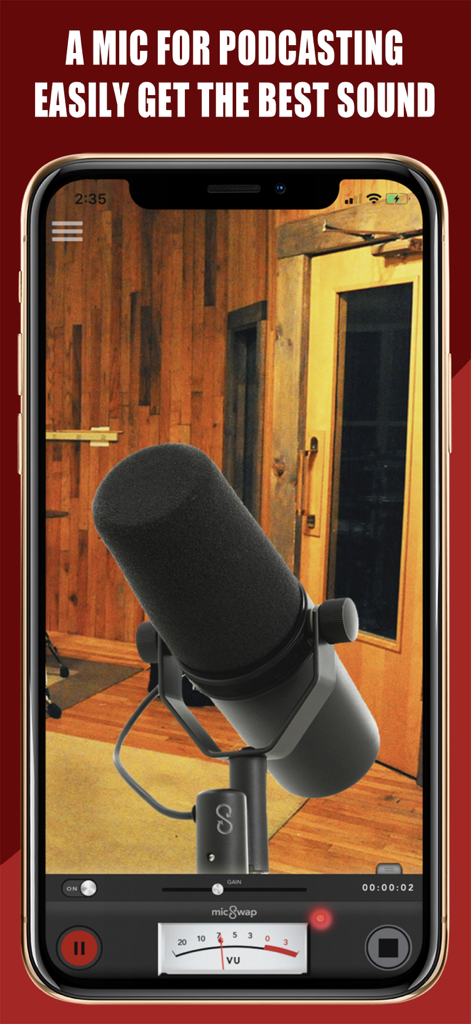
MicSwap app interface showing a professional podcasting microphone and recording controls in a studio
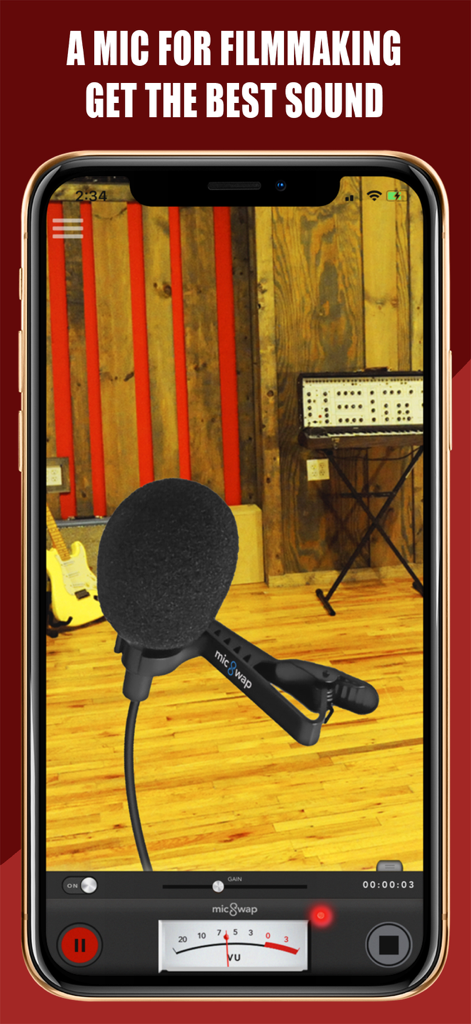
MicSwap app interface showing a virtual lavalier microphone for filmmaking with professional audio controls
Description
Download
More Like This
Apps with similar features and user experience

Tonebridge Guitar Effects
Ultimate Guitar

JamUp Pro
Positive Grid Inc
BIAS FX - Guitar Amp & Effects
Positive Grid Inc

ToneStack PRO Guitar Amps & FX
Yonac Inc.

JamUp
Positive Grid Inc

BIAS AMP 2 - for iPad
Positive Grid Inc

Overloud THU
Almateq SRL

AmpKit - Guitar amps & pedals
Agile Partners Technologies, LLC
AmpliTube CS
IK Multimedia US, LLC
This page is not an official page of the app or its developer, but an independent editorial publication created for informational and commentary purposes. Unless expressly stated otherwise, neither the app nor its developer is affiliated with, endorsed by, sponsored by, authorized by, or otherwise officially connected with MWM, Apple, Google Play, the app publisher, or the app's developer, and nothing on this page implies that the app was developed using MWM's services. Any trademarks, logos, screenshots, and other content remain the property of their respective owners.