
This page is not an official page of the app or its developer, but an independent editorial publication created for informational and commentary purposes. Unless expressly stated otherwise, neither the app nor its developer is affiliated with, endorsed by, sponsored by, authorized by, or otherwise officially connected with MWM, Apple, Google Play, the app publisher, or the app's developer, and nothing on this page implies that the app was developed using MWM's services. Any trademarks, logos, screenshots, and other content remain the property of their respective owners.
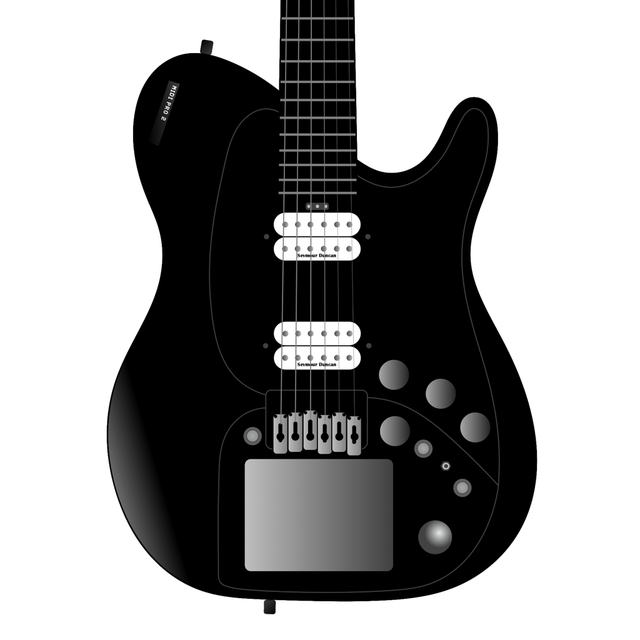

MIDI Pro Editor
Unlock the full depth of your instrument with professional preset management, real-time parameter editing, and secure JSON backups. Designed for tech-forward musicians who demand a seamless, data-driven workflow.
Downloads
100User Rating
Total Ratings
0Publisher
Category
MusicLocales
1Latest Version
0.2.16Size
19.2 MBFirst Released
Oct 6, 2023Master Your MIDI Performance
The essential companion for Rob O’Reilly MIDI Pro 2 owners, designed to streamline your digital workflow from the studio to the stage.
Pro-Grade Preset Management
Save and recall complex configurations instantly. Export your library as JSON files for ultimate data ownership and secure backup.
Live Fretboard Visualizer
Monitor your notes in real-time on-screen. Perfect for troubleshooting MIDI triggers and refining your technical performance.
Frequently Asked Questions
Everything you need to know about MIDI Pro Editor
What is the MIDI Pro Editor application used for?
The MIDI Pro Editor application is designed for use with Rob O'Reilly MIDI Pro 2 Guitar or Bass instruments. It serves as an editing and management tool for these devices.
Can I save and recall presets with the MIDI Pro Editor?
Yes, the MIDI Pro Editor allows users to save and recall presets for their Rob O'Reilly MIDI Pro 2 Guitar or Bass. This functionality is a core feature of the application.
Does the MIDI Pro Editor allow editing of instrument parameters?
Yes, users can edit various parameters for their Rob O'Reilly MIDI Pro 2 Guitar or Bass using the MIDI Pro Editor, including latency, velocity curves, and trigger modes.
Does the MIDI Pro Editor display an on-screen fretboard?
Yes, the MIDI Pro Editor features an on-screen fretboard that visualizes what the user is playing. This visual feedback aids in understanding and editing.
How can I back up my presets using the MIDI Pro Editor?
Yes, the MIDI Pro Editor enables users to back up their presets onto a computer. Presets are saved as JSON files for easy storage and retrieval.
Is the User Guide for the Rob O'Reilly MIDI Pro 2 Guitar included in the MIDI Pro Editor app?
Yes, the MIDI Pro Editor includes the User Guide for the Rob O'Reilly MIDI Pro 2 Guitar. Users can access it directly within the application.
Can I monitor MIDI activity within the MIDI Pro Editor application?
Yes, the MIDI Pro Editor features a dedicated MIDI Monitor button. This allows users to monitor MIDI data directly within the application for diagnostic purposes.
What are the Finger Pads in the MIDI Pro Editor?
The MIDI Pro Editor includes Finger Pads, which are configurable touch controls. Users can assign notes, channels, touch control types, and output types to each pad.
How can I adjust string bend settings in the MIDI Pro Editor?
The String Bend section in the MIDI Pro Editor allows users to configure pitch bend settings. Options include enabling pitch bend, reversing the effect, and adjusting gain.
The following screenshots and description are sourced directly from the app's official store listing and are the property of the app developer.
App Store
Screenshots
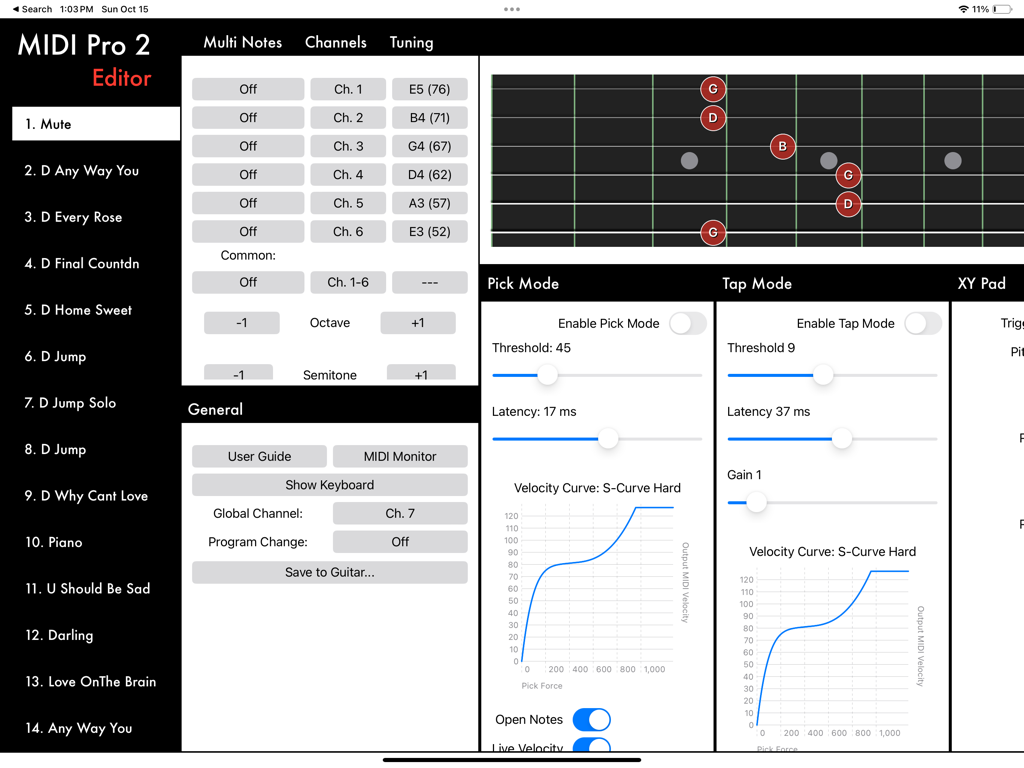
MIDI Pro Editor dashboard with fretboard visualization and control settings
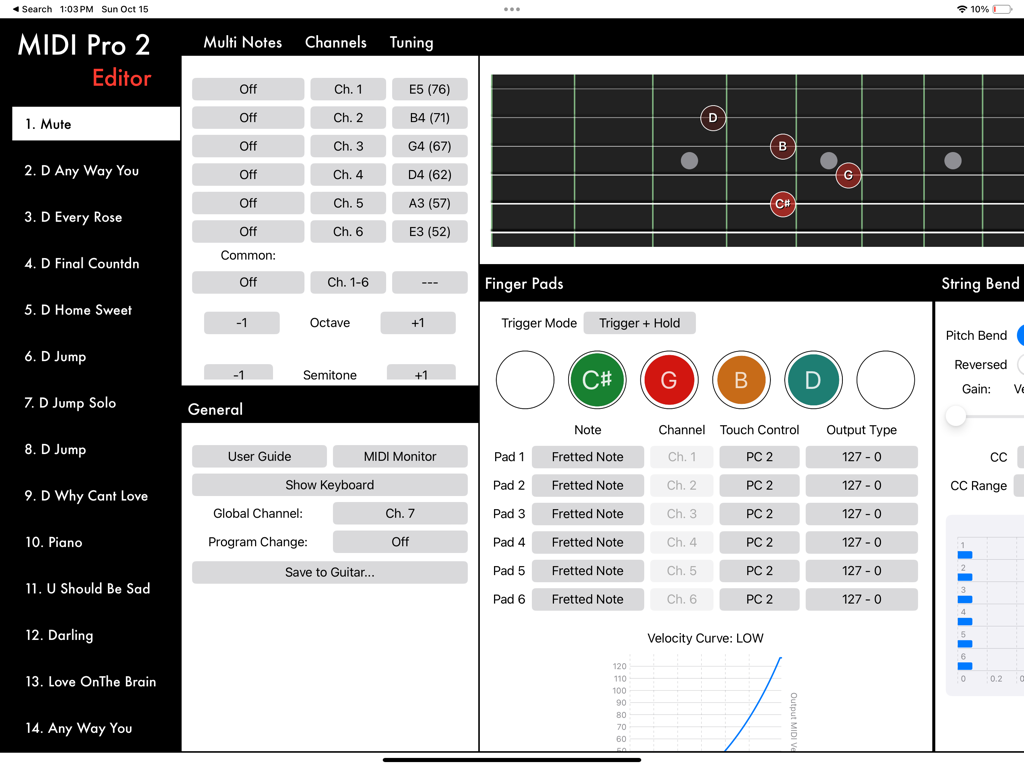
Interface of the MIDI Pro Editor app displaying preset lists, MIDI channel settings, and a virtual fretboard visualization.
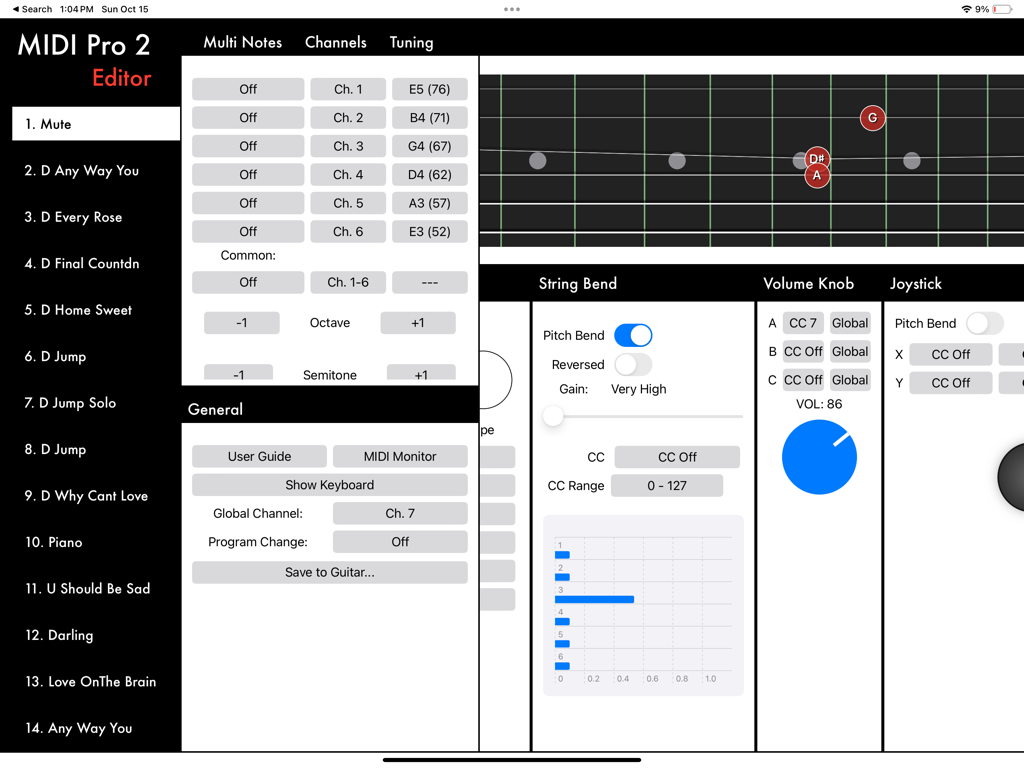
Interface of the MIDI Pro Editor app showing guitar preset lists, parameter settings, and a digital fretboard visualization.
Description
Download
More Like This
Top-ranked apps in the same category

Spotify: Music and Podcasts
Spotify

YouTube Music
Google LLC

Shazam: Find Music & Concerts
Apple Inc.

SoundCloud: The Music You Love
SoundCloud Global Limited & Co KG

Suno - AI Songs & Music
Suno Inc.

QQ音乐 - 听我想听
Tencent Technology (Shenzhen) Company Limited

Audiomack - Play Music Offline
Audiomack, Inc.

GuitarTuna: Tune & Play Guitar
Yousician Ltd

BandLab – Music Maker & Beats
BandLab Singapore Pte Ltd
This page is not an official page of the app or its developer, but an independent editorial publication created for informational and commentary purposes. Unless expressly stated otherwise, neither the app nor its developer is affiliated with, endorsed by, sponsored by, authorized by, or otherwise officially connected with MWM, Apple, Google Play, the app publisher, or the app's developer, and nothing on this page implies that the app was developed using MWM's services. Any trademarks, logos, screenshots, and other content remain the property of their respective owners.