
This page is not an official page of the app or its developer, but an independent editorial publication created for informational and commentary purposes. Unless expressly stated otherwise, neither the app nor its developer is affiliated with, endorsed by, sponsored by, authorized by, or otherwise officially connected with MWM, Apple, Google Play, the app publisher, or the app's developer, and nothing on this page implies that the app was developed using MWM's services. Any trademarks, logos, screenshots, and other content remain the property of their respective owners.


MijnKPN
KPN’s digital hub: Users gain absolute control over their telecom services, bypassing frustrating calls and web searches. The app centralizes account management, troubleshooting, and exclusive deals, making KPN interaction effortless.
Downloads
1M+User Rating
Total Ratings
77.0KPublisher
Category
UtilitiesLocales
2Latest Version
6.39.0Size
160.1 MBFirst Released
May 10, 2012An evaluation of key functionalities designed to enhance customer self-service and account management for KPN subscribers.
MijnKPN App: Core Features Analysis
Subscription Management
The app allows users to easily customize and adjust their KPN subscriptions, including modifying speeds, adding extra bundles, and changing channel packages, providing comprehensive control over their services.
Billing & Invoice Management
It enables users to view, pay, and download their invoices directly within the app, streamlining financial oversight and ensuring timely payments.
Usage Monitoring
This feature provides users with clear insights into their data, call, and SMS usage, helping them stay within their allowances and understand their consumption patterns.
Troubleshooting & Support
The app offers in-app troubleshooters for common issues and provides access to digital assistance (Dot), helping users quickly resolve problems and, if needed, schedule support appointments.
MB Sharing
It allows users to conveniently share mobile data (MBs) with housemates or family members, either as a one-time transfer or on a recurring monthly basis, optimizing data usage across connected accounts.
WiFi Management
The tool features a dedicated WiFi Manager to help users improve their home network performance, troubleshoot connectivity issues, and optimize their wireless setup.
Order Tracking & Installation Support
The app enables new and existing customers to track the status of their orders and receive personalized installation assistance for new devices and services.
KPN Voor Jou (Exclusive Offers)
The app provides access to exclusive benefits, discounts, and attractive extras through the 'KPN Voor Jou' program, such as event tickets and deals on days out, adding value beyond core services.
Frequently Asked Questions
Everything you need to know about MijnKPN
How can I track my KPN order using the MijnKPN app?
Yes, the MijnKPN app allows users to track the status of their orders, including new phones or WiFi modems, directly within the application.
Can I share mobile data (MBs) with others through the MijnKPN app?
Yes, the MijnKPN app enables users to share MBs with housemates or family members. This sharing can be a one-time event or set up automatically every month.
How do I adjust my KPN subscription details via the MijnKPN app?
Users can customize their KPN subscription within the MijnKPN app. Options include modifying internet speed, adding extra bundles, and changing channel packages.
Can I manage my KPN invoices through the MijnKPN app?
Yes, the MijnKPN app provides full invoice management. Users can view, pay, and download their KPN invoices directly from the application.
Does the MijnKPN app offer tools to improve my home WiFi?
Yes, the MijnKPN app features a WiFi Manager. This tool offers advice for achieving the best WiFi coverage at home and assists with troubleshooting WiFi issues.
How does the MijnKPN app assist with customer support queries?
The MijnKPN app helps users find answers quickly, resolve issues with in-app troubleshooters, or schedule a call appointment. Users can also chat directly with KPN support.
What are 'KPN Voor Jou' benefits in the MijnKPN app?
KPN Voor Jou offers attractive extras for users, including football tickets, discounts on days out, and various other deals. These benefits are accessible within the MijnKPN app.
Does the MijnKPN app offer free Netflix or ESPN?
Yes, the MijnKPN app confirms that customers with both KPN Mobile and KPN Internet receive Netflix or ESPN as a free monthly gift through the "Combivoordeel" program.
Is there a digital assistant available in the MijnKPN app?
Yes, the MijnKPN app includes a digital assistant named Dot. Users can ask questions to Dot for immediate assistance directly within the application.
Does MijnKPN app help new customers with installation?
Yes, new KPN customers can use the MijnKPN app to get help with device installation, set up their WiFi, and track their initial order status easily.
The following screenshots and description are sourced directly from the app's official store listing and are the property of the app developer.
App Store
Screenshots

The app's clear interface demonstrates swift access to essential functions, such as "sharing data" and "checking invoices," making account management effortless.
Quick Account Management
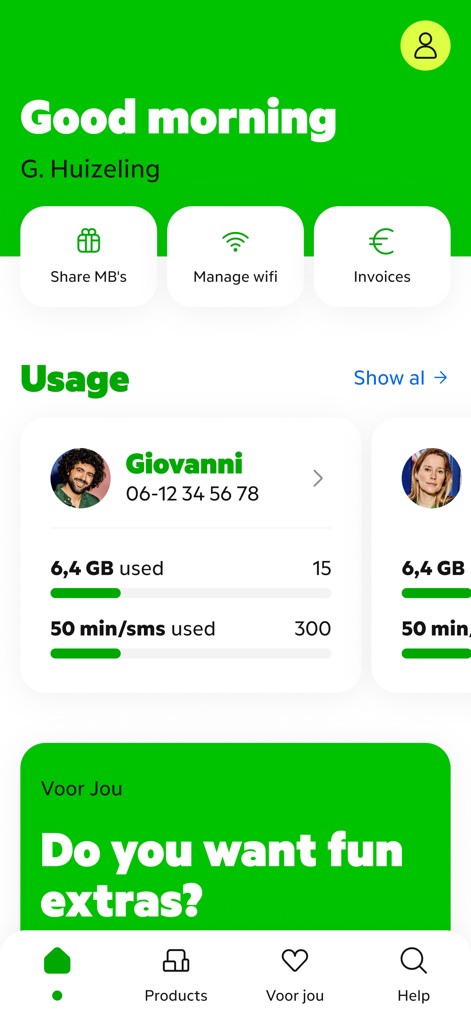
The intuitive dashboard presents key user functionalities, featuring quick access buttons for "Share MB's" and a "Usage" breakdown of services.
Dashboard Overview

This feature empowers users to enhance their home network, evident from the prominent "Improve wifi" button and the clear "Wifi Manager" section for troubleshooting.
Optimal WiFi Home

The app provides transparent order monitoring, showcasing a dedicated card for "Track your order" and the ability to view details like "Mobile of Giovanni."
Order Tracking
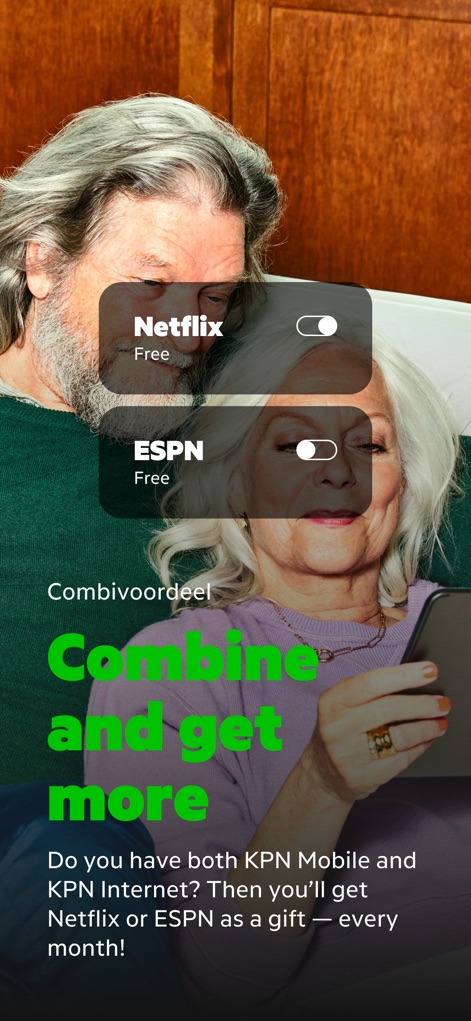
Users discover exclusive benefits through service combinations, as demonstrated by the toggle options for "Netflix" and "ESPN" and the "Combivoordeel" section.
Bundle Benefits
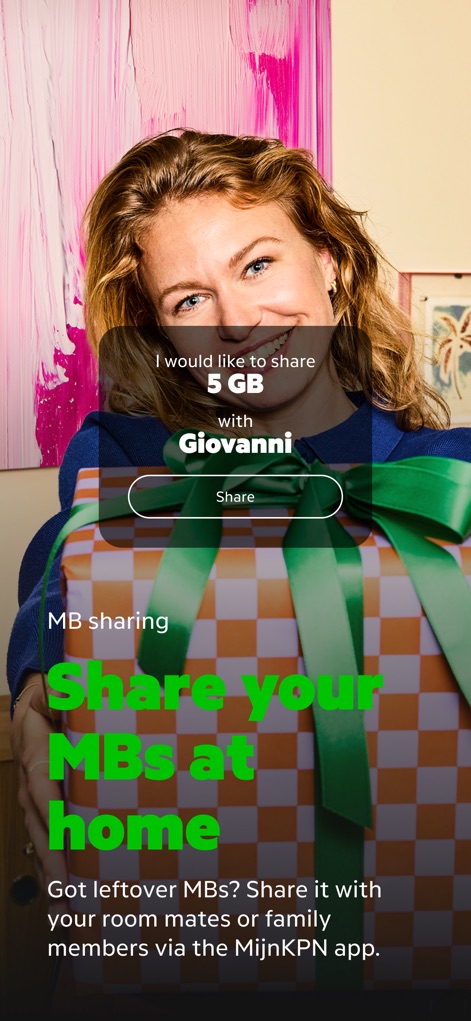
The app simplifies data management, clearly showing the option to "share 5 GB" with contacts and highlighting the convenience of the "MB sharing" section.
MB Sharing Made Easy
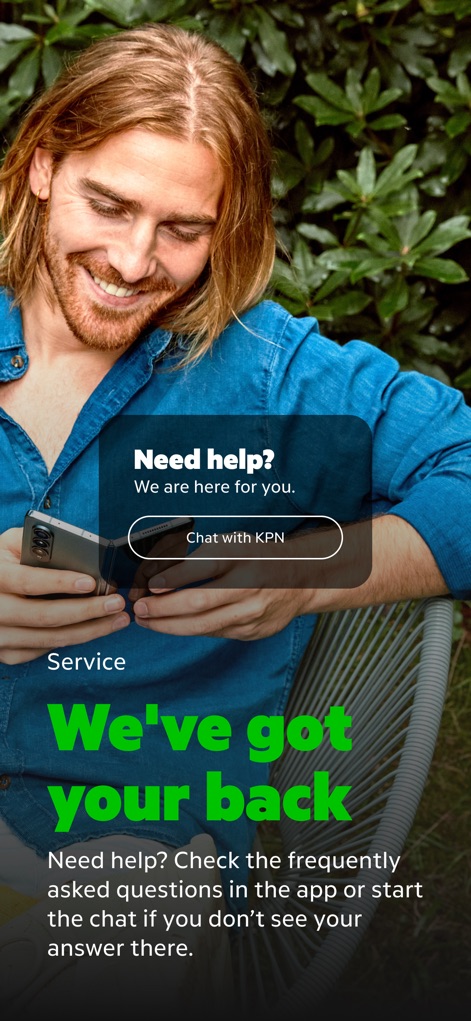
Comprehensive support is readily available, evident from the prominent "Chat with KPN" button and the clear "Need help?" prompt for quick assistance.
Instant Support
Description
Download
More Like This
Apps with similar features and user experience

T-Life
T-Mobile USA, Inc.

My Spectrum
Charter Communications Operating, LLC

True
TRUE CORPORATION PUBLIC COMPANY LIMITED

Mobily - موبايلي
Etihad Etisalat Company

Altel.kz
Mobile Telecom-Service TOO

中華電信
TELECOMMUNICATION LAB,CHUNGHWA TELECOM CO., LTD

Mi Lowi
Vodafone Enabler Espana, S.L.

My Liberty App
Liberty Cablevision of Puerto Rico Ltd

中国移动(手机营业厅)
China Mobile Online Services Co., Ltd.
This page is not an official page of the app or its developer, but an independent editorial publication created for informational and commentary purposes. Unless expressly stated otherwise, neither the app nor its developer is affiliated with, endorsed by, sponsored by, authorized by, or otherwise officially connected with MWM, Apple, Google Play, the app publisher, or the app's developer, and nothing on this page implies that the app was developed using MWM's services. Any trademarks, logos, screenshots, and other content remain the property of their respective owners.