
This page is not an official page of the app or its developer, but an independent editorial publication created for informational and commentary purposes. Unless expressly stated otherwise, neither the app nor its developer is affiliated with, endorsed by, sponsored by, authorized by, or otherwise officially connected with MWM, Apple, Google Play, the app publisher, or the app's developer, and nothing on this page implies that the app was developed using MWM's services. Any trademarks, logos, screenshots, and other content remain the property of their respective owners.


MiraCamera (Daily Life Photo)
Capture high-definition 4K footage and RAW photos with hardcoded timestamps. Secure your work and personal memories in a passcode-protected private album.
Downloads
456K+User Rating
Total Ratings
9K+Publisher
Category
Photo & VideoLocales
3Latest Version
5.8Size
5.6 MBFirst Released
May 18, 2014Advanced Tools for Serious Documentation
MiraCamera bridges the gap between professional photography and daily life, providing the precision and privacy that native camera apps lack.
Private Passcode Album
Keep sensitive work documents and personal progress photos secure in a hidden, passcode-protected vault separate from your main gallery.
Verified Documentation
Automatically embed date, time, and EXIF data directly onto your photos for indisputable proof of work and professional record-keeping.
Frequently Asked Questions
Everything you need to know about MiraCamera (Daily Life Photo)
Does MiraCamera support square crop for photos?
Yes, MiraCamera supports square crop functionality for taking photos. This feature allows users to capture images in a 1:1 aspect ratio.
Can MiraCamera take RAW photos?
Yes, MiraCamera supports capturing photos in RAW (DNG) format. This provides users with uncompressed image data for advanced editing.
Does MiraCamera offer Optical Image Stabilization (OIS)?
Yes, MiraCamera integrates Optical Image Stabilization (OIS) for both photo and video recording. This feature helps reduce blur from camera shake.
What is the maximum video quality MiraCamera supports?
MiraCamera supports various video quality options, including up to 4K resolution at 60 frames per second (fps). Users can choose their preferred recording settings.
Does MiraCamera include a private album feature?
Yes, MiraCamera provides a private album feature secured with a passcode lock. This allows users to protect sensitive photos and videos.
Can MiraCamera add a timestamp or datestamp to photos?
Yes, MiraCamera allows users to add a datestamp and timestamp directly onto their photos. This feature provides metadata visibly on the image.
Does MiraCamera offer file loss prevention?
Yes, MiraCamera includes a file loss prevention feature. This functionality helps safeguard users' captured photos and videos against accidental deletion or corruption.
Is iTunes File Sharing available in MiraCamera?
Yes, MiraCamera supports the iTunes File Sharing feature. This enables users to easily transfer media files between the app and a computer via iTunes.
The following screenshots and description are sourced directly from the app's official store listing and are the property of the app developer.
App Store
Screenshots
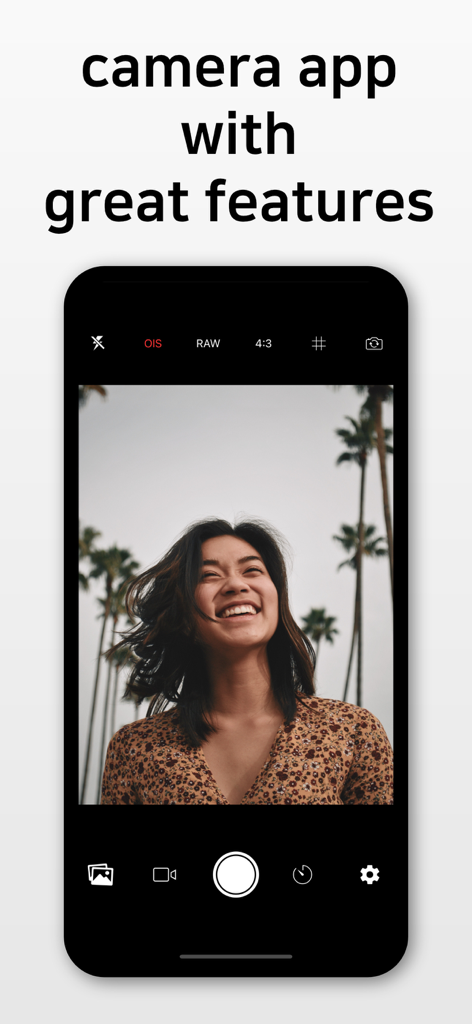
MiraCamera app interface showing professional photo features like RAW and OIS with a portrait of a smiling woman
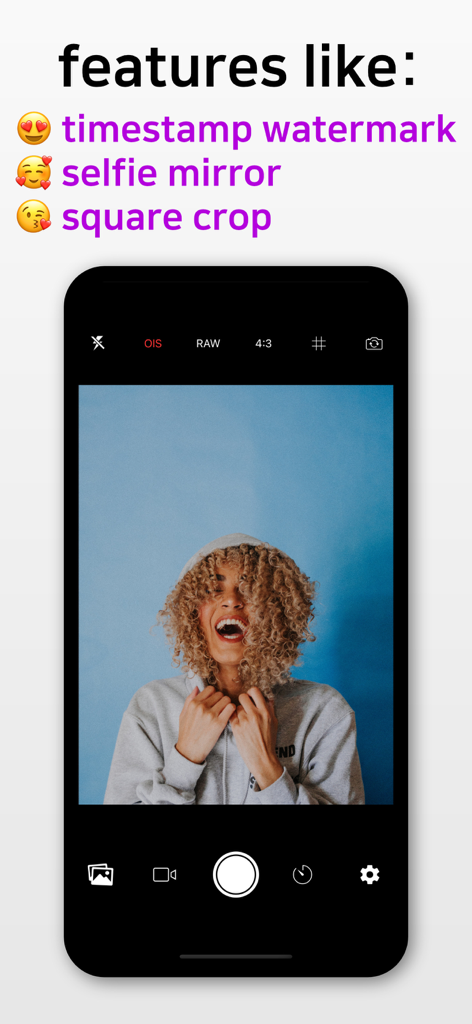
MiraCamera app interface on iPhone showing features like timestamp watermark and square crop with a laughing woman in the viewfinder
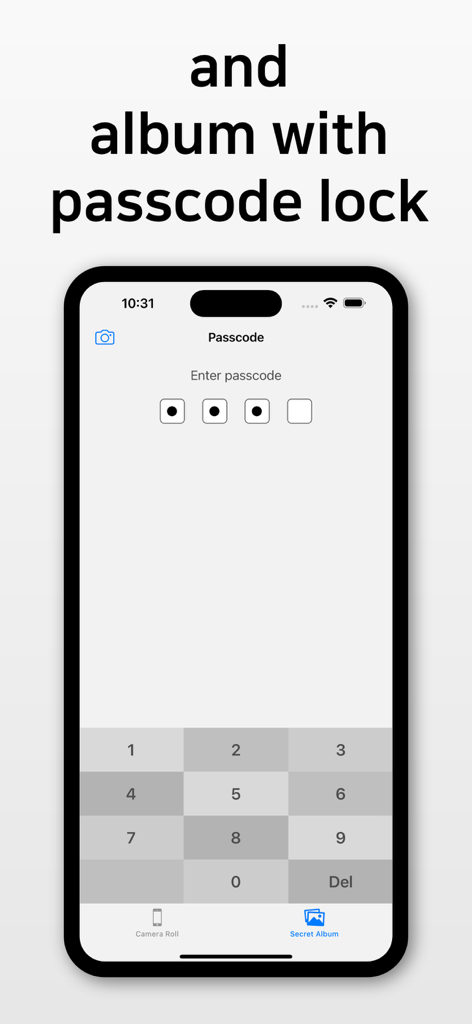
MiraCamera app interface showing a passcode lock screen for the private secret photo album feature
Description
Download
More Like This
Apps with similar features and user experience

This page is not an official page of the app or its developer, but an independent editorial publication created for informational and commentary purposes. Unless expressly stated otherwise, neither the app nor its developer is affiliated with, endorsed by, sponsored by, authorized by, or otherwise officially connected with MWM, Apple, Google Play, the app publisher, or the app's developer, and nothing on this page implies that the app was developed using MWM's services. Any trademarks, logos, screenshots, and other content remain the property of their respective owners.