Mobile Banking UniCredit

Mobile Banking UniCredit


Download on App StoreDownload on Google Play
Logo of Mobile Banking UniCredit

Mobile Banking UniCredit: Your Secure Financial Bridge to Italy

Effortlessly manage your Italian accounts, pay taxes like F24 and PagoPA, and handle international transfers with bank-grade security—all from your smartphone, wherever you are in the world.

Publisher

UniCredit S.p.a.

Category

Finance

Downloads

2M+

User Rating

4.6/5

Total Ratings

600K+

Locales

2

A Glimpse of Financial Freedom

Discover the interface used by 2M+ users.
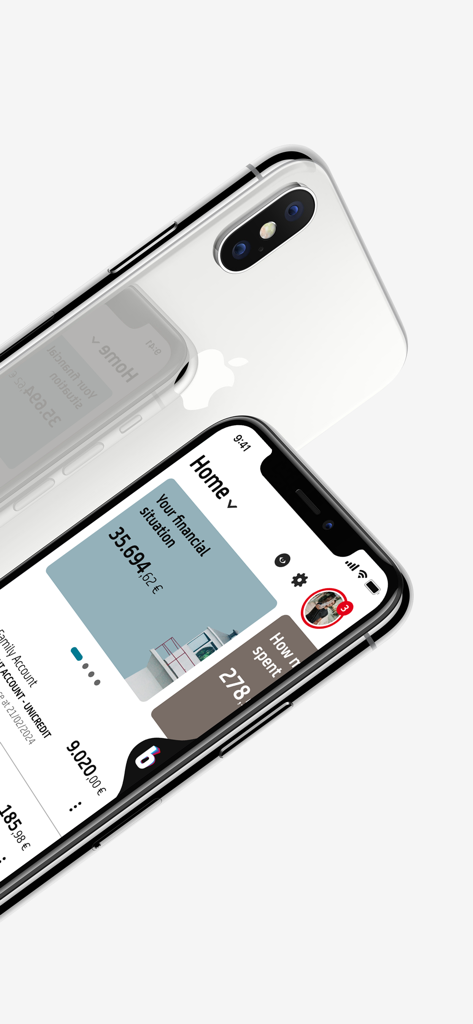
UniCredit mobile banking app interface showing account balances and card management on a smartphone

UniCredit mobile banking app interface showing account balances and card management on a smartphone

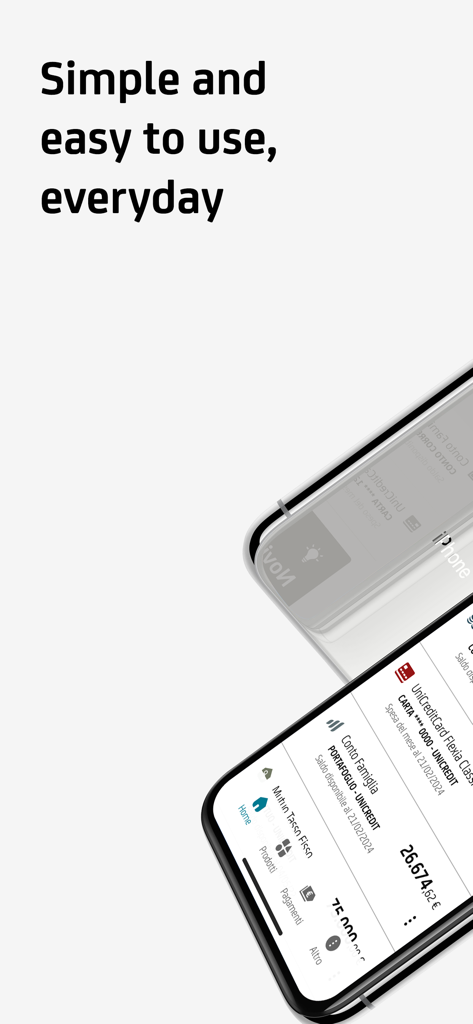
UniCredit mobile banking app home screen showing financial overview and account balance on two iPhones

UniCredit mobile banking app home screen showing financial overview and account balance on two iPhones

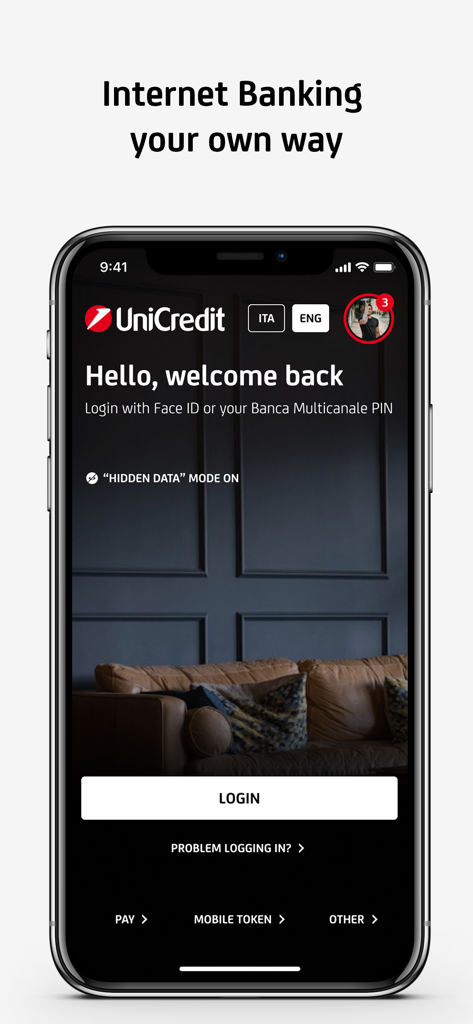
Login screen of the UniCredit Mobile Banking app featuring a welcome message and Face ID authentication option.

Login screen of the UniCredit Mobile Banking app featuring a welcome message and Face ID authentication option.

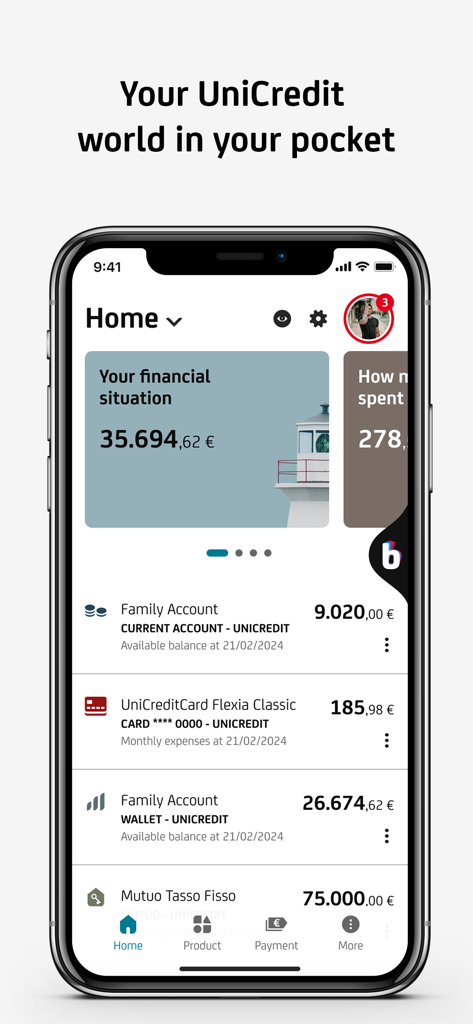
UniCredit mobile banking app home screen displaying account balances and financial overview

UniCredit mobile banking app home screen displaying account balances and financial overview

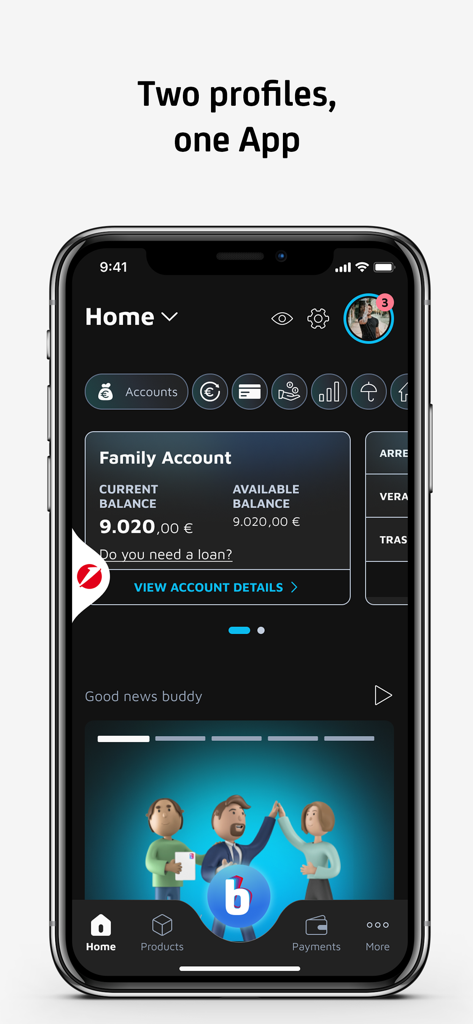
UniCredit Mobile Banking app home screen showing account balance and dual profile features

UniCredit Mobile Banking app home screen showing account balance and dual profile features

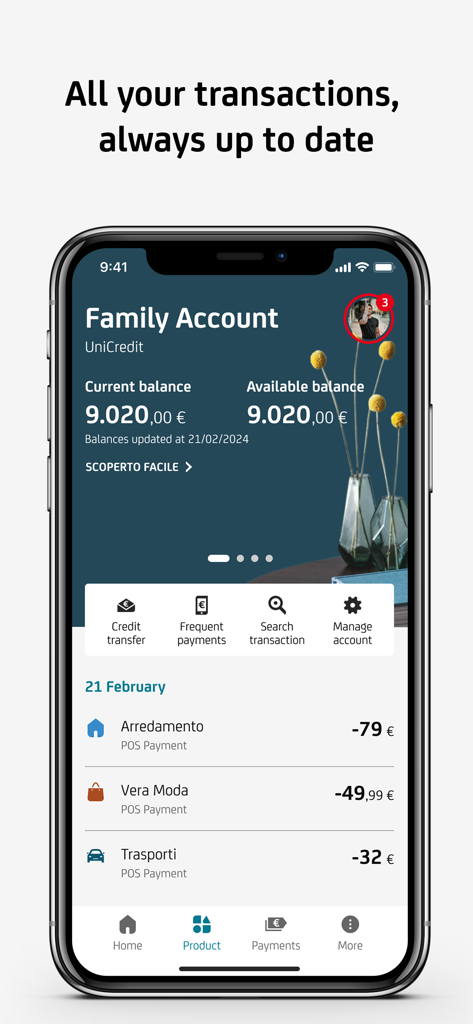
UniCredit mobile banking app screen displaying family account balance and a list of recent transactions

UniCredit mobile banking app screen displaying family account balance and a list of recent transactions

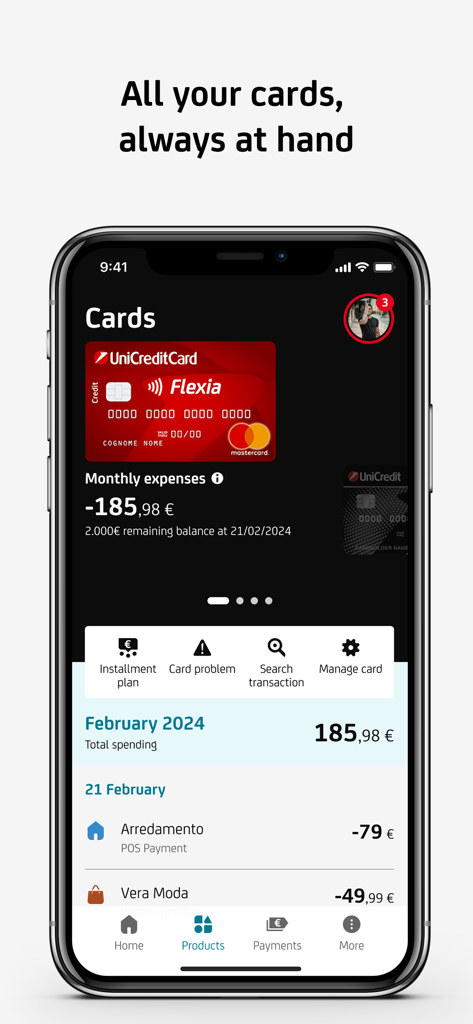
UniCredit mobile banking app interface showing credit card details and transaction history

UniCredit mobile banking app interface showing credit card details and transaction history

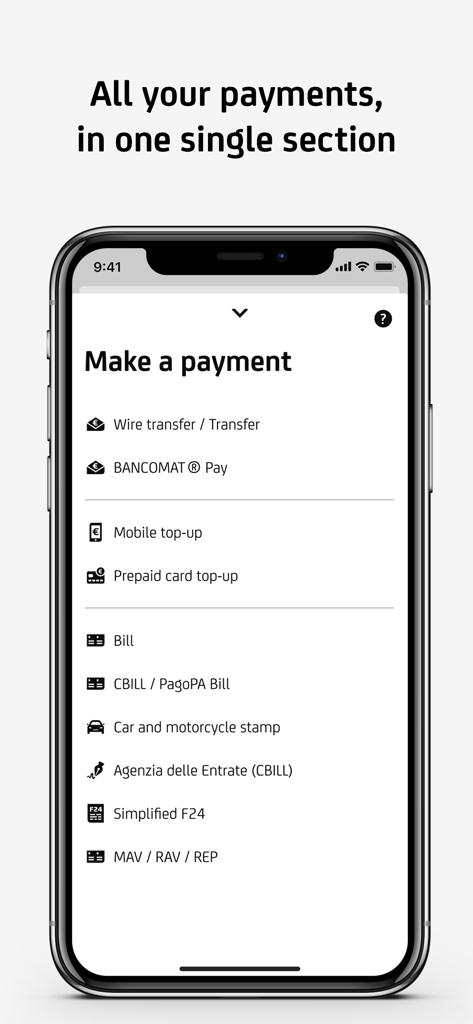
UniCredit mobile banking app interface showing payment options like wire transfer and Italian tax payments

UniCredit mobile banking app interface showing payment options like wire transfer and Italian tax payments

Your Financial Bridge to Europe

The tools that make this app stand out, trusted by 2M+ users.

🌍

Global Payments & Transfers

Send SEPA transfers and settle Italian-specific obligations like F24, PagoPA, and CBILL bills directly from your smartphone.

🛡️

Advanced Biometric Security

Access your funds and authorize international transactions securely using FaceID, TouchID, and integrated Mobile Token technology.

📊

Total Financial Oversight

Monitor your investments, mortgages, and spending in real-time with our Personal Financial Manager and smart budgeting tools.

About the app

Everything you need to know about Mobile Banking UniCredit.

Description

With the UniCredit Mobile Banking App and your smartphone, making transactions is easy, fast and secure. To use the App you must have a UniCredit current account and/or a rechargeable card with IBAN, sign up for the Banca Multicanale Service, download and activate the App. You can activate the App: - by Smartphone: press "Activate", enter your Banca Multicanale Codice di Adesione and PIN and press proceed. - by Banca via Internet: enter your Codice di adesione and PIN, then a one-time password generated by your device, go to "Settings" > "Mobile" > "Smartphone Application" and press proceed. From the new Home Page you can check the relationships linked to the Multi-Channel Banking Service (current accounts, cards, mortgages and loans, securities portfolio and investments), make transactions and monitor your expenses at your convenience. In the Current Accounts section you view all your current accounts and transactions (also with the 'Search' function), share IBAN details and manage your account. In the Cards section you have control of all your UniCredit cards (Credit, Debit, Rechargeable) and can easily manage all available features. With Personal Fainancial Manager and Budget organize your expenses has never been easier. Go to your personal area to upload a new profile photo, read notices and messages from the Bank, access Online Documents, read help and F.A.Q. pages or contact the Bank by telephone or chat. There is also a dedicated Payments section for: - SEPA transfers, extra SEPA transfers, fund transfers - mobile phone and UniCredit prepaid card top-ups - Simplified F24 - pre-printed postal bills, CBILL/PagoPA, blank slips and MAV, RAV, REP payments Find out how to: - set up cash withdrawals on UniCredit ATMs with Prelievo Smart - find the nearest Branch and/or Automatic Teller Machine (ATM) and the route to reach them - generate one-time passwords with Mobile Token - book an appointment at the branch through the UBook function If your Smartphone features a biometric-based recognition technologies, you can access the App and authorise transactions with these recognition tools. For assistance and information visit www.unicredit.it or call UniCredit Customer Service at the toll-free number 800.57.57 (for customers of UniCredit Private Banking branches: 800.710.710). Not a UniCredit Customer? Call the toll-free number 800.32.32.85 or go to www.unicredit.it With the UniCredit Mobile Banking App you can apply to open a UniCredit account using your Smartphone and even identify yourself with a selfie! The UniCredit current account can be requested from Mobile only by Italian residents who are not already holders of a UniCredit current account, card with IBAN and Banca Multicanale and entail signing contracts for the account, the Banca Multicanale Service and the International Debit Card. With this app you can also access information and services at any time not only at the physical UniCredit Branch, but also at the Buddy Branch. Advertising message for promotional purposes. Info and costs in the information documents in the Transparency section at www.unicredit.it Products and Services sold by UniCredit SpA. Accessibility statement: https://unicredit.it/accessibilita-app

Latest Version

3.68.1

Size

379.9 MB

First Released

Oct 3, 2019

Your Italian Bank, Wherever You Are

Join over 2 million users managing their accounts, SEPA transfers, and Italian taxes with total security. Download the UniCredit app and bank without borders today.

Download on App StoreDownload on Google Play
FAQ

Frequently Asked Questions

Everything you need to know about Mobile Banking UniCredit

What are the requirements to use the Mobile Banking UniCredit App?

Yes, you must have a UniCredit current account and/or a rechargeable card with IBAN, and be signed up for the Banca Multicanale Service to use the UniCredit Mobile Banking App.

How do I activate the UniCredit Mobile Banking App on my phone?

You can activate the UniCredit Mobile Banking App via smartphone using your Codice di Adesione and PIN, or via Banca via Internet through specific settings in the 'Mobile' section.

What financial operations can I perform with the Mobile Banking UniCredit App?

The UniCredit Mobile Banking App allows you to view accounts, cards, mortgages, loans, make transactions, monitor expenses, and manage various payment types directly from your smartphone.

Does the Mobile Banking UniCredit App offer biometric login and transaction authorization?

Yes, the UniCredit Mobile Banking App supports biometric recognition technologies like Face ID for accessing the App and authorizing transactions, enhancing security and convenience.

What types of payments can I make using the UniCredit Mobile Banking App?

The UniCredit Mobile Banking App enables various payments including SEPA transfers, mobile and prepaid card top-ups, Simplified F24, postal bills, CBILL/PagoPA, and MAV, RAV, REP payments.

Can I open a new UniCredit account directly through the Mobile Banking UniCredit App?

Yes, Italian residents who are not existing UniCredit current account holders can apply to open a UniCredit account using the Mobile Banking UniCredit App and identify themselves with a selfie.

How do I manage my UniCredit cards within the Mobile Banking UniCredit App?

Yes, the UniCredit Mobile Banking App provides a dedicated 'Cards' section to control and manage all your UniCredit Credit, Debit, and Rechargeable cards, including features like installment plans.

Does the Mobile Banking UniCredit App help me find nearby branches and ATMs?

Yes, the UniCredit Mobile Banking App includes a feature to locate the nearest UniCredit Branch and/or Automatic Teller Machine (ATM) and provides directions to reach them.

How can I get customer support for the UniCredit Mobile Banking App?

You can contact UniCredit Customer Service by calling the toll-free number 800.57.5757 or visiting www.unicredit.it for assistance and information regarding the UniCredit Mobile Banking App.

Does the Mobile Banking UniCredit App include tools for managing personal finances and budgets?

The UniCredit Mobile Banking App offers a Personal Financial Manager and Budget tool to help users organize their expenses and monitor their spending effectively.

App information, icons, screenshots, and descriptions displayed on this page are sourced from the Apple App Store and are the property of their respective developers. Download estimates and rankings are based on MWM's proprietary models and may not reflect actual figures. This page is provided for informational and analytical purposes only.

Believe this page infringes your intellectual property? File a dispute