Model 15 Modular Synthesizer
Download on App Store

This page is not an official page of the app or its developer, but an independent editorial publication created for informational and commentary purposes. Unless expressly stated otherwise, neither the app nor its developer is affiliated with, endorsed by, sponsored by, authorized by, or otherwise officially connected with MWM, Apple, Google Play, the app publisher, or the app's developer, and nothing on this page implies that the app was developed using MWM's services. Any trademarks, logos, screenshots, and other content remain the property of their respective owners.

Logo of Model 15 Modular Synthesizer
Download on App Store

Model 15 Modular Synthesizer

Bring the legacy of American modular synthesis to your fingertips. Meticulously recreated for iPad and iPhone, experience the tactile power of legendary Moog modules with pro-grade AUv3 and MIDI integration.

Key Figures

Downloads

406K+

User Rating

4.9/5

Total Ratings

3K+

Publisher

Moog Music Inc.

Category

Music

Locales

1

Latest Version

2.4.3

Size

856.6 MB

First Released

May 3, 2016
Features

Legendary Modular Power

The world’s first professional modular synthesizer for mobile, delivering the unmistakable Moog sound and tactile experience directly to your modern studio workflow.

Authentic Moog Circuitry

Experience the meticulously recreated 921-series oscillators and the legendary 904A Low Pass Filter for true analog warmth in every note.

Tactile Patching Interface

Harness the power of Apple's Metal graphics engine to zoom, pan, and route virtual cables with the physical response of classic hardware.

The following screenshots and description are sourced directly from the app's official store listing and are the property of the app developer.

App Store

Screenshots
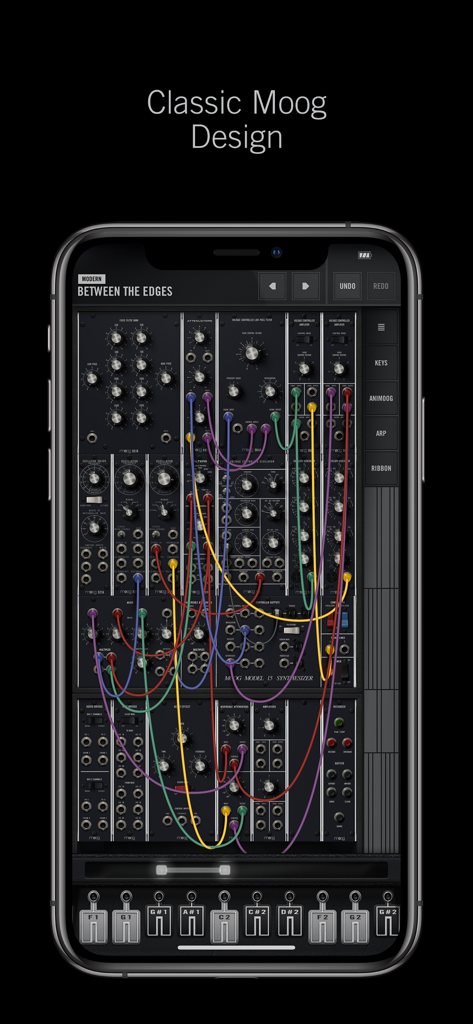
Model 15 Modular Synthesizer - Moog Model 15 modular synthesizer mobile app interface with virtual patch cables
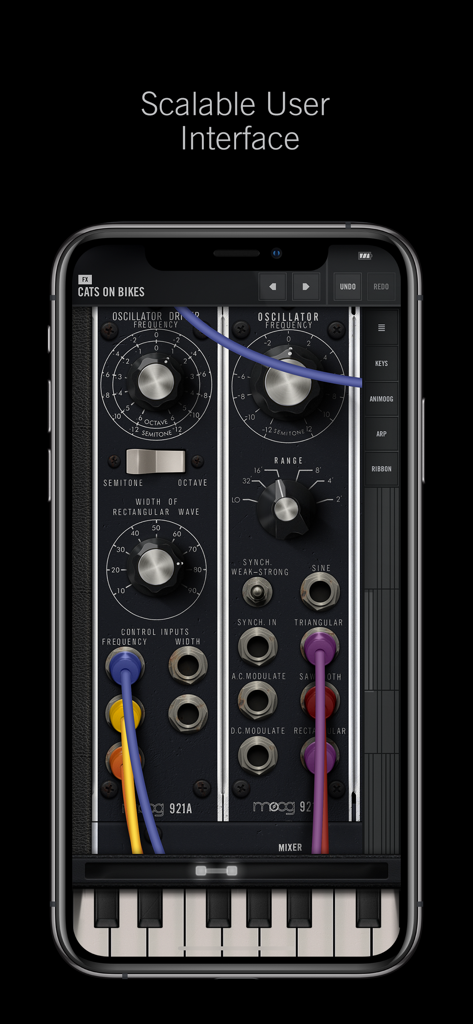
Moog Model 15 modular synthesizer mobile app interface with virtual patch cables

Model 15 Modular Synthesizer - The Moog Model 15 app interface displaying modular synthesis components and patch cables on a mobile screen
The Moog Model 15 app interface displaying modular synthesis components and patch cables on a mobile screen

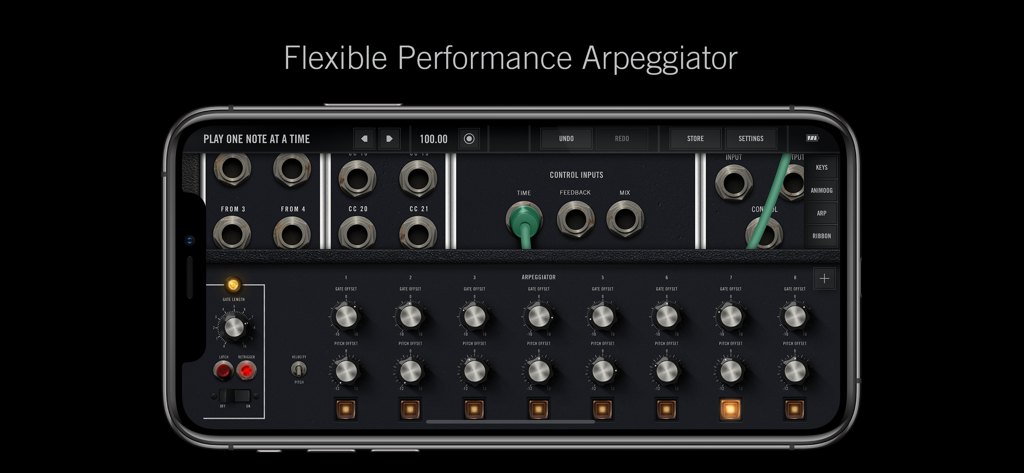
Model 15 Modular Synthesizer - Interface of the Moog Model 15 modular synthesizer app featuring the flexible performance arpeggiator on an iPhone screen.
Interface of the Moog Model 15 modular synthesizer app featuring the flexible performance arpeggiator on an iPhone screen.

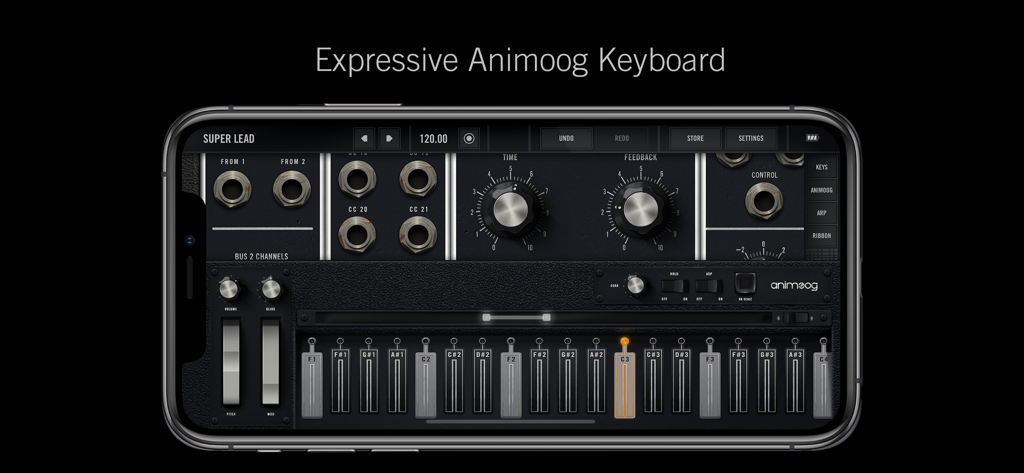
Model 15 Modular Synthesizer - Expressive Animoog keyboard interface in the Moog Model 15 app
Expressive Animoog keyboard interface in the Moog Model 15 app

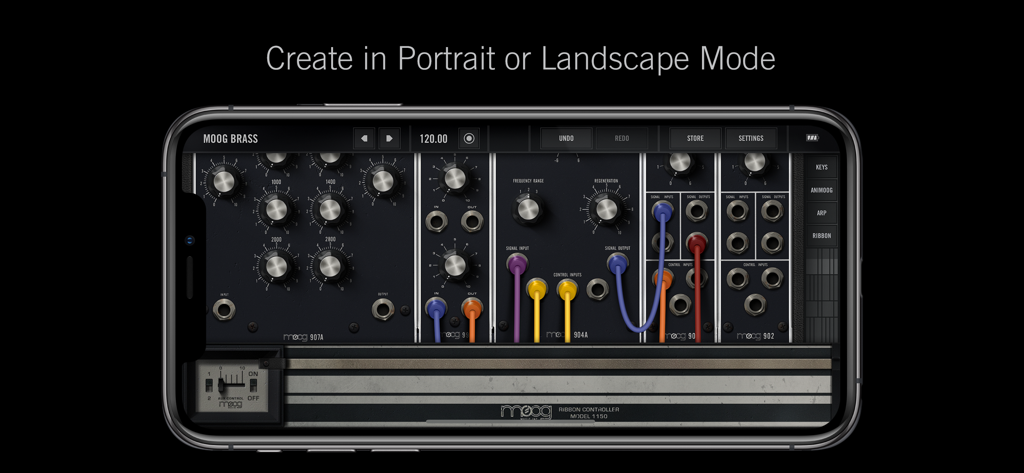
Model 15 Modular Synthesizer - Moog Model 15 modular synthesizer interface featuring virtual modules and patch cables on a smartphone.

Moog Model 15 modular synthesizer interface featuring virtual modules and patch cables on a smartphone.

Description

The Moog Model 15 App is the first Moog modular synthesizer and synthesis educational tool created exclusively for iPad, iPhone and iPod touch. Each facet of the Moog Model 15 modular synthesizer has been meticulously recreated in this application to ensure the power and transcendent sound quality of each module remains intact. The character, harmonic complexity and mystique of the Moog Model 15’s modules, from the legendary Moog 921–series oscillators and 904A Low Pass Filter, to the coveted 907 Fixed Filter Bank have been painstakingly preserved. In order to develop the most immersive and expressive modular interface possible, the Model 15 App has been designed utilizing Apple’s new Metal advanced graphics engine. This ensures that all zooming, panning and modular patching throughout the application feels completely natural, something that would have been impossible otherwise. The Model 15 App features both monophonic and 4-voice polyphonic operation is easily commanded via 4 seamlessly integrated controllers. Simple swipes and taps provide instant access to a traditional Moog keyboard, 1150 ribbon controller, 8-step sequencing arpeggiator and the award-winning Animoog keyboard with 22 built-in scales and polyphonic modulation capabilities. Also included are extended features which expand the capabilities of the app beyond the traditional offerings of the hardware Moog Model 15. These include total MIDI integration, assignment for external control, use as a MIDI controller, dedicated Audio Bridge and MIDI Bridge modules, looping recorder module with overdubbing, a master ping-pong delay module and a new extension cabinet that includes additional amplifiers and voltage-controlled reversible attenuators that can be used for effects like ring-modulation. Because the Model 15 App utilizes Apple’s Metal technology, only 64-bit devices are supported. Compatible devices include iPhone 5s or newer, iPod touch 6 or newer, iPad Air or newer, and the iPad Pro. The Model 15 App requires iOS version 12.4 or later to work. Additional Features • Ships with over 160 unique presets • Recreates the sound of a hardware Moog Model 15 modular synthesizer • Easily share presets and recordings with anyone • Tutorial patches to assist all experience levels • Intuitive patching and cable coloring • Support for landscape and portrait modes • Voltage-controlled stereo ping-pong delay • Expressive sequencing arpeggiator • Moog 1150 Ribbon controller • Real-time looping recorder with overdub and immediate sharing • Up to two controllers on-screen (iPad only) • Optional left-handed UI operation Supports • AUv3 Audio Unit Extensions • 3D Touch and Apple Pencil integration for after pressure • Note-per-channel MIDI controllers • Ableton Link • Inter-App Audio and Audiobus • MIDI Bridge and Audio Bridge • 7 and 14-Bit MIDI • MIDI Program Change • Bluetooth LE MIDI controllers • Typing keyboards for shortcuts and musical typing • AudioCopy, AudioPaste and AudioShare

Download

Download on App Store

This page is not an official page of the app or its developer, but an independent editorial publication created for informational and commentary purposes. Unless expressly stated otherwise, neither the app nor its developer is affiliated with, endorsed by, sponsored by, authorized by, or otherwise officially connected with MWM, Apple, Google Play, the app publisher, or the app's developer, and nothing on this page implies that the app was developed using MWM's services. Any trademarks, logos, screenshots, and other content remain the property of their respective owners.