
This page is not an official page of the app or its developer, but an independent editorial publication created for informational and commentary purposes. Unless expressly stated otherwise, neither the app nor its developer is affiliated with, endorsed by, sponsored by, authorized by, or otherwise officially connected with MWM, Apple, Google Play, the app publisher, or the app's developer, and nothing on this page implies that the app was developed using MWM's services. Any trademarks, logos, screenshots, and other content remain the property of their respective owners.

MoneyControl Spending Tracker
Stop paying monthly subscriptions for invasive bank-linked apps. Take charge of your finances with a fast, secure, and manual tracker designed for those who value data ownership and long-term financial stability.
Downloads
1M+User Rating
Total Ratings
12K+Publisher
Category
FinanceLocales
27Latest Version
10.0.6Size
78.3 MBFirst Released
Sep 30, 2011Take Full Command of Your Finances
Professional-grade budgeting for the privacy-conscious architect who values manual control and total data security without the monthly subscription fatigue.
100% Privacy, No Bank Links
Your data stays under your control. Manage your household budget without ever handing over your sensitive bank credentials to third parties.
Mindful Tracking in Seconds
Build true spending awareness through quick manual entries. Use powerful shortcuts to record expenses instantly while you are on the move.
Frequently Asked Questions
Everything you need to know about MoneyControl Spending Tracker
What is MoneyControl Spending Tracker?
MoneyControl Spending Tracker is a powerful budget app for managing income, expenses, and household finances. It focuses on simplicity, clarity, and providing full control over personal financial data.
How can users track income and expenses with MoneyControl?
Users track income and expenses in MoneyControl in seconds by entering the amount and optionally selecting a category, account, person, or note. Shortcuts allow faster additions for frequent entries.
Can MoneyControl help with household budget planning?
Yes, MoneyControl helps plan household budgets. Users can set personal budgets, manage recurring income and expenses automatically, preview upcoming months, and view visual charts for finances.
Is MoneyControl Spending Tracker free to use?
Yes, MoneyControl Spending Tracker is free to download and test. The free version allows up to 20 entries per month. A one-time in-app purchase removes this limitation permanently.
Does MoneyControl keep user financial data private?
Yes, MoneyControl ensures user financial data stays under their control. Synchronization is only activated if explicitly enabled by the user, adhering to its "Privacy & Control" principle.
Can users export financial data from MoneyControl?
Yes, MoneyControl allows users to export their financial data. It provides a CSV export option, compatible with programs like Excel, for detailed record-keeping and analysis.
Does MoneyControl manage recurring income and expenses?
Yes, MoneyControl manages recurring income and expenses automatically. This feature helps users plan their household budget and keep their finances consistently under control.
How are extensions like receipt photos unlocked in MoneyControl?
Optional extensions, such as attaching receipt photos or creating PDF reports, are unlocked with one-time in-app purchases. These purchases can then be used across all iOS devices.
Does MoneyControl Spending Tracker contain ads or tracking?
No, MoneyControl Spending Tracker does not contain ads or tracking. The app prioritizes user privacy and ensures data remains under user control, as explicitly stated within the app details.
How long has MoneyControl been under development?
MoneyControl has been continuously developed for over 15 years. This extensive development history contributes to its powerful and refined budgeting capabilities and user focus.
The following screenshots and description are sourced directly from the app's official store listing and are the property of the app developer.
App Store
Screenshots
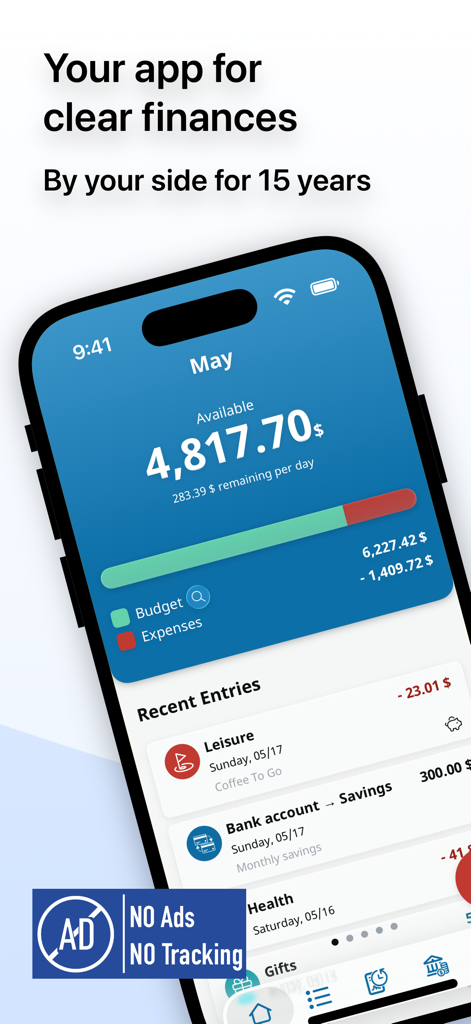
MoneyControl budget tracker app dashboard showing monthly available balance and recent expense entries
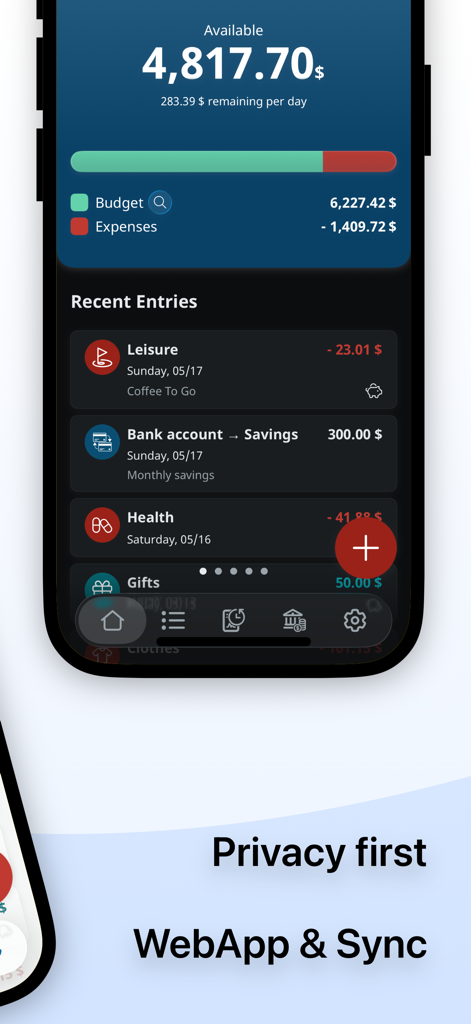
MoneyControl app dashboard on an iPhone showing budget overview, recent entries, and privacy first tagline.
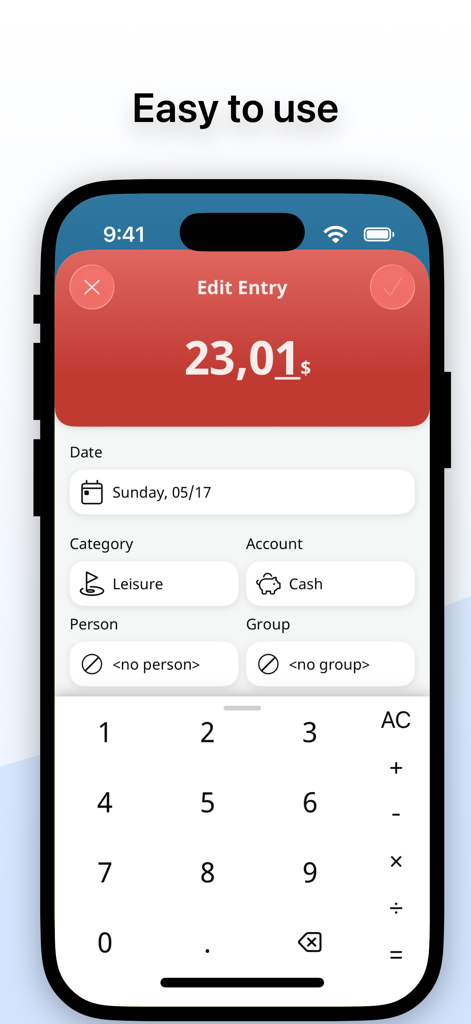
Manual expense entry screen for the MoneyControl budget tracking app
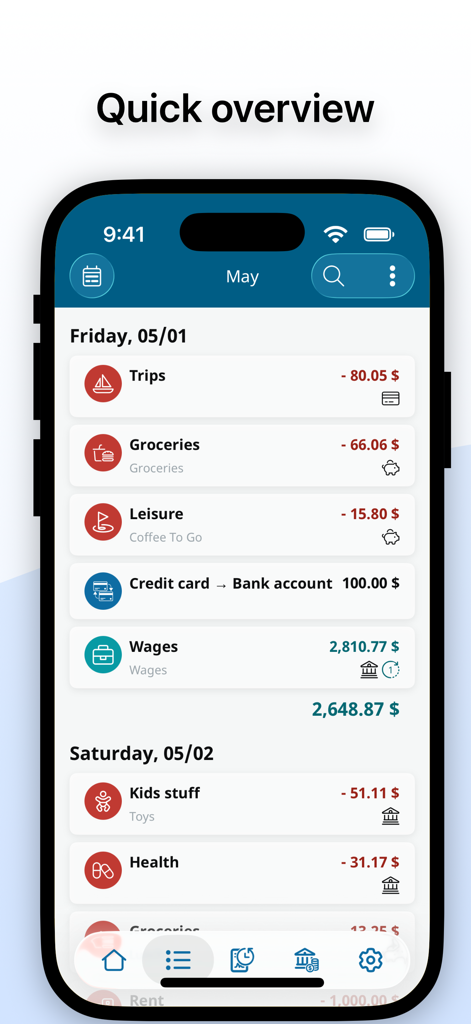
A quick overview of daily income and categorized expenses within the MoneyControl app interface.
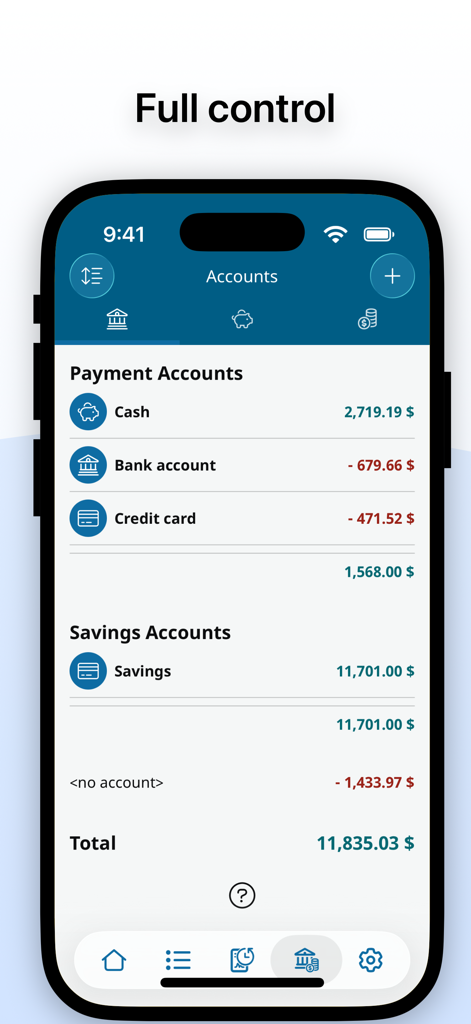
A smartphone screen displaying the accounts overview in the MoneyControl app showing balances for cash bank and savings.
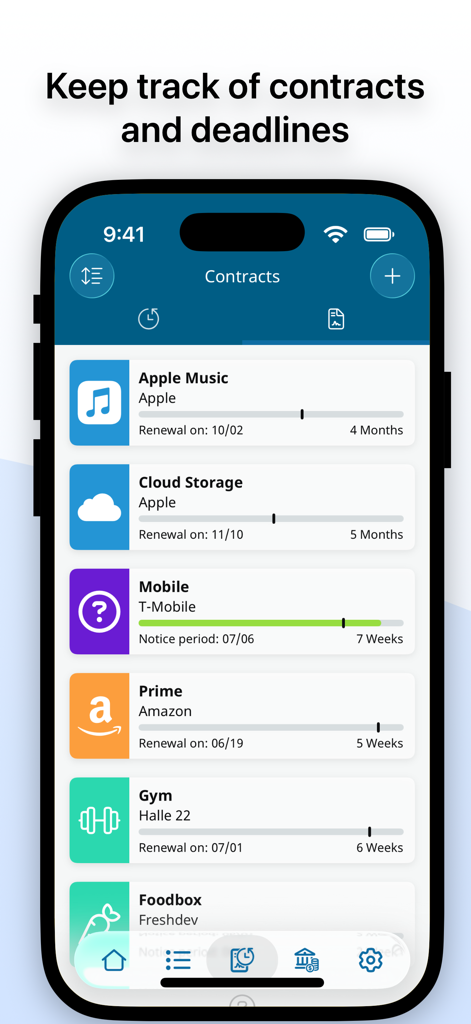
MoneyControl app screen displaying a list of subscriptions with their renewal deadlines
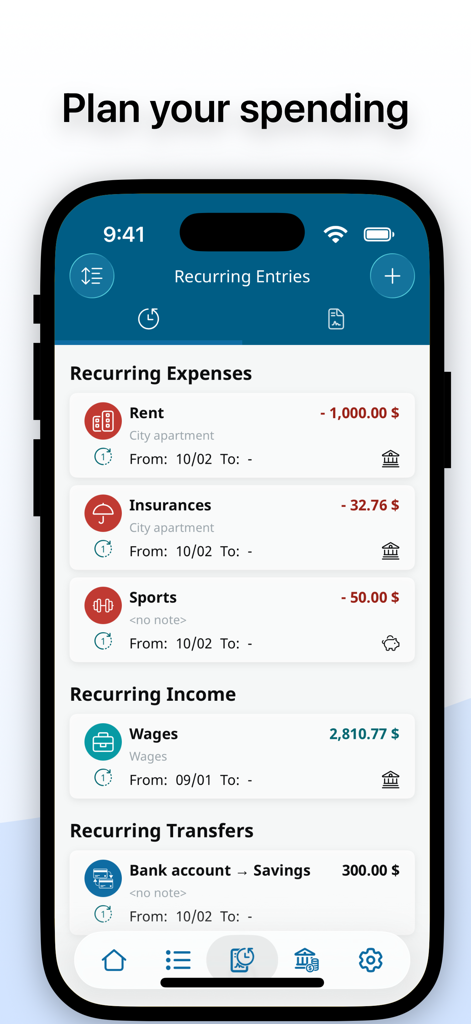
MoneyControl app screenshot showing recurring expenses income and transfers for financial planning
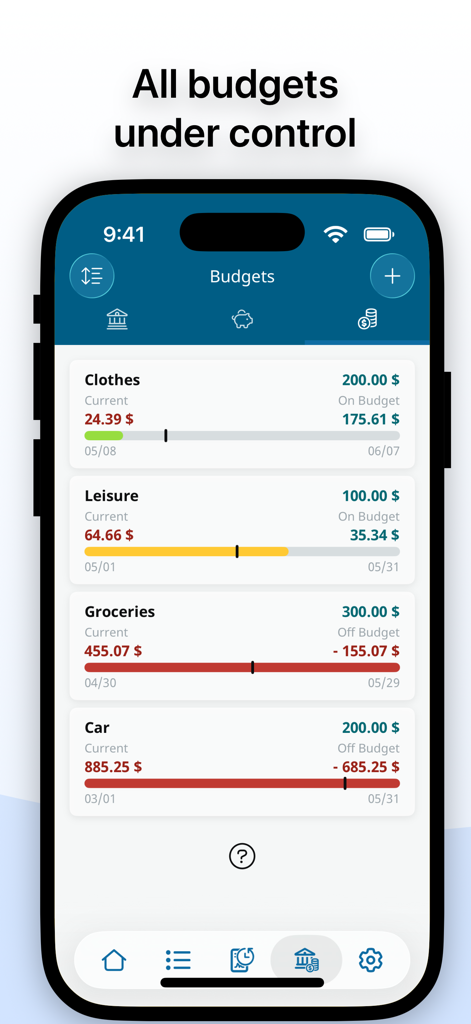
MoneyControl app interface displaying household budget categories and spending progress bars on a smartphone screen.
Description
Download
More Like This
Apps with similar features and user experience

鲨鱼记账本-城市理财圈子必备工具软件
Beijing Shark Pioneer Network Technology Co.,Ltd

咔皮记账 -自动记账 AI记账 预算 多账本 资产管理 存钱
Shanghai Yuhuan Technology Co., Ltd.

Money manager, expense tracker
Orange dog d.o.o.

Money Manager Expense & Budget
Realbyte Inc.

Budget Planner App - Fleur
Akash Jain

iCost记账-快速简洁好用的记账理财助手&记账软件
Guangzhou Quji Technology Co., Ltd.

YNAB
You Need A Budget LLC

Copilot: Track & Budget Money
Copilot Money, Inc.

小青账记账-存钱记账本理财购物清单
YouQian
This page is not an official page of the app or its developer, but an independent editorial publication created for informational and commentary purposes. Unless expressly stated otherwise, neither the app nor its developer is affiliated with, endorsed by, sponsored by, authorized by, or otherwise officially connected with MWM, Apple, Google Play, the app publisher, or the app's developer, and nothing on this page implies that the app was developed using MWM's services. Any trademarks, logos, screenshots, and other content remain the property of their respective owners.