moontake

moontake

Download on App Store
Logo of moontake

moontake: Authentic Moon Photography for Your iPhone

Ditch the blurry glows and AI overlays. Capture every crater and detail with precision manual controls that unlock the true power of your telephoto lens, finished with unique moon phase watermarks.

Download on App Store

Publisher

ZIZICICI LIMITED

Category

Photo & Video

Downloads

0

User Rating

4.7/5

Total Ratings

0

Locales

10

Authentic Lunar Details

Discover the interface used by 0 users.
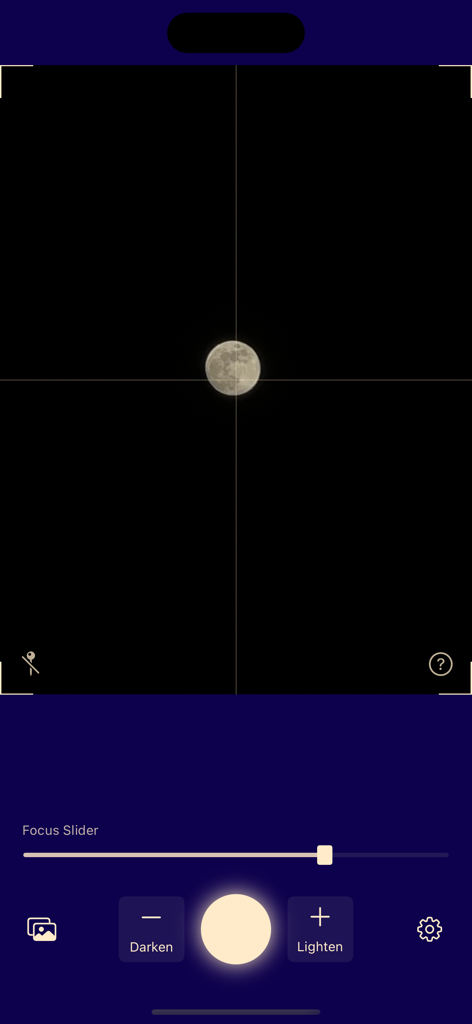
Moontake app camera interface showing a moon in the viewfinder with manual focus and exposure controls

Moontake app camera interface showing a moon in the viewfinder with manual focus and exposure controls

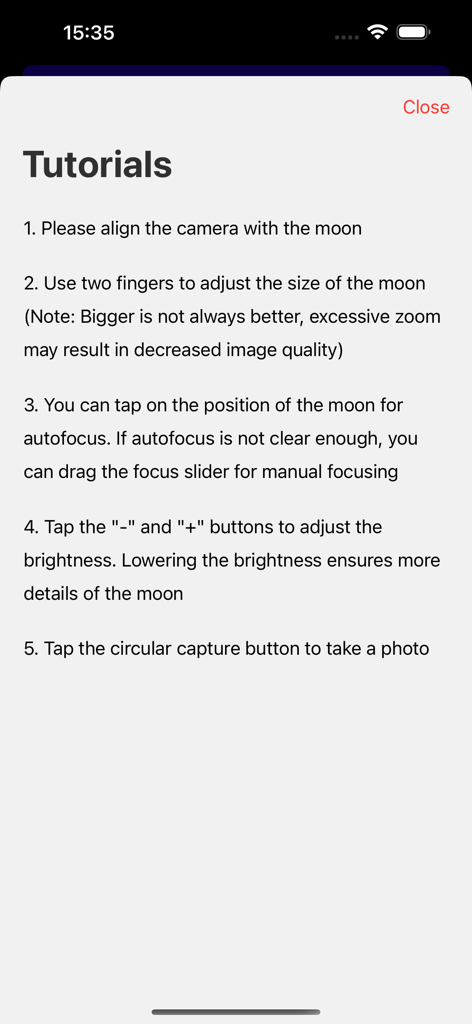
Step by step instructions for capturing the moon in the moontake app

Step by step instructions for capturing the moon in the moontake app

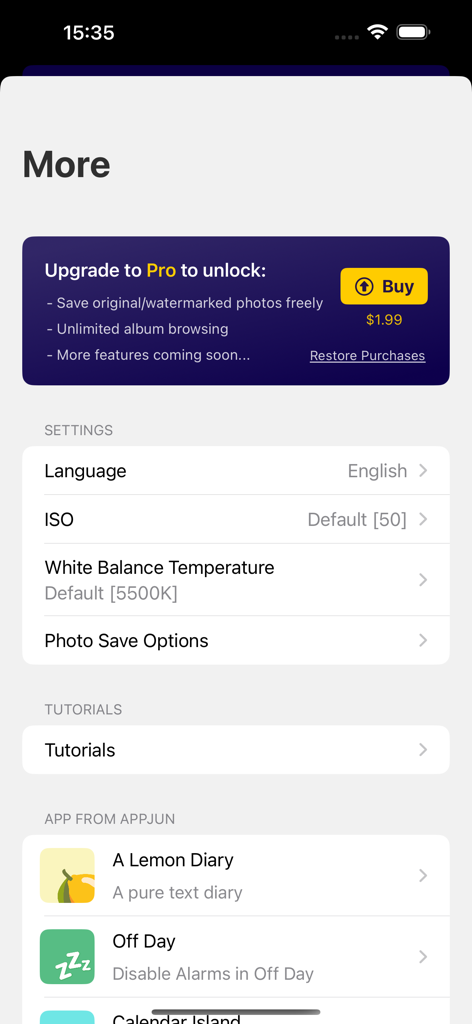
Settings screen of the moontake app featuring ISO and white balance manual controls and a Pro upgrade option.

Settings screen of the moontake app featuring ISO and white balance manual controls and a Pro upgrade option.

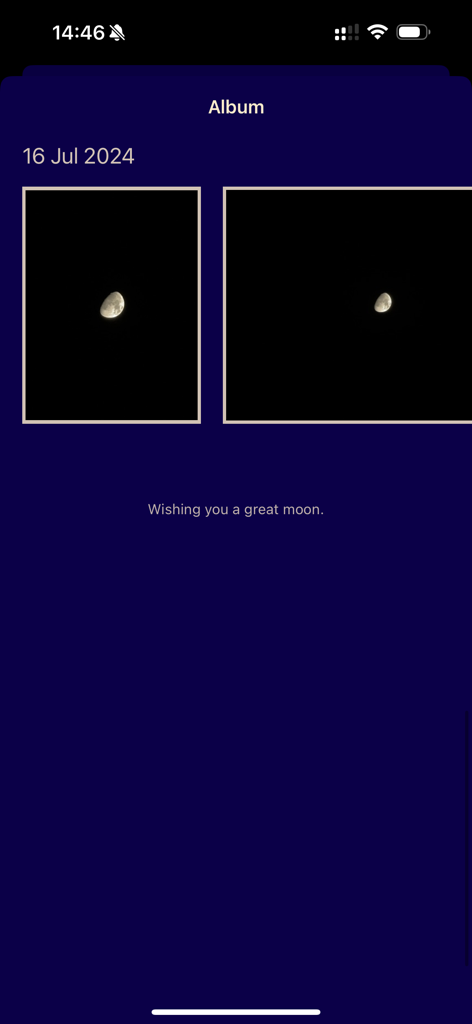
The album screen of the Moontake app featuring captured moon photography.

The album screen of the Moontake app featuring captured moon photography.

Master the Night Sky

The tools that make this app stand out, trusted by 0 users.

🔭

Total Manual Control

Fine-tune focus and exposure with precision sliders to reveal crisp craters and lunar textures that auto-mode misses.

🛡️

100% Authentic Shots

No AI overlays or fake moon textures. We faithfully reflect your iPhone's true optics for photography you can actually trust.

🗓️

Phase-Aware Watermarks

Instantly tag your photos with current moon phase data, adding professional context and aesthetic flair for social sharing.

About the app

Everything you need to know about moontake.

Description

Tutorials 1. Please align the camera with the moon 2. Use two fingers to adjust the size of the moon (Note: Bigger is not always better, excessive zoom may result in decreased image quality) 3. You can tap on the position of the moon for autofocus. If autofocus is not clear enough, you can drag the focus slider for manual focusing 4. Tap the \"-\" and \"+\" buttons to adjust the brightness. Lowering the brightness ensures more details of the moon 5. Tap the circular capture button to take a photo ---------------------- moontake taking great photos of the moon on your iPhone. moontake provide a special watermark with current moon phase information. moontake's technology implementation does not involve any 2D/3D moon model matching or other cheating methods, faithfully reflecting the resolving power of the camera lens. It is particularly suitable for devices equipped with telephoto lenses. EULA: https://www.apple.com/legal/internet-services/itunes/dev/stdeula/

Latest Version

2.1.0

Size

9.5 MB

First Released

Aug 10, 2023

Stop Taking Photos of Blurry Light Bulbs

Unlock your iPhone's telephoto power with moontake. Capture authentic lunar details and beautiful phase watermarks—no AI models or cheating, just pure photography.

Download on App Store

App information, icons, screenshots, and descriptions displayed on this page are sourced from the Apple App Store and are the property of their respective developers. Download estimates and rankings are based on MWM's proprietary models and may not reflect actual figures. This page is provided for informational and analytical purposes only.

Believe this page infringes your intellectual property? File a dispute