
This page is not an official page of the app or its developer, but an independent editorial publication created for informational and commentary purposes. Unless expressly stated otherwise, neither the app nor its developer is affiliated with, endorsed by, sponsored by, authorized by, or otherwise officially connected with MWM, Apple, Google Play, the app publisher, or the app's developer, and nothing on this page implies that the app was developed using MWM's services. Any trademarks, logos, screenshots, and other content remain the property of their respective owners.


Moshicam Photo Editor & Frames
Unleash your inner artist; this app transforms everyday photos into social media gold with a flick of your thumb.
Downloads
100k+User Rating
Total Ratings
1.5KPublisher
Category
Graphics & DesignLocales
1Latest Version
1.5.1Size
67.9 MBFirst Released
Nov 20, 2024An evaluation of the application's core functionalities and their impact on aesthetic-driven social media users.
Moshicam Photo Editor: Key Features Analysis
Artist-Made Frames (1,000+)
The app provides a vast collection of over 1,000 artist-made frames, including popular styles like Polaroid borders, photobooth strips, and film frames, ensuring unique and trendy aesthetics.
Artist-Designed Sticker Packs
It features hundreds of artist-designed sticker packs, allowing users to personalize their edits with cute icons, sparkly decorations, doodles, and fan-favorite themes for collages and moodboards.
Direct Social Media Sharing
This tool allows users to seamlessly share their aesthetic creations directly to popular social media platforms such as Instagram, TikTok, and Threads, catering to immediate content publishing needs.
Dedicated for Fandom & Creators
The app is specifically tailored for K-Pop fans, lifestyle creators, and social media enthusiasts, offering tools to create polaroid edits of idols, friend collages, and shareable photobooth strips.
Customizable Fonts, Filters & Pens
It provides custom fonts, unique pen styles for drawing, and a variety of filters, enabling users to add text, handwritten elements, and specific aesthetic moods to their photos.
Vibrant Community & Artist Collabs
The app fosters a vibrant community where users can follow favorite artists, discover new content, browse edits for inspiration, and even contribute their own frames and sticker packs.
Frequently Asked Questions
Everything you need to know about Moshicam Photo Editor & Frames
What is Moshicam Photo Editor & Frames?
Moshicam Photo Editor & Frames is an all-in-one photo editing app for fans and creators. It helps users make aesthetic edits, decorate selfies, create K-Pop fan edits, and design collages.
What features does Moshicam Photo Editor & Frames offer?
Moshicam offers over 1,000 artist-made frames, hundreds of artist sticker packs, custom fonts, filters, and pens. It also includes a collage maker and direct sharing to social media platforms.
Is Moshicam suitable for K-Pop fan edits?
Yes, Moshicam is designed for K-Pop fans. Users can easily make K-Pop fan edits, design collages of their favorite idols, and create polaroid edits with the app.
Does Moshicam offer unique frames and stickers?
Yes, Moshicam provides over 1,000 frames and hundreds of sticker packs created by real artists. These exclusive styles, including polaroid borders and film frames, are unique and updated weekly.
Can I add text to my photos with Moshicam?
Yes, Moshicam allows users to add text to photos using custom fonts and unique pen styles. This feature enables personalized and stylish designs for edits.
Can I share Moshicam edits directly to social media?
Yes, Moshicam allows direct sharing of edits to platforms like Instagram, TikTok, Twitter/X, Threads, and Red Note. Users can create, save, and instantly share their work.
Is Moshicam Photo Editor & Frames free to download?
Yes, Moshicam Photo Editor & Frames is free to download. The free version provides access to numerous frames, sticker packs, fonts, and filters.
What is Moshicam Plus and what does it offer?
Moshicam Plus is a premium subscription offering unlimited creative freedom. It unlocks exclusive frames, stickers, fonts, pen styles, and filters, with new content added weekly.
Does Moshicam offer flexible subscription plans for Moshicam Plus?
Yes, Moshicam Plus offers flexible monthly or yearly subscription plans. Users can choose the plan that best suits their needs to access premium features.
How do I upload my own photos to Moshicam Photo Editor & Frames?
Moshicam allows users to upload their own photos from their camera roll. The app also provides an option to open the camera directly to take new photos for editing.
Where can I find the Moshicam Privacy Policy and Terms of Use?
The Moshicam Privacy Policy is available at https://moshi.cam/privacy. The Terms of Use can be found at https://apple.com/legal/internet-services/itunes/dev/stdeula.
Can artists contribute frames and sticker packs to Moshicam?
Yes, Moshicam has a community where anyone can submit frames and sticker packs for others to use. This fosters collaboration among fan editors and influencers.
The following screenshots and description are sourced directly from the app's official store listing and are the property of the app developer.
App Store
Screenshots
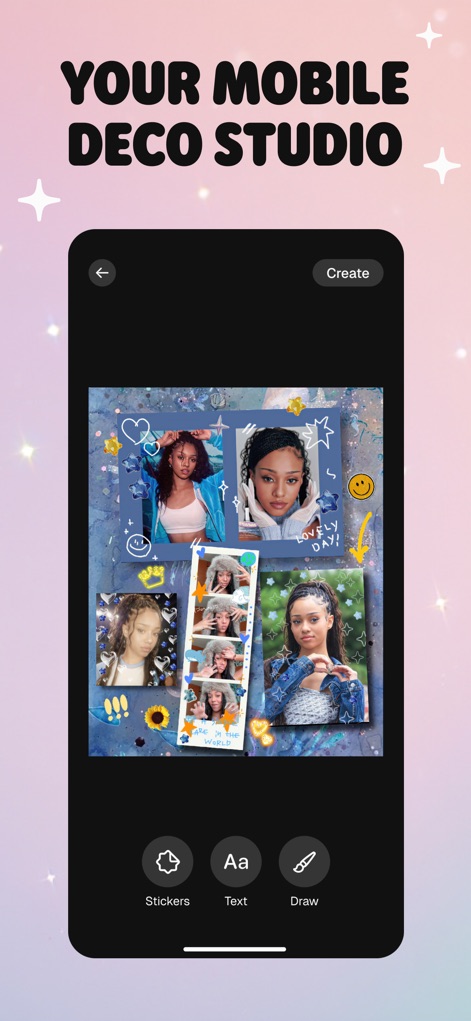
See how this app transforms multiple images into aesthetic collages, integrated with creative drawing and text tools for personalized expression.
Mobile Deco Studio
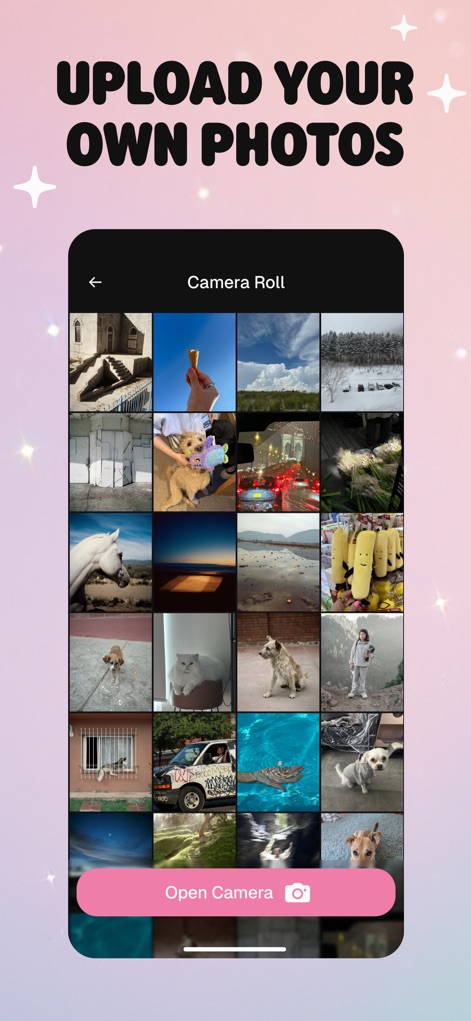
The app provides a streamlined interface for selecting photos directly from the camera roll or capturing new ones with the built-in camera function.
Effortless Photo Import

Users can access a vast collection of unique artist-made frames and hundreds of diverse sticker packs to adorn their creations.
Curated Creative Assets
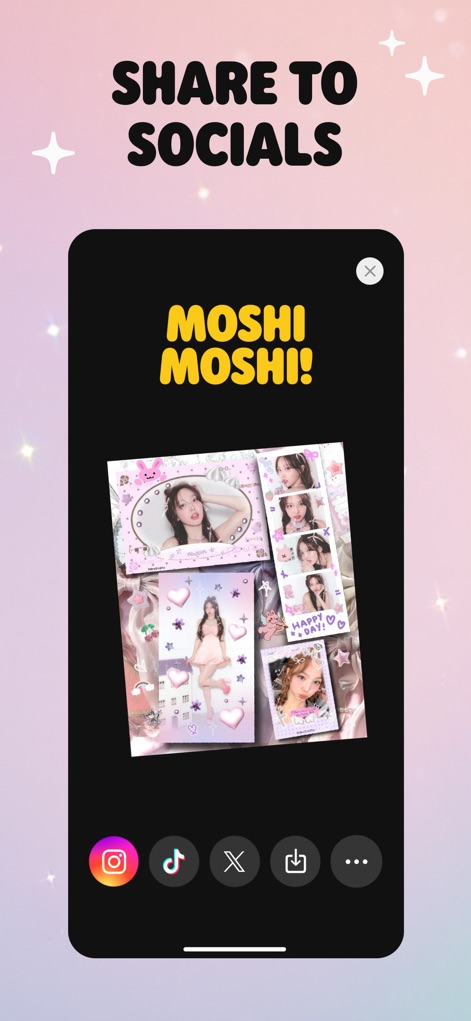
This tool facilitates instant sharing of finished aesthetic edits directly to popular social platforms like Instagram and TikTok, or saving them to a device.
Seamless Social Sharing
Description
Download
More Like This
Apps with similar features and user experience

Share Aura
Aura Movement Technology, Inc.
Frame Watermark Camera
燕辉 王
Most: Aesthetic Story Editor
MOST STORY LLC, TOO

FanMaker: K-Pop Sign & Card
KALEIDOSCOPE Inc.

Vieno
天刚 李

PIP Magic - Selfie Camera App
pixel force private limited

FloralWhisper: Lovely Language
VOLIO VIET NAM COMPANY LIMITED

Crafto App
Primetrace Technologies Private Ltd

Status Saver - Status Download
Vivek Vadhaiya
This page is not an official page of the app or its developer, but an independent editorial publication created for informational and commentary purposes. Unless expressly stated otherwise, neither the app nor its developer is affiliated with, endorsed by, sponsored by, authorized by, or otherwise officially connected with MWM, Apple, Google Play, the app publisher, or the app's developer, and nothing on this page implies that the app was developed using MWM's services. Any trademarks, logos, screenshots, and other content remain the property of their respective owners.