Moves by Maxon
Moves by Maxon
Download on App Store

This page is not an official page of the app or its developer, but an independent editorial publication created for informational and commentary purposes. Unless expressly stated otherwise, neither the app nor its developer is affiliated with, endorsed by, sponsored by, authorized by, or otherwise officially connected with MWM, Apple, Google Play, the app publisher, or the app's developer, and nothing on this page implies that the app was developed using MWM's services. Any trademarks, logos, screenshots, and other content remain the property of their respective owners.


Logo of Moves by Maxon
Download on App Store

Moves by Maxon

Bridge the gap between the physical and digital worlds. Capture facial expressions, full-body motion, and high-detail 3D scans directly from your iPhone or iPad for seamless integration into Cinema 4D.

Key Figures

Downloads

84K+

User Rating

2.8/5

Total Ratings

100

Publisher

Maxon Computer GmbH

Category

Graphics & Design

Locales

1

Latest Version

2026.0.0

Size

25.5 MB

First Released

Feb 28, 2020
Features

Pro-Grade Capture in Your Pocket

Skip the expensive studio and hours of manual keyframing. Moves by Maxon brings facial, body, and object capture directly into your Cinema 4D workflow.

High-Fidelity Face MoCap

Use the TrueDepth camera to map micro-expressions and emotion to your 3D characters with professional precision.

AI-Powered Body Tracking

Record full-body performances without a suit. Leverage ARKit to generate rigged animation skeletons instantly.

The following screenshots and description are sourced directly from the app's official store listing and are the property of the app developer.

App Store

Screenshots
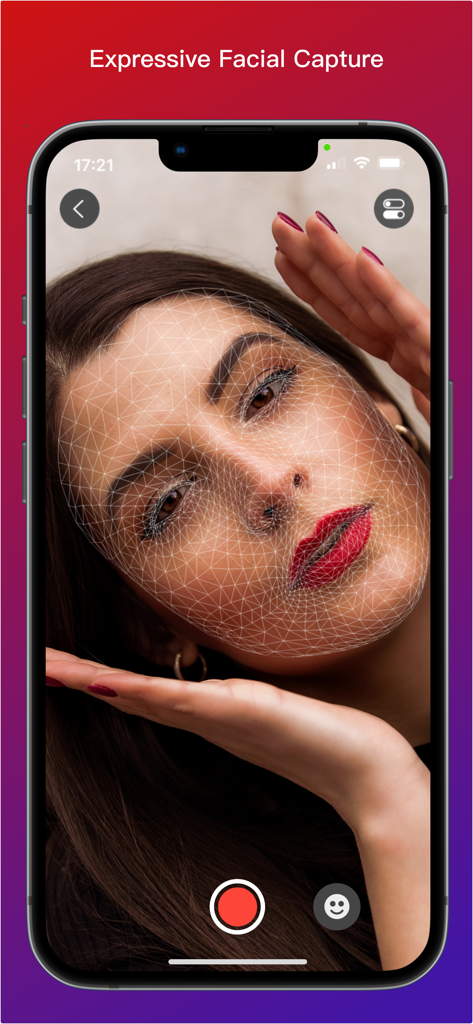
Moves by Maxon - Moves by Maxon app interface showing a 3D wireframe mesh overlay on a woman's face for expressive facial capture
Moves by Maxon app interface showing a 3D wireframe mesh overlay on a woman's face for expressive facial capture

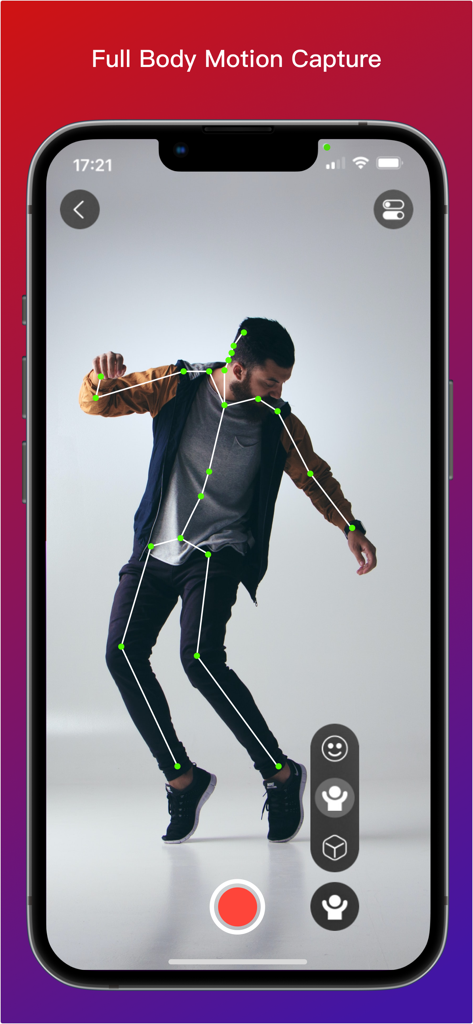
Moves by Maxon - iPhone screen displaying full body motion capture with a 3D skeleton overlay on a person
iPhone screen displaying full body motion capture with a 3D skeleton overlay on a person

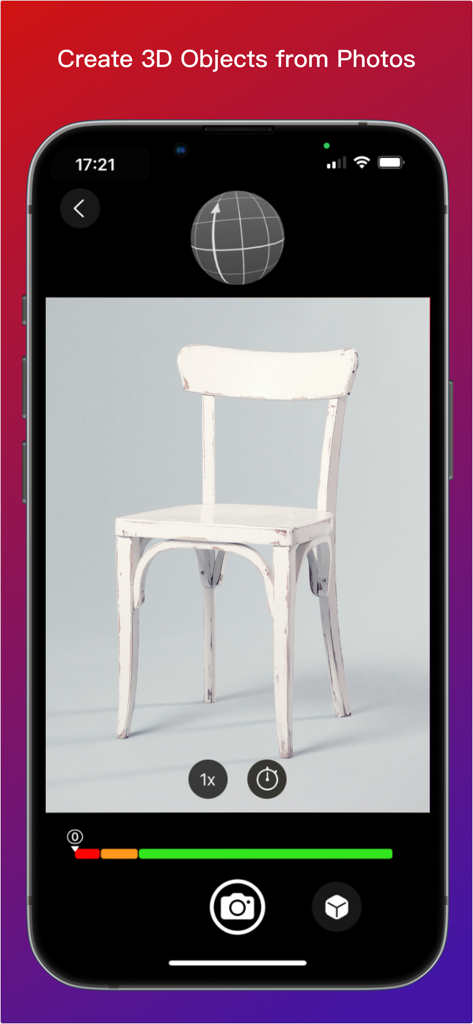
Moves by Maxon - Moves by Maxon app interface demonstrating photogrammetry to create a 3D model of a chair from photos

Moves by Maxon app interface demonstrating photogrammetry to create a 3D model of a chair from photos

Description

Moves by Maxon is available on the iOS App Store for all iPhones and iPads running iOS 15.0 and later. Get Your Moves On! -------------------- With Moves by Maxon for iPhone and iPad you can capture facial and full-body movement or scan 3D objects and then bring them into 3D space in Cinema 4D. Whether you want to bring your facial expressions, best dance moves or a model of your favorite teddy bear into the world of 3D, Moves by Maxon is the perfect app. Download it now! Object Capture ---------------- Photogrammetry based object capture couldn't be easier! Place the object you want to import in a well lit spot where it can be photographed from all angles. Start taking snapshots and the on-screen tool shows a record of where you have snapped. Moves by Maxon will let you know when there are enough images. Then connect and send the images to Cinema 4D and watch the magic happen! For best results, start practicing with simple objects such as a small stuffed toy or desktop sculpture. Note - Object Capture is only supported by Cinema 4D 2023 and later running on macOS Monterey. Facial Motion Capture ----------------------------- With Face Capture, you can capture facial expressions with iPad or iPhone. It's as easy as recording a selfie video. Start the camera and off you go. The app uses the capture data to generate a moving 3D model in real time, which you can then transfer to 3D geometry in Cinema 4D. The movements of your facial expressions are precisely detected and can be used to create impressive facial animations in Cinema 4D without any previous knowledge. Want to learn how? Check out our tutorials on www.cineversity.com. Body Motion Capture ---------------------------- You can record entire body movements as well! When videos are recorded in the Moves by Maxon app with your iPhone or iPad camera, Apple ARKit analyzes the movements in realtime and creates an animated 3D "skeleton" that is superimposed on the video. This provides a preview and the ability evaluate the recording of your moves. Once you've imported the capture data into Cinema 4D - a simple and intuitive process - you can adjust the data there and transfer it to a 3D figure to perform your very own moves. Please note: Capturing body motion is a relatively new feature of Apple's ARKit, so capturing clean full figure motion requires some preparation and finesse. Therefore, there are a few things you should consider when capturing body movements to ensure good results. Contrast Matters ---------------------- The person being captured should stand out from the background. So, choose dark clothes for light backgrounds and vice versa. Fitted clothing will produce better results than loose or baggy clothing. Extreme patterns in clothing are also not optimal. Don't Move Too Fast --------------------------- Due to the motion blur that occurs when recording fast movements, the contours can become blurred and no longer be precisely captured by the app. Pirouettes and similar fast movements should be avoided for best results. Avoid Overlapping ------------------------ Moves by Maxon may not be able to distinguish and interpret movements where arms or legs cross each other or are crossed in front of or behind the body correctly. This can cause captured movement to "fidget" for a short time. Quiet movements without repeatedly crossing the arms or legs provide more accurate recordings. Cinema 4D is required to utilize the captured movement and the Moves by Maxon connectivity comes preinstalled. If you do not have Cinema 4D, a free trial version is available at www.maxon.net.

Download

Download on App Store

This page is not an official page of the app or its developer, but an independent editorial publication created for informational and commentary purposes. Unless expressly stated otherwise, neither the app nor its developer is affiliated with, endorsed by, sponsored by, authorized by, or otherwise officially connected with MWM, Apple, Google Play, the app publisher, or the app's developer, and nothing on this page implies that the app was developed using MWM's services. Any trademarks, logos, screenshots, and other content remain the property of their respective owners.







