MoviePro - Pro Video Camera

MoviePro - Pro Video Camera


Download on App Store
Logo of MoviePro - Pro Video Camera

MoviePro: The Professional Cinematic Camera for iPhone and iPad

Transform your device into a production-ready powerhouse. Unlock manual controls, ProRes codecs, and advanced audio monitoring to capture every shot with cinematic precision.

Download on App Store

Publisher

Deepak Sharma

Category

Photo & Video

Downloads

473K+

User Rating

4.3/5

Total Ratings

5K+

Locales

1

Cinema at Your Fingertips

Discover the interface used by 473K+ users.
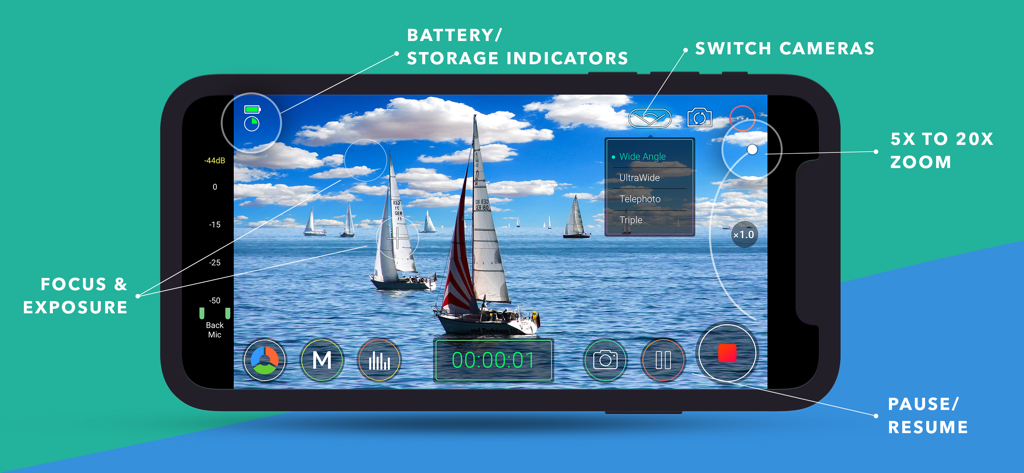
Interface of MoviePro showing manual focus exposure and zoom controls for professional video recording

Interface of MoviePro showing manual focus exposure and zoom controls for professional video recording

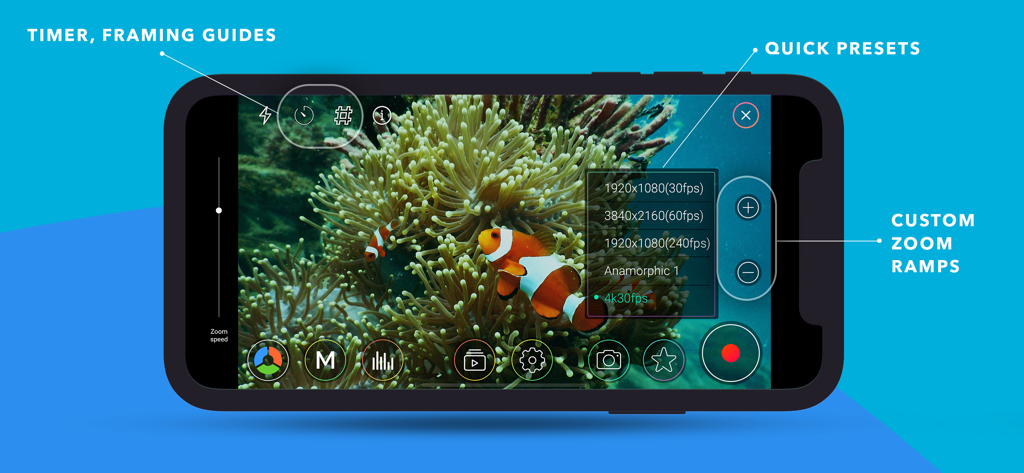
MoviePro app interface showing manual video recording controls, resolution presets, and custom zoom ramps.

MoviePro app interface showing manual video recording controls, resolution presets, and custom zoom ramps.

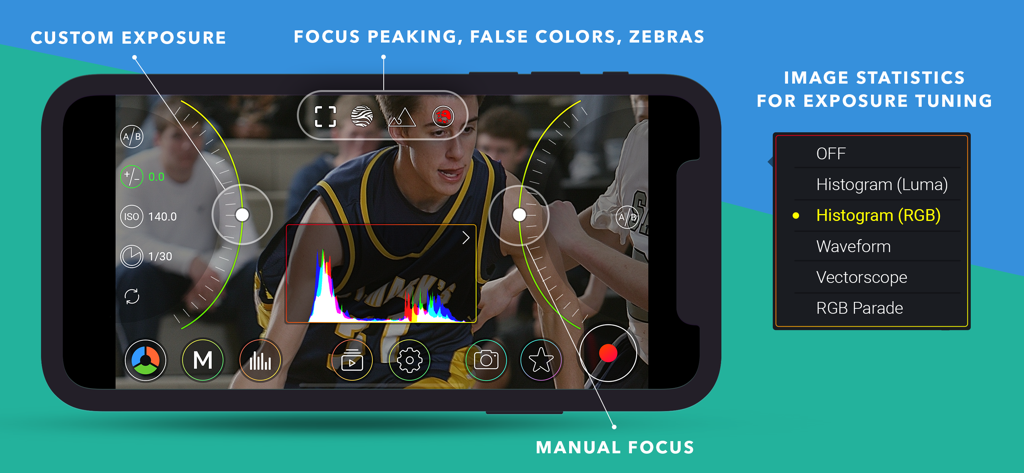
MoviePro app interface for professional video recording with manual exposure focus controls and real-time RGB histogram statistics

MoviePro app interface for professional video recording with manual exposure focus controls and real-time RGB histogram statistics

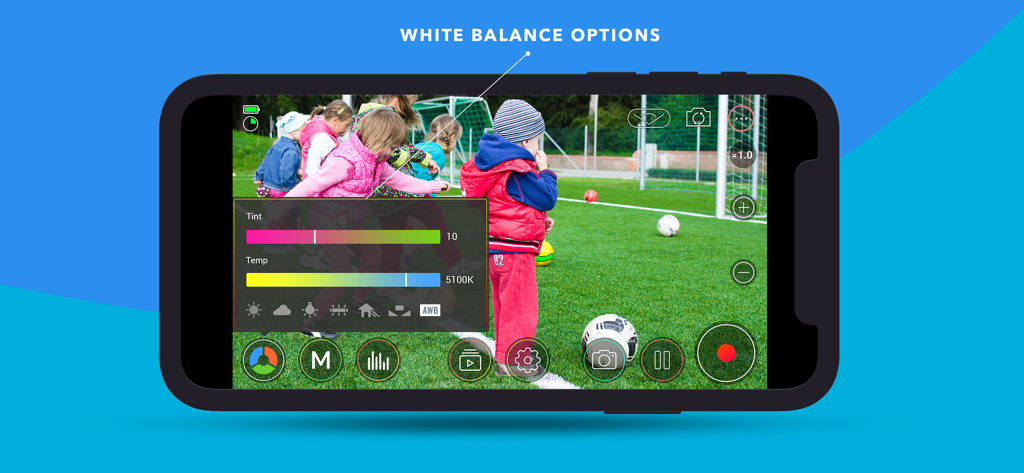
MoviePro video camera interface displaying manual white balance tint and temperature controls.

MoviePro video camera interface displaying manual white balance tint and temperature controls.

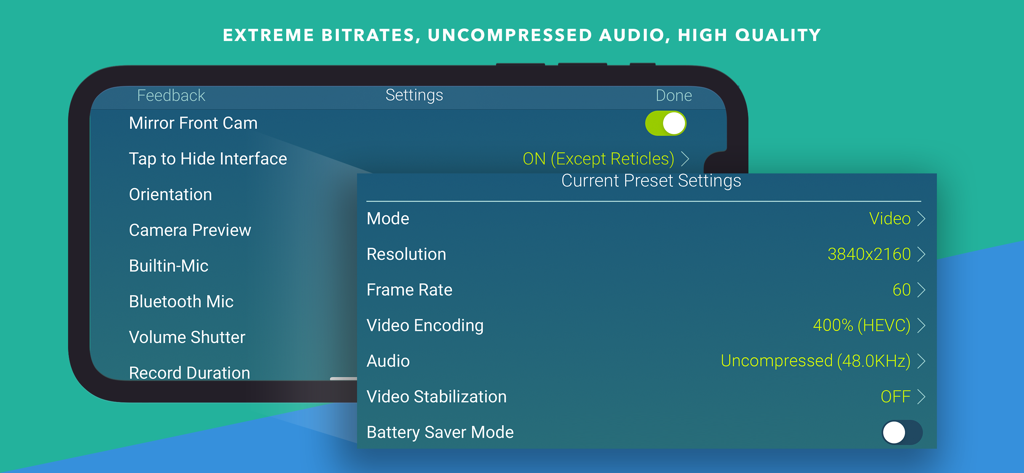
MoviePro app interface showing advanced video and audio preset settings like 4K resolution and uncompressed audio.

MoviePro app interface showing advanced video and audio preset settings like 4K resolution and uncompressed audio.

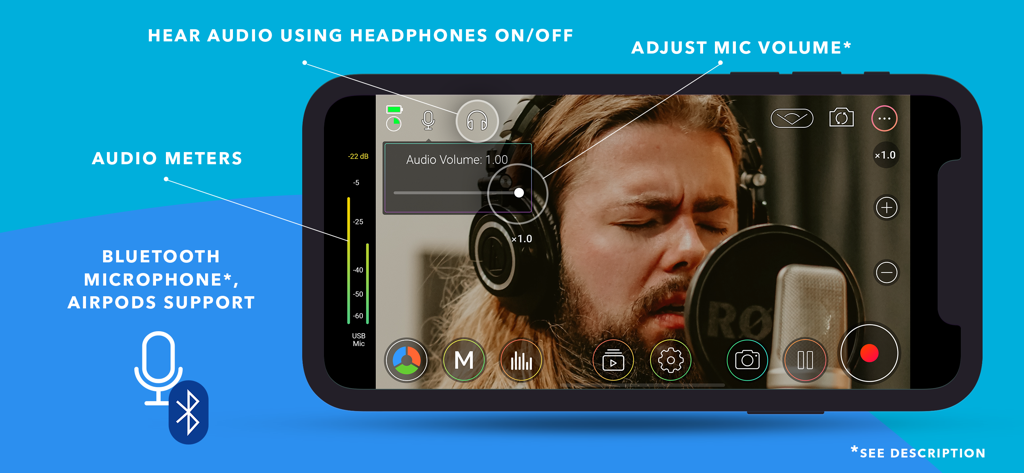
MoviePro app interface showing professional audio meters and mic volume control settings on an iPhone

MoviePro app interface showing professional audio meters and mic volume control settings on an iPhone

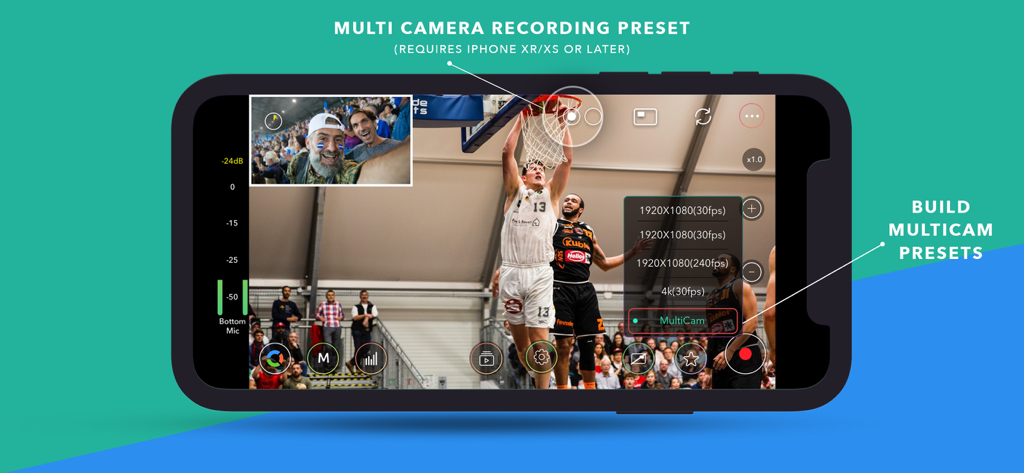
MoviePro app interface demonstrating multi-camera recording with picture-in-picture presets on an iPhone

MoviePro app interface demonstrating multi-camera recording with picture-in-picture presets on an iPhone

Transform Your iPhone Into a Cinema Camera

The tools that make this app stand out, trusted by 473K+ users.

🎛️

Total Manual Precision

Master every shot with manual focus pulls, exposure locks, and custom white balance to eliminate the unpredictability of native auto-settings.

🎬

Production-Ready Workflows

Capture in ProRes, Apple Log, and high-bitrate 4K to preserve maximum dynamic range for professional color grading in post-production.

🎧

Pro Audio & Monitoring

Ensure perfect sound with real-time audio meters, mic gain control, and live monitoring via AirPods or external professional microphones.

About the app

Everything you need to know about MoviePro - Pro Video Camera.

Description

MoviePro is a professional video recording app that unlocks advanced camera capabilities on iPhone and iPad. Designed for beginners and professionals alike, MoviePro delivers precise control over video, audio, and color — far beyond the standard Camera app. With support for high-end codecs, manual controls, live monitoring tools, and external accessories, MoviePro turns your device into a production-ready camera. Capture With Precision • Wide range of video resolutions, from 4K to low-resolution formats • Extensive aspect-ratio support, including cinematic and anamorphic ratios • Frame rates from 240 fps down to 1 fps • Adjustable bitrate and compression levels Supported Codecs • HEVC and H.264 • ProRes 4444, ProRes 422, HQ, LT, and Proxy* Advanced Color Support • Rec.709, P3, BT.2020, and Apple Log* • Log recording on supported iPhone Pro models • Dolby Vision HDR* Professional Camera Controls • Manual focus, exposure, and white balance • Separate focus and exposure reticles • Focus pull support • Up to 20× zoom with adjustable zoom speed Stabilization & Camera Features • Extended cinematic video stabilization modes • MultiCam recording with multiple layout options* • Center Stage support on compatible iPads • Portrait Effect with front camera** Advanced Audio Recording • Built-in, external, and Bluetooth microphone support • AirPods support • Stereo audio recording • Mic gain control for external microphones • Live audio monitoring • Real-time audio meters Live Monitoring & Assist Tools • Histogram, Waveform, and Vectorscope • Focus peaking • Zebras, False Colors, and clipping indicators Output, Storage & Workflow • Record directly to Camera Roll • Record to the Files app or external storage • Clean HDMI / AirPlay output • Upload directly to YouTube or Dropbox • AirDrop via Files app • iTunes File Sharing Power Features • Custom recording presets • Battery saver mode for long sessions • Configurable recording duration Designed for Production Use • Lock interface orientation • Hide controls with or without reticles • Composition guides • Countdown timer Accessory Support • Clean HDMI / AirPlay output • Popular gimbals • Moondog Labs anamorphic lenses • 35mm image flip support Metadata • Location tagging • Copyright information embedded in video files Remote Control & Apple Watch MoviePro Remote • Free companion app • Control MoviePro from another iPhone or iPad • Change camera settings and start or stop recording remotely Apple Watch • Companion app installs automatically • Start and stop recording from Apple Watch • Live video preview on your wrist Support support@moviepro.app @movieproapp on Twitter * Features depend on device capabilities ** Portrait Effect can be enabled from Control Center Terms of Service https://www.apple.com/legal/internet-services/itunes/dev/stdeula/ Credit Attribution YouTube graphic icon by Icons8 (https://icons8.com)

Latest Version

9.0.8

Size

50.0 MB

First Released

Aug 29, 2012

Turn Your iPhone Into a Professional Cinema Camera

Join over 470,000 filmmakers and creators. Unlock full manual control, ProRes recording, and cinematic precision for your next production.

Download on App Store

App information, icons, screenshots, and descriptions displayed on this page are sourced from the Apple App Store and are the property of their respective developers. Download estimates and rankings are based on MWM's proprietary models and may not reflect actual figures. This page is provided for informational and analytical purposes only.

Believe this page infringes your intellectual property? File a dispute