
This page is not an official page of the app or its developer, but an independent editorial publication created for informational and commentary purposes. Unless expressly stated otherwise, neither the app nor its developer is affiliated with, endorsed by, sponsored by, authorized by, or otherwise officially connected with MWM, Apple, Google Play, the app publisher, or the app's developer, and nothing on this page implies that the app was developed using MWM's services. Any trademarks, logos, screenshots, and other content remain the property of their respective owners.

Music Player - Music Widget
Experience the timeless charm of vinyl records on your iPhone. Elevate your aesthetic with elegant widgets, immersive themes, and seamless Apple Music integration.
Downloads
277K+User Rating
Total Ratings
500Publisher
Category
MusicLocales
4Latest Version
1.0.3Size
31.1 MBFirst Released
Aug 30, 2022Elevate Your Home Screen Aesthetic
Transform your iPhone into a retro masterpiece with widgets that blend the timeless soul of vinyl records with modern streaming convenience.
Iconic Vinyl Animation
Experience the 'Newstalgia' of spinning records right on your screen with realistic, high-quality visual themes that bring music to life.
Personalized Lifestyle Layouts
Choose from multiple themes like Classic Vinyl or Music Rhythm to perfectly complement your curated, aesthetic home screen vibe.
Frequently Asked Questions
Everything you need to know about Music Player - Music Widget
What is Music Player - Music Widget?
Music Player - Music Widget is an application that brings the retro vinyl record experience to your mobile desktop. It offers classic style components and convenient music playback, immersing users in an elegant music atmosphere.
Does Music Player - Music Widget support Apple Music?
Yes, Music Player - Music Widget supports Apple Music. It visualizes music album art and displays music information directly from your Apple Music library within its themed interfaces.
What visual themes are available in Music Player - Music Widget?
Music Player - Music Widget offers three distinct visual themes: vinyl record, music rhythm, and white vinyl record. These themes provide varied visual experiences, blending retro and modern design elements.
Can users control music playback from the desktop widget with Music Player - Music Widget?
Yes, Music Player - Music Widget allows users to control music playback directly from desktop components. It includes shortcut buttons to switch, pause, and collect songs instantly.
How can users add a widget to their home screen using Music Player - Music Widget?
Users add a widget by pressing and holding the home screen background until the app shakes. Then, tap the "+" button, find "Music Vinyl" widget, choose the size, and tap "Add Widget."
The following screenshots and description are sourced directly from the app's official store listing and are the property of the app developer.
App Store
Screenshots
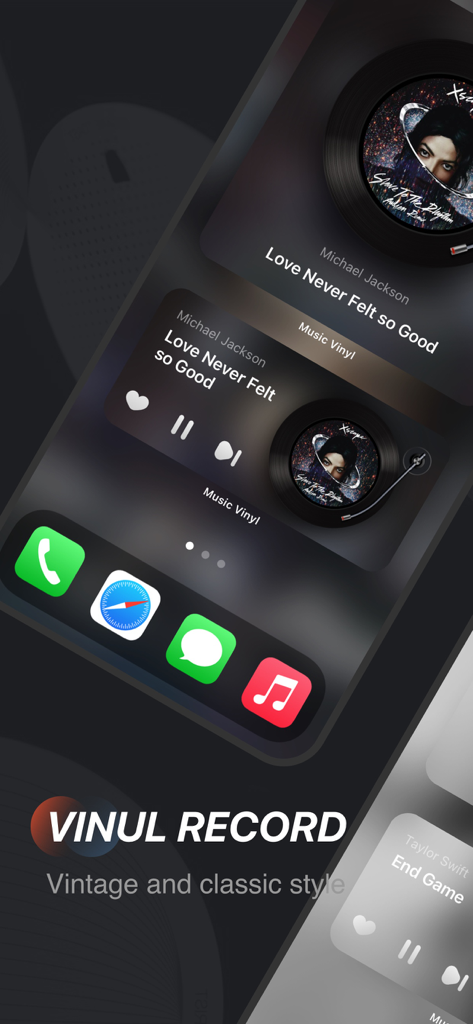
Aesthetic vinyl record music widget on an iPhone home screen
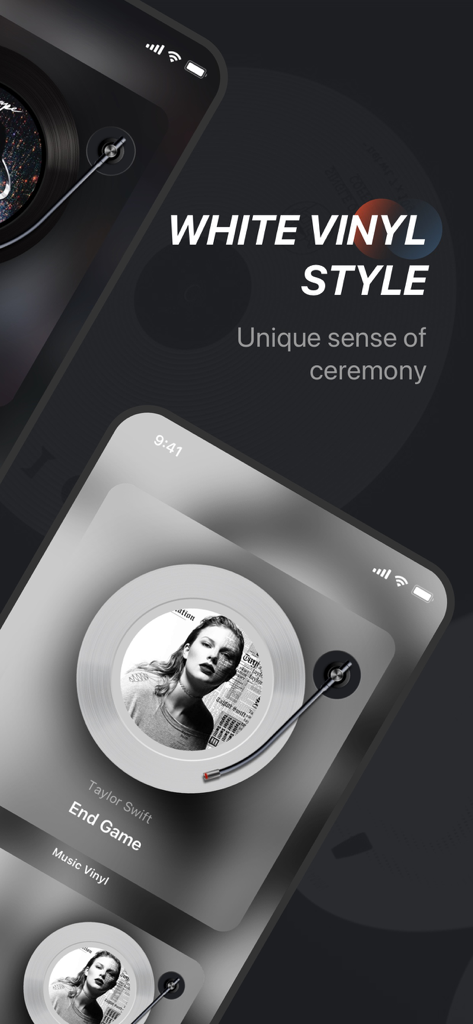
Aesthetic white vinyl style music widget on an iPhone screen showing a song by Taylor Swift
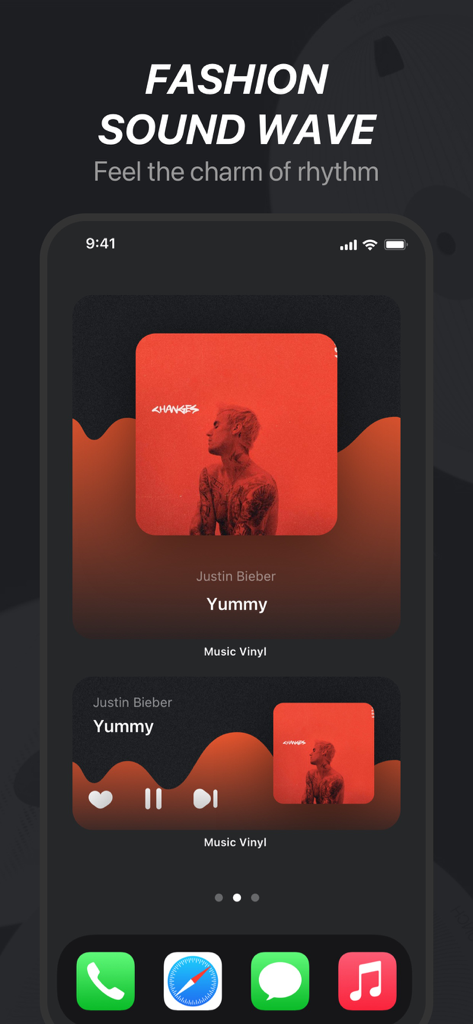
Aesthetic music widgets with sound wave theme on an iPhone home screen
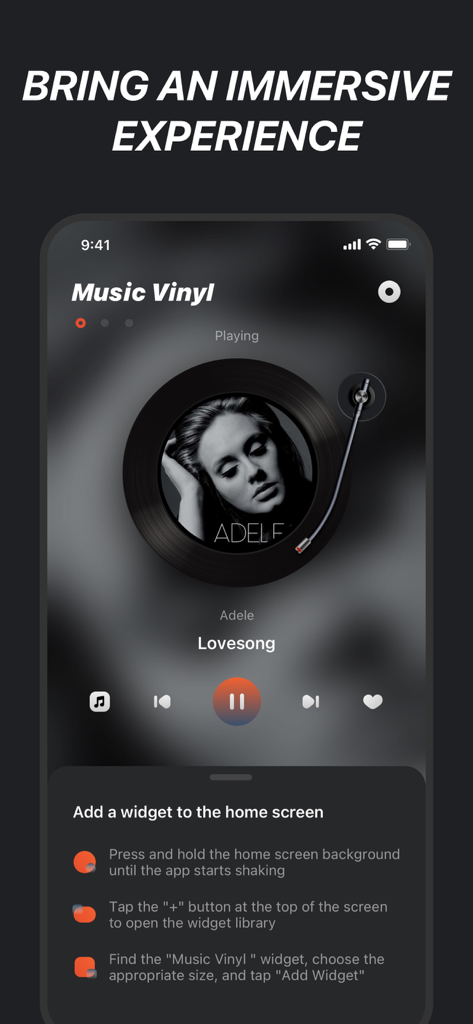
iPhone music app with a retro vinyl record player theme and widget setup guide
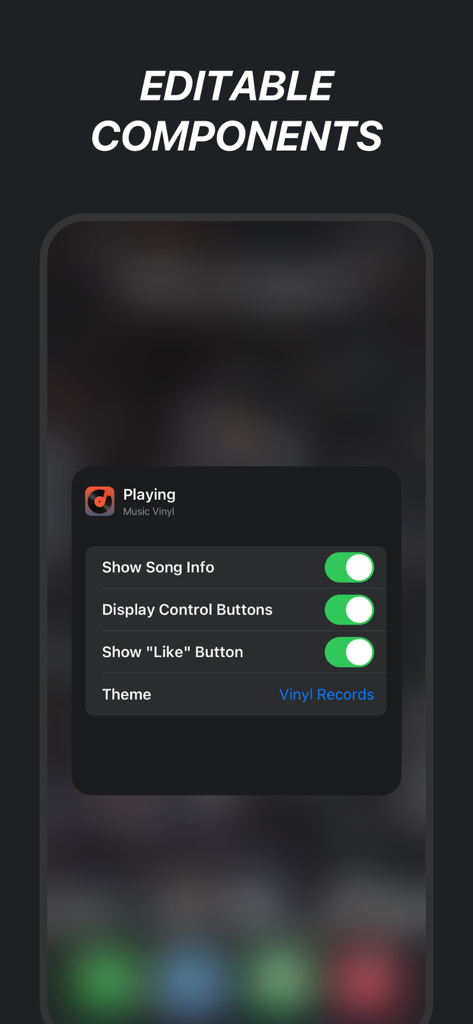
A settings menu on an iPhone showing editable components for a music widget including song info and vinyl record themes.
Description
Download
More Like This
Apps with similar features and user experience



This page is not an official page of the app or its developer, but an independent editorial publication created for informational and commentary purposes. Unless expressly stated otherwise, neither the app nor its developer is affiliated with, endorsed by, sponsored by, authorized by, or otherwise officially connected with MWM, Apple, Google Play, the app publisher, or the app's developer, and nothing on this page implies that the app was developed using MWM's services. Any trademarks, logos, screenshots, and other content remain the property of their respective owners.